Introducció
This manual provides essential information for the proper setup, operation, and maintenance of your Samsung HW-Q990D 11.1.4ch Soundbar. Please read this manual thoroughly before using the product to ensure optimal performance and safety.

Figure 1: Samsung HW-Q990D 11.1.4ch Soundbar System
Què hi ha a la caixa
Verifiqueu que tots els components siguin presents a l'embalatge:
- Soundbar (HW-Q990D)
- Subwoofer
- Rear Speaker Kit (2 rear speakers)
- Cable HDMI
- Kit de muntatge a la paret
- Peus de goma
- Comandament a distància amb piles
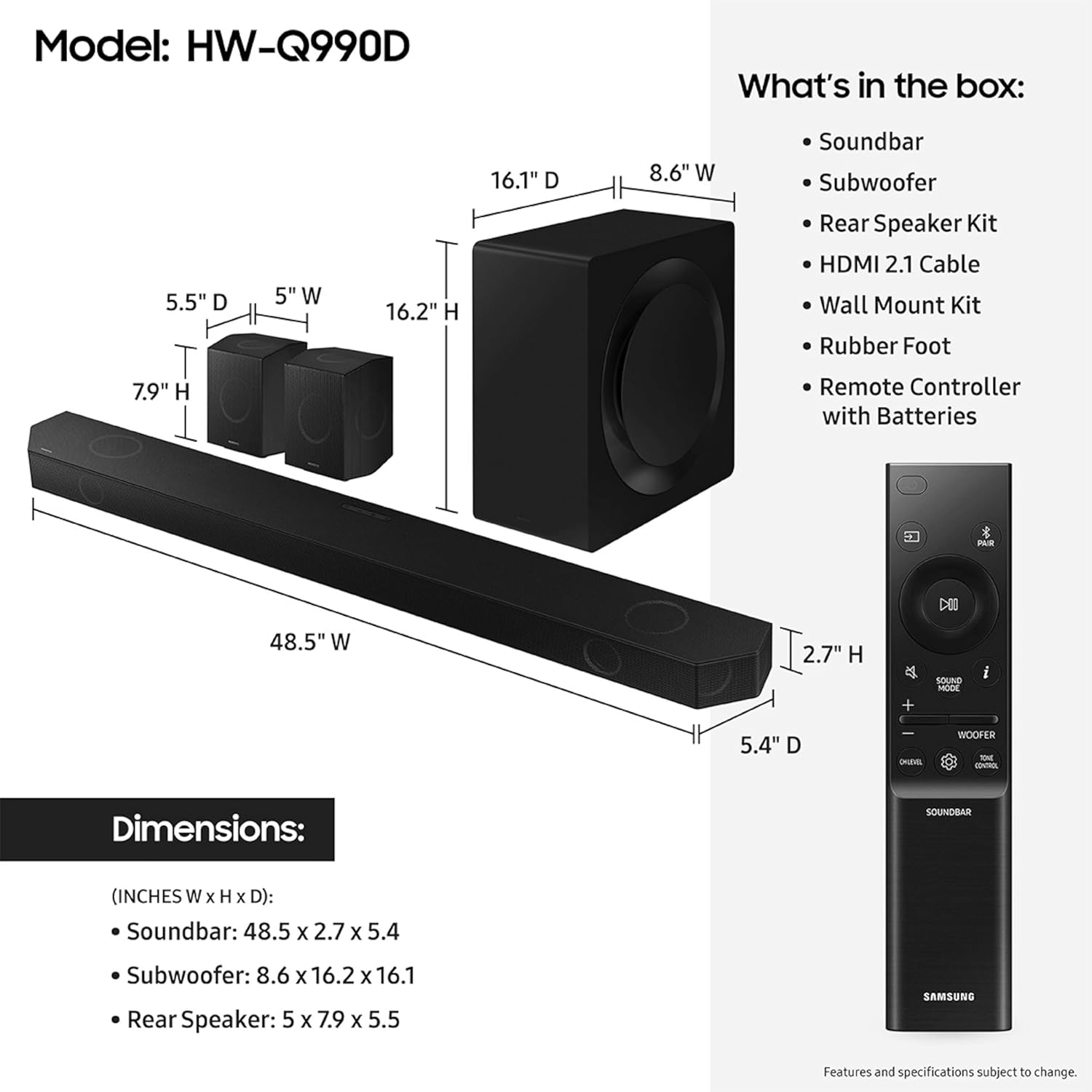
Figura 2: Contingut i dimensions del paquet
Producte acabatview
The Samsung HW-Q990D is an 11.1.4 channel soundbar system designed to deliver immersive audio. It features 11 front-facing speakers, 1 subwoofer, and 4 up-firing channels for a comprehensive home theater experience.
Característiques principals:
- 11.1.4ch Sound: Experience audio from multiple directions, including overhead, with dedicated up-firing speakers.
- Dolby Atmos sense fil: Enjoy object-based surround sound without the need for HDMI cables to connect to your TV.
- Q-Simfonia: Synchronize your Samsung TV speakers with the soundbar for an enhanced and optimized audio experience.
- So adaptatiu: The soundbar analyzes content in real-time and adjusts sound settings automatically for clear dialogue and impactful action scenes.
- Múltiples opcions de connectivitat: Supports AirPlay, Chromecast built-in, and works with Google Home and Alexa.
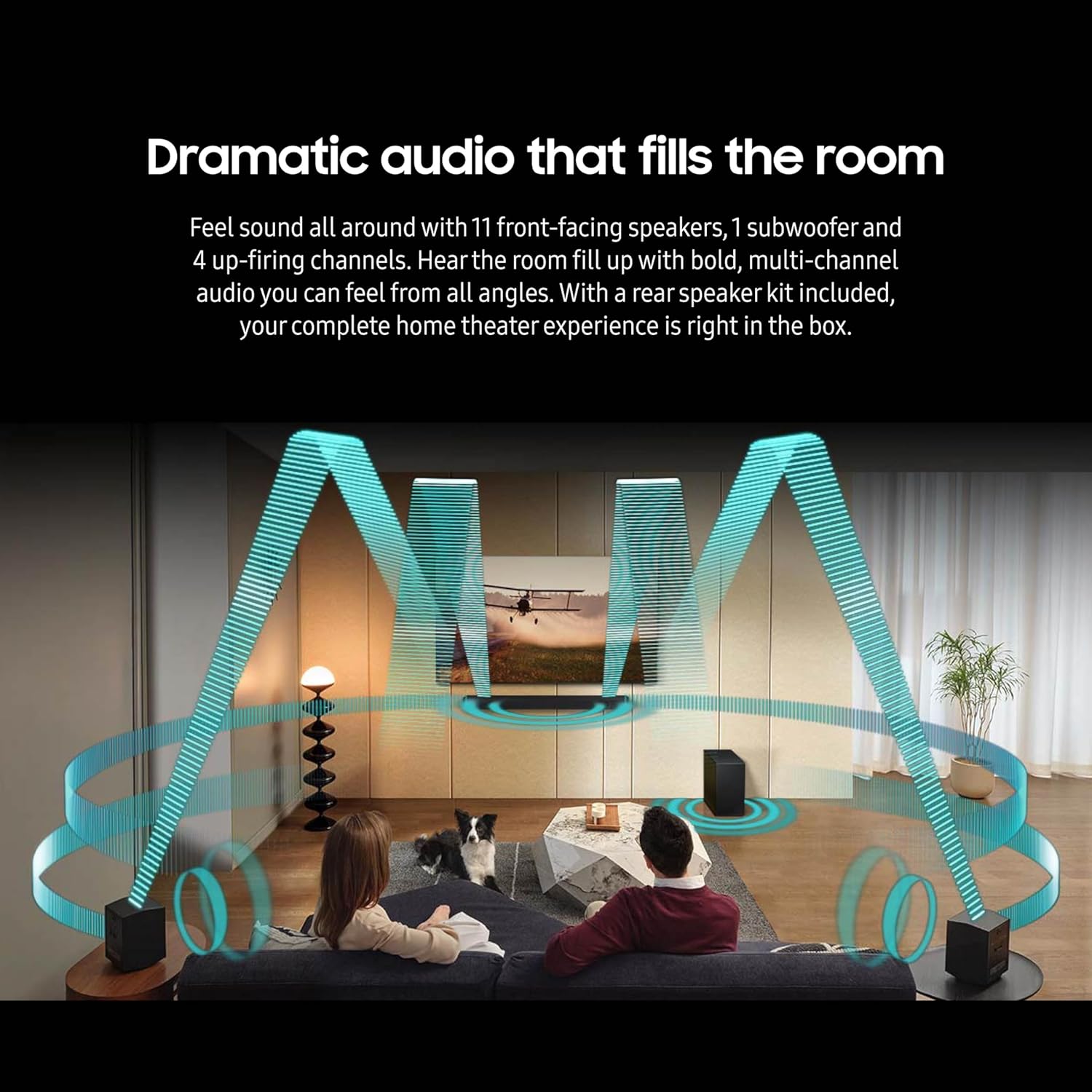
Figure 3: Dramatic Audio Experience

Figure 4: Smart Connectivity Options
Configuració
1. Col·locació
Position the soundbar centrally below your television. Place the subwoofer in a suitable location, typically near the soundbar or a corner of the room for optimal bass distribution. The rear speakers should be placed behind your primary listening position, ensuring they are powered and within wireless range of the soundbar.
2. Connexions
Connect the soundbar to your TV using the provided HDMI cable. For optimal audio quality, use the HDMI eARC/ARC port on your TV. Ensure all components (soundbar, subwoofer, rear speakers) are connected to a power outlet.
3. Wireless Speaker Pairing
The subwoofer and rear speakers are designed to connect wirelessly to the soundbar automatically upon powering on. If a connection is not established, refer to the troubleshooting section or the quick start guide for manual pairing instructions.
4. Q-Symphony (for compatible Samsung TVs)
If you have a compatible Samsung TV, Q-Symphony allows the TV's speakers to work in conjunction with the soundbar. This feature is typically enabled through your TV's sound settings once the soundbar is connected via HDMI eARC/ARC.
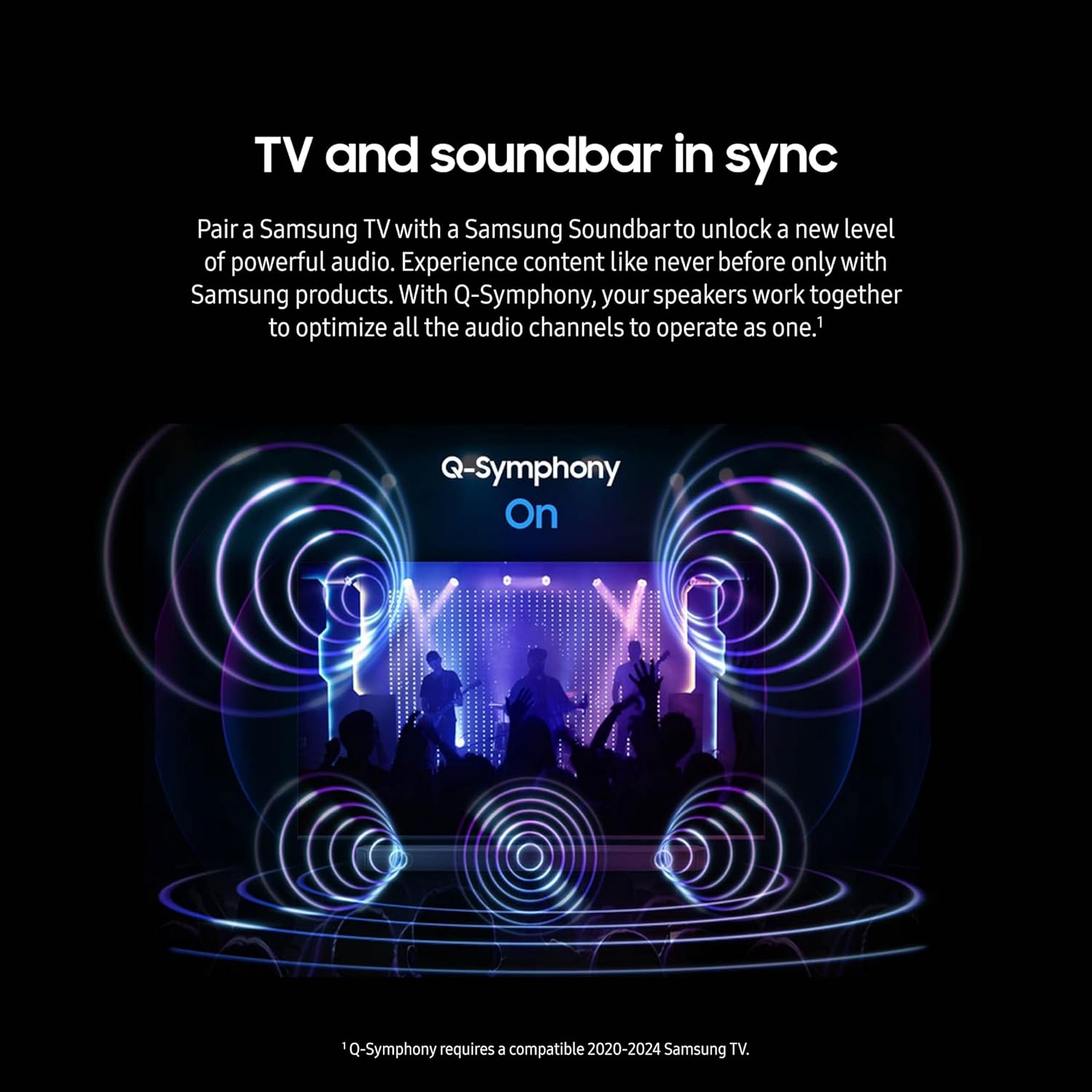
Figure 5: Q-Symphony in Action
Video 1: Samsung Q-Symphony Feature Overview
En funcionament
1. Controls bàsics
Use the included remote control to power on/off, adjust volume, select input sources, and change sound modes. The soundbar also features on-device controls for basic functions.
2. Modes de so
The HW-Q990D offers various sound modes to optimize your listening experience:
- Estàndard: Delivers original sound without enhancement.
- So adaptatiu: Automatically optimizes sound based on content and room acoustics.
- Game Pro: Enhances gaming audio for a more dynamic experience.
- So envoltant: Expands the soundstage for a more enveloping experience.
3. Connectivitat
The soundbar supports multiple wireless connectivity options:
- Bluetooth: Pair your mobile device to stream audio wirelessly.
- Wi-Fi: Connect to your home network for streaming services and smart home integration.
- Apple AirPlay: Stream audio directly from Apple devices.
- Chromecast integrat: Cast audio from compatible apps.
Manteniment
To ensure the longevity and performance of your soundbar system, follow these general maintenance guidelines:
- Neteja: Feu servir un drap suau i sec per netejar les superfícies de la barra de so, el subwoofer i els altaveus. Eviteu utilitzar netejadors líquids o materials abrasius.
- Ventilació: Assegureu-vos que hi hagi una ventilació adequada al voltant de tots els components per evitar el sobreescalfament. No bloquegeu cap obertura de ventilació.
- Col·locació: Avoid placing the system in direct sunlight, near heat sources, or in areas with high humidity.
- cables: Reviseu periòdicament tots els cables per detectar danys i assegureu-vos que estiguin connectats correctament.
Resolució de problemes
If you encounter issues with your Samsung HW-Q990D Soundbar, try the following basic troubleshooting steps:
- Sense energia: Check if all power cables are securely plugged into the components and the wall outlet.
- Sense so: Verify the correct input source is selected on the soundbar and your TV. Check volume levels on both devices. Ensure HDMI cables are properly connected.
- No Wireless Connection (Subwoofer/Rear Speakers): Ensure the subwoofer and rear speakers are powered on. If they do not automatically pair, consult the quick start guide for manual pairing instructions, which usually involves pressing a pairing button on the back of the units.
- So distorsionat: Check for loose cable connections. Try adjusting the sound mode or EQ settings. Ensure the soundbar is not placed too close to other electronic devices that may cause interference.
- El control remot no funciona: Substitueix les piles del comandament a distància. Assegura't que no hi hagi cap obstacle entre el comandament a distància i la barra de so.
For more detailed troubleshooting or persistent issues, refer to the full user manual available on the Samsung support weblloc o contacteu amb el servei d'atenció al client.
Especificacions
| Característica | Especificació |
|---|---|
| Nom del model | P990 |
| Tipus d'altaveu | Barra de so |
| Configuració del canal de so envoltant | 11.1.4 |
| Característica especial | Hi Res Audio, auto speaker setup, Dolby TrueHD |
| Usos recomanats per al producte | Per a televisors |
| Dispositius compatibles | Televisió |
| Dimensions del producte | 5.4 "P x 48.5" W x 2.7" H |
| Pes de l'article | 50 lliures |
| Color | Negre |
| Mètode de control | App |
| Tecnologia de comunicació sense fils | Airplay, Bluetooth |
| Tecnologia de connectivitat del subwoofer | Sense fil |
| Potència de sortida màxima dels altaveus | 656 watts |
| Resposta de freqüència | 24 Hz |
| Mode de sortida d'àudio | Envoltant |
Garantia i Suport
The Samsung HW-Q990D Soundbar comes with a limited warranty. For specific warranty terms and conditions, please refer to the warranty card included in your product packaging or visit the official Samsung support weblloc.
For customer support, technical assistance, or service inquiries, please visit the Botiga Samsung or contact Samsung customer service directly.


