Introducció
The Browning Dark Ops Pro DCL Nano (BTC-6DCLN) is a compact and advanced trail camera designed for capturing high-quality images and videos of wildlife and for outdoor security monitoring. This manual provides detailed instructions for setting up, operating, and maintaining your camera to ensure optimal performance.

Imatge: Frontal view of the Browning Dark Ops Pro DCL Nano trail camera, showcasing its compact design and effective camouflage pattern, ideal for blending into natural environments.
Informació de seguretat
Please read all safety instructions before using the camera. Failure to follow these instructions may result in damage to the camera or personal injury.
- No exposeu la càmera a temperatures extremes ni a la llum solar directa durant períodes prolongats.
- Assegureu-vos que el compartiment de la bateria estigui ben tancat per evitar l'entrada d'aigua.
- Use only recommended battery types (AA Lithium or Alkaline). Do not mix old and new batteries or different battery types.
- Mantingueu la càmera allunyada de camps magnètics forts.
- Eliminar les bateries segons la normativa local.
Contingut del paquet
Verifiqueu que tots els elements siguin presents al vostre paquet:
- Browning Dark Ops Pro DCL Nano Trail Camera (BTC-6DCLN)
- Tree Mount Strap
- Manual d'instruccions (aquest document)
Note: Batteries and SD card are sold separately.
Configuració
1. Instal·lació de la bateria
The Dark Ops Pro DCL Nano camera operates on 6 AA batteries. For best performance and battery life, we recommend using lithium batteries.
- Open the camera housing by releasing the latch on the side.
- Localitzeu el compartiment de la bateria.
- Introduïu 6 piles AA, assegurant-vos de la polaritat correcta (+/-) tal com s'indica a l'interior del compartiment.
- Tanqueu el compartiment de la bateria de manera segura.
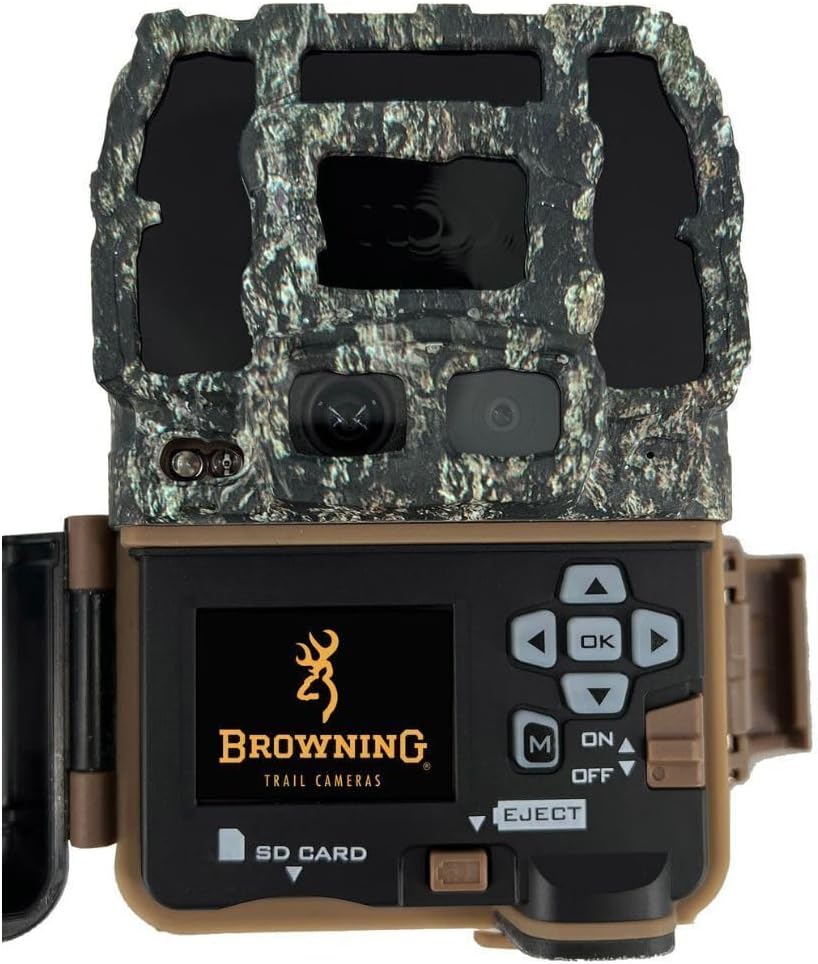
Image: The Browning trail camera with its front panel opened, showing the internal display screen, navigation buttons, and the slot for the SD card, along with the battery compartment.
2. Instal·lació de la targeta SD
A Class 10 SD card (up to 512GB) is required to store images and videos.
- Amb la carcassa de la càmera oberta, localitzeu la ranura per a la targeta SD.
- Insert the SD card with the label facing forward until it clicks into place.
- To remove, push the card in until it clicks, then release to eject.
3. Muntatge de la càmera
The camera can be mounted using the included tree strap or a Browning camera mount.
- Using the Tree Strap: Thread the strap through the slots on the back of the camera and secure it around a tree or post. Ensure the camera is stable and pointed towards the desired area.
- Using a Camera Mount (Sold Separately): Attach the camera to a compatible mount using the 1/4"-20 tripod socket on the bottom of the camera.
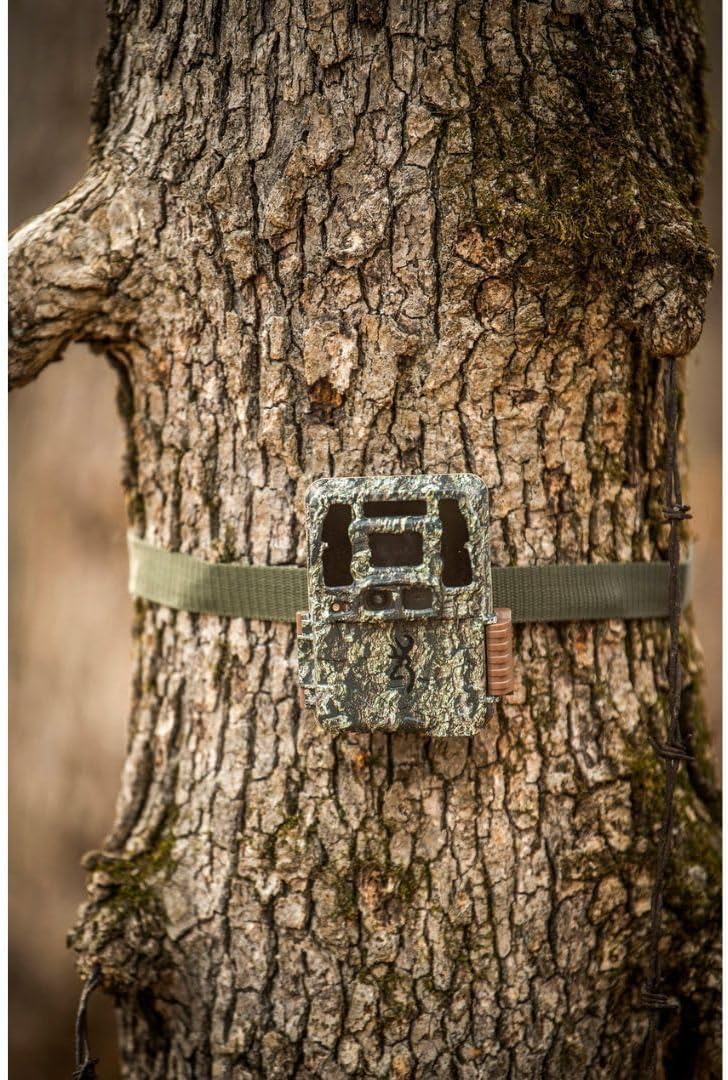
Image: The Browning trail camera securely attached to a tree trunk with a green mounting strap, demonstrating its discreet placement in a natural setting.
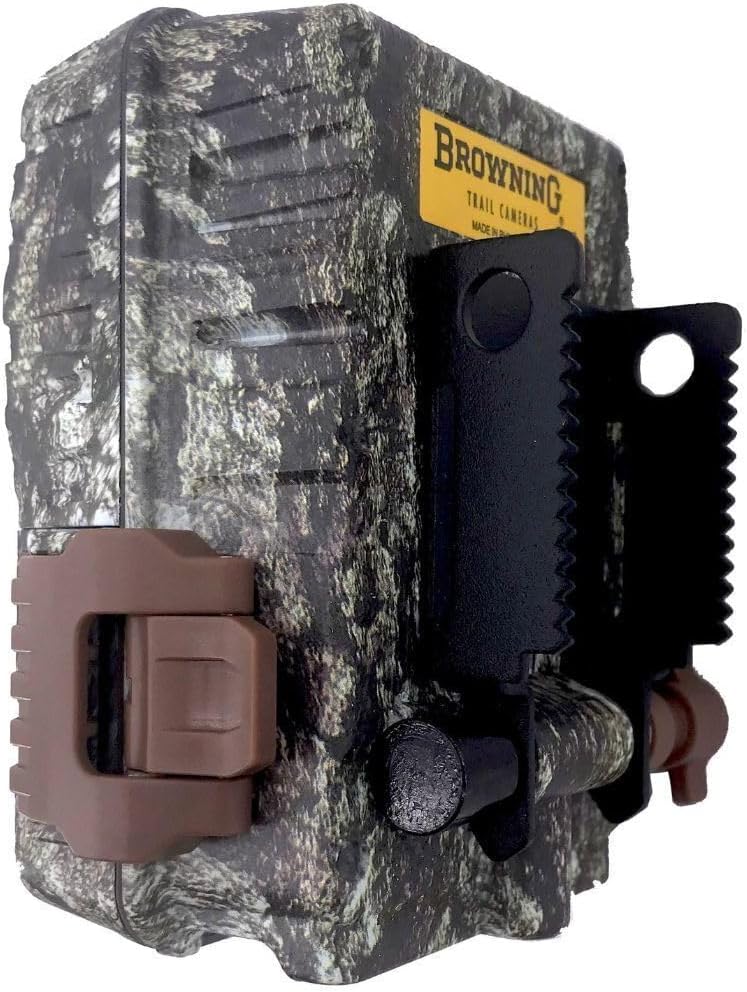
Imatge: Side profile of the Browning trail camera, showing the durable latch that secures the housing and the integrated mounting bracket for attachment to various surfaces.
4. Engegada inicial
Once batteries and SD card are installed, slide the power switch to the "ON" position. The camera will perform a self-check and display the main menu.
Funcionament de la càmera
Navegació pel menú
Use the control buttons (OK, Up, Down, Left, Right, M) to navigate through the camera's menu options. The internal screen will display settings and previews.
- D'ACORD: Confirma la selecció.
- Amunt avall: Navega per les opcions del menú.
- Esquerra/Dreta: Changes values or settings.
- M (mode): Switches between different operating modes (e.g., Photo, Video, Time Lapse).
Configuració de la data i l'hora
It is crucial to set the correct date and time for accurate timestamping of your captured media.
- From the main menu, navigate to "Date/Time" settings.
- Use the Up/Down buttons to adjust values and Left/Right to move between fields.
- Press OK to confirm and save the settings.
Configuring Capture Settings
Customize your camera's behavior for optimal results:
- Mode: Seleccioneu Foto, Vídeo o Foto+Vídeo.
- Resolució fotogràfica: Choose from available resolutions (e.g., 10MP, 8MP). Higher resolution results in larger file mides.
- Resolució de vídeo: Select video quality (e.g., 1080p, 720p).
- Retard de detecció: Set the delay between detections before the camera triggers again.
- Night IR Mode: Adjust settings for night vision (e.g., Long Range, Fast Motion).
Viewing capturat media
Pots tornarview images and videos directly on the camera's internal screen or by removing the SD card.
- A la càmera: In playback mode, use the navigation buttons to scroll through files. Premeu D'acord per a view una foto o reproduir un vídeo.
- Mitjançant targeta SD: Eject the SD card and insert it into a computer or card reader to transfer and view files.
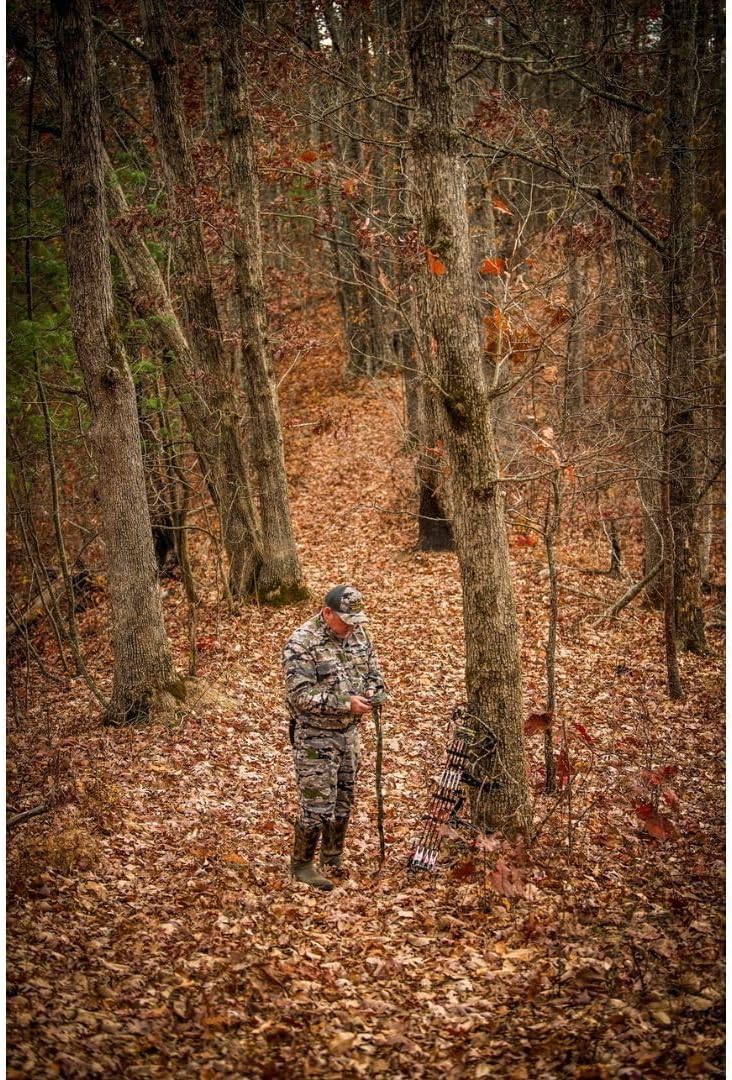
Image: A person dressed in camouflage attire is shown in a wooded area, observing a trail camera attached to a tree, illustrating the common application of the device in its natural environment.
Manteniment
- Neteja: Use a soft, dry cloth to clean the camera lens and PIR sensor window. Do not use abrasive cleaners.
- Substitució de la bateria: Replace all batteries simultaneously when the low battery indicator appears. Do not mix old and new batteries.
- Gestió de la targeta SD: Regularly format your SD card using the camera's format function to ensure optimal performance and prevent data corruption. Back up important files abans de formatar.
- Actualitzacions de firmware: Check the Browning Trail Cameras website periodically for firmware updates. Follow the instructions provided with the update carefully.
Resolució de problemes
| Problema | Possible causa/solució |
|---|---|
| La càmera no s'encén. |
|
| No images/videos captured. |
|
| Mala qualitat d'imatge/vídeo. |
|
| Error de targeta SD. |
|
Especificacions
| Característica | Detall |
|---|---|
| Model | BTC-6DCLN (6DCLN) |
| Resolució d'imatge | Fins a 10 MP |
| Resolució de vídeo | 1080p (MP4 format) |
| Font d'alimentació | 6 AA Batteries (12V) |
| Emmagatzematge | SD Card (up to 512GB, Class 10 recommended) |
| Dimensions (L x A x A) | 1 x 1 x 1 polzades (aproximadament) |
| Pes | 0.005 unces (aproximadament) |
| Connectivitat | Wireless (for certain features, if applicable) |
| Entorn d'ús | A l'aire lliure |
Garantia i Suport
Browning Trail Cameras offers a limited warranty on its products. For specific warranty terms and conditions, please refer to the warranty card included with your purchase or visit the official Browning Trail Cameras weblloc.
For technical support, troubleshooting assistance, or to inquire about replacement parts, please contact Browning Trail Cameras customer service:
- Weblloc: www.browningtrailcameras.com
- Telèfon: Consulteu el weblloc web per a números de contacte actuals.
- Correu electrònic: Consulteu el website for current email support options.
When contacting support, please have your camera model (BTC-6DCLN) and serial number ready.


