1. Introducció
Thank you for choosing the HSH 70.8 Inch White Oak Computer Desk. This manual provides detailed instructions for assembly, operation, maintenance, and troubleshooting to ensure optimal use and longevity of your desk. Please read this manual thoroughly before assembly and retain it for future reference.
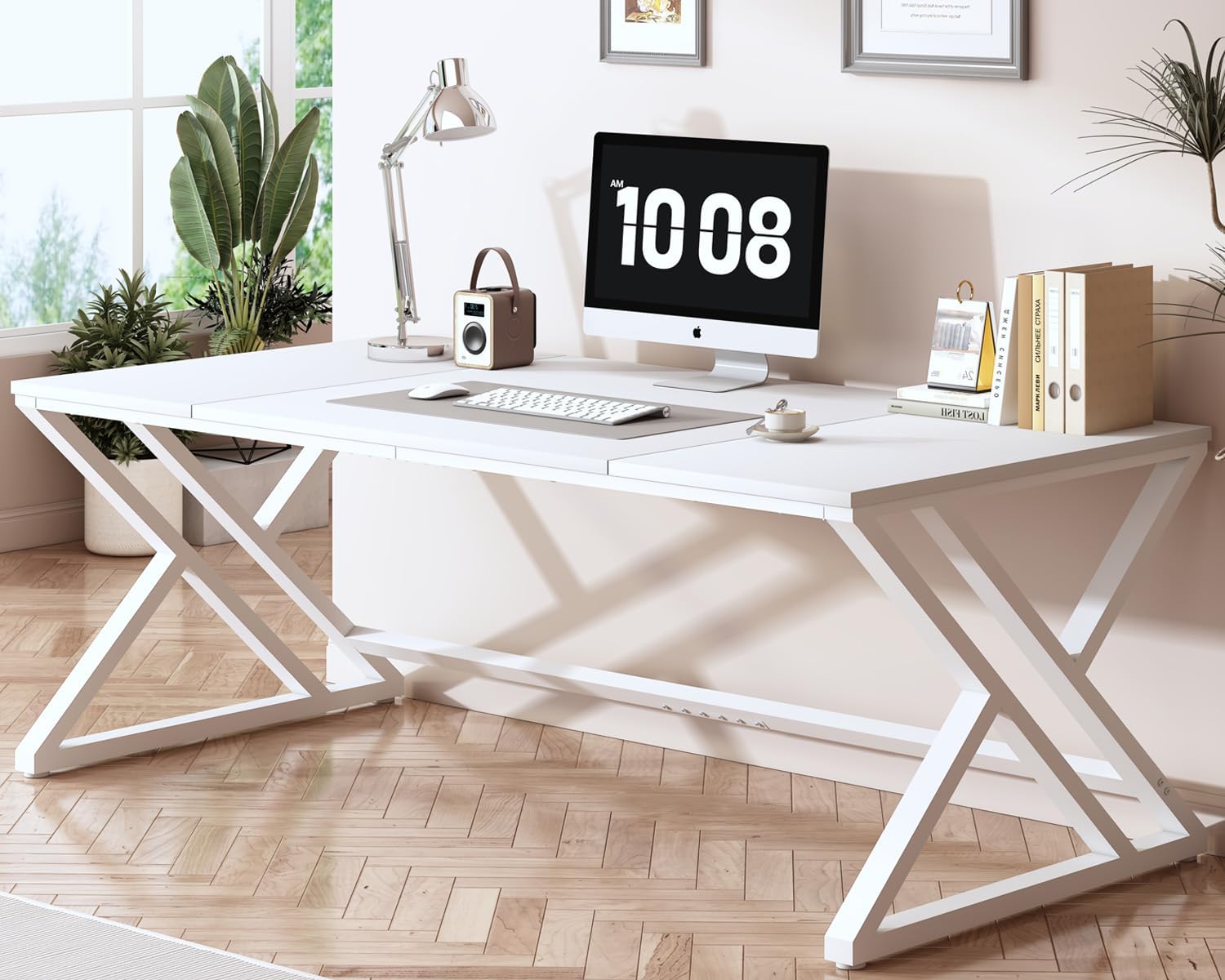
Image 1.1: The HSH 70.8 Inch White Oak Computer Desk in a modern office environment.
2. Informació de seguretat
- Munta sempre l'escriptori sobre una superfície suau i neta per evitar ratllades.
- Assegureu-vos que tots els cargols i elements de fixació estiguin ben ajustats abans d'utilitzar-los. Comproveu-los periòdicament i torneu-los a apretar segons calgui.
- Do not overload the desk. The maximum weight recommendation is 150 kilograms (approximately 330 lbs).
- Mantingueu les peces petites fora de l'abast dels nens durant el muntatge per evitar riscos d'asfíxia.
- Use caution when moving the assembled desk to prevent injury or damage.
3. Contingut del paquet
Before beginning assembly, please verify that all parts listed below are present and undamaged. If any parts are missing or damaged, please contact HSH customer support.
3.1. Components
- Desktop Panels (3 sections)
- Metal Leg Frames (2 units, X-shaped)
- Support Beams (various lengths)
3.2. Maquinari
- Cargols (diverses mides)
- Allen Key (for assembly)
- Connecting Plates/Brackets
- Peus ajustables

Imatge 3.1: acabatview of desk components and hardware.
4. Instruccions de muntatge
Assembly is designed to be straightforward. It is recommended to have two people for easier and safer assembly. An estimated assembly time is 30 minutes.
4.1. Step 1: Assemble the Desktop Panels
- Lay the three desktop panels (1 large, 2 smaller) face down on a soft, flat surface.
- Align the panels and secure them together using the connecting plates/brackets and screws (Type A). Use the provided Allen key (Type B) to tighten.

Image 4.1: Assembling the desktop panels.
4.2. Step 2: Attach Support Beams to Desktop
- Position the long support beams (Type 4 and 5) along the underside edges of the assembled desktop.
- Secure these beams to the desktop using screws (Type F). Ensure the angle iron (Type 6) faces inwards.

Image 4.2: Securing the support beams.
4.3. Step 3: Connect Metal Leg Frames
- Attach the X-shaped metal leg frames (Type 3) to the desktop assembly using screws (Type C).
- Ensure the leg frames are oriented correctly for stability.

Image 4.3: Attaching the leg frames.
4.4. Step 4: Install Adjustable Feet
- Screw the adjustable feet (Type D) into the bottom of the metal leg frames.
- Once the desk is upright, adjust the feet to level the desk on uneven surfaces.

Image 4.4: Installing adjustable feet.
4.5. Vídeo de muntatge
Video 4.5: An official HSH Furniture video demonstrating the assembly process for a similar desk model. This video provides a visual guide to complement the written instructions.
5. Instruccions de funcionament
The HSH Computer Desk is designed for versatile use in various settings. Once assembled, ensure the desk is stable and level before placing items on it.
- Estació de treball: Utilize the spacious desktop for computers, monitors, keyboards, and other office essentials.
- Àrea d'estudi: Ideal for students, providing ample space for books, notes, and study materials.
- Configuració del joc: Accommodates multiple monitors and gaming peripherals for an immersive experience.
- Taula de conferències: Its large size makes it suitable for small meetings or collaborative work.

Image 5.1: The spacious desktop provides ample room for various tasks.
Video 5.2: An official HSH Furniture video showcasing the HSH 70 Inch Large Office Desk in various settings, highlighting its versatility.
6. Manteniment
- Neteja: Netegeu la superfície de l'escriptori amb un damp drap. Eviteu productes químics agressius o netejadors abrasius que puguin danyar l'acabat.
- Vessaments: Netegeu els vessaments immediatament per evitar taques o danys a la fusta.
- Inspecció: Reviseu periòdicament tots els cargols i connexions per assegurar-vos que romanen ajustats. Torneu a apretar-los si cal.
- Col·locació: Eviteu col·locar objectes calents directament sobre la superfície de l'escriptori. Feu servir posagots o coixinets protectors.
7. Solució De Problemes
| Problema | Causa possible | Solució |
|---|---|---|
| L'escriptori està inestable | Sòl irregular; cargols solts | Adjust the leveling feet; tighten all assembly screws. |
| Les peces no s'alineen durant el muntatge | Incorrect orientation of parts | Review the assembly diagrams and ensure parts are correctly oriented before tightening. |
| Missing hardware | Error d'embalatge | Contact HSH customer support for replacement parts. |
8. Especificacions
- Marca: HSH
- Número de model: CD040506
- Color: Roure Blanc
- Dimensions del producte: 80 cm de profunditat x 180 cm d'amplada x 75 cm d'alçada
- Pes de l'article: 29.3 quilograms (aprox. 64.6 lliures)
- Material: Fusta dissenyada (tapa), metall (base)
- Pes màxim recomanat: 150 quilograms (aprox. 330 lliures)
- Muntatge requerit: Sí
- Nombre recomanat de persones per a l'assemblea: 1 (though 2 is easier)

Image 8.1: Key dimensions and weight capacity of the desk.
9. Garantia i Suport
HSH is committed to providing high-quality products and excellent customer service. While specific warranty details are not provided in this manual, we assure you of our product quality and support.
- Garantia de qualitat: Our products are crafted with high-quality wood and robust metal frames to ensure stability and durability.
- Atenció al client: Our outstanding after-sales team is always available to answer your questions and provide excellent service, ensuring a worry-free shopping experience.
- For any inquiries, missing parts, or assistance, please contact HSH customer support through your purchase platform or the official HSH weblloc.
Video 9.1: An official HSH Furniture video highlighting the features and modern design of the 70.8" Computer Desk.


