Introducció
This manual provides detailed instructions for the installation, operation, and maintenance of your Herdio 4-Channel Bluetooth 5.0 Amplifier Receiver. Please read this manual thoroughly before using the product to ensure proper function and longevity.
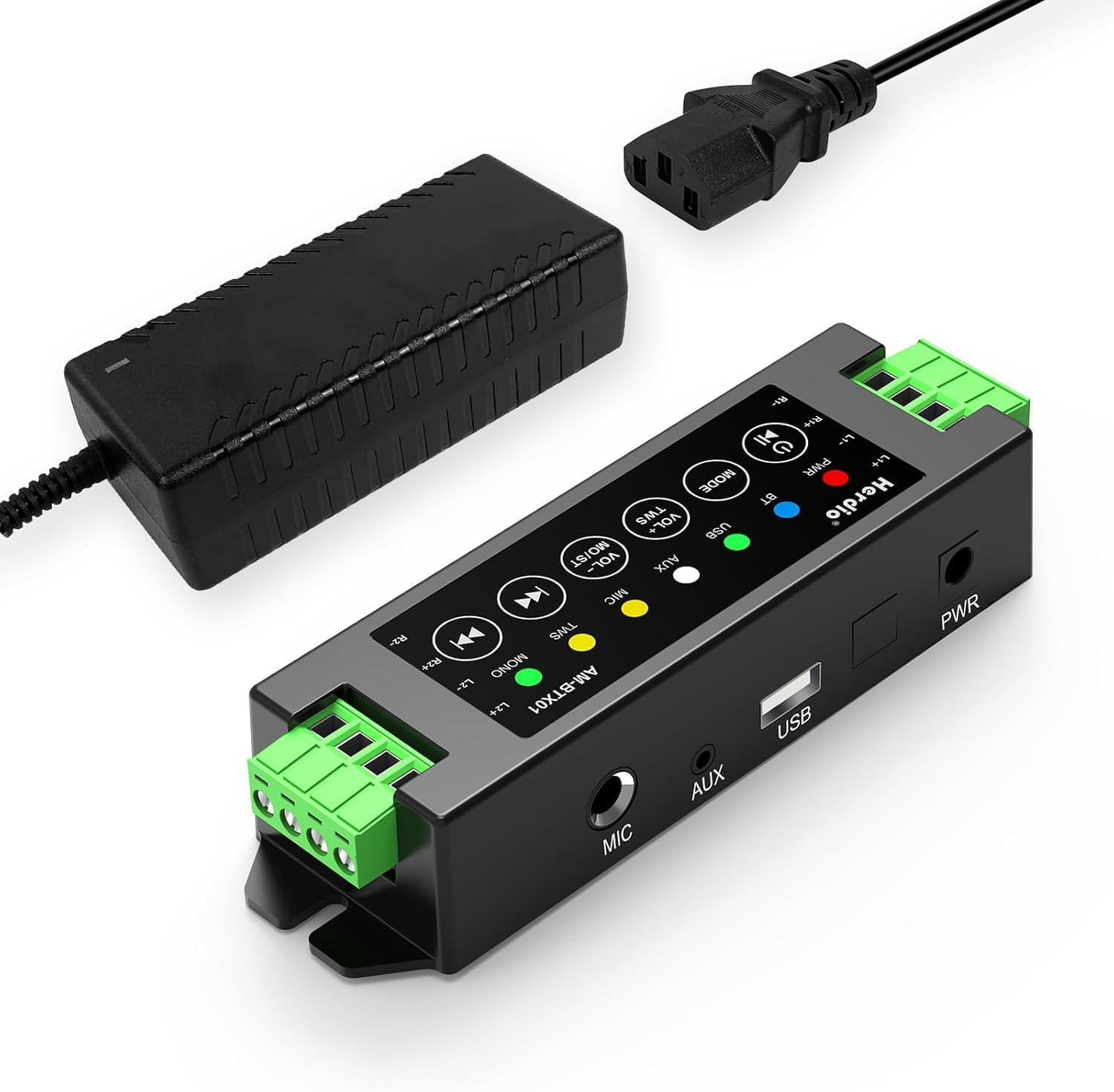
Image: The Herdio 4-Channel Bluetooth Amplifier Receiver, shown with its power supply unit. This compact amplifier is designed for various audio setups.
Contingut del paquet
Verifiqueu que tots els elements que s'enumeren a continuació s'inclouen al vostre paquet:
- 1 x Herdio 4-Channel Ampmés viu
- 1 x 24V5A AC-DC Power Supply
- 2 x Screws for Mounting
- 1 x Screwdriver for Mounting
- 1 x Manual d'usuari

Image: A visual representation of the items included in the package: the amplifier, power supply, screwdriver, screws, and user manual.
Especificacions
| Marca | Herdio |
| Número de model | HE-68-24V5A-DE |
| Tipus de muntatge | Muntatge de paret |
| Font d'alimentació | Corded Electric (24V5A AC-DC Power Supply) |
| Tipus de connector | USB |
| Material | Acrilonitril butadiè estirè (ABS) |
| Nombre de canals | 4 |
| Entrada d'àudio | USB, MIC, AUX, TWS (True Wireless Stereo) |
| Dimensions del producte (L x A x A) | 1.18 x 6.3 x 1.96 polzades |
| Pes de l'article | 1.17 lliures |
| Tecnologia de connectivitat | Bluetooth 5.0 |
| Color | Negre |
| Dispositius compatibles | Computers, Home Theatre, CD Players, PC, Laptops, Phone |
| Potència de sortida | 200W (40W per channel) |
| Resistència de càrrega mínima | 4 ohms |

Imatge: Diagrama que il·lustra el amplifier's specifications, including Bluetooth version 5.0, dynamic mic input, stereo Class-D amp type, and 4 Ohm minimum load resistance, alongside a basic connection setup.
Configuració i instal·lació
1. Connexió d'altaveus
El amplifier supports up to four passive speakers. Ensure proper polarity when connecting speaker wires.
- Identify the positive (+) and negative (-) terminals on your speakers and on the ampmés viu.
- Using the provided screwdriver, loosen the terminal screws on the ampmés viu.
- Insert the positive wire from a speaker into the corresponding positive terminal (L1+, R1+, L2+, R2+) on the ampmés viu.
- Insert the negative wire from the same speaker into the corresponding negative terminal (L1-, R1-, L2-, R2-) on the ampmés viu.
- Premeu els cargols del terminal per assegurar els cables.
- Repeat for all four speakers.

Image: A clear diagram illustrating the connection of four passive speakers to the amplifier, highlighting positive and negative terminals for correct wiring.

Imatge: Un primer pla view demonstrating the use of the provided screwdriver to connect speaker wires into the amplifier's green terminal blocks.
2. Connexió d'alimentació
Connect the provided 24V5A AC-DC power supply to the amplifier's power input port, then plug the power supply into a standard electrical outlet.

Image: A hand connecting the power adapter's barrel jack into the power input port of the Herdio ampmés viu.
3. Input Source Connection (Optional)
El amplifier supports multiple input methods:
- Entrada AUX: Connect devices like CD players or PCs using a 3.5mm audio cable to the AUX port.
- Entrada USB: Connect a USB drive for audio playback.
- Entrada MIC: Connect a microphone to the MIC port for voice input.

Imatge: El/La amplifier displaying its various input options: AUX, USB, and MIC, with corresponding cables connected to illustrate usage.
4. Muntatge (opcional)
El amplifier can be wall-mounted using the provided screws. Ensure the mounting location is suitable and consider cable lengths.

Imatge: Dos examples de la amplifier mounted on a wall, one showing a close-up of the unit and another showing it integrated into a living room setting.
Important: Estimate the distance to speakers and power outlet before installation. This amplifier is not waterproof; avoid installation in uncovered or wet areas.
Instruccions de funcionament

Image: A detailed diagram of the amplifier's control panel, labeling each button and its corresponding function for easy operation.
1. Encendre/apagar
- Encès/apagat: Premeu llargament el botó Encendre/Reproduir/Pausa botó.
- Reproduir/pausa: Premeu breument Encendre/Reproduir/Pausa botó durant la reproducció.
2. Selecció de mode
- Mode de canvi: Premeu breument MODE button to cycle through Bluetooth (BT), USB, AUX, and MIC input modes.
- Restablir: Premeu llargament el botó MODE button to reset the ampmés viu.
3. Control de volum
- Augmenta el volum: Premeu breument VOL+ / MO/ST botó.
- Disminueix el volum: Premeu breument VOL- / TWS botó.
- Volume can also be adjusted from the connected source device (e.g., phone, PC).
4. Emparellament Bluetooth
When in Bluetooth mode, the ampel lifier entrarà automàticament en el mode d'aparellament. Cerca "Herdio" or similar on your device's Bluetooth settings and connect.
- Restabliment de Bluetooth: To forget automatic Bluetooth connections, long press the Encendre/Reproduir/Pausa button. You will need to manually reconnect your device afterward.
5. Funció TWS (True Wireless Stereo)
The TWS function allows two Herdio amplifiers of the same model to connect wirelessly, enabling up to eight passive speakers to play music simultaneously for a wider soundstage.
- Activate TWS: Manteniu premut el botó VOL- / TWS button on both amplifiers to initiate TWS pairing.
- Deactivate TWS: Premeu el botó VOL- / TWS button again to disconnect the TWS link.

Image: An illustration demonstrating the TWS feature, where two amplifiers are wirelessly linked to provide synchronized audio across multiple rooms or a larger area.
6. Track Navigation
- Cançó anterior: Premeu breument Pista anterior button. Long press to fast backward.
- Següent cançó: Premeu breument Pista següent button. Long press to fast forward.
7. Stereo/Mono Switch
- Switch Stereo/Mono: Premeu llargament el botó VOL+ / MO/ST button to toggle between stereo and mono output.
Manteniment
- Mantenir el amplifier in a dry, well-ventilated area.
- Eviteu exposar la unitat a la llum solar directa, a temperatures extremes o a una humitat elevada.
- Netegeu l'exterior amb un drap suau i sec. No utilitzeu netejadors líquids ni dissolvents.
- Assegureu-vos que totes les connexions estiguin ben fixades i lliures de pols o deixalles.
Resolució de problemes
| Problema | Causa possible | Solució |
|---|---|---|
| Sense poder | Font d'alimentació no connectada o defectuosa. | Ensure the power supply is securely connected to both the amplifier and a working power outlet. Check if the power adapter is functional. |
| Sense sortida de so | Incorrect input mode, speaker wires loose, volume too low, or source device issue. |
|
| Bluetooth no connectat | Amplifier not in Bluetooth mode, device too far, or previous pairing conflict. |
|
| Distorsió del so o estàtica | Poor signal quality, speaker impedance mismatch, or interference. |
|
| TWS function not working | Incorrect TWS pairing procedure or amplifiers are not the same model. |
|
Garantia i Suport
Herdio provides a one-year after-sales warranty for this product. We also offer lifelong product pre-sales and after-sales consulting services.
If you have any questions or encounter issues with your product, please contact us. We aim to reply within 24 hours. For product malfunctions within the one-year warranty period, free after-sales service will be provided.
For support, please visit the Herdio Store on Amazon or contact the seller directly through your Amazon order history.


