1. Introducció
Thank you for choosing the Bextgoo 2K Door Peephole Camera Surveillance system. This manual provides detailed instructions for installation, operation, and maintenance to ensure optimal performance and security for your home. Please read this manual thoroughly before using the product.
2. Producte acabatview
2.1. Contingut del paquet
- 1 x 4.3-inch Monitor with internal battery
- 1 x 2K Peephole Camera (metal)
- 1 x Square metal support bracket for monitor
- 1 x cable de càrrega USB-A a USB-C
- 1 x Set of long mounting screws
- 1 x Manual d'usuari (aquest document)
- 1 x 32GB Micro SD Card (pre-installed)
2.2. Característiques clau
- 2K Resolution & 170° Wide-Angle View: Provides clear, detailed images and a broad perspective of your doorstep, day and night.
- 4.3-inch Color Monitor: Permet fàcil viewing of visitors with a simple button press.
- Bateria recarregable de 8000 mAh: Extended battery life with low power consumption technology.
- Two-Way Audio & Voice Change Function: Communicate with visitors via the smartphone app and protect your privacy.
- Smart Human Detection & Instant Alerts: Accurate detection of visitors with real-time notifications to your phone.
- Local Storage (32GB SD Card Included): Record and store videos without subscription fees. Supports up to 128GB.
- Visió nocturna per infrarojos: Clear visibility up to 5 meters in low-light conditions.
- Mobile App Connectivity: Real-time monitoring and remote access from your smartphone.
- Compartir en família: Share access with up to 20 users.
2.3. Components del producte

Figura 2.3.1: Acabatview of the Bextgoo 2K Door Peephole Camera system, showing the outdoor camera unit, indoor monitor, and smartphone interface. A 32GB SD card is also depicted.

Figura 2.3.2: The indoor monitor unit, highlighting the included 32GB memory card and its slot, emphasizing no subscription fees for local storage.

Figura 2.3.3: Comparison of 2K HD clarity (top) versus standard 1080P (bottom) for daytime vision, demonstrating the enhanced detail of the Bextgoo camera.
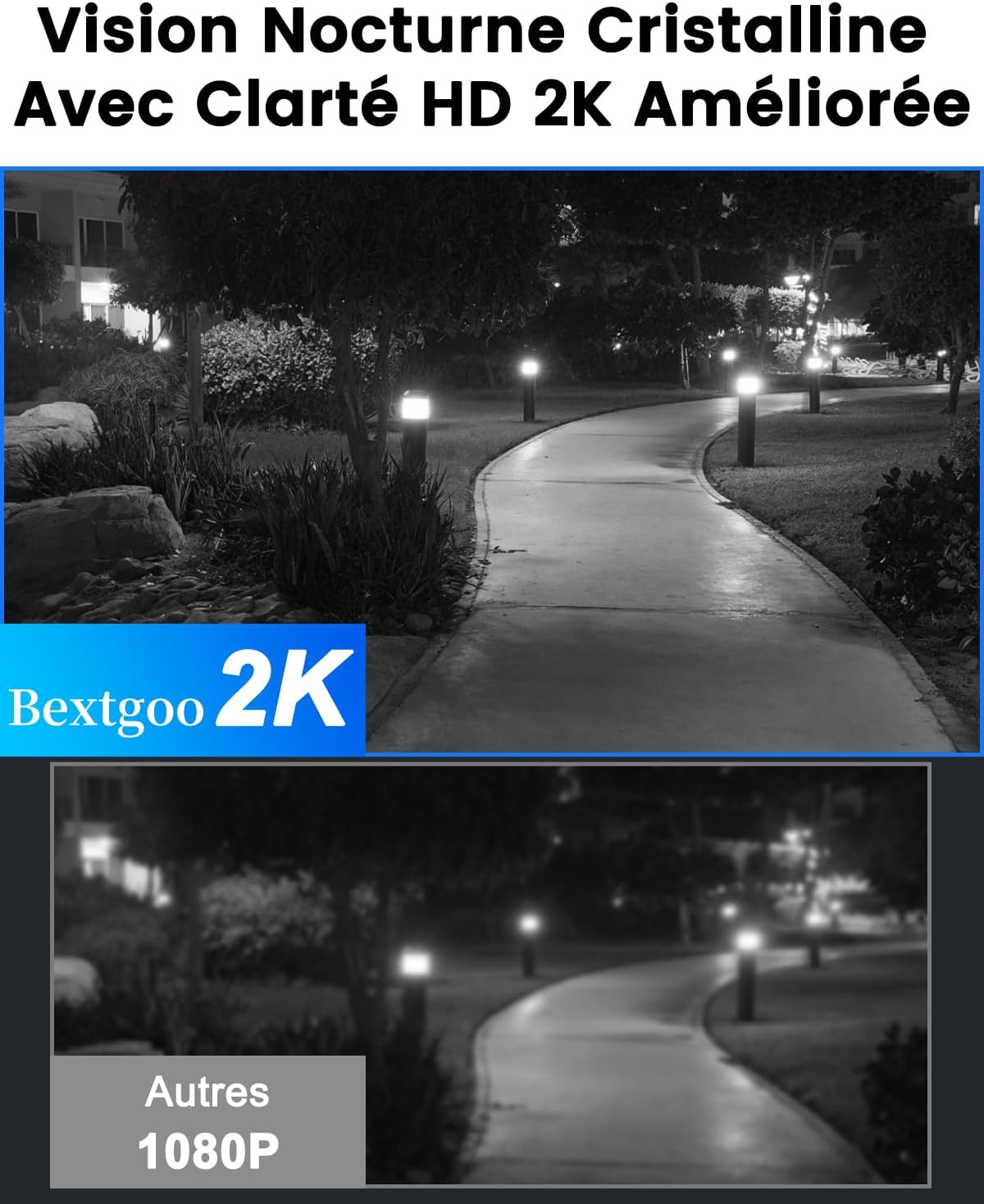
Figura 2.3.4: Comparison of 2K HD clarity (top) versus standard 1080P (bottom) for night vision, showcasing the improved visibility in low-light conditions.

Figura 2.3.5: Illustration of the 8000mAh powerful rechargeable battery integrated into the monitor, designed for prolonged use without frequent charging.
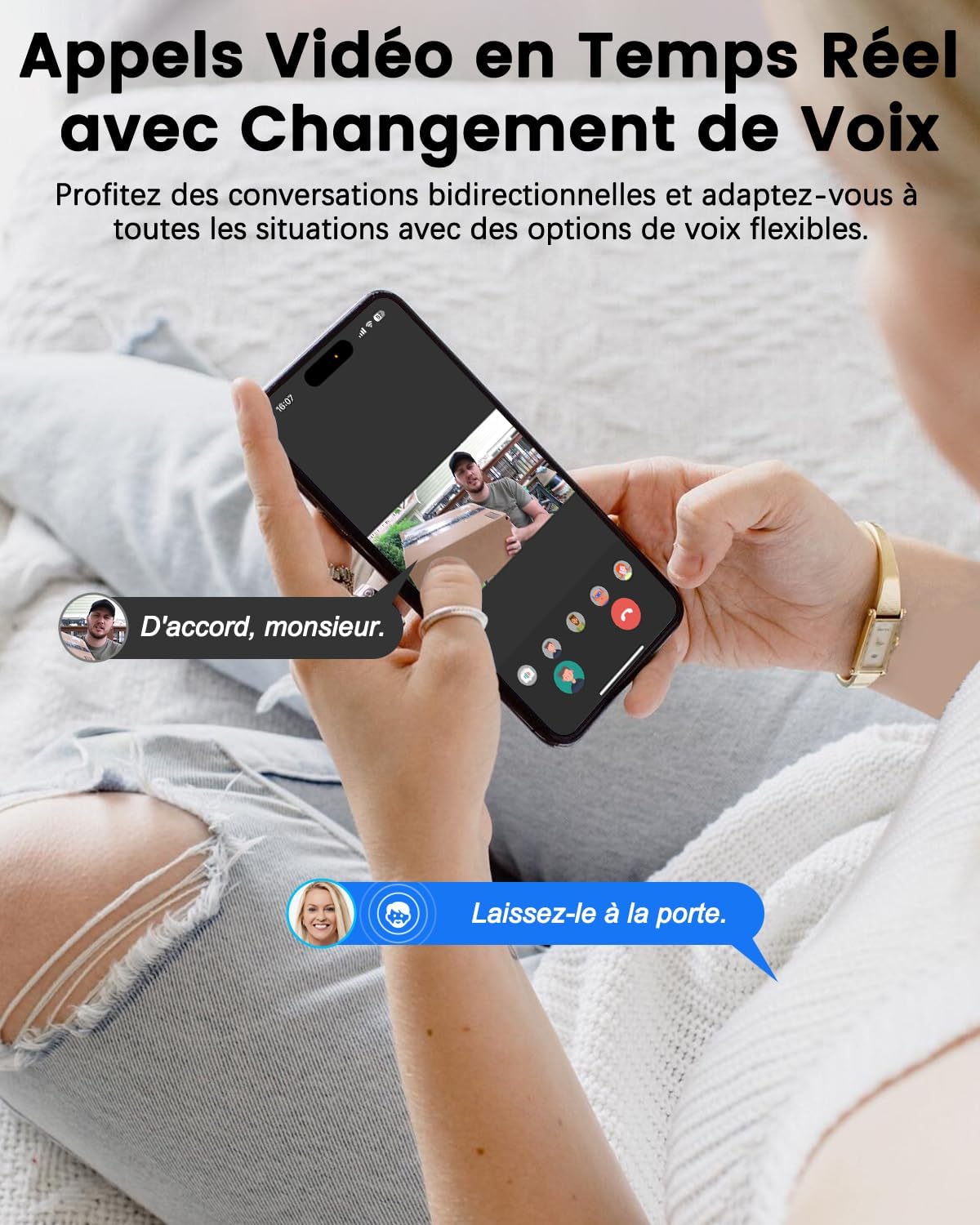
Figura 2.3.6: Depiction of the real-time two-way video call feature with voice change option, allowing secure communication with visitors via smartphone.
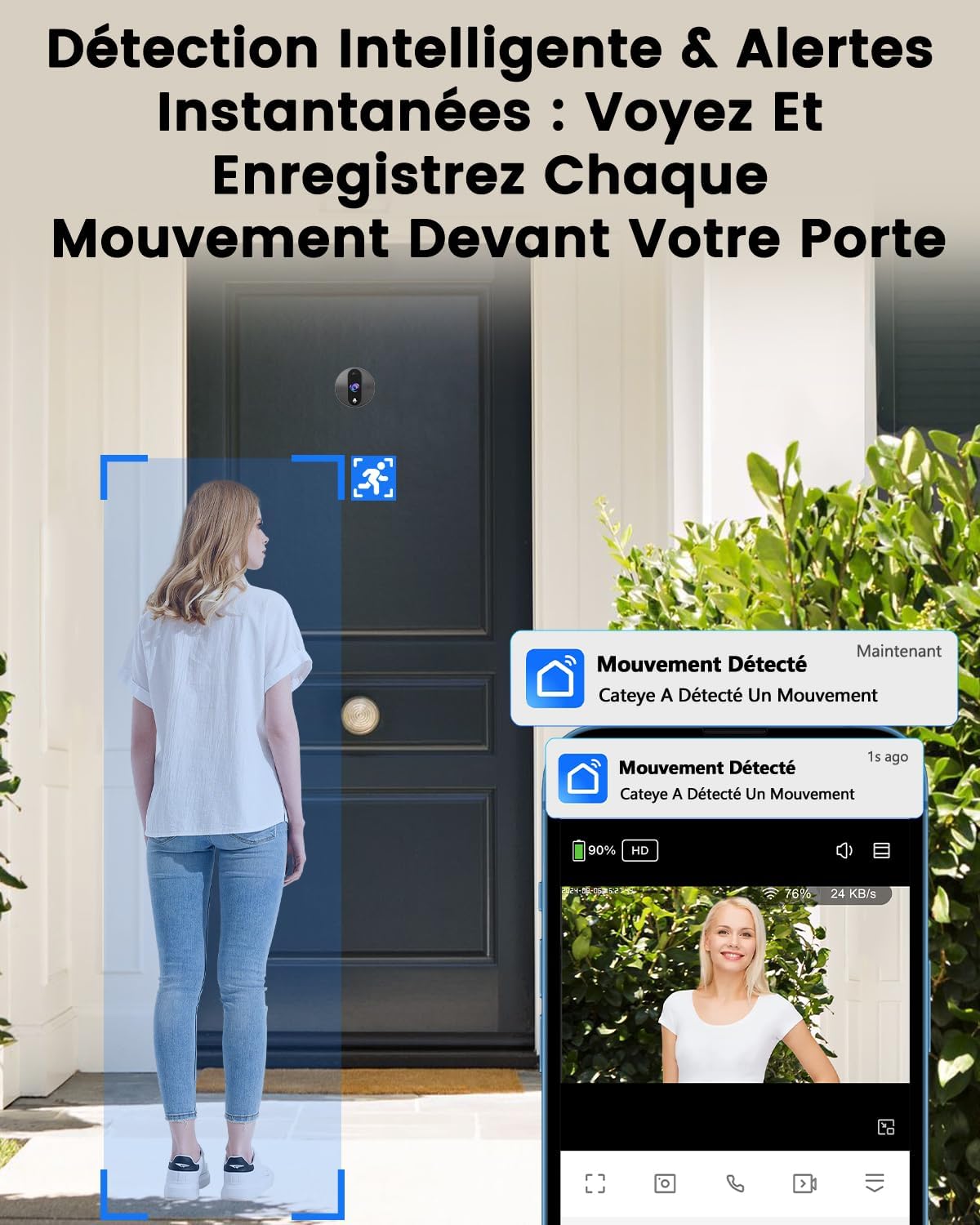
Figura 2.3.7: Visual representation of intelligent detection and instant alerts, showing how the system detects human movement and sends notifications to the app.

Figura 2.3.8: Diagram illustrating the family sharing feature, allowing multiple users (up to 20) to access the camera feed and receive alerts from anywhere.
3. Configuració i instal·lació
3.1. Llista de verificació prèvia a la instal·lació
- Ensure your door thickness is between 40 mm and 110 mm.
- Ensure your existing peephole hole diameter is between 15 mm and 45 mm.
- Charge the monitor fully before installation.
- Baixeu l'aplicació "Smart Life" des de la botiga d'aplicacions del vostre telèfon intel·ligent.
3.2. Passos d'instal·lació
- Eliminar l'espiell existent: Unscrew and remove your current peephole from the door.
- Install Outdoor Camera: Insert the outdoor camera unit through the peephole hole from the outside of the door. Ensure the camera is facing outwards and is level.
- Col·loqueu el suport de muntatge: From the inside of the door, slide the metal mounting bracket over the camera's cable and align it with the screw holes.
- Càmera segura: Use the provided screws to secure the outdoor camera unit to the mounting bracket. Tighten firmly but do not overtighten.
- Connecta el monitor: Connect the camera cable to the designated port on the back of the indoor monitor.
- Monitor de muntatge: Attach the indoor monitor to the mounting bracket. Ensure it clicks securely into place.
- Encès: Premeu el botó d'engegada del monitor per encendre-lo.

Figura 3.2.1: Diagram illustrating the installation process, showing door thickness and peephole diameter requirements for the digital peephole and LED screen.
3.3. App Setup and Wi-Fi Connection
- Descarregar l'aplicació: Cerca "Smart Life" in your app store and download it.
- Registre del compte: Obre l'aplicació i registra un compte nou o inicia la sessió si ja en tens un.
- Afegeix un dispositiu: In the app, tap "Add Device" or the "+" icon. Select "Security & Video Surveillance" and then "Smart Doorbell" or "Smart Peephole".
- Mode de sincronització: Follow the on-screen instructions in the app to put your device into pairing mode. This usually involves pressing a button on the monitor.
- Connecta't a Wi-Fi: Enter your Wi-Fi network name and password in the app. Ensure your phone is connected to a 2.4GHz Wi-Fi network (5GHz is not supported).
- Escaneja el codi QR: The app will display a QR code. Hold the monitor's camera (the outdoor unit) in front of your phone's screen to scan the QR code. You will hear a confirmation sound when successful.
- Dispositiu afegit: Once connected, the device will appear in your app. You can now view the live feed and access settings.
4. Instruccions de funcionament
4.1. Viewvisitants
- From Monitor: Press the button on the indoor monitor to view the live feed from the outdoor camera. The screen will automatically turn on when motion is detected or the doorbell is pressed.
- From Smartphone App: Open the "Smart Life" app and select your device to view el flux en directe des de qualsevol lloc.
4.2. Comunicació bidireccional
- When a visitor presses the doorbell, you will hear a chime and receive a real-time video call on your smartphone.
- Tap to answer the call in the app to speak with the visitor.
- Use the voice change function within the app for added privacy.
4.3. Detecció de moviment i alertes
- The camera uses advanced technology to detect human presence.
- When motion is detected or the doorbell is pressed, the system will record a video and send instant alerts to your smartphone.
- Adjust detection sensitivity and enable/disable human body filtering in the app settings to reduce false alerts.

Figura 4.3.1: Image showing customizable smart detection settings within the app, including human body detection toggle and sensitivity levels.
4.4. Enregistrament i reproducció de vídeo
- All motion-activated events and doorbell presses are recorded to the included 32GB Micro SD card.
- Access recorded videos through the "Smart Life" app's playback function.
- The system supports local storage up to 128GB. Cloud storage is optional and may require a subscription after a trial period.

Figura 4.4.1: Screenshot of the app's intelligent playback interface, showing recorded video events and a timeline for easy review.
5. Manteniment
- Neteja: Feu servir un drap suau i sec per netejar la lent de la càmera i la pantalla del monitor. No utilitzeu productes de neteja abrasius ni dissolvents.
- Càrrega de la bateria: Recharge the monitor's 8000mAh battery using the provided USB-C cable when the battery indicator is low.
- Actualitzacions de firmware: Check the "Smart Life" app regularly for firmware updates to ensure optimal performance and security.
- Gestió de la targeta SD: Periòdicament review and back up important recordings from the SD card. Format the SD card through the app settings if you experience recording issues.
6. Solució De Problemes
| Problema | Causa possible | Solució |
|---|---|---|
| Monitor not turning on. | Bateria baixa; botó d'engegada no premut correctament. | Charge the monitor fully. Press and hold the power button for a few seconds. |
| No es pot connectar a la Wi-Fi. | Incorrect Wi-Fi password; Not connected to 2.4GHz network; Router too far. | Double-check Wi-Fi password. Ensure your phone is on a 2.4GHz network. Move router closer or use a Wi-Fi extender. Reset device and try pairing again. |
| Sense alertes de detecció de moviment. | Detection sensitivity too low; Human detection filter enabled; App notifications disabled. | Increase detection sensitivity in app settings. Disable human detection filter if needed. Enable notifications for the "Smart Life" app in your phone's settings. |
| Poca qualitat de vídeo. | Dirty lens; Poor lighting; Network interference. | Clean the camera lens. Ensure adequate lighting. Check Wi-Fi signal strength. |
| La targeta SD no grava. | SD card full or corrupted; Incorrect format. | Format the SD card via the app. Replace with a new SD card if issues persist. Ensure SD card is properly inserted. |
7. Especificacions
| Característica | Detall |
|---|---|
| Número de model | OB-2K01 |
| Resolució | 2K FHD |
| Viewangle ing | Gran angular de 170° |
| Mida de la pantalla | 4.3 polzades |
| Capacitat de la bateria | 8000mAh Ió de liti |
| Gamma de visió nocturna | Fins a 5 metres (infrarojos) |
| Emmagatzematge | 32GB Micro SD Card (included), supports up to 128GB |
| Connectivitat Wi-Fi | Wi-Fi de 2.4 GHz (IEEE 802.11b/g/n) |
| Compatibilitat del gruix de la porta | 40 mm - 110 mm |
| Peephole Hole Diameter | 15 mm - 45 mm |
| Font d'alimentació | Funciona amb bateria (5 volts) |
| Dimensions (L x A x A) | 11 x 8.9 x 2.5 cm |
| Pes | 620 grams |
8. Garantia i Suport
Bextgoo products come with a standard manufacturer's warranty. For specific warranty terms and conditions, please refer to the warranty card included in your package or visit the official Bextgoo weblloc.
For technical support, troubleshooting assistance, or any inquiries regarding your product, please contact Bextgoo customer service:
- Correu electrònic: [Insert Bextgoo Support Email Here, if available]
- Weblloc: www.bextgoo.com (Placeholder, please verify official weblloc)
- Telèfon: [Insert Bextgoo Support Phone Number Here, if available]
Please have your model number (OB-2K01) and purchase information ready when contacting support.


