1. Introducció
Thank you for choosing the TNICER G10 Motorcycle Intercom with 2K Camera. This device combines a high-definition camera with advanced intercom features, designed to enhance your riding experience by providing communication, entertainment, and reliable video recording. Please read this manual thoroughly before use to ensure proper operation and to maximize the device's potential.

Image 1.1: The TNICER G10 Motorcycle Intercom unit with an included 64GB TF card.
2. Contingut del paquet
Assegureu-vos que tots els elements estiguin presents al vostre paquet:
- Unitat principal G10
- Speaker & Arm Microphone
- Cord Microphone
- Base giratòria
- 3M Double-sided Adhesive Mat
- 3M Single-sided Adhesive Mat
- Altaveu Velcro
- Speaker Thickening Spacer
- Micròfon Velcro
- Clip de metall
- Cable de càrrega USB
- Manual d'instruccions
- Targeta de memòria de 64 GB

Image 2.1: Visual representation of all components included in the TNICER G10 package.
3. Producte acabatview
The TNICER G10 integrates a 2K camera with a motorcycle intercom system. Key features include:
- Càmera HD 2K: Equipped with a Sony IMX335 sensor for clear video recording and 5-megapixel photo capture.
- EIS Anti-Shake Technology: Electronic Image Stabilization minimizes blur for stable video footage during rides.
- Rotatable Lens & Body: The camera lens can rotate 30 degrees, and the main unit can rotate 360 degrees for optimal shooting angles.
- 8-Person Intercom: Supports group communication for up to 8 riders with a maximum range of 1000 meters.
- Bluetooth 5.2 & Wi-Fi: Advanced connectivity for stable communication and app control.
- Bateria de 2000 mAh: Provides up to 5 hours of continuous video recording.
- Impermeable IP67: Dissenyat per suportar diferents condicions meteorològiques.
- Music Sharing & FM Radio: Enjoy music with a fellow rider or tune into FM radio stations.
- CVC & DSP Noise Canceling: Reduces wind noise and engine sounds for clear audio.

Imatge 3.1: Un sobreview of the TNICER G10's main functionalities and specifications.
4. Configuració i instal·lació
4.1 Càrrega del dispositiu
Before first use, fully charge the G10 unit. Connect the USB charging cable to the device and a power source. The charging indicator will show the charging status.
4.2 Instal·lació de la targeta de memòria
Insert the provided 64GB TF card into the designated slot on the G10 unit. The device supports up to 256GB TF cards for extended recording.

Image 4.1: Proper insertion of the 64GB memory card for recording.
4.3 Mounting on Helmet
Choose between the metal clip or the adhesive mount for securing the G10 to your helmet. Ensure the mount is firmly attached and the unit is stable.
- Attach the rotatable base to your helmet using either the metal clip or the 3M adhesive mat.
- Slide the G10 main unit onto the rotatable base until it clicks into place.
- Adjust the unit's position using the 360-degree rotatable body and the 30-degree rotatable camera lens to achieve the desired camera angle.

Image 4.2: The G10's rotatable bracket allows for flexible positioning on the helmet.

Image 4.3: The G10 offers both 30-degree lens rotation and 360-degree body rotation for precise camera angle adjustment.
4.4 Connecting Speakers and Microphones
Carefully route the speaker and microphone wires inside your helmet and connect them to the G10 unit. Use the provided Velcro pads to secure the speakers and microphone in optimal positions for clear audio.
5. Instruccions de funcionament
5.1 Encès/Apagat
- Encès: Premeu i manteniu premut el botó d'engegada durant aproximadament 3 segons fins que l'indicador lluminós s'il·lumini.
- Apagar: Premeu i manteniu premut el botó d'engegada durant aproximadament 3 segons fins que l'indicador lluminós s'apagui.
5.2 Funcionament de la càmera
The G10 features a 2K HD camera with EIS anti-shake technology.
- Comença a gravar: Press the Camera button once to begin video recording. The indicator light will change to confirm recording.
- Atura la gravació: Press the Camera button again to stop recording.
- Fes una foto: While not recording, press and hold the Camera button for 2 seconds to take a 5-megapixel photo.
- Enregistrament en bucle: The device automatically records in a loop, overwriting the oldest files when the memory card is full. Important moments can be protected by the G-sensor.

Image 5.1: The G10's 2K HD camera captures clear footage with a wide field of view.

Image 5.2: Demonstrating the effectiveness of EIS anti-shake technology for stable video recording.
5.3 Intercom Functions
The G10 supports group intercom for up to 8 riders.
- Maridatge: Use the one-touch auto pairing function to connect multiple G10 devices. Refer to the detailed pairing instructions in the full manual for specific steps. The G10 is also compatible with many third-party Bluetooth intercoms.
- Group Talk: Once paired, riders can communicate within a 1000-meter range.

Image 5.3: The G10 supports communication for up to 8 riders over a distance of 1000 meters.
5.4 Music and FM Radio
- Reproducció de música: Connecteu el vostre telèfon intel·ligent mitjançant Bluetooth per reproduir música.
- Compartir música: Two riders can share music within a 50-meter range. Ensure the intercom function is off when using music sharing.
- Ràdio FM: Activate the FM radio function to listen to local stations.
- Efectes de so: Adjust between three sound effect modes (Bass Boost, Treble Boost, Mid-range Boost) to customize your audio experience.

Image 5.4: Music sharing and customizable sound effects enhance the audio experience.
5.5 Wi-Fi i control d'aplicacions
The G10 has built-in Wi-Fi for seamless connection to its dedicated smartphone application.
- Descarrega de l'aplicació: Download the official TNICER app from Google Play Store or Apple App Store.
- En temps real View: Connect via Wi-Fi to view live camera footage al teu telèfon intel·ligent.
- File Gestió: Download recorded videos and photos directly to your phone for easy sharing and backup.
- Ajust de configuració: Configure camera and intercom settings through the app.

Image 5.5: The G10's built-in Wi-Fi allows for real-time viewing and control via a smartphone app.
6. Bateria i càrrega
The G10 is equipped with a 2000mAh rechargeable battery.
- Gravació contínua: Fins a 5 hores.
- Temps de conversa: Fins a 35 hores.
- Reproducció de música: Fins a 38 hores.
- Temps de càrrega: Aproximadament 3 hores.
Always use the provided USB charging cable. Avoid using damaged cables or chargers.
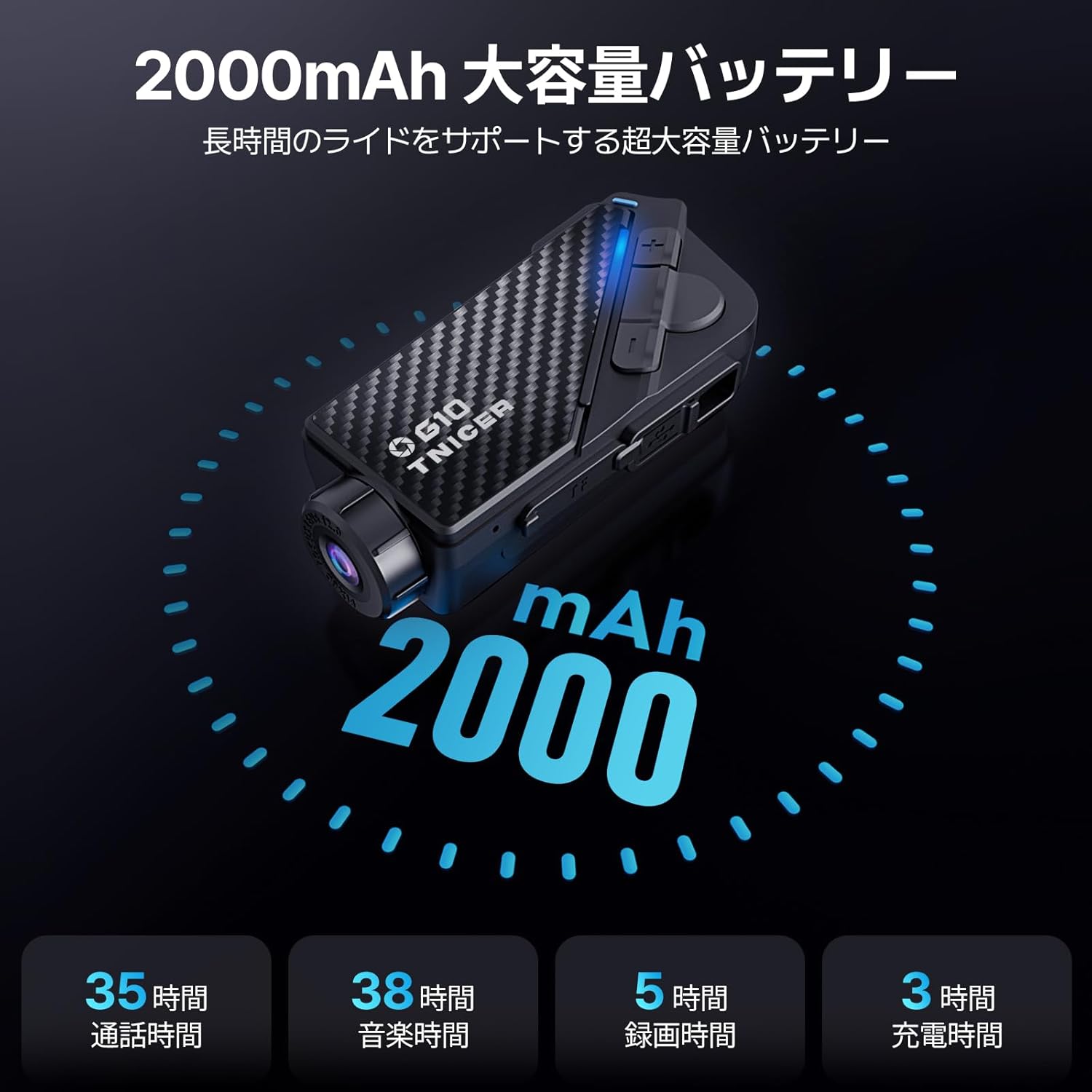
Image 6.1: Battery performance metrics for the TNICER G10.
7. Cura i Manteniment
- Neteja: Utilitzeu un suau, damp cloth to clean the device. Do not use harsh chemicals or abrasive cleaners.
- Resistència a l'aigua: The G10 is IP67 waterproof. While it can withstand rain, avoid submerging it in water for extended periods.
- Emmagatzematge: Guardeu el dispositiu en un lloc fresc i sec quan no l'utilitzeu.
- Cura de la bateria: For optimal battery life, avoid extreme temperatures and fully charge the device periodically if stored for long durations.
8. Solució De Problemes
If you encounter issues with your G10, try the following solutions:
- El dispositiu no s'encén: Assegureu-vos que la bateria estigui carregada. Connecteu-la a una font d'alimentació i torneu-ho a provar.
- No audio from speakers: Check speaker connections. Ensure volume is not muted or too low.
- L'intercomunicador no es connecta: Ensure both devices are in pairing mode and within range. Try re-pairing the devices.
- Video recording issues: Check if the memory card is inserted correctly and has sufficient free space. Format the memory card if necessary (this will erase all data).
- Problemes de connexió Wi-Fi: Ensure Wi-Fi is enabled on the G10 and your smartphone. Restart both devices and try connecting again.
For further assistance, please refer to the comprehensive troubleshooting section in the full instruction manual or contact customer support.
9. Especificacions
| Característica | Especificació |
|---|---|
| Marca | TNICER |
| Número de model | G10 |
| Resolució de captura de vídeo | 2K |
| Resolució fotogràfica | 5 megapíxels |
| Estabilització d'imatge | Digital (EIS) |
| Rotació de la lent | 30 graus |
| Body Rotation | 360 graus |
| Intercom Group Size | Fins a 8 genets |
| Gamma d'intercomunicació | Fins a 1000 metres |
| Versió Bluetooth | 5.2 |
| Tecnologia de connectivitat | Bluetooth, Wi-Fi |
| Capacitat de la bateria | 2000 mAh |
| Temps d'enregistrament continu | Fins a 5 hores |
| Temps de conversa | Fins a 35 hores |
| Temps de reproducció de música | Fins a 38 hores |
| Temps de càrrega | Aproximadament 3 hores |
| Suport per a targetes de memòria | Up to 256GB TF card (64GB included) |
| Format de captura de vídeo | MP4 |
| Classificació impermeable | IP67 |
| Cancel·lació de soroll | CVC i DSP |
| Dimensions | 20.4 x 10.9 x 8.9 cm (Paquet) |
| Pes | 450 g (Package) |
10. Garantia i Suport
The TNICER G10 comes with a standard manufacturer's warranty. Please refer to the warranty card included in your package for specific terms and conditions. For technical support, product inquiries, or warranty claims, please contact TNICER customer service through the retailer where you purchased the product or visit the official TNICER weblloc.


