1. Introducció
Gràcies per la compraasing the TNICER G1EX Bluetooth 5.2 Motorcycle Intercom. This device is designed to enhance your riding experience by providing seamless communication, music enjoyment, and navigation assistance. Please read this manual carefully before use to ensure proper operation and to maximize the product's lifespan.
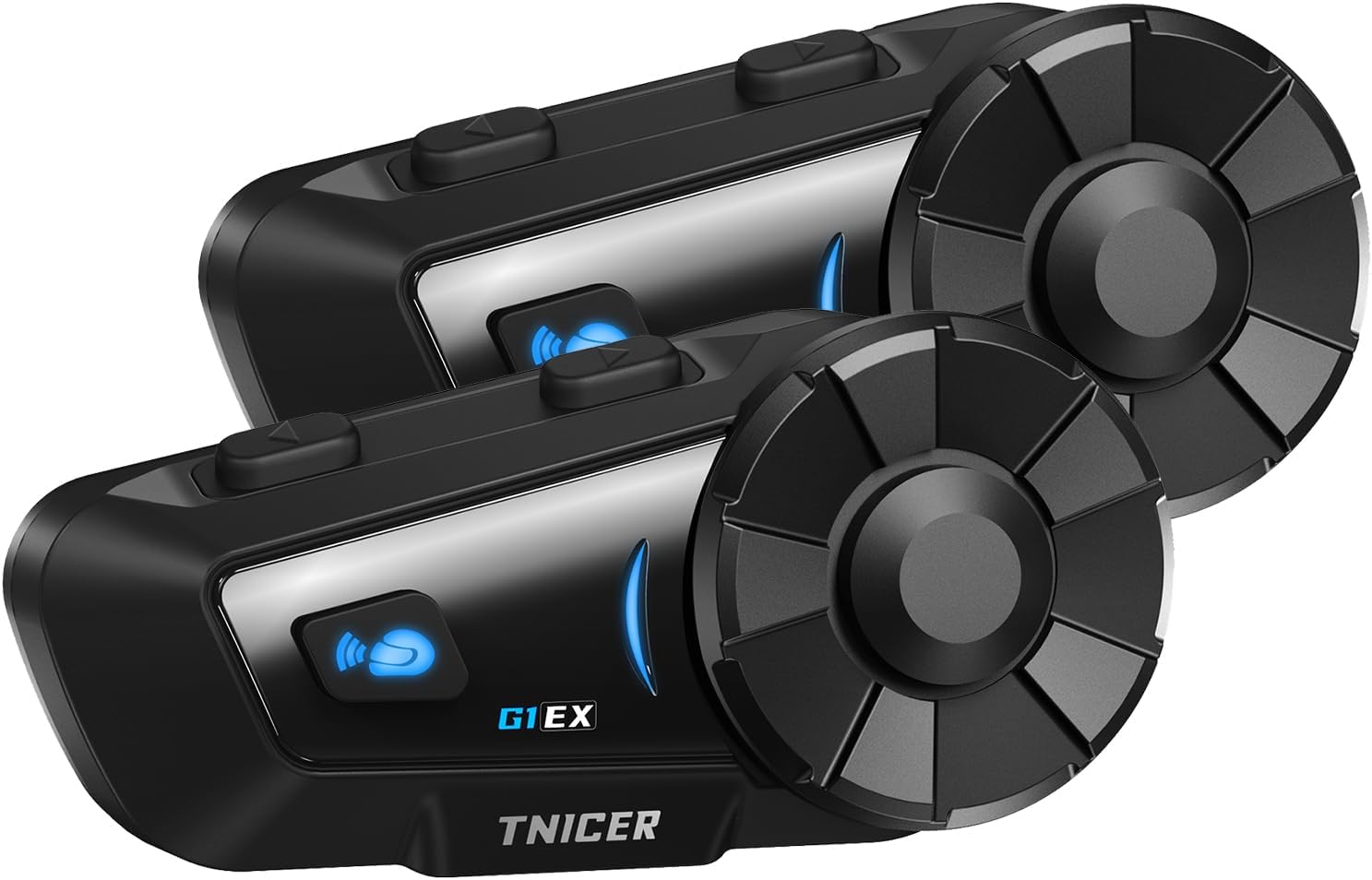
Figure 1.1: Two TNICER G1EX intercom units, showcasing their compact design and control buttons.
2. Producte acabatview
2.1 Característiques clau
- Tecnologia Bluetooth 5.2: Ensures stable and high-speed data transmission for clear communication.
- 6-Rider Intercom: Supports simultaneous communication for up to 6 riders with a maximum range of 1000 meters.
- One-Touch Automatic Pairing: Simplifies the connection process between G1EX units and other compatible TNICER models (T2, T4X).
- Cancel·lació avançada del soroll: Features CVC and DSP technologies to reduce wind and engine noise for clear audio.
- Compartir música: Allows riders to share music with their companions.
- Compatibilitat universal: Connects with most third-party intercoms on the market.
- Reconnexió automàtica: Automatically re-establishes communication if temporarily disconnected.
- Assistència de veu: Compatible with smartphone voice assistants (Siri, Google Assistant).
- Llarga vida útil de la bateria: 1000mAh battery provides up to 25 hours of music playback, 22 hours of talk time, and 300 hours of standby.
- Classificació impermeable IP65: Designed to withstand sand, rain, blizzards, and low temperatures (down to 0°C).
- Funció de ràdio FM: Built-in FM radio for local broadcasts.
- 3.5mm Universal Earphone Interface: Allows for custom speaker replacement.

Figura 2.1: Mésview of G1EX features including IP65 waterproof, Hi-Fi stereo sound, Bluetooth 5.2, 40mm speaker, 1000mAh battery, FM radio, and music sharing.
2.2 Contingut del paquet
- G1EX Main Unit (x2)
- 3.5mm Universal Jack (x2)
- Speaker & Arm Microphone (x2)
- Placa base (x2)
- Speaker Velcro & Spacer (x2)
- Metal Clip (x2)
- Microphone Velcro (x2)
- 3M Double-sided Tape (x2)
- Cable de càrrega USB (x2)
- Manual d'instruccions (x2)

Figure 2.2: Visual representation of all items included in the TNICER G1EX package.
3. Configuració
3.1 Càrrega inicial
Before first use, fully charge the device. Connect the provided USB charging cable to the G1EX unit and a 5V/1A power source. Avoid using fast chargers as this may damage the battery.

Figure 3.1: The G1EX unit connected to a charger, illustrating its 1000mAh battery capacity and charging time.
3.2 Installation on Helmet
- Attach the base plate to the side of your helmet using either the metal clip or the 3M adhesive tape.
- Slide the G1EX main unit onto the installed base plate until it clicks securely into place.
- Insert the speakers into the helmet's ear pockets. Use the provided Velcro and spacers for optimal fit and sound quality.
- Position the microphone in front of your mouth, ensuring it is close enough for clear voice pickup but not obstructing your vision. Secure with microphone Velcro.
- Connect the speaker and microphone cable to the G1EX main unit's 3.5mm universal earphone interface.
4. Instruccions de funcionament
4.1 Encès/Apagat
- Encès: Premeu i manteniu premut el botó d'engegada durant aproximadament 3 segons fins que s'encengui l'indicador lluminós.
- Apagar: Premeu i manteniu premut el botó d'engegada durant aproximadament 3 segons fins que l'indicador lluminós s'apagui.
4.2 Emparellament Bluetooth (telèfon intel·ligent)
- With the G1EX powered off, press and hold the Power button for about 5-7 seconds until the indicator light flashes red and blue alternately, indicating pairing mode.
- Al telèfon intel·ligent, activeu el Bluetooth i cerqueu els dispositius disponibles.
- Select "G1EX" from the list of devices to connect. Once connected, the indicator light will flash blue slowly.
4.3 Intercom Pairing (Multiple G1EX Units)
The G1EX supports one-touch automatic pairing with other G1EX units and compatible TNICER models (T2, T4X).
- Ensure all G1EX units are powered on and not connected to any other devices.
- On one unit, press the Intercom button once. It will automatically search for and connect to other nearby G1EX units.
- Repeat this process for each unit you wish to connect. Up to 6 riders can be connected simultaneously.

Figure 4.1: Illustration of up to 6 riders connected simultaneously with a 1000m communication range, featuring automatic reconnection.
4.4 Funcions bàsiques
- Ajust de volum: Use the rotary dial to increase or decrease volume.
- Reproducció de música: After connecting to a smartphone, music will play automatically. Press the Multi-function button once to Play/Pause.
- Seguiment anterior / següent: Rotate the dial forward for the next track, backward for the previous track.
- Ràdio FM: Press the FM button to turn on/off FM radio. Rotate the dial to change stations.
- Assistent de veu: Press the Voice Assistant button once to activate your smartphone's voice assistant (Siri, Google Assistant).
- Trucades telefòniques: The device supports automatic call answering. Press the Multi-function button once to answer/end a call.
- Compartir música: While playing music, press the Music Share button to share your audio with a connected intercom unit.

Figure 4.2: Icons illustrating music sharing, FM radio, voice assistant, and automatic call answering features.
5. Manteniment
5.1 Neteja
Netegeu la unitat amb un suau, damp cloth. Do not use harsh chemicals or abrasive cleaners. Ensure the charging port cover is securely closed to maintain water resistance.
5.2 Emmagatzematge
Store the device in a cool, dry place away from direct sunlight and extreme temperatures. If storing for an extended period, charge the battery to about 50% every few months to prevent deep discharge.
6. Solució De Problemes
- Sense energia: Ensure the device is fully charged. Check the charging cable and power source.
- No es pot emparellar: Ensure the device is in pairing mode (red and blue flashing light). Make sure other Bluetooth devices are disconnected. Try restarting both the intercom and your smartphone.
- L'intercomunicador es desconnecta amb freqüència: Ensure units are within the 1000m range and there are no major obstructions. The device features automatic reconnection, so it should re-establish connection when back in range.
- Mala qualitat d'àudio/Soroll excessiu: Verify the microphone is correctly positioned and not blocked. Check speaker placement in the helmet. The device uses CVC and DSP noise cancellation, but extreme wind conditions may still affect clarity.
- La ràdio FM no funciona: Ensure you are in an area with good FM signal reception.
7. Especificacions
| Característica | Especificació |
|---|---|
| Model | G1EX |
| Versió Bluetooth | 5.2 |
| Grup d'intercomunicació | Fins a 6 genets |
| Gamma d'intercomunicació | Fins a 1000 m |
| Capacitat de la bateria | 1000 mAh |
| Temps de reproducció de música | Fins a 25 hores |
| Temps de conversa | Fins a 22 hores |
| Temps d'espera | Fins a 300 hores |
| Temps de càrrega | Aprox. 2 hores |
| Classificació impermeable | IP65 |
| Cancel·lació de soroll | CVC i DSP |
| Interfície d'altaveus | 3.5mm Universal Jack |
| Pes | Approx. 0.3 kg (per unit) |
| Dimensions (paquet) | 20.5 x 10.7 x 8.7 cm |
8. Garantia i Suport
Specific warranty details are not provided in the product information. For warranty claims, technical support, or further inquiries, please contact the seller or refer to the official TNICER weblloc web. Conserveu el rebut de compra com a comprovant de compra.


