1. Introducció
This manual provides detailed instructions for the installation, operation, and maintenance of the Novastar TU15PRO LED Vision Controller. Please read this manual thoroughly before using the device to ensure proper and safe operation. The TU15PRO is designed for controlling LED displays, offering robust performance and versatile connectivity.
2. Informació de seguretat
- Font d'alimentació: Use only the specified power adapter (AC100-240V 50/60Hz). Ensure the power source is stable and matches the device's requirements.
- Medi ambient: Operate the device in a dry, well-ventilated area. Avoid exposure to extreme temperatures, humidity, dust, or direct sunlight.
- Manipulació: Do not drop, disassemble, or modify the device. Refer all servicing to qualified personnel.
- cables: Ensure all cables are securely connected. Avoid placing heavy objects on cables or bending them sharply.
- Neteja: Desconnecteu l'alimentació abans de netejar. Feu servir un drap suau i sec. No utilitzeu netejadors líquids ni en aerosol.
3. Contingut del paquet
Please check the package contents upon unboxing. If any items are missing or damaged, contact your vendor immediately.
- Novastar TU15PRO LED Vision Controller
- Adaptador d'alimentació
- Cable USB
- Manual d'usuari (aquest document)
4. Producte acabatview
The Novastar TU15PRO is a compact and powerful LED vision controller designed for various display applications. It features multiple input and output ports for flexible connectivity.
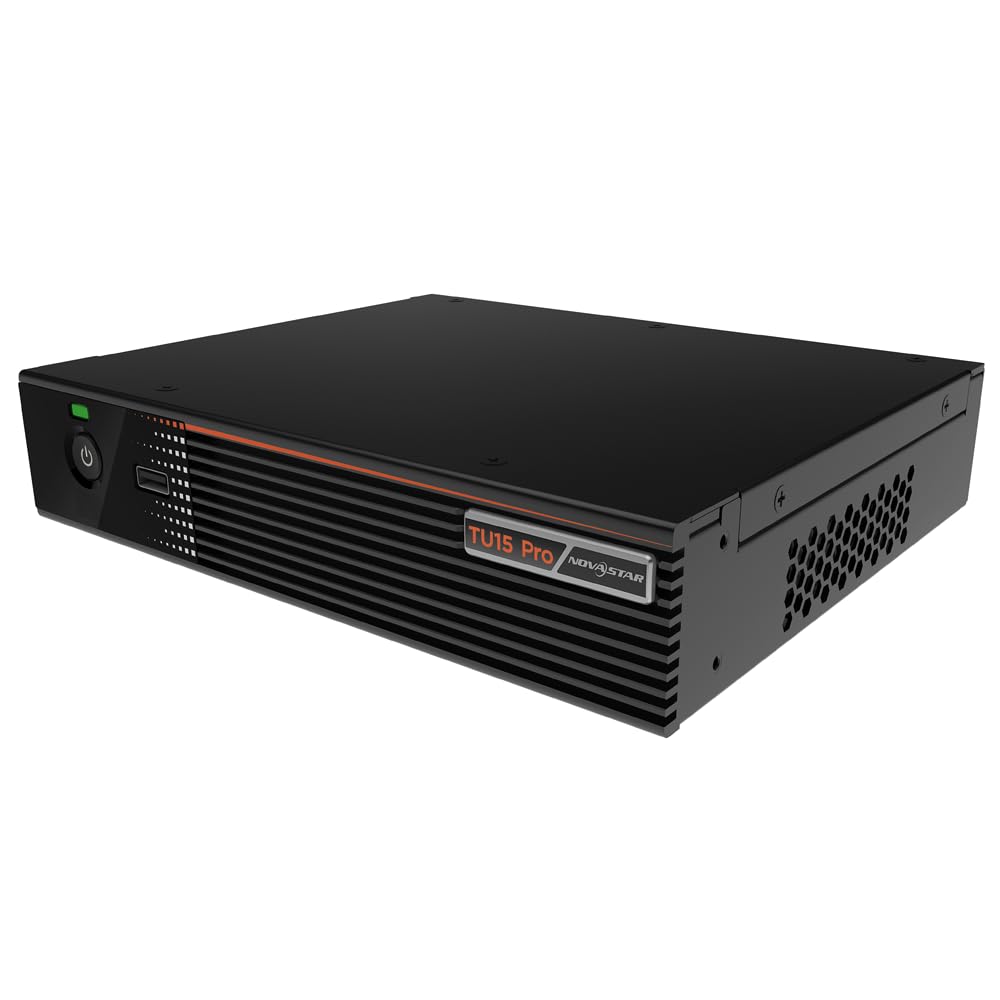
Figura 4.1: Angle view of the Novastar TU15PRO LED Vision Controller, highlighting the rear panel with various input and output ports.

Figura 4.2: De dalt a baix view of the Novastar TU15PRO, showing the front panel with power button and USB port, and a detailed view de les connexions del panell posterior.
4.1. Tauler frontal
- Botó d'encesa: S'utilitza per encendre o apagar el dispositiu.
- Port USB 2.0: For connecting USB devices, such as a mouse or keyboard for control, or for firmware updates.
4.2. Panell posterior
- WIFI-AP (1, 2): Wi-Fi Access Point antennas for wireless control or network extension.
- WIFI-STA: Wi-Fi Station antenna for connecting the device to an existing Wi-Fi network.
- SENSOR: Port for connecting an external sensor.
- IR / I/O G RELAY: Input/Output General Purpose Relay terminal block for external control signals.
- ETHERNET: Ethernet port for network connection and control.
- USB 2.0 (x2): Additional USB ports for peripherals or data transfer.
- HDMI IN (x2): HDMI input ports for video sources.
- SORTIDA HDMI: HDMI output port for monitoring or cascading.
- SPDIF: Sortida d'àudio digital.
- AUDIO 12V === 3A: Power input port (DC 12V, 3A).
5. Configuració
- Desembalar: Carefully remove the TU15PRO controller from its packaging.
- Connecteu les antenes: Attach the Wi-Fi antennas to the WIFI-AP and WIFI-STA ports on the rear panel.
- Connectar la font de vídeo: Connect your video source (e.g., computer, media player) to one of the Entrada HDMI ports using an HDMI cable.
- Connect to LED Display: Connect the controller's Network Ports (1-4) to your LED display receiving cards using Ethernet cables.
- Connectar l'alimentació: Connecteu l'adaptador de corrent proporcionat a AUDIO 12V === 3A port and then plug it into a power outlet.
- Encès: Press the power button on the front panel to turn on the device.
- Network Configuration (Optional): For network control, connect an Ethernet cable to the ETHERNET port or configure Wi-Fi settings.
6. Instruccions de funcionament
Once the device is set up, you can begin operating it. Detailed operation typically involves using dedicated software on a connected computer or through a web interfície.
- Instal·lació de programari: Install the Novastar control software on your computer. Refer to the software's documentation for installation and usage.
- Reconeixement del dispositiu: Ensure the software recognizes the TU15PRO controller. This may require network configuration or direct USB connection.
- Configuració de la pantalla: Configure your LED screen parameters within the software, including resolution, cabinet layout, and connection method.
- Selecció de la font d'entrada: Select the desired HDMI input source within the control software.
- Mostra contingut: Use the software to manage and display content on your LED screen.
7. Manteniment
- Neteja regular: Keep the device free from dust. Use a soft, dry cloth to wipe the exterior. Do not use harsh chemicals or abrasive materials.
- Ventilació: Assegureu-vos que les obertures de ventilació no estiguin bloquejades per evitar el sobreescalfament.
- Actualitzacions de firmware: Periodically check the Novastar official website for firmware updates to ensure optimal performance and access to new features. Follow the update instructions carefully.
- Gestió de cables: Keep cables organized and free from kinks or damage to prevent signal loss or power issues.
8. Solució De Problemes
- Sense energia:
- Comproveu si l'adaptador de corrent està connectat correctament tant al dispositiu com a la presa de corrent.
- Comproveu que la presa de corrent funcioni.
- Sense sortida de pantalla:
- Ensure HDMI input source is active and correctly connected.
- Verify Ethernet cables to the LED display are properly connected.
- Check screen configuration in the control software.
- Device Not Recognized by Software:
- Confirm network settings (IP address, subnet mask) are correct if using Ethernet.
- Ensure USB cable is connected if using direct USB control.
- Temporarily disable firewall or antivirus software to check for interference.
- Senyal intermitent:
- Comproveu totes les connexions dels cables per si hi ha fluïdesa o danys.
- Ensure cables are of appropriate quality and length for the signal type.
9. Especificacions
| Característica | Descripció |
|---|---|
| Marca | Novastar |
| Model | TU15PRO |
| Potència d'entrada | AC100-240V 50 / 60Hz |
| Body Size (L×W×H) | 211.7 mm × 185.0 mm × 50.6 mm |
| Control Dots | 2,600,000 |
| Output LAN | Network Port × 4 |
| Amplada màxima de sortida | 4096 píxels |
| Alçada màxima de sortida | 1920 píxels |
| ASIN | B0D791C3C7 |
10. Garantia i Suport
For warranty information and technical support, please refer to the official Novastar weblloc web o poseu-vos en contacte amb el vostre distribuïdor autoritzat. Conserveu el rebut de compra com a comprovant de compra per a reclamacions de garantia.
Recursos en línia: For the latest drivers, software, and additional documentation, please visit the official Novastar support page.


