1. Introducció
Benvingut al manual d'usuari del vostre altaveu Bluetooth, ràdio FM i despertador Thomson RT850BT. Aquesta guia proporciona instruccions detallades sobre com configurar, utilitzar i mantenir el dispositiu. Llegiu atentament aquest manual abans d'utilitzar-lo per garantir un funcionament correcte i maximitzar la vostra experiència amb l'RT850BT.
2. Informació de seguretat
Per garantir un funcionament segur i evitar danys, observeu les següents precaucions de seguretat:
- No exposeu la unitat a la pluja, la humitat o les temperatures extremes.
- Eviteu col·locar la unitat a prop de fonts de calor o sota la llum solar directa.
- Assegureu-vos que la ventilació sigui adequada; no obstruïu cap obertura de ventilació.
- Utilitzeu només l'adaptador d'alimentació subministrat.
- No intenteu desmuntar ni modificar la unitat. Encarregueu tot el manteniment a personal qualificat.
- Mantingueu la unitat allunyada de camps magnètics forts.
3. Contingut del paquet
Verifiqueu que tots els elements siguin presents al paquet:
- Unitat Thomson RT850BT
- Adaptador d'alimentació
- Manual d'usuari

Imatge: Embalatge del Thomson RT850BT, que il·lustra el producte i les seves característiques principals.
4. Producte acabatview
4.1 Tauler frontal
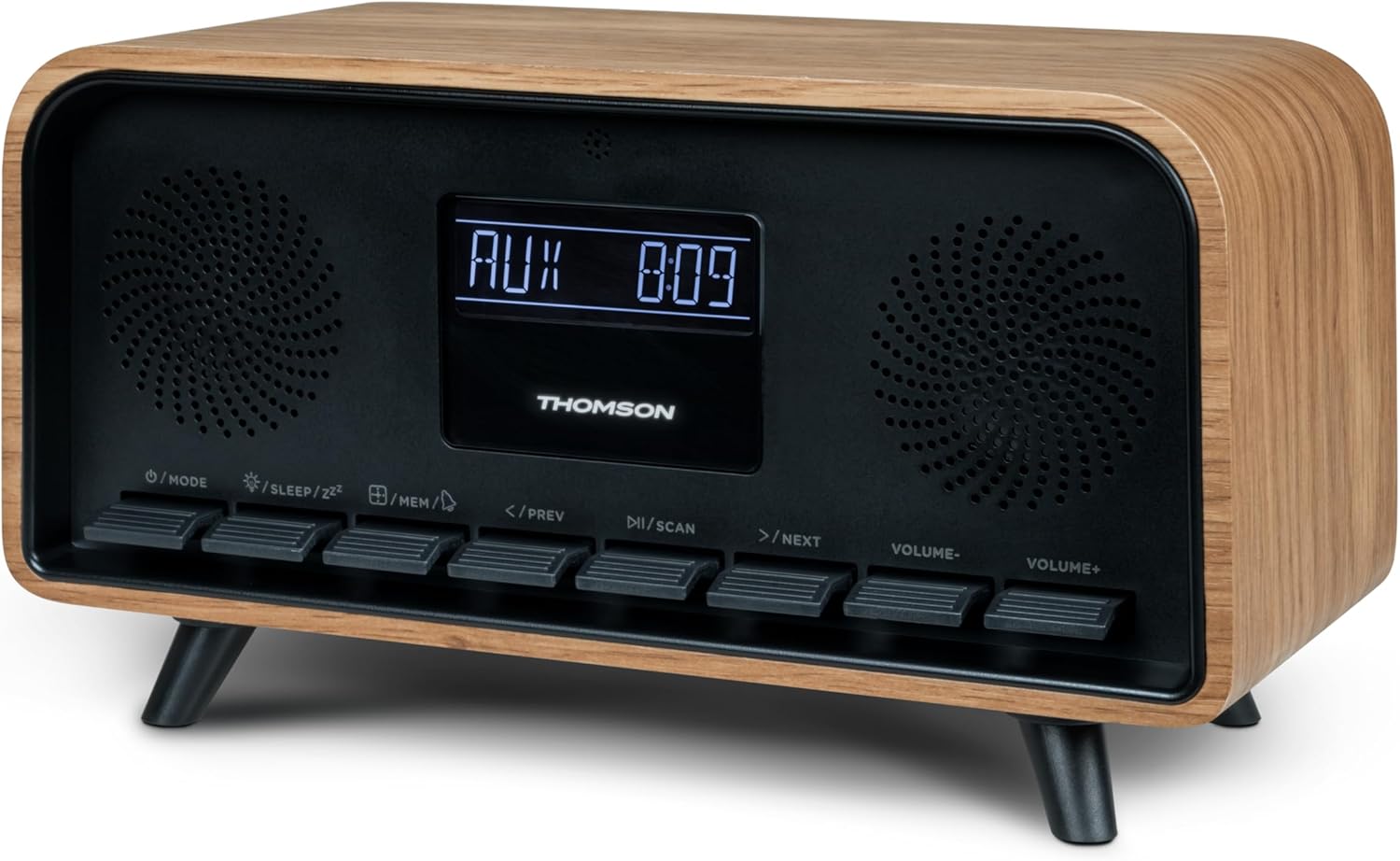
Imatge: Frontal view de la unitat Thomson RT850BT, que mostra la pantalla LCD, els altaveus i els botons de control.
- Pantalla LCD: Mostra l'hora, el mode i altra informació.
- Botó /MODE: Encès/apagat, canvi entre modes (Bluetooth, FM, AUX).
- /SON/ZZ Botó: Configura el temporitzador de son, activa la funció de posposició.
- Botó /MEM: Configura l'alarma, desa/recupera emissores de ràdio.
- </PREV Button: Cançó anterior (Bluetooth), sintonitza avall (FM).
- Botó /SCAN: Reprodueix/Pausa (Bluetooth), exploració automàtica (FM).
- Botó >/SEGÜENT: Pista següent (Bluetooth), sintonitza (FM).
- Botó de VOLUM: Disminuir el volum.
- Botó VOLUM+: Augmenta el volum.
4.2 Panell posterior

Imatge: Part posterior view del Thomson RT850BT, destacant la font d'alimentació, l'entrada de línia (AUX-IN) i els ports de sortida de càrrega USB-C.
- Font d'alimentació (entrada de CC de 5 V): Connecteu l'adaptador de corrent proporcionat.
- Entrada de línia (AUX-IN): Entrada d'àudio de 3.5 mm per a dispositius externs.
- Sortida de càrrega (USB-C): Port USB tipus C per carregar dispositius externs.
5. Configuració
5.1 Connexió d'alimentació
- Connecteu l'adaptador d'alimentació al port DC IN 5V de la part posterior de l'RT850BT.
- Connecteu l'adaptador d'alimentació a una presa de corrent estàndard.
- La unitat s'encén automàticament o entra en mode d'espera.
5.2 Engegada inicial i configuració del rellotge
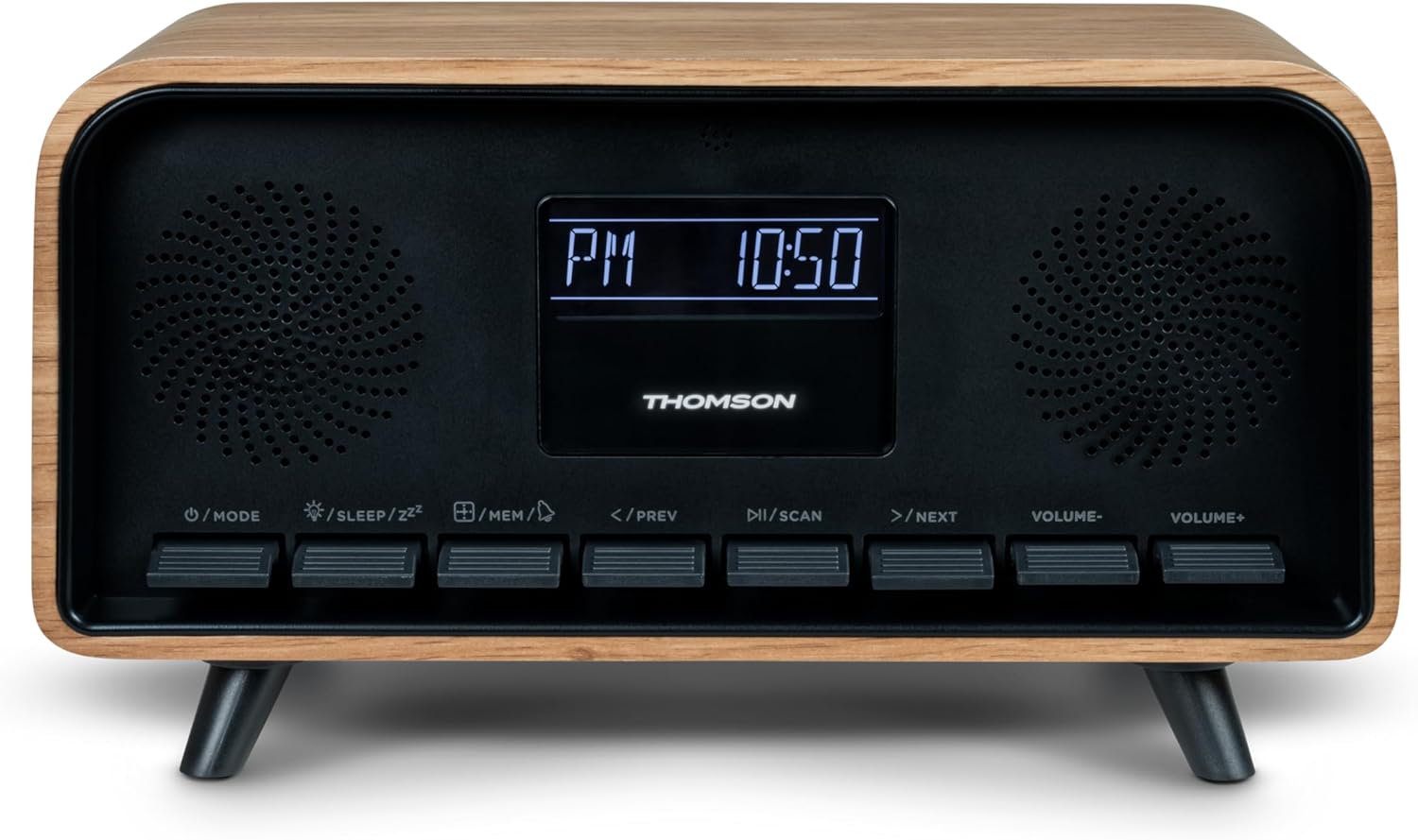
Imatge: Primer pla de la pantalla LCD de l'RT850BT que mostra l'hora, les 10:50 i l'indicador "PM".
- Si la unitat està en espera, premeu el botó / MODE botó per activar-lo.
- Per configurar el rellotge, manteniu premut el botó /MEM botó fins que la pantalla de l'hora parpellegi.
- Utilitza el </PREV i >/SEGÜENT botons per ajustar l'hora. Premeu /MEM per confirmar.
- Utilitza el </PREV i >/SEGÜENT botons per ajustar els minuts. Premeu /MEM per confirmar.
- El rellotge està configurat.
6. Instruccions de funcionament
6.1 Mode Bluetooth

Imatge: Primer pla de la pantalla LCD de l'RT850BT que indica "bt" per al mode Bluetooth, juntament amb l'hora actual.
- Premeu el botó / MODE repetidament fins que aparegui "bt" a la pantalla. La unitat ara està en mode d'emparellament Bluetooth.
- Al dispositiu mòbil, activeu el Bluetooth i cerqueu els dispositius disponibles.
- Seleccioneu "RT850BT" de la llista per emparellar. Sonarà un to de confirmació quan la connexió es connecti correctament.
- Ara podeu reproduir àudio des del vostre dispositiu a través de l'RT850BT.
- Utilitza el / ESCANEJA botó per Reproduir/Pausa i </PREV / >/SEGÜENT botons per saltar pistes.
- Ajusteu el volum amb el botó VOLUM- i VOLUM+ botons.
6.2 Mode de ràdio FM
- Premeu el botó / MODE repetidament fins que aparegui la freqüència FM a la pantalla.
- Escaneig automàtic: Manteniu premut el botó / ESCANEJA per escanejar i desar automàticament les emissores de FM disponibles (fins a 50 emissores).
- Sintonització manual: Premeu breument </PREV or >/SEGÜENT per ajustar la freqüència. Premeu i manteniu premut per buscar la següent emissora disponible.
- Recupera les estacions desades: Premeu breument /MEM botó per anar ciclant per les estacions desades.
6.3 Funció de despertador
L'RT850BT admet la configuració de diverses alarmes.
- En mode d'espera, manteniu premut el botó /MEM botó fins que 'AL1' o 'AL2' parpellegi.
- Ús </PREV i >/SEGÜENT per configurar l'hora de l'alarma i, a continuació, premeu /MEM per confirmar.
- Repetiu durant minuts.
- Seleccioneu la font d'alarma (Burner o Ràdio FM) amb </PREV i >/SEGÜENT, després premeu /MEM.
- Per activar/desactivar una alarma, premeu breument el botó /MEM en mode d'espera per anar passant pels paràmetres d'alarma (AL1 ON/OFF, AL2 ON/OFF).
- Quan soni l'alarma, premeu /SON/ZZ per a la posposició (l'alarma tornarà a sonar després de 9 minuts) o premeu / MODE per apagar l'alarma durant el dia.
6.4 Mode AUX-IN
- Connecteu un dispositiu d'àudio extern (per exemple, un reproductor MP3, un telèfon intel·ligent) al port "Line In" (AUX-IN) del panell posterior amb un cable d'àudio de 3.5 mm (no inclòs).
- Premeu el botó / MODE repetidament fins que aparegui «AUX» a la pantalla.
- L'àudio del dispositiu connectat ara es reproduirà a través de l'RT850BT. Controla la reproducció des del teu dispositiu extern.
6.5 Funció de regulador d'intensitat
La brillantor de la pantalla es pot ajustar a tres nivells d'intensitat.
- En qualsevol mode, premeu breument la tecla /SON/ZZ botó per canviar pels nivells de brillantor.
6.6 Funció de son
Configureu un temporitzador perquè la unitat s'apagui automàticament.
- Mentre la unitat està encesa, premeu el botó /SON/ZZ Premeu el botó repetidament per seleccionar la durada desitjada del temporitzador de son (per exemple, 15, 30, 60, 90 minuts, OFF).
- La unitat s'apagarà automàticament després del temps seleccionat.
6.7 Port de càrrega USB-C
El port USB-C del panell posterior serveix per carregar dispositius externs.
- Connecta el cable de càrrega USB-C del teu dispositiu compatible al port de "Sortida de càrrega".
- Assegureu-vos que l'RT850BT estigui encès o en mode d'espera per a la funcionalitat de càrrega.
7. Manteniment
Per mantenir el rendiment i l'aspecte del vostre RT850BT:
- Neteja: Feu servir un drap suau i sec per netejar l'exterior. No utilitzeu productes de neteja abrasius, ceres ni dissolvents.
- Emmagatzematge: Si guardeu la unitat durant un període prolongat, desconnecteu-la de la presa de corrent i guardeu-la en un lloc fresc i sec.
- Ventilació: Assegureu-vos que les reixetes de ventilació estiguin lliures de pols i obstruccions.
8. Solució De Problemes
Si teniu problemes amb el vostre RT850BT, consulteu la taula següent per veure els problemes i les solucions més habituals:
| Problema | Causa possible | Solució |
|---|---|---|
| Sense poder | L'adaptador de corrent no està connectat o la presa de corrent està defectuosa. | Assegureu-vos que l'adaptador de corrent estigui connectat correctament i que la presa de corrent funcioni. |
| Sense so | Volum massa baix, mode incorrecte o dispositiu no emparellat (Bluetooth). | Augmenta el volum. Comprova si s'ha seleccionat el mode correcte (BT, FM, AUX). Torna a emparellar el dispositiu Bluetooth. |
| L'aparellament de Bluetooth falla | Dispositiu massa lluny, Bluetooth no habilitat a la font o RT850BT no està en mode d'emparellament. | Assegureu-vos que els dispositius estiguin dins del rang. Activeu el Bluetooth al dispositiu. Configureu l'RT850BT en mode 'bt'. |
| Mala recepció FM | Senyal feble. | Ajusteu la posició de la unitat per millorar la recepció. |
| L'alarma no sona | L'alarma no està activada o està configurada incorrectament. | Verifiqueu la configuració de l'alarma i assegureu-vos que estigui activada. |
9. Especificacions
- Model: RT850BT
- Versió Bluetooth: 5.3
- Sintonitzador de ràdio: FM (87.5-108 MHz)
- Memòria de l'estació: Estacions 50 FM
- Entrada d'àudio: AUX-IN (3.5 mm)
- Visualització: LCD amb regulador d'intensitat de 3
- Potència de sortida: Potència musical total de 30 W
- Port de càrrega: USB-C (per a dispositius externs)
- Font d'alimentació: Elèctric amb cable (DC 5V)
- Pes: 600 grams
10. Garantia i Suport
Per obtenir informació sobre la garantia i assistència tècnica, consulteu la documentació proporcionada en el moment de la compra o poseu-vos en contacte amb el servei d'atenció al client local de Thomson. Conserveu el comprovant de compra per a reclamacions de garantia.


