Introducció
Thank you for choosing the E-YOOSO CQ109 Wired RGB Gaming Keyboard and Mouse Combo. This manual provides detailed instructions for setting up, operating, and maintaining your new gaming peripherals. Please read this manual thoroughly before use to ensure optimal performance and longevity of your product.
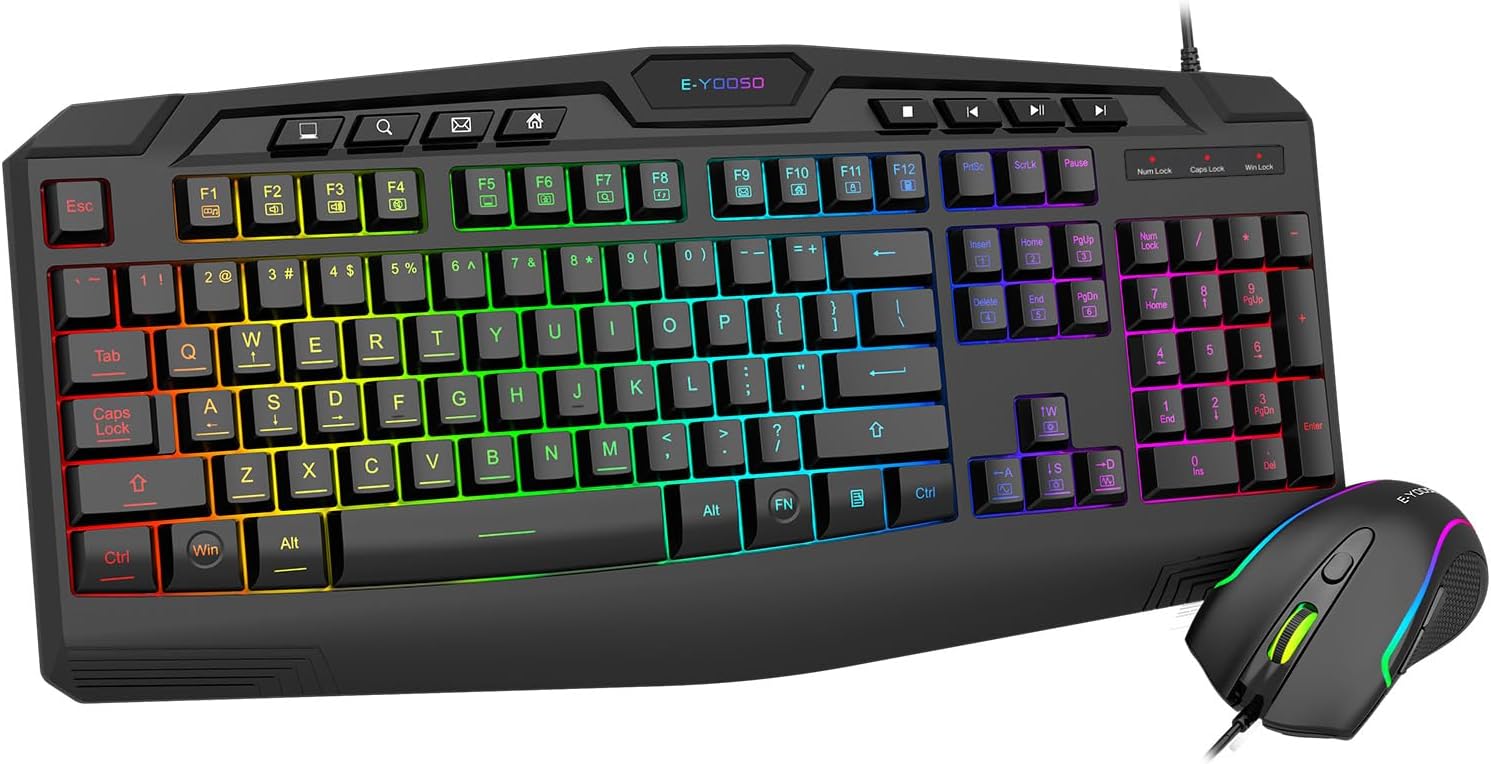
Image: E-YOOSO CQ109 Wired RGB Gaming Keyboard and Mouse Combo, showcasing the full keyboard and mouse with RGB lighting.
Informació de seguretat
Per evitar danys i garantir un funcionament segur, tingueu en compte el següent:
- Manteniu el dispositiu allunyat de l'aigua, la humitat i les temperatures extremes.
- No intenteu desmuntar ni reparar el dispositiu vosaltres mateixos. Demaneu el servei tècnic a personal qualificat.
- Eviteu deixar caure o sotmetre el dispositiu a forts impactes.
- Netegeu el dispositiu amb un drap suau i sec. No utilitzeu productes químics agressius ni netejadors abrasius.
Contingut del paquet
The E-YOOSO CQ109 combo includes:
- 1 x E-YOOSO CQ109 Wired RGB Gaming Keyboard
- 1 x E-YOOSO Wired RGB Gaming Mouse
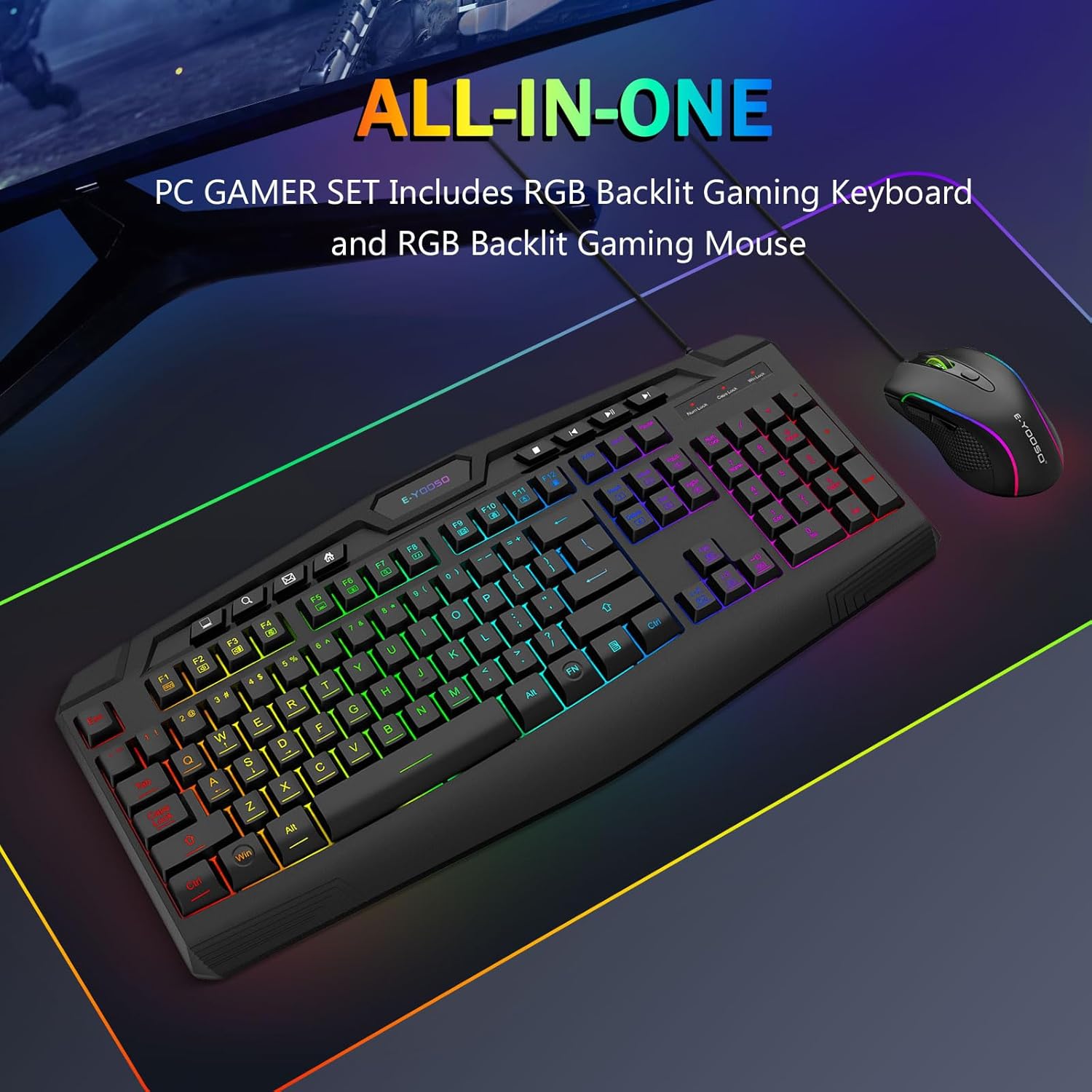
Image: The E-YOOSO CQ109 keyboard and mouse combo displayed on a gaming mat, highlighting the 'ALL-IN-ONE PC GAMER SET' feature.
Configuració
Connexió del teclat i el ratolí
- Locate an available USB port on your computer, gaming console (PS4/PS5, Xbox), or laptop.
- Plug the USB connector of the E-YOOSO CQ109 Gaming Keyboard into the USB port.
- Plug the USB connector of the E-YOOSO Gaming Mouse into another available USB port.
- The devices are plug-and-play; no additional drivers are typically required. The RGB lighting will illuminate upon successful connection.
Compatibilitat
The E-YOOSO CQ109 combo is compatible with:
- Windows 11, Windows 10, Windows 8, Windows 7, Windows Vista, Windows XP
- Limited Mac OS keyboard support
- PS4, PS5, Xbox (compatibility may vary with specific console models and games)
Instruccions de funcionament
Característiques del teclat
- Modes d'il·luminació RGB: The keyboard features 7 different RGB lighting modes and effects. Cycle through these modes by pressing the FN + Bloqueig de desplaçament claus.
- Brillantor de la llum de fons: Adjust the backlight brightness through 4 levels using the FN + Pàg amunt (augment) i FN + Pàg avall (decrease) keys.
- Adjustable Breathing Speed: Modify the breathing speed of certain lighting modes using FN + "-" (slower) and FN + "+" (faster) keys.
- Tecles multimèdia: The keyboard includes 8 dedicated multimedia keys and 12 additional FN+ multimedia keys (total 112 keys) for quick access to media controls, email, and web navegació.
- Anti-fantasma: Enjoy precise input with 26 conflict-free (N-Key Rollover) keys, ensuring all your commands are registered during intense gaming sessions.
- Bloqueig de tecles WIN: To prevent accidental interruptions during gaming, press FN + GUANYA per bloquejar o desbloquejar la clau de Windows.
- Intercanvi de tecles WASD i fletxa: For certain games, you can swap the functionality of the WASD keys with the arrow keys by pressing FN + W.
- Disseny ergonòmic: The keyboard is ergonomically designed with an integrated wrist rest for comfort during extended use.
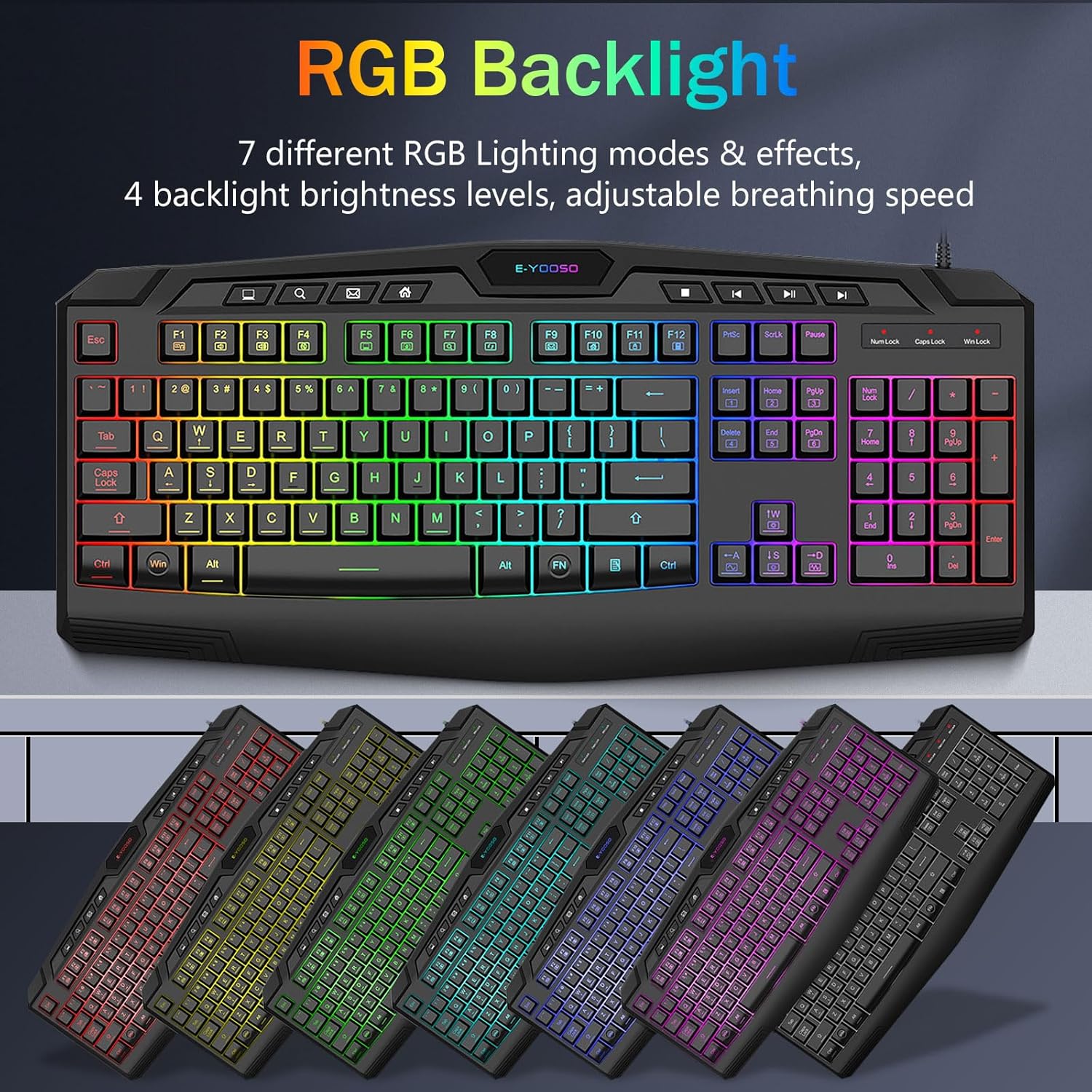
Image: Keyboard showcasing various RGB backlight modes and effects.

Image: Close-up of keyboard highlighting multimedia keys and anti-ghosting features.
Funcions del ratolí
- Il·luminació RGB: The mouse features 5 RGB lighting modes. These can be changed via a button on the bottom of the mouse.
- DPI ajustable: Cycle through 4 DPI levels (1000/1600/2400/3200 DPI) using the DPI button located on top of the mouse, allowing for precise control in various applications and games.
- 6 Botons: The mouse is equipped with 6 buttons, including left-click, right-click, scroll wheel, DPI button, and two side buttons (forward/backward) for enhanced functionality.
- Sensor d'alta precisió: The gaming-grade micro switches and high-precision sensor deliver accurate tracking and responsiveness.
- Disseny ergonòmic: The contoured shape of the mouse is designed to fit comfortably in your hand, reducing fatigue during long gaming sessions.

Image: E-YOOSO RGB mouse with an illustration of its adjustable DPI settings.
Vídeos oficials de productes
Video: Demonstrates the various RGB lighting effects and modes of the CQ109 Gaming Keyboard.
Vídeo: Acabatview of the CQ109 Wired Gaming Keyboard and Mouse combo, highlighting key features and design.
Manteniment
- Neteja: Regularly clean your keyboard and mouse to prevent dust and debris buildup. Use a soft, lint-free cloth. For stubborn dirt, slightly dampen the cloth with water or a mild cleaning solution. Ensure devices are unplugged before cleaning.
- Vessaments de líquids: The gaming keyboard is built to withstand average liquid spills. In case of a spill, immediately unplug the keyboard, turn it upside down to drain liquid, and allow it to dry completely before reconnecting.
- Gestió de cables: Avoid sharp bends or excessive pulling on the USB cables to prevent internal damage.
Resolució de problemes
- El dispositiu no respon:
- Assegureu-vos que els cables USB estiguin ben connectats als ports USB de l'ordinador.
- Prova de connectar els dispositius a ports USB diferents.
- Reinicieu l'ordinador o la consola de jocs.
- Les llums RGB no funcionen:
- For the keyboard, ensure it is properly connected and try cycling through lighting modes using FN + Bloqueig de desplaçament.
- For the mouse, check the button on the bottom to activate or change lighting modes.
- Keys or Mouse Buttons Not Working:
- Check for any physical obstructions or debris under the keys or buttons.
- Test the devices on another computer to rule out system-specific issues.
Especificacions
| Característica | Especificació |
|---|---|
| Número de model | CQ109 |
| Tecnologia de connectivitat | Cable USB |
| Tipus de teclat | Membrane, Anti-ghosting (26 keys) |
| Tecles del teclat | 104 Keys + 8 Dedicated Multimedia Keys + 12 FN+ Multimedia Keys |
| Il·luminació de fons del teclat | RGB LED (7 modes, 4 brightness levels, adjustable breathing speed) |
| DPI del ratolí | 1000/1600/2400/3200 DPI (Adjustable) |
| Botons del ratolí | 6 Botons |
| Retroil·luminació del ratolí | LED RGB (5 modes) |
| Dimensions del producte (teclat) | 17.3 x 6.9 x 1.1 polzades |
| Pes de l'article | 1.1 lliures |
| Dispositius compatibles | PC, Laptop, Mac (limited), PS4, PS5, Xbox |
Garantia i Suport
E-YOOSO products are designed for quality and reliability. For warranty information, technical support, or customer service inquiries, please refer to the contact information provided with your product packaging or visit the official E-YOOSO weblloc. Conserveu el rebut de compra per a reclamacions de garantia.


