1. Introducció
Gràcies per la compraasing the Baolira Mini Bluetooth Speaker with Lights, Model G9. This device combines high-quality audio with an adjustable night light, offering versatile entertainment and ambiance. Please read this manual carefully to ensure proper use and to maximize your product experience. Keep this manual for future reference.
2. Contingut del paquet
Verifiqueu que tots els elements siguin presents al vostre paquet:
- 1 x Baolira Mini Bluetooth Speaker (Model G9)
- 1 x cable de càrrega USB tipus C
- 1 x cable d'àudio AUX
- 1 x Manual d'usuari (aquest document)
3. Producte acabatview
The Baolira Mini Bluetooth Speaker features a unique spaceship design with an astronaut bear figure. It integrates a speaker with an adjustable night light and multiple connectivity options.
3.1 Components i controls
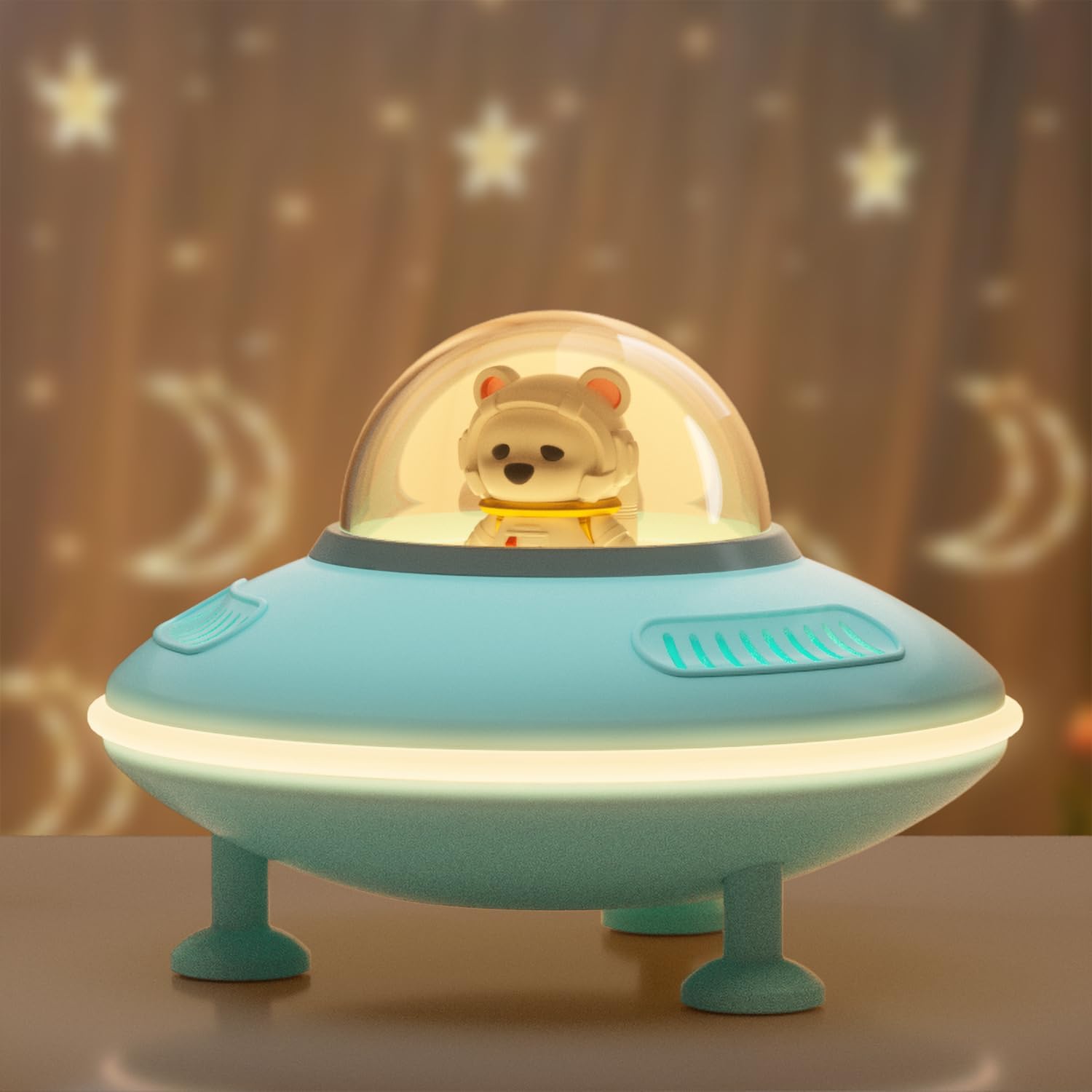
Figura 1: Frontal view of the Baolira Mini Bluetooth Speaker.

Figure 2: Top control buttons for power, mode, volume, track control, and light.
- Botó d'alimentació / mode: Press and hold to power on/off. Press briefly to switch between Bluetooth, AUX, USB, and TF Card modes.
- Botó Pujar volum / Pista següent (+): Press and hold to increase volume. Press briefly to skip to the next track.
- Botó per baixar el volum / pista anterior (-): Press and hold to decrease volume. Press briefly to go to the previous track.
- Botó de llum: Press to cycle through light brightness levels (Low, High, Off).

Figure 3: Rear connectivity ports.
- Port de càrrega tipus C: Per carregar la bateria interna de l'altaveu.
- Port USB: Per reproduir àudio des d'una unitat flash USB.
- Ranura per a targetes TF: Per reproduir àudio des d'una targeta TF (MicroSD).
- Port d'entrada AUX: For connecting external audio devices via the 3.5mm AUX cable.
4. Configuració
4.1 Càrrega inicial
Before first use, fully charge the speaker. Connect the provided Type-C USB charging cable to the speaker's charging port and the other end to a USB power adapter (not included) or a computer's USB port. The charging indicator light will show charging status (refer to LED indicator section for details). A full charge typically takes a few hours.
4.2 Encès/Apagat
Press and hold the Power/Mode button for approximately 3 seconds to turn the speaker on or off. A voice prompt will indicate the power status.
5. Instruccions de funcionament
5.1 Vinculació Bluetooth
- Turn on the speaker. It will automatically enter Bluetooth pairing mode, indicated by a voice prompt and a flashing LED indicator.
- Al dispositiu (telèfon intel·ligent, tauleta, etc.), activeu el Bluetooth i cerqueu els dispositius disponibles.
- Select "ZS-01" from the list of devices.
- Once paired, a voice prompt will confirm the connection, and the LED indicator will stop flashing.
- Ara pots reproduir àudio des del teu dispositiu a través de l'altaveu.
Nota: L'altaveu intentarà tornar a connectar-se automàticament amb l'últim dispositiu emparellat quan s'engegui.
Video 1: Demonstrates Bluetooth pairing and sound quality of the speaker.
5.2 Using AUX, USB, or TF Card Input
- Mode AUX: Connect the provided 3.5mm AUX audio cable from your external audio device to the speaker's AUX In port. The speaker will automatically switch to AUX mode, or you can press the Power/Mode button to select it.
- Mode USB: Inseriu una unitat flaix USB (amb àudio files) into the USB port. The speaker will automatically switch to USB mode, or you can press the Power/Mode button to select it.
- Mode de targeta TF: Insert a TF (MicroSD) card (with audio files) into the TF Card slot. The speaker will automatically switch to TF Card mode, or you can press the Power/Mode button to select it.
5.3 Controlling Volume and Tracks
- Ajust de volum: Press and hold the "+" button to increase volume. Press and hold the "-" button to decrease volume.
- Control de la pista: Press the "+" button briefly to skip to the next track. Press the "-" button briefly to go to the previous track.
5.4 Funcionament de la llum nocturna
Press the Light button to cycle through the night light settings: Low brightness, High brightness, and Off. The night light can operate independently of the speaker function.
Video 2: Shows the speaker's night light feature and its use in a child's room.
5.5 Emparellatge estèreo sense fil veritable (TWS)
If you have two Baolira Mini Bluetooth Speakers, you can pair them together for a stereo sound experience.
- Assegureu-vos que tots dos altaveus estiguin apagats.
- Turn on both speakers. They will enter Bluetooth pairing mode.
- On one of the speakers (this will be your primary speaker), double-press the Power/Mode button. It will search for the second speaker.
- Once successfully paired, a voice prompt will confirm the TWS connection.
- Ara, connecta el dispositiu mitjançant Bluetooth a l'altaveu principal. L'àudio es reproduirà en estèreo a través dels dos altaveus.

Figura 4: Emparellament TWS per a un àudio estèreo millorat.
6. Especificacions
| Característica | Detall |
|---|---|
| Nom del model | G9 (ZS-01) |
| Marca | Baolira |
| Tecnologia de connectivitat | Bluetooth 5.4, AUX, TF Card, USB |
| Tipus d'altaveu | Surround Sound (2.0 Channel) |
| Potència de sortida màxima dels altaveus | 3 watts |
| Resposta de freqüència | 20 kHz |
| Impedància | 4 ohms |
| Interval Bluetooth | Fins a 32.8 peus (10 metres) |
| Capacitat de la bateria | 1200 mAh d'ions de liti |
| Playing Time (Music) | 8-10 hours (varies by volume) |
| Playing Time (Night Light only) | Fins a 20 hores |
| Dimensions del producte | 5.5 "P x 5.1" W x 3.7" H |
| Pes de l'article | 9.1 unces |
| Material | Plàstic |
| Mètode de control | Toca |
7. Manteniment
- Neteja: Feu servir un drap suau i sec per netejar l'altaveu. No utilitzeu productes de neteja abrasius ni dissolvents.
- Emmagatzematge: Guardeu l'altaveu en un lloc fresc i sec, allunyat de la llum solar directa i de temperatures extremes.
- Cura de la bateria: Per allargar la durada de la bateria, eviteu descarregar-la completament amb freqüència. Carregueu-la regularment, fins i tot si no la feu servir durant períodes prolongats.
8. Solució De Problemes
| Problema | Possible solució |
|---|---|
| L'altaveu no s'encén. | Ensure the battery is charged. Connect to a power source using the Type-C cable. |
| No es pot emparellar per Bluetooth. | Ensure the speaker is in Bluetooth pairing mode (flashing LED). Turn off and on your device's Bluetooth. Move closer to the speaker. |
| No hi ha so de l'altaveu. | Check volume levels on both the speaker and your connected device. Ensure correct input mode is selected (Bluetooth, AUX, USB, TF Card). |
| La llum nocturna no funciona. | Press the Light button to cycle through brightness levels. Ensure the speaker is powered on. |
| Mala qualitat de so. | Assegureu-vos que l'altaveu estigui dins de l'abast del Bluetooth. Comproveu si hi ha interferències d'altres dispositius sense fil. Proveu una font d'àudio diferent o file. |
9. Informació de seguretat
- Do not expose the speaker to water or moisture. It is not waterproof.
- No desmunteu, repareu o modifiqueu el dispositiu.
- Mantingueu-ho fora de l'abast dels nens petits per evitar el risc d'asfíxia amb peces petites.
- Eviteu les temperatures extremes i la llum solar directa.
- Utilitzeu només el cable de càrrega subministrat.
10. Garantia i Suport
The Baolira Mini Bluetooth Speaker comes with a limited warranty. For warranty claims, technical support, or customer service inquiries, please refer to the contact information provided on the product packaging or visit the official Baolira weblloc web. Si us plau, conserveu el comprovant de compra per validar la garantia.


