1. Introducció
This manual provides comprehensive instructions for the setup, operation, and maintenance of your JBL Tour One M2 Wireless Over-Ear Noise Cancelling Headphones. Please read this manual thoroughly before using your headphones to ensure proper functionality and to maximize your listening experience.
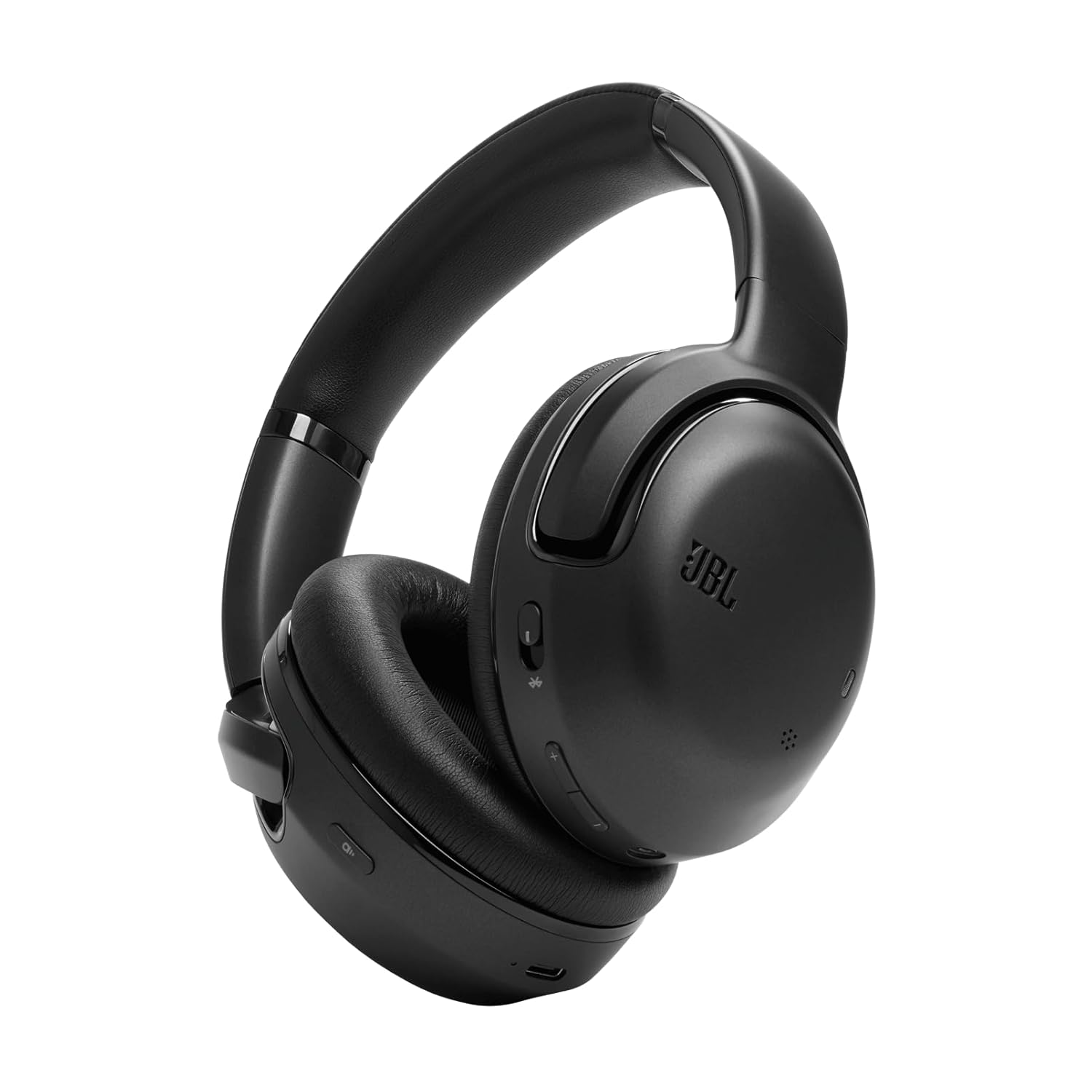
Image 1.1: JBL Tour One M2 Headphones. These over-ear headphones feature a sleek black design with the JBL logo on the earcups.
2. Què hi ha a la caixa
Verifiqueu que tots els elements siguin presents al paquet:
- JBL Tour One M2 Headphones
- Cable de càrrega USB-C
- Cable d'àudio (3.5 mm)
- Maleta de transport
- Adaptador de vol
- Guia d'inici ràpid (aquest manual serveix com a guia detallada)
- Full de seguretat
3. Producte acabatview
Familiarize yourself with the components and controls of your JBL Tour One M2 headphones.
3.1 Components dels auriculars

Image 3.1: Internal components of the JBL Tour One M2 headphones. This diagram highlights the 40mm speaker driver, battery, and various microphones (FB MIC, FF MIC, CALL MIC) for superior audio and call quality.
3.2 Controls i indicadors
The headphones feature various buttons and indicators for control:
- Botó d'encesa: On/Off, Bluetooth pairing.
- Pujar/baixar el volum: Ajusta el volum de l'àudio.
- Botó multifunció: Play/Pause, Skip tracks, Answer/End calls.
- Botó ANC/Ambient Aware: Toggle between Active Noise Cancellation, Ambient Aware, and TalkThru modes.
- Indicador LED: Mostra l'estat de l'alimentació, l'estat de la càrrega i l'estat de l'emparellament Bluetooth.
- Port USB-C: Per carregar.
- Conector d'àudio de 3.5 mm: Per a connexió amb cable.
3.3 Dimensions

Image 3.2: Dimensions of the JBL Tour One M2 headphones. The image shows approximate measurements of 22.3 cm height, 20.5 cm width, and 7.8 cm depth.
4. Configuració
4.1 Càrrega dels auriculars
- Connecteu el cable de càrrega USB-C al port USB-C dels auriculars.
- Connecteu l'altre extrem del cable a un adaptador de corrent USB (no inclòs) o al port USB d'un ordinador.
- The LED indicator will show charging status. It typically turns off or changes color when fully charged.
Note: Fully charge the headphones before first use.
4.2 Engegada/apagada
- Per encendre: Premeu i manteniu premut el botó d'engegada durant aproximadament 2 segons fins que l'indicador LED s'encengui.
- Per apagar: Premeu i manteniu premut el botó d'engegada durant aproximadament 2 segons fins que l'indicador LED s'apagui.
4.3 Vinculació Bluetooth
- Assegureu-vos que els auriculars estiguin apagats.
- Premeu i manteniu premut el botó d'engegada durant aproximadament 5 segons fins que l'indicador LED parpellegi en blau, cosa que indica el mode d'emparellament.
- Al dispositiu (telèfon intel·ligent, tauleta, ordinador), activeu el Bluetooth i cerqueu els dispositius disponibles.
- Select "JBL Tour One M2" from the list of devices.
- Un cop connectat, l'indicador LED es tornarà blau continu.
Note: The headphones can connect to two devices simultaneously (multi-point connection).
5. Funcionament dels auriculars
Reproducció d'àudio 5.1
- Reproduir/pausa: Premeu el botó multifunció una vegada.
- Pista següent: Premeu dues vegades el botó multifunció.
- Pista anterior: Premeu tres vegades el botó multifunció.
- Pujar el volum: Premeu el botó Pujar volum.
- Baixar el volum: Premeu el botó per baixar el volum.
5.2 Funcions de trucada
- Respondre/Finalitzar la trucada: Premeu el botó multifunció una vegada.
- Rebutja la trucada: Manteniu premut el botó multifunció durant 2 segons.
- Canvia entre trucades: During a call, double-press the Multi-function button to switch between active calls.

Image 5.1: A person wearing JBL Tour One M2 headphones while walking, illustrating the adaptive noise cancellation feature that adjusts to surroundings.
5.3 Noise Cancellation and Ambient Sound Modes
The JBL Tour One M2 features Adaptive Noise Cancelling and Smart Ambient technology.
- Cancel·lació activa del soroll (ANC): Press the ANC/Ambient Aware button once to activate. This mode reduces external noise for an immersive listening experience.
- Conscient de l'entorn: Press the ANC/Ambient Aware button again to activate. This mode allows you to hear your surroundings while still enjoying your audio.
- TalkThru: Press the ANC/Ambient Aware button a third time to activate. This mode lowers music volume and amplifies speech, allowing for quick conversations without removing your headphones.
- Apagat: Press the ANC/Ambient Aware button a fourth time to turn off all noise control features.

Image 5.2: A couple walking outdoors, both wearing JBL Tour One M2 headphones, highlighting the Smart Ambient technology that allows users to stay aware of their environment.
6. Manteniment
6.1 Neteja
- Netegeu els auriculars amb un drap suau i sec.
- No utilitzeu netejadors líquids ni aerosols directament sobre els auriculars.
- Netegeu els coixins de les orelles suaument amb un drap lleuger.amp drap si cal i deixeu-les assecar completament a l'aire abans d'utilitzar-les.
6.2 Emmagatzematge
When not in use, store the headphones in their provided carrying case to protect them from dust and damage.

Image 6.1: JBL Tour One M2 headphones folded, demonstrating their compact design for easy storage and portability.
7. Solució De Problemes
| Problema | Causa possible | Solució |
|---|---|---|
| Sense poder | Bateria esgotada | Carregueu els auriculars amb el cable USB-C. |
| No es pot emparellar per Bluetooth | Auriculars no en mode d'emparellament; Bluetooth del dispositiu desactivat; interferències | Assegureu-vos que els auriculars estiguin en mode d'emparellament (LED blau parpellejant). Apagueu i activeu el Bluetooth del dispositiu. Acosteu-vos al dispositiu. |
| Sense so | Volume too low; not connected; incorrect audio source | Increase volume on headphones and device. Reconnect Bluetooth. Check device audio output settings. |
| Mala qualitat del so | Senyal Bluetooth feble; àudio file qualitat | Move closer to the connected device. Try a different audio source or file. |
| L'ANC no funciona eficaçment | ANC mode not active; improper fit | Assegureu-vos que l'ANC estigui activat. Ajusteu els auriculars perquè s'adaptin bé a les orelles. |
8. Especificacions
- Model: Tour One M2
- Marca: JBL
- Factor de forma: Sobre l'orella
- Connectivitat: Sense fil (Bluetooth)
- Control de soroll: Active Noise Cancellation, Ambient Aware, TalkThru
- Bateria: 1 bateria de ions de liti (recarregable)
- Dimensions del producte: Aproximadament 8.07 x 3.07 x 8.78 polzades
- Pes: Aproximadament 9.59 unces
- Fabricant: JBL
9. Garantia i Suport
JBL products are designed for reliability and performance. For detailed warranty information, please refer to the warranty card included with your product or visit the official JBL website. For technical support, frequently asked questions, or to contact customer service, please visit www.jbl.com/support.
Conserveu el vostre comprovant de compra per a reclamacions de garantia.


