1. Introducció
The Genérico Wi-Fi Temperature and Humidity Sensor is designed to monitor environmental conditions in your home or office. It provides real-time temperature and humidity data, which can be accessed via a smartphone application and integrated with popular smart home platforms like Amazon Alexa and Google Home. This manual will guide you through the setup, operation, and maintenance of your device.
2. Contingut del paquet
- 1x Wi-Fi Temperature and Humidity Sensor
- 1 x manual d'usuari
- 1x Adhesive backing
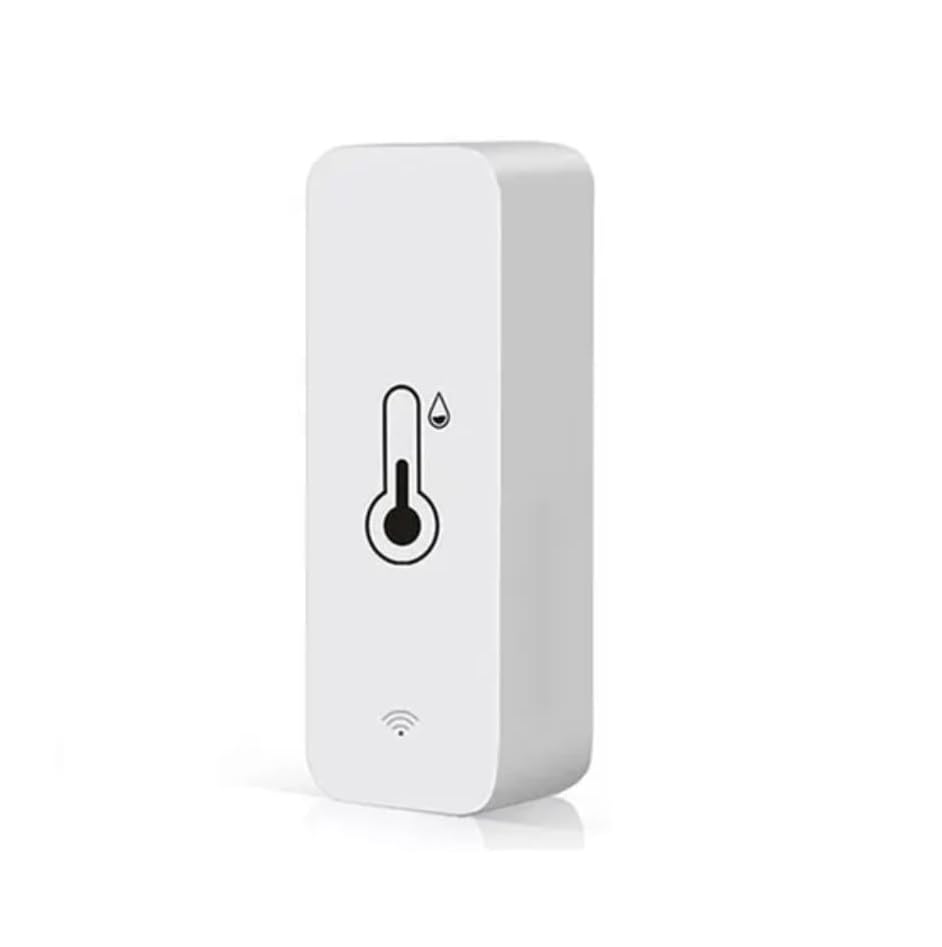
Image: The Genérico Wi-Fi Temperature and Humidity Sensor, a compact white device with a thermometer and humidity droplet icon, and a Wi-Fi signal icon at the bottom.
3. Especificacions
- Material: ABS
- Font d'alimentació: 2 piles AAA de 1.5 V (no incloses)
- Freqüència Wi-Fi: 2.4 GHz IEEE 802.11 b/g/n
- Rang de mesura de temperatura: -20 °C ~ 60 °C
- Interval de mesura de la humitat: 0% HR ~ 100% HR
- Precisió de la mesura de la temperatura: ±1 °C
- Precisió de la mesura de la humitat: ±5% HR
- Compatibilitat de l'aplicació: Tuya / Smart Life
- Integració de la llar intel·ligent: Amazon Alexa, Google Assistant
4. Configuració
- Insereix les piles: Open the battery compartment on the back of the sensor and insert two (2) AAA 1.5V batteries, ensuring correct polarity. Batteries are not included.
- Descarregar l'aplicació: Download and install the "Tuya Smart" or "Smart Life" application from your smartphone's app store (available on iOS and Android).
- Registra't/Iniciar sessió: Obre l'aplicació i registra un compte nou o inicia la sessió amb un d'existent.
- Afegeix un dispositiu:
- Assegureu-vos que el vostre telèfon intel·ligent estigui connectat a una xarxa Wi-Fi de 2.4 GHz.
- In the app, tap the "+" icon (usually in the top right corner) to add a new device.
- Select "Sensor" or "Temperature and Humidity Sensor" from the device list.
- Follow the on-screen instructions to put the sensor into pairing mode (this usually involves pressing and holding a button on the device until an indicator light flashes).
- Confirm the Wi-Fi network and enter the password when prompted.
- Wait for the device to connect. Once connected, you can rename the sensor.
- Muntatge: Use the provided adhesive backing to mount the sensor on a clean, dry surface in your desired location.
5. Instruccions de funcionament
- Monitorització en temps real: Open the Tuya Smart or Smart Life app to view real-time temperature and humidity readings from your sensor.
- Dades històriques: The app typically provides historical data and graphs, allowing you to track environmental changes over time.
- Alertes: Set up custom alerts within the app to receive notifications if temperature or humidity levels exceed or fall below your predefined thresholds.
- Smart Home Integration (Alexa/Google Home):
- Obre l'aplicació Amazon Alexa o Google Home.
- Enable the "Tuya Smart" or "Smart Life" skill/service.
- Enllaça el teu compte de Tuya/Smart Life.
- Discover devices. Your sensor should now appear in your Alexa/Google Home device list.
- You can now ask Alexa or Google Assistant for the current temperature and humidity readings (e.g., "Alexa, what is the temperature in the living room?").
6. Manteniment
- Substitució de la bateria: When the battery indicator in the app or on the device shows low power, replace the two (2) AAA 1.5V batteries.
- Neteja: Wipe the sensor periodically with a soft, dry cloth to remove dust and ensure accurate readings. Avoid using liquid cleaners.
7. Solució De Problemes
- El dispositiu no es connecta a la Wi-Fi:
- Ensure your Wi-Fi network is 2.4 GHz. The sensor does not support 5 GHz networks.
- Comproveu l'exactitud de la contrasenya del Wi-Fi.
- Move the sensor closer to your Wi-Fi router.
- Restart your router and the sensor.
- Ensure the sensor is in pairing mode (indicator light flashing).
- Lectures inexactes:
- Ensure the sensor is not placed near heat sources (e.g., direct sunlight, heating vents) or moisture sources (e.g., humidifiers, open windows).
- Allow the sensor some time to stabilize after placement or battery change.
- Clean the sensor if dust or debris is present.
- No hi ha dades a l'aplicació:
- Check if the sensor is connected to Wi-Fi and has sufficient battery power.
- Assegureu-vos que el telèfon tingui una connexió a Internet activa.
- Reinicieu l'aplicació.
8. Garantia i Suport
For warranty information and technical support, please refer to the retailer where the product was purchased or contact the manufacturer directly. Please retain your proof of purchase for any warranty claims.


