Introducció
Welcome to the Ideal Deluxe Electronic Bingo system. This product is designed to provide an engaging and convenient Bingo experience. It features a large illuminated display, automatic number calling, and a number checker for easy verification. This manual will guide you through the setup, operation, and maintenance of your Bingo machine.
Característiques principals:
- Deluxe Electronic Design: Modern and high-quality for home use.
- Bright Illuminated Display: Ensures clear visibility of called numbers.
- Multiple Game Variations: Choose from 7 different Bingo game types with random number callouts.
- Automatic Number Checker: Simplifies verification of Bingo numbers.
- Repeat Feature: Allows re-calling of the last number.
Què hi ha a la caixa
Assegureu-vos que tots els components estiguin presents abans de continuar amb la configuració.
- Electronic Bingo Caller Machine (requires 3 x AA batteries - not included)
- 100 x Bingo Cards
- 128 x Bingo Chips
- Manual d'instruccions (aquest document)
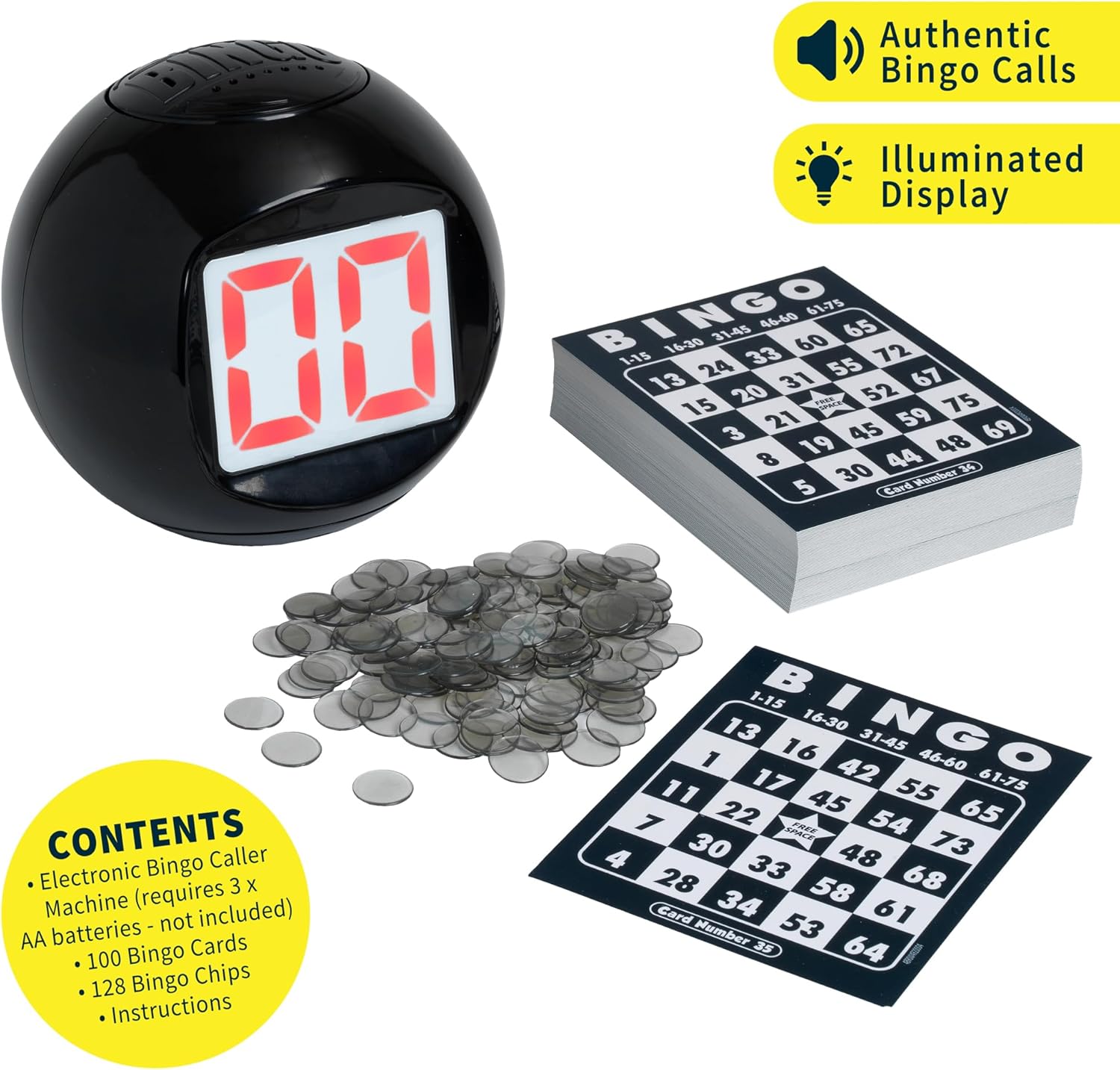
Imatge: The complete Ideal Deluxe Electronic Bingo set, showing the black spherical electronic caller with its illuminated display, a stack of 100 unique Bingo cards, and a pile of 128 clear plastic bingo chips.
Informació important de seguretat
ADVERTIMENT: Not suitable for children under 36 months. Choking hazard - contains small parts. Adult supervision is recommended during play.
Configuració
1. Instal·lació de la bateria
- Locate the battery compartment on the underside of the Electronic Bingo Caller Machine.
- Amb un tornavís Phillips petit (no inclòs), desenrosqueu la tapa del compartiment de la bateria.
- Introduïu 3 piles AA (no incloses) al compartiment, assegurant-vos de la polaritat correcta (+/-).
- Substituïu la tapa del compartiment de la bateria i fixeu-la amb el cargol.
2. Preparing for Play
- Distribute one or more Bingo cards to each player.
- Provide each player with a sufficient number of Bingo chips to cover the squares on their cards.
- Place the Electronic Bingo Caller Machine in a central location visible and audible to all players.

Imatge: Una darrera view of the black spherical Electronic Bingo Caller Machine, highlighting the keypad for number entry and the location of the battery compartment. The image also indicates a dimension of 13cm.
Instruccions de funcionament
1. Encès / apagat
Premeu el botó Botó d'encesa (usually marked with an 'O' or power symbol) to turn the machine on. Press it again to turn off.
2. Començar un joc
- Once powered on, the machine will typically display a default game mode or prompt you to select one.
- Utilitza el Game Selection buttons (refer to the machine's interface, often indicated by arrows or mode labels) to cycle through the 7 available Bingo game variations.
- Common game variations include: 4 Corners, Any Line, Any 2 Lines, Full House. Select your desired game.
- Premeu el botó Start/Call button to begin the game and call the first number.
3. Calling Numbers
- The machine will automatically call out numbers and display them on the illuminated screen.
- Players should listen for the called number and mark it on their Bingo cards with a chip if present.
- To call the next number, press the Botó de trucada de nou.
- If a number needs to be repeated, press the Botó de repetició (often marked with a circular arrow or 'R').
4. Automatic Number Checker
- When a player believes they have achieved a Bingo pattern, they should call out "Bingo!".
- To verify, use the keypad on the Electronic Bingo Caller Machine. Enter the numbers from the player's card that form the Bingo pattern.
- Premeu el botó Botó de comprovació (often marked with a checkmark or 'C'). The machine will confirm if the numbers entered match the numbers called during the current game.
- If verified, the player wins. Clear the machine for a new game or continue if multiple winners are allowed.

Imatge: A visual representation of the Bingo gameplay process. Step 1: "Look & Listen" shows the electronic caller displaying "22" with an audio icon. Step 2: "Find & Mark" illustrates a Bingo card with number 22 being covered by a chip. Step 3: "Check if you're a winner!" depicts the electronic caller's keypad being used for verification.
Manteniment
- Neteja: Wipe the Electronic Bingo Caller Machine with a soft, dry cloth. Do not use abrasive cleaners or immerse in water.
- Emmagatzematge: Store the game components in a cool, dry place away from direct sunlight when not in use.
- Cura de la bateria: Traieu les piles si no heu d'utilitzar la unitat durant un període prolongat per evitar fuites.
Resolució de problemes
- La màquina no s'encén:
- Assegureu-vos que les piles estiguin inserides correctament amb la polaritat correcta.
- Substitueix les piles velles per piles AA noves.
- Numbers are not called out or display is blank:
- Comproveu la bateria.
- Ensure the volume is not set to minimum (if applicable).
- Number checker gives incorrect results:
- Ensure all numbers were entered correctly.
- Verify that the numbers entered correspond to the current game's called numbers.
Especificacions
| Número de model: | 11519 |
| Bingo Card Dimensions: | 5.31 x 5.31 x 0.04 polzades |
| Electronic Caller Dimensions (approx.): | 13 cm (approx. 5.1 inches) diameter/height |
| Pes de l'article: | 1.5 lliures (paquet total) |
| Font d'alimentació: | 3 piles AA (no incloses) |
| Edat recomanada: | 4 anys i més |
| Fabricant: | John Adams |
Garantia i Suport
For warranty information or technical support, please refer to the contact details provided on the product packaging or visit the official website of the manufacturer, John Adams. Keep your proof of purchase for any warranty claims.