1. Producte acabatview
This bundle provides a robust wireless networking solution, combining the Ubiquiti UK-Ultra Swiss Army Knife Wi-Fi 5 Indoor and Outdoor Access Point with the Ubiquiti U-POE-af 48 VDC Passive PoE Adapter. Designed for expanding wireless coverage, this system offers reliable Wi-Fi connectivity for various environments.
Característiques principals:
- UK-Ultra Wi-Fi 5 Access Point: Provides high-speed Wi-Fi 5 (802.11ac) connectivity for both indoor and outdoor deployments.
- U-POE-af Passive PoE Adapter: Supplies power and data over a single Ethernet cable, simplifying installation.
- Funcionament de doble banda: Supports both 2.4 GHz and 5 GHz frequency bands for flexible network performance.
- Ús versàtil: Suitable for business environments, handling large spaces, multiple floors, and numerous connected devices.
2. Què hi ha a la caixa
The TWA Bundle includes the following components:
- Ubiquiti UK-Ultra Wi-Fi 5 Access Point
- Ubiquiti U-POE-af 48 VDC Passive PoE Adapter
3. Guia de configuració
Follow these steps to set up your Ubiquiti UK-Ultra Access Point and U-POE-af PoE Adapter.
3.1. Instal·lació física
- Trieu una ubicació: Select a central location for the UK-Ultra Access Point to maximize Wi-Fi coverage. It can be mounted indoors or outdoors. For optimal performance, consider ceiling or wall mounting.
- Mount the Access Point: Securely mount the UK-Ultra Access Point using appropriate hardware (not included). Ensure proper cable routing.
- Connect the PoE Adapter:
- Connect an Ethernet cable from your network switch or router to the LAN port of the U-POE-af PoE Adapter.
- Connecteu un altre cable Ethernet des del POE port of the U-POE-af PoE Adapter to the Ethernet port on the UK-Ultra Access Point. This cable will provide both data and power to the Access Point.
- Plug the U-POE-af PoE Adapter into a power outlet.
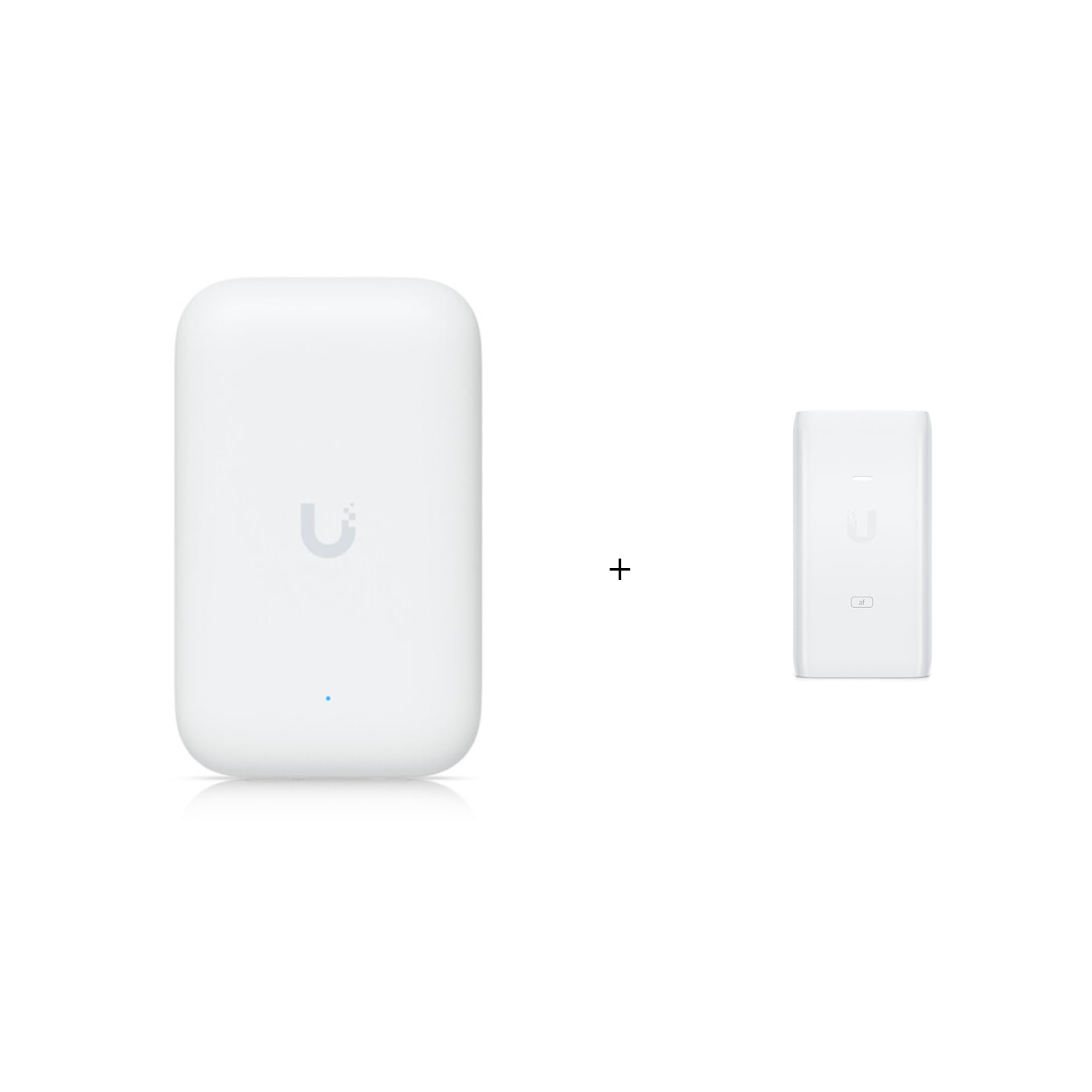
Figure 1: Ubiquiti UK-Ultra Wi-Fi 5 Access Point. This image shows the compact, white access point with a subtle 'U' logo and a small blue indicator light, designed for discreet placement.

Figure 2: Ubiquiti U-POE-af Passive PoE Adapter. This image displays the white PoE adapter with 'U' branding and 'af' label, featuring ports for LAN and POE connections.
3.2. Configuració del programari
- Baixeu l'aplicació de xarxa UniFi: Install the Ubiquiti UniFi Network application on your computer or mobile device. This application is essential for managing and configuring your Access Point.
- Descobreix i adopta: Launch the UniFi Network application. It will automatically discover the newly connected UK-Ultra Access Point. Follow the on-screen prompts to "adopt" the device into your UniFi network.
- Configura la configuració de Wi-Fi: Once adopted, you can configure your Wi-Fi network (SSID, password, security settings) through the UniFi Network application.
- Actualitzacions de firmware: Ensure the Access Point's firmware is up to date for optimal performance and security. The UniFi Network application will typically notify you of available updates.
4. Instruccions de funcionament
Once configured, the Ubiquiti UK-Ultra Access Point will broadcast your Wi-Fi network. Connect your wireless devices (laptops, smartphones, tablets, smart home devices) to the configured SSID using the password you set.
Advanced Features (via UniFi Network Application):
- Accés convidat: Create separate Wi-Fi networks for guests, providing internet access without compromising your main network security.
- Traffic Prioritization (QoS): Prioritize certain devices or applications to ensure smooth performance for critical tasks like video conferencing or gaming.
- Monitorització de la xarxa: Monitor network performance, connected clients, and potential issues through the UniFi Network application dashboard.
- Itinerància perfecta: For multiple Access Point deployments, UniFi ensures seamless roaming between access points for uninterrupted connectivity.
5. Manteniment
Regular maintenance helps ensure the longevity and optimal performance of your Access Point.
- Mantenir net: Periodically wipe the exterior of the Access Point with a soft, dry cloth. Avoid using liquid cleaners or aerosols.
- Actualitzacions de firmware: Regularly check for and install firmware updates through the UniFi Network application. Updates often include performance improvements, security patches, and new features.
- Condicions ambientals: Ensure the Access Point operates within its specified temperature and humidity ranges. Avoid exposing it to direct sunlight or extreme weather conditions if installed outdoors.
6. Solució De Problemes
Si teniu problemes, consulteu els passos habituals següents per a la resolució de problemes:
- Sense senyal Wi-Fi:
- Verify the PoE adapter is powered on and the Access Point's indicator light is active.
- Comproveu totes les connexions del cable Ethernet.
- Ensure the Access Point is adopted and configured in the UniFi Network application.
- Velocitat Wi-Fi lenta:
- Comproveu si hi ha interferències d'altres dispositius o xarxes sense fil.
- Ensure the Access Point is placed optimally for coverage.
- Verify your internet service provider (ISP) speed.
- Update Access Point firmware.
- Cannot Access UniFi Network Application:
- Ensure your device is on the same network as the UniFi controller (if self-hosted) or has internet access (for cloud-based controllers).
- Restart the UniFi Network application or controller.
7. Especificacions
| Nom del model | UK-Ultra / U-POE-af |
| Fabricant | Ubiquiti |
| Brand (Bundle) | TWAComm.com |
| Estàndard sense fils | 802.11ac (Wi-Fi 5) |
| Classe de banda de freqüència | Doble banda (2.4 GHz / 5 GHz) |
| Tecnologia de connectivitat | Ethernet |
| Tipus d'antena | Arreglat |
| Característica especial | Mode de punt d'accés |
| Components inclosos | Access Point, POE Adapter |
| Usos recomanats | Negocis |
| Dispositius compatibles | Gaming Console, Personal Computer, Printer, Security Camera, Smart Television |
8. Garantia i Suport
For warranty information and technical support, please refer to the official Ubiquiti documentation or contact TWAComm.com, the seller of this bundle. Keep your purchase receipt for warranty claims.
Recursos en línia:


