1. Introducció
Welcome to the user manual for your new XGODY S200 Flip Phone. This device is designed for ease of use, featuring large buttons, a clear display, and essential functions for reliable communication. Please read this manual carefully to understand how to operate your phone safely and efficiently.
2. Contingut del paquet
Marqueu la casella per als elements següents:
- XGODY S200 Flip Phone
- Bateria recarregable
- Cable de càrrega USB tipus C
- Adaptador d'alimentació
- Manual d'usuari
3. Dispositiu acabatview
Familiarize yourself with the key components of your XGODY S200 Flip Phone.

Figura 3.1: Frontal view of the XGODY S200 flip phone in its open position, displaying the screen and large keypad.

Figure 3.2: Detail of the XGODY S200's side, showing the USB Type-C charging port, 3.5mm headphone jack, and a flashlight.
3.1. Keypad Layout
- Tecles de navegació: Up, Down, Left, Right, and OK/Confirm button in the center.
- Tecla de trucada: Green button to make or answer calls.
- Tecla d'engegada/finalització: Red button to end calls or power the phone on/off.
- Clau SOS: Dedicated button for emergency calls (often on the back or side).
- Teclat numèric: Large, easy-to-read buttons for dialing numbers and text input.
4. Configuració
4.1. Instal·lació de la bateria
- Obriu la tapa posterior del telèfon fent palanca suaument des de l'osca.
- Alineeu els contactes de la bateria amb els terminals de l'interior del telèfon.
- Press the battery down firmly until it is securely in place.
- Torneu a col·locar la coberta posterior, assegurant-vos que encaixi en el seu lloc amb un clic.
4.2. Installing the SIM Card(s)
The XGODY S200 supports dual SIM cards.
- With the battery removed, locate the SIM card slot(s).
- Insert your SIM card(s) into the slot(s) with the gold contacts facing down and the cut corner aligned as indicated.
- Ensure the SIM card(s) are fully inserted.
- Torneu a instal·lar la bateria i la coberta posterior.
4.3. Carregant el telèfon
- Connect the USB Type-C cable to the charging port on the side of the phone.
- Plug the other end of the cable into the power adapter, then plug the adapter into a wall outlet.
- La icona de la bateria a la pantalla indicarà l'estat de càrrega.
- Charge the phone fully before first use (approximately 2-3 hours).
5. Com utilitzar el telèfon
5.1. Encendre/apagar
- Per encendre: Press and hold the Red End/Power Key until the screen lights up.
- Per apagar: Press and hold the Red End/Power Key until the power-off options appear, then select 'Power Off'.
5.2. Fer i rebre trucades
- Fer una trucada: Enter the phone number using the keypad and press the Green Call Key.
- Respondre una trucada: When the phone rings, press the Green Call Key.
- Finalització d'una trucada: Press the Red End/Power Key.
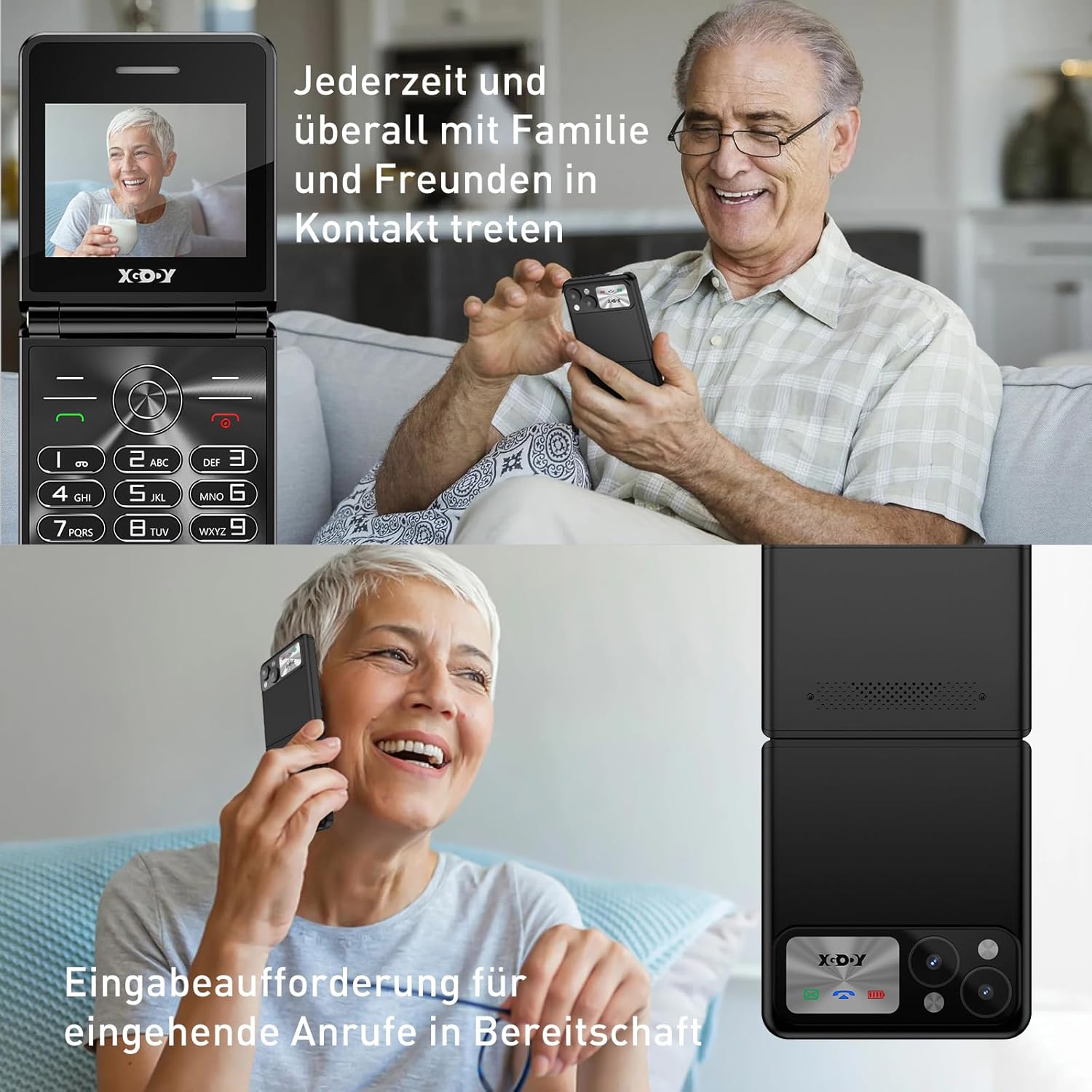
Figure 5.1: The XGODY S200 features loud and clear call volume, beneficial for users with hearing impairments.
5.3. Contacts (Phonebook)
- From the main screen, navigate to 'Contacts' or 'Phonebook' using the navigation keys and press the OK key.
- Select 'Add New Contact' to save a number.
- Introduïu el nom i el número de telèfon i, a continuació, deseu.
5.4. SOS Emergency Function
The SOS function allows you to quickly contact pre-set emergency numbers.

Figure 5.2: Illustration of the SOS emergency call feature, allowing users to quickly contact up to five pre-set family members or emergency services.
- Setting up SOS Numbers: Go to 'Settings' > 'SOS Settings' and add up to 5 emergency contacts.
- Activació de SOS: Press and hold the dedicated SOS button (usually on the back or side of the phone) for a few seconds. The phone will automatically dial the pre-set numbers in sequence until one is answered. It may also send an emergency SMS.
5.5. Ràdio FM
To use the FM Radio, you may need to connect headphones (not always included) as they often act as an antenna.
- Navigate to 'FM Radio' from the main menu.
- Use the navigation keys to scan for stations or manually tune.
5.6. Llanterna
The phone includes a built-in flashlight for convenience.

Figure 5.3: An image demonstrating the built-in flashlight feature of the XGODY S200, activated by a long press, providing convenience in low-light conditions.
- Per activar/desactivar: Press and hold the dedicated flashlight button (if available) or a specific key combination as indicated in the phone's quick guide.
6. Manteniment
- Neteja: Use a soft, dry cloth to clean the phone's screen and body. Avoid liquid cleaners.
- Cura de la bateria: Do not expose the battery to extreme temperatures. If the phone will not be used for an extended period, charge it partially before storing.
- Emmagatzematge: Guardeu el telèfon en un lloc fresc i sec, allunyat de la llum solar directa i de la humitat.
7. Solució De Problemes
| Problema | Possible solució |
|---|---|
| El telèfon no s'encén | Assegureu-vos que la bateria estigui correctament instal·lada i completament carregada. Intenteu carregar el telèfon durant almenys 30 minuts. |
| No puc fer ni rebre trucades | Check if the SIM card is properly inserted. Ensure you have network signal. Contact your service provider if the issue persists. |
| Poca qualitat de trucada | Move to an area with better network reception. Ensure the microphone and speaker are not obstructed. |
| La bateria s'esgota ràpidament | Reduce screen brightness. Close unused applications. If the battery is old, consider replacing it. |
| SOS function not working | Verify that emergency numbers are correctly set in the SOS settings. Ensure the phone has network signal. |
8. Especificacions
| Característica | Detall |
|---|---|
| Marca | Xgody |
| Nom del model | S200 |
| Sistema operatiu | Basic OS |
| Mida de la pantalla | 2.4 polzades |
| Resolució | 240 x 320 |
| Mida de la memòria RAM | 32 MB |
| Capacitat d'emmagatzematge de memòria | 32 MB |
| Operador sense fil | Tots els operadors (desbloquejats) |
| Tecnologia cel·lular | 2G |
| Tecnologia de connectivitat | 2G (GSM) |
| Bateria | 1 de polímer de liti (incloses) |
| Port de càrrega | USB tipus C |
9. Garantia i Suport
Specific warranty details for the XGODY S200 Flip Phone are not provided within this manual. For warranty information, technical support, or service inquiries, please refer to the documentation included with your purchase or visit the official XGODY weblloc web. Conserveu el comprovant de compra per a qualsevol reclamació de garantia.


