1. Introducció
Thank you for choosing the SUNOL GS08 Smart Glasses. These open-ear audio glasses combine stylish eyewear with advanced audio technology, allowing you to enjoy music, make calls, and access navigation while remaining aware of your surroundings. This manual provides detailed instructions for the proper use and maintenance of your device.
Les característiques clau inclouen:
- Àudio d'orella oberta: Enjoy sound without blocking your ears, maintaining situational awareness.
- Connectivitat Bluetooth 5.3: Stable and efficient wireless connection to your smart devices.
- Micròfon integrat: For clear hands-free calls and voice assistant interaction.
- Lents polaritzades: 100% UV protection to shield your eyes from harmful rays and reduce glare.
- Resistència a l'aigua IPX4: Designed to resist sweat and light rain, suitable for various activities.
- Control de veu per IA: Access navigation, phone calls, and music without needing to pull out your phone.
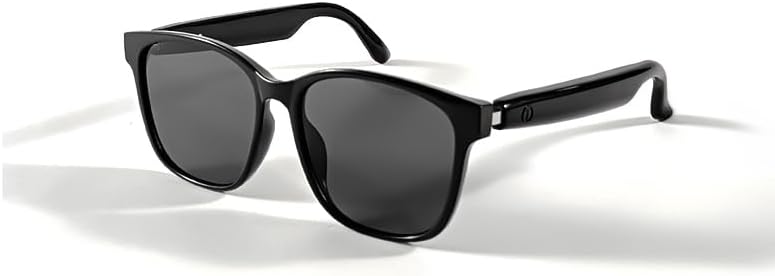
Image 1.1: The SUNOL GS08 Smart Glasses in gray, showcasing el seu disseny elegant.
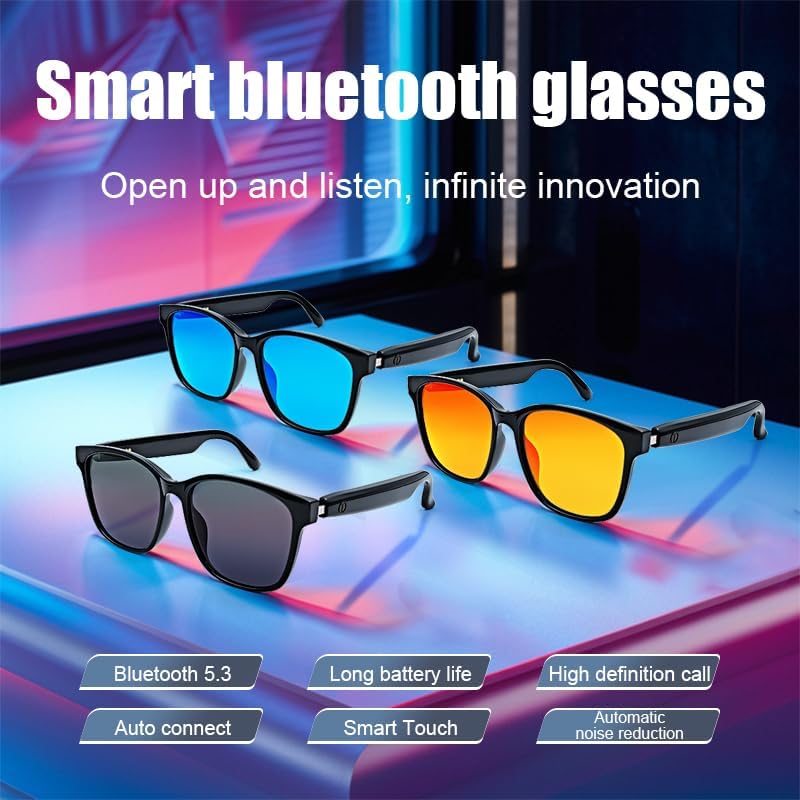
Image 1.2: Multiple color variants of the smart glasses highlighting features like Bluetooth 5.3, long battery life, high-definition calls, auto-connect, smart touch, and automatic noise reduction.
2. Configuració
2.1. Contingut del paquet
Before proceeding, please ensure all items are present in the package:
- SUNOL GS08 Smart Glasses
- Cable de càrrega
- Manual d'usuari
- Drap de neteja (pot variar segons l'envàs)
2.2. Càrrega de les ulleres
For optimal performance, fully charge your smart glasses before first use.
- Connect the charging cable to the charging port on the glasses.
- Connecteu l'altre extrem del cable de càrrega a un adaptador de corrent USB (no inclòs) o al port USB d'un ordinador.
- El llum indicador de les ulleres s'il·luminarà durant la càrrega i s'apagarà o canviarà de color quan estiguin completament carregades.
- Una càrrega completa sol trigar aproximadament entre 1.5 i 2 hores.
2.3. Emparellament Bluetooth
Follow these steps to pair your SUNOL GS08 Smart Glasses with your smartphone or other Bluetooth-enabled device:
- Ensure the glasses are charged and powered off.
- Press and hold the power button on the glasses until the indicator light flashes rapidly (usually blue and red), indicating pairing mode.
- On your smart device, go to Bluetooth settings and turn Bluetooth on.
- Cerca available devices. You should see "GS08" or "SUNOL GS08" in the list.
- Select "GS08" to connect. Once connected, the indicator light on the glasses will typically stop flashing and remain solid blue or turn off.
- The glasses will automatically connect to the last paired device when powered on, if the device's Bluetooth is active and within range.
3. Instruccions de funcionament
3.1. Encendre/apagar
- Encès: Press and hold the power button for approximately 3 seconds until you hear a power-on prompt or see the indicator light.
- Apagar: Press and hold the power button for approximately 5 seconds until you hear a power-off prompt or the indicator light turns off.
3.2. Reproducció de música
Control your music directly from the smart glasses:
- Reproduir/pausa: Single press the multi-function button (often the power button or a dedicated button).
- Pista següent: Premeu dues vegades el botó multifunció.
- Pista anterior: Premeu tres vegades el botó multifunció.
3.3. Gestió de trucades
Manage phone calls hands-free:
- Respon a la trucada: Single press the multi-function button when a call comes in.
- Finalitzar la trucada: Single press the multi-function button during a call.
- Rebutja la trucada: Premeu i manteniu premut el botó multifunció durant 2 segons quan rebeu una trucada.
3.4. Voice Assistant (AI Voice Control)
Activate your device's voice assistant for navigation, information, and more:
- Activar: Press and hold the multi-function button for 2 seconds (when not on a call) to activate your smartphone's voice assistant (e.g., Siri, Google Assistant).
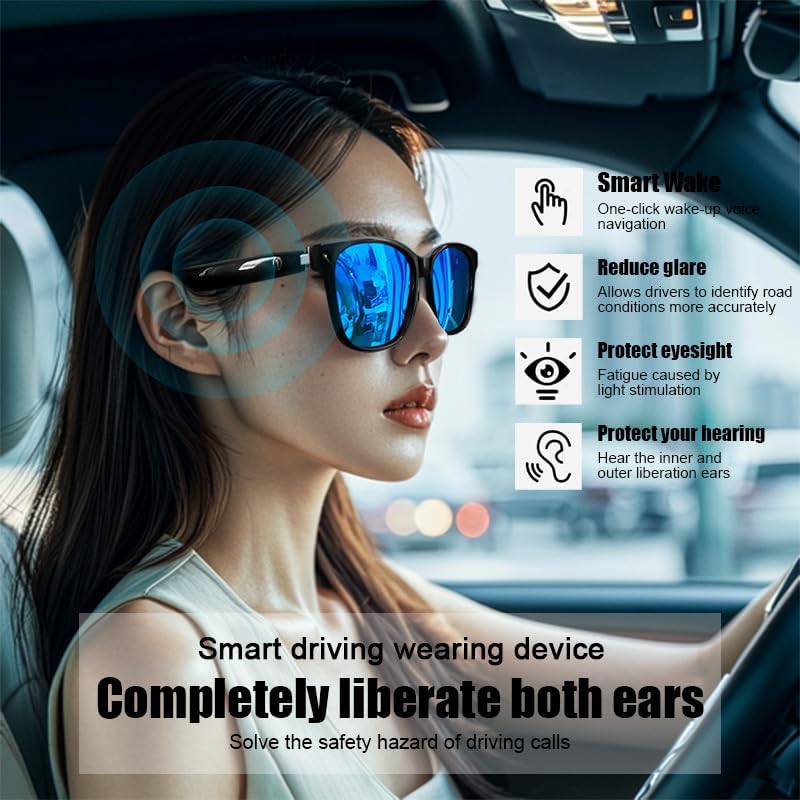
Image 3.1: The smart glasses in use while driving, demonstrating features such as Smart Wake for voice navigation, reduced glare, eye protection, and open-ear audio for hearing protection.
3.5. Control de volum
Adjust the audio volume using the dedicated volume buttons on the glasses (if available) or directly from your connected smart device.

Imatge 3.2: Ex.amples of the smart glasses being used in various activities such as cycling, hiking, driving, and fishing, highlighting their versatility.
4. Manteniment
4.1. Cleaning the Glasses
To maintain clarity and hygiene:
- Use the provided cleaning cloth or a soft, lint-free cloth to gently wipe the lenses and frame.
- Per a taques difícils, fregueu lleugeramentampen the cloth with water or a lens cleaning solution specifically designed for eyewear.
- Avoid using harsh chemicals, abrasive materials, or paper towels, as these can scratch the lenses or damage the frame.
4.2. Emmagatzematge
When not in use, store your smart glasses in their protective case to prevent scratches and damage. Avoid exposing them to extreme temperatures, direct sunlight for prolonged periods, or high humidity.
4.3. Resistència a l'aigua (IPX4)
The SUNOL GS08 Smart Glasses are rated IPX4, meaning they are resistant to splashing water from any direction. This makes them suitable for use during workouts or in light rain. However, they are not designed for submersion in water. Do not wear them while swimming, showering, or in heavy rain.
5. Solució De Problemes
If you encounter issues with your smart glasses, please refer to the following common solutions:
| Problema | Causa possible | Solució |
|---|---|---|
| Glasses won't power on. | Bateria baixa. | Carregueu les ulleres completament. |
| No es pot emparellar amb el dispositiu. | Bluetooth off on device; glasses not in pairing mode; too far from device. | Ensure Bluetooth is on. Put glasses in pairing mode (see Section 2.3). Move glasses closer to the device. Try unpairing and re-pairing. |
| Sense so o amb un volum baix. | Volume too low on glasses or device; glasses not connected; audio source paused. | Increase volume on both glasses and connected device. Verify Bluetooth connection. Check if audio is playing on the source device. |
| Connexió intermitent. | Interferència; dispositiu massa lluny; bateria baixa. | Move closer to the connected device. Avoid areas with strong Wi-Fi or other Bluetooth interference. Ensure glasses are charged. |
Si el problema persisteix després de provar aquestes solucions, poseu-vos en contacte amb l'atenció al client.
6. Especificacions
| Característica | Detall |
|---|---|
| Número de model | F06 |
| Versió Bluetooth | 5.3 |
| Tipus de bateria | 1 bateria de polímer de liti (inclosa) |
| Resistència a l'aigua | IPX4 (resistent a les esquitxades) |
| Tipus de lent | Polarized, 100% UV Protection |
| Audio Playback Time | Approximately 3 hours (on a full charge) |
| Departament | Adult unisex |
| Data de primera disponibilitat | 24 de juny de 2024 |
| Origen | Importat |
7. Informació de la garantia
SUNOL products are manufactured to the highest quality standards. This product is covered by a limited warranty against defects in materials and workmanship from the date of original purchase. Please retain your proof of purchase for warranty claims.
The warranty does not cover damage caused by misuse, accident, unauthorized modification, or normal wear and tear. For specific warranty terms and conditions, please refer to the warranty card included with your product or contact customer support.
8. Atenció al client
If you have any questions, require technical assistance, or need to make a warranty claim, please contact our customer support team:
- Correu electrònic: support@sunol.com
- Weblloc: www.sunol.com/support
Please have your product model number (F06) and purchase date ready when contacting support.


