Manual d'usuari
Replacement Power and Volume Flex Cable
Model: XIAOMI REDMI A3 23129RN51X Compatible Part
1. Producte acabatview
This product is a high-quality replacement internal flat flex circuit designed for the power on/off and volume control buttons of compatible mobile phones. It is essential for restoring the functionality of unresponsive or damaged side buttons.

Figura 1.1: superior view of the replacement flex cable, showing the main circuit and button contact points.
The flex cable is a crucial component that connects the physical buttons to the phone's motherboard, enabling the power and volume functions. This replacement part ensures precise fit and reliable performance.

Figura 1.2: Esquena view of the flex cable, highlighting the pre-applied adhesive for secure installation.
2. Compatibilitat
This replacement flex circuit is specifically designed to be compatible with the following mobile phone model:
- XIAOMI REDMI A3 (Model: 23129RN51X)
Important: Please verify your device's model number before purchasing and attempting installation to ensure full compatibility.
3. Informació de seguretat
Performing repairs on electronic devices requires caution. Please observe the following safety guidelines:
- Apagar: Always ensure the device is completely powered off and disconnected from any power source before beginning the repair.
- Desconnexió de la bateria: Disconnect the battery as the first step after opening the device to prevent accidental short circuits.
- Electricitat estàtica: Use an anti-static wrist strap or work on an anti-static mat to prevent electrostatic discharge (ESD), which can damage sensitive electronic components.
- Eines adequades: Use appropriate, non-conductive tools designed for mobile phone repair.
- Manejar amb cura: Flex cables are delicate. Avoid bending, creasing, or tearing them during installation.
- Assistència professional: Si no esteu segurs de cap pas, busqueu ajuda professional per a la reparació.
4. Guia d'instal·lació
This section outlines the general steps for replacing the power and volume flex cable. Specific disassembly procedures may vary slightly by device model. Refer to a device-specific disassembly guide for your XIAOMI REDMI A3 23129RN51X.
- Prepareu el vostre espai de treball: Ensure a clean, well-lit, and static-free environment. Gather all necessary tools (e.g., prying tools, screwdrivers, tweezers, anti-static wrist strap).
- Apagueu el dispositiu: Completely power off your XIAOMI REDMI A3 and remove the SIM tray.
- Open the Device: Carefully open the phone's back cover. This may involve heating the edges to soften adhesive and using prying tools. Proceed slowly to avoid damaging internal components or the back cover itself.
- Desconnecta la bateria: Locate the battery connector on the motherboard and carefully disconnect it using a plastic prying tool. This is a critical safety step.
- Locate and Remove Old Flex Cable: Identify the existing power and volume flex cable. It is typically located along the side frame where the physical buttons are. Carefully disconnect any connectors and gently peel off the old flex cable, noting its original placement.
- Zona neta: Ensure the area where the new flex cable will be placed is clean and free of any old adhesive residue.
- Install New Flex Cable: Carefully align the new replacement flex cable into position. Ensure the button contact points align correctly with the physical buttons. Gently press down to secure the adhesive.
- Connect Flex Cable: Carefully connect the flex cable's connector(s) to the corresponding port(s) on the motherboard. Ensure a firm and secure connection.
- Torneu a connectar la bateria: Reconnect the battery connector to the motherboard.
- Funcionalitat de prova: Before fully reassembling the device, briefly power it on to test the power and volume buttons. Ensure they respond correctly.
- Remuntar el dispositiu: Once functionality is confirmed, carefully reassemble the device, ensuring all screws and components are in their correct places. Secure the back cover.

Figure 4.1: Ensure the flex cable's shape matches the internal layout for proper alignment.

Figure 4.2: Close-up of the connector, which must be securely attached to the motherboard.
5. Operating and Testing
After successful installation, test the functionality of the new flex cable:
- Botó d'encesa: Press and hold the power button to turn the device on/off. A short press should lock/unlock the screen.
- Botó per pujar el volum: Press the volume up button to increase the media or call volume.
- Botó per baixar el volum: Press the volume down button to decrease the media or call volume.
Ensure all button presses provide a tactile click and the corresponding action is registered on the device's screen.
6. Manteniment
The flex cable itself requires no specific maintenance once installed. Its longevity is primarily dependent on careful handling during installation and protection from physical damage within the device. Avoid exposing the device to excessive moisture, dust, or extreme temperatures, as these can degrade internal components over time.
7. Solució De Problemes
If you encounter issues after installing the new flex cable, consider the following troubleshooting steps:
- Botons que no responen:
- Ensure the flex cable connector is securely seated on the motherboard.
- Verify that the flex cable is not creased, torn, or damaged during installation.
- Check if the physical buttons are properly aligned with the flex cable's contact points.
- Funcionalitat intermitent:
- This often indicates a loose connection. Re-seat the flex cable connector.
- Inspect for any debris or corrosion on the connector pins.
- El dispositiu no s'encén:
- Ensure the battery is properly reconnected and has sufficient charge.
- Confirm the power button flex cable is correctly installed and connected.
If problems persist after these steps, professional diagnosis may be required.
8. Especificacions
| Característica | Detall |
|---|---|
| Tipus de producte | Replacement Flat Flex Circuit |
| Funció | Encès / apagat i control de volum |
| Model de telèfon compatible | XIAOMI REDMI A3 (23129RN51X) |
| Dimensions (L x A x A) | 9 x 7 x 1 cm |
| Pes | 5 grams |
| Fabricant | Genèric |
| Color | As pictured (typically orange/gold and black) |
9. Garantia i Suport
Information regarding specific warranty terms or direct manufacturer support for this 'Generico' brand replacement part is not provided in the product details. For any issues or inquiries, please refer to the retailer or seller from whom the product was purchased.
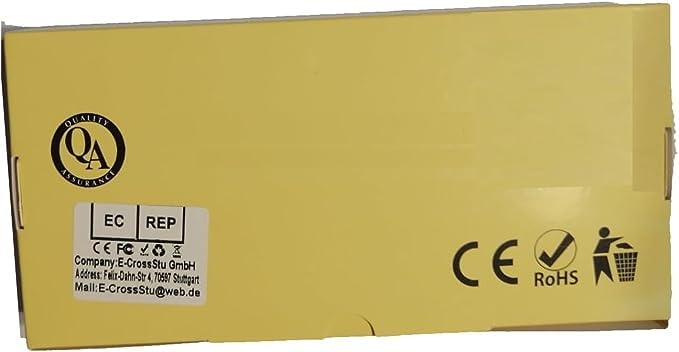
Figure 9.1: Product packaging, which may contain seller contact information.


