1. Introducció
This manual provides detailed instructions for the setup, operation, and maintenance of your EDUP Wireless HDMI Transmitter and Receiver Kit (Model EH-WD9910). This kit enables wireless transmission of high-definition audio and video signals, offering a flexible solution for various display needs.
2. Contingut del paquet
Verifiqueu que tots els elements que s'enumeren a continuació s'inclouen al vostre paquet:
- 1 transmissor HDMI sense fil (TX)
- 1 x Receptor HDMI sense fil (RX)
- 2 x antenes desmuntables
- 2 x Type-C Power Cables
- 1 x HDMI Dual Female Adapter
- 1 x Manual d'usuari (aquest document)

Image: Contents of the EDUP Wireless HDMI Kit. This image displays the transmitter, receiver, two detachable antennas, two USB-C power cables, an HDMI dual female adapter, and the user manual, all neatly arranged.
3. Producte acabatview
The EDUP Wireless HDMI Kit consists of a Transmitter (TX) and a Receiver (RX), designed for easy plug-and-play operation without the need for apps or Bluetooth. Each unit features an HDMI connector and a Type-C port for power.
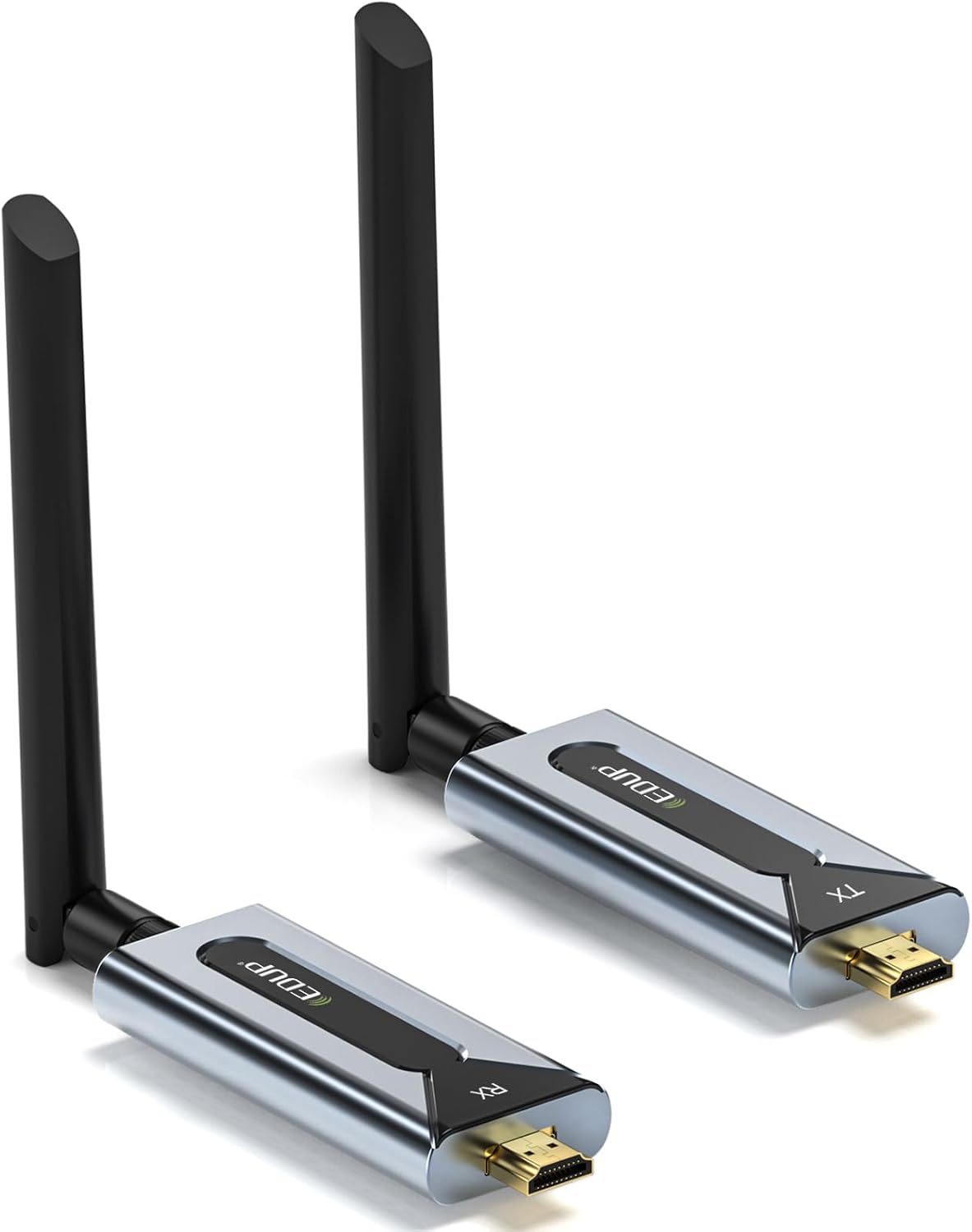
Image: EDUP Wireless HDMI Transmitter and Receiver. This image shows both the transmitter (TX) and receiver (RX) units, each with an attached antenna, highlighting their compact design.
4. Instruccions de configuració
Follow these steps to set up your EDUP Wireless HDMI Kit:
- Col·loca les antenes: Screw the detachable antennas onto both the Transmitter (TX) and Receiver (RX) units. Ensure they are securely fastened.
- Power and Pair TX & RX:
- Connect the provided Type-C power cables to both the Transmitter (TX) and Receiver (RX) units.
- Connect the other end of the Type-C cables to a 5V/1A power source (e.g., USB port on a laptop, TV, power adapter, or power bank).
- Press and hold the pairing button on each unit for approximately 5 seconds until the LED indicator flashes, then release. This initiates the pairing process.
Image: Powering and Pairing the TX and RX units. This image illustrates connecting the Type-C power cable to the transmitter unit and highlights the pairing button.
- Connect with Dual-Female Adapter (Optional): If direct connection is not feasible due to space, attach the HDMI dual-female adapter to the Transmitter or Receiver. A steady light on the TX and a flashing LED on the RX indicate a successful pair.
Image: Connecting with the HDMI Dual-Female Adapter. This image shows the transmitter unit connected to an HDMI dual-female adapter, with LED indicators visible.
- Connexió als dispositius:
- Connect the Transmitter (TX) to your HDMI source device (e.g., PC, laptop, game console, set-top box).
- Connect the Receiver (RX) to your display device (e.g., HDTV, projector, monitor).
- Ensure both TX and RX units remain powered. A steady green light on the Transmitter and a blinking green light on the Receiver indicate proper connection and signal transmission.
Image: Connecting to Source and Display Devices. This image shows the transmitter connected to a source device and the receiver connected to a display, with LED indicators for status.
5. Instruccions de funcionament
Once setup is complete, the system operates automatically. The kit supports both duplicate and extend modes for computers/laptops.
- Mode duplicat: The display on your source device is mirrored on the connected display.
- Mode d'ampliació: The connected display acts as an extension of your source device's screen, allowing for more desktop space. This mode is typically configured through your computer's display settings.
Consideracions importants:
- For optimal signal transfer, use the devices in an open space.
- Re-pair the units if adding new TX or RX units to the system.
- Avoid extreme temperatures or humidity to ensure longevity and performance.
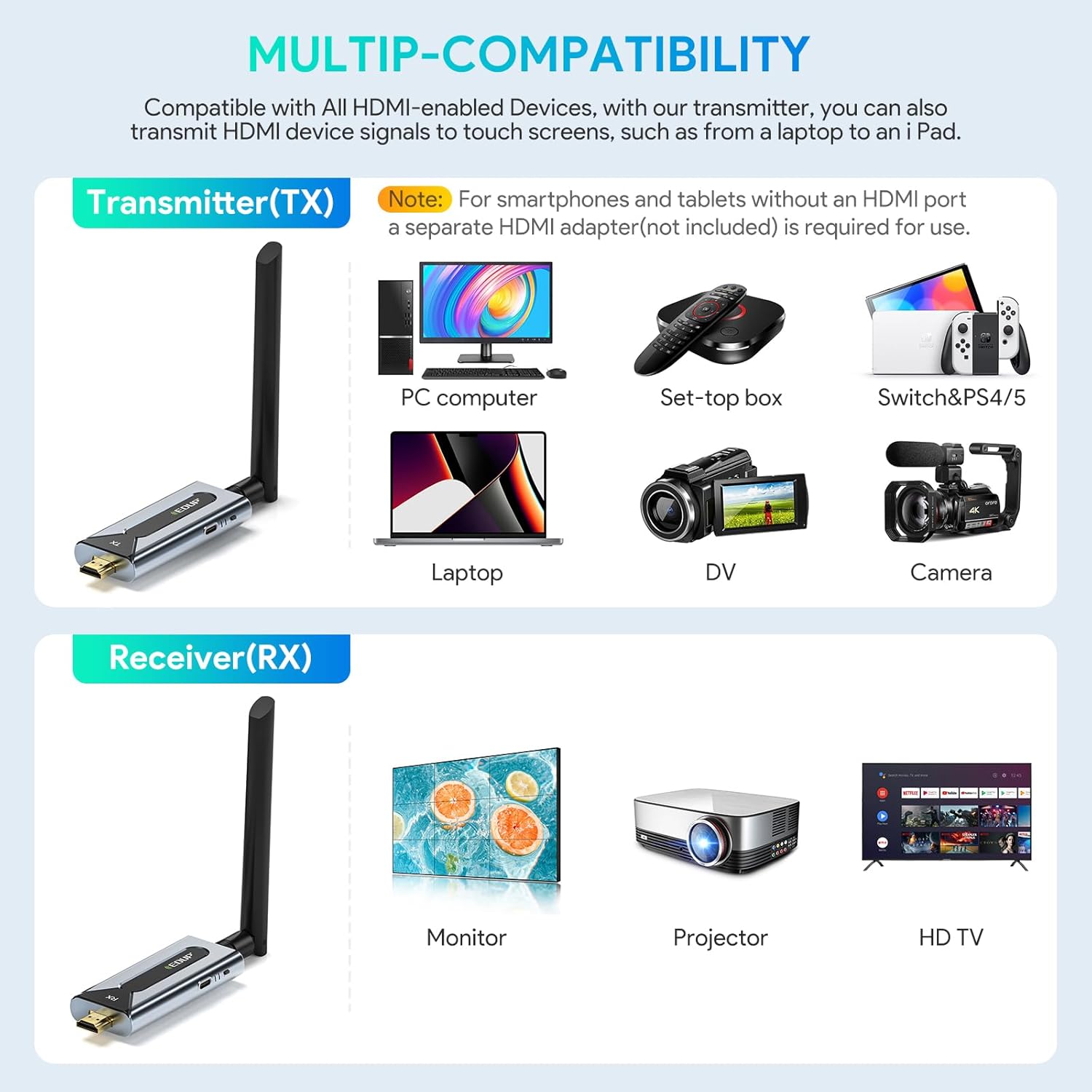
Image: Multi-Scenario Application. This image illustrates various uses for the wireless HDMI kit, including outdoor events, meeting presentations, home entertainment, and streaming video.
6. Manteniment
To ensure the longevity and optimal performance of your EDUP Wireless HDMI Kit, follow these maintenance guidelines:
- Neteja: Use a soft, dry cloth to clean the units. Avoid liquid cleaners or abrasive materials.
- Emmagatzematge: When not in use, store the kit in a cool, dry place away from direct sunlight and extreme temperatures.
- Cura del cable: Handle the Type-C power cables and HDMI adapter with care to prevent damage. Do not bend cables sharply.
- Antenes: Ensure antennas are not bent or damaged. Proper antenna orientation can improve signal strength.
7. Solució De Problemes
If you encounter issues with your EDUP Wireless HDMI Kit, refer to the following common solutions:
| Problema | Causa possible | Solució |
|---|---|---|
| Cap senyal a la pantalla. |
|
|
| Mala qualitat de vídeo o parpelleig. |
|
|
| Audio but no video, or vice versa. |
|
|
8. Especificacions
| Característica | Detall |
|---|---|
| Número de model | EH-WD9910 |
| Tecnologia de transmissió | 5.8G sense fil |
| Resolució de vídeo | Fins a 1920x1080p@60Hz |
| Outdoor Transmission Range | Fins a 150 metres (492 peus) |
| Indoor Transmission Range (Line of Sight) | Fins a 50 metres (164 peus) |
| Indoor Transmission Range (Through Walls) | 32-82 feet (approx. 10-25 meters) |
| Latència | Latència zero |
| Requisit d'energia | 5V/1A (via Type-C port) |
| Codificació de vídeo | H.264, H.265/HEVC |
| Mode de sortida d'àudio | Envoltant |
| Configuració del canal de so envoltant | 5.1 |
| Compatible Devices (TX) | PC, Laptop, Set-top box, Game Consoles (Switch, PS4/5), DVD/Blu-ray players, Cameras, any HDMI-enabled device. |
| Compatible Devices (RX) | HDTV, Projector, Monitor, any HDMI-enabled display. |
| Dimensions | Approx. 5 x 5 x 2 inches (per unit, without antenna) |
| Pes | Approx. 6.4 ounces (per unit) |
9. Garantia i Suport
EDUP provides the following support for this product:
- Garantia de devolució de diners: 30-day money-back guarantee from the date of purchase.
- Garantia: 1-year limited warranty covering manufacturing defects.
- Suport tècnic: Lifetime technical support is available. For assistance, please contact EDUP customer service through the official weblloc web o la vostra plataforma de compra.
Per obtenir més informació o suport, visiteu el EDUP Store on Amazon.


