1. Introducció
The AdaLov CPE469 Dual Band Wireless Bridge is designed to provide robust and stable long-range wireless network extension. Operating on both 2.4GHz and 5.8GHz frequencies, it offers enhanced anti-interference capabilities and superior performance compared to single-frequency models. This device is ideal for extending network coverage up to 3 kilometers (1.9 miles), facilitating applications such as long-range WiFi extension, Starlink network expansion, and sharing internet connectivity between distant buildings or properties without the need for extensive cabling. It is suitable for various environments including homes, farms, warehouses, offices, and outdoor surveillance systems.

Figure 1: AdaLov CPE469 Dual Band Wireless Bridges.
2. Contingut del paquet
Verifiqueu que tots els elements que s'enumeren a continuació s'inclouen al vostre paquet. Si falta algun element o hi ha algun malmès, poseu-vos en contacte amb l'atenció al client.
- 2 x Wireless Bridges (CPE469 units)
- 2 x adaptadors PoE
- 2 x Bracket Mounts
- 2 x cables de xarxa
- 1 x Manual d'usuari

Figure 2: Included components in the CPE469 package.
3. Producte acabatview
The CPE469 units are designed for outdoor use with a durable, weatherproof casing. Each unit features dual Gigabit LAN ports for flexible connectivity and a built-in 15dBi high-gain antenna for extended range. An LED indicator panel provides visual feedback on signal strength and operational status.

Figure 3: Key features of the CPE469 Wireless Bridge.
4. Configuració i instal·lació
4.1 Mounting the Devices
The CPE469 units come with adjustable bracket mounts for versatile installation on poles or walls. Ensure the mounting location provides a clear line of sight between the two units for optimal performance.

Figure 4: Easy installation with bracket mounts.

Figura 5: Instal·lació a la paret example.
4.2 Connexió i engegada
Connect the CPE469 units using the provided PoE adapters and network cables. The PoE adapters supply power and data over a single Ethernet cable, simplifying installation.
4.3 Pairing the Bridges (Master/Slave Configuration)
The CPE469 units are typically pre-paired from the factory. If re-pairing is necessary, use the dialing switches on each unit to designate one as the 'Master Bridge' and the other as the 'Slave Bridge'. Ensure the Master and Slave units are set to the same channel for successful communication.
5. Operating Modes and Network Configuration
5.1 Point-to-Point (PTP) Configuration
In a Point-to-Point setup, two CPE469 units establish a direct wireless link to extend a network between two locations. This is ideal for connecting two buildings, such as a main house to a detached garage or office.

Figure 6: Point-to-Point network extension setup.
5.2 Point-to-Multipoint (PTMP) Configuration
For Point-to-Multipoint applications, one Master CPE469 unit can connect to multiple Slave CPE469 units (up to 8 receivers). This is useful for extending network coverage to several remote locations from a central point, such as multiple security cameras or outbuildings.

Figure 7: Point-to-Multipoint and Point-to-Point scenarios.

Figure 8: Point-to-Multipoint setup for security cameras.
5.3 Mode de repetidor sense fil
If the distance between two points (A and B) is too far or if there are significant obstacles, a third CPE unit (C) can be deployed as a relay point. Unit C receives data from A and forwards it to B, ensuring stable wireless transmission over extended or obstructed paths.

Figure 9: Wireless Repeater configuration.
5.4 Starlink Compatibility
The CPE469 is fully compatible with Starlink Gen 2 Ethernet Adapter and Gen 3 router, allowing seamless integration into existing Starlink satellite internet setups. This enables extending Starlink connectivity to barns, shops, or neighboring buildings, providing stable, high-speed access in remote locations.

Figure 10: Starlink internet extension setup.
6. Performance and Features
The CPE469 offers high-speed dual-band performance, with up to 900Mbps on 5.8GHz and 300Mbps on 2.4GHz, ensuring low-latency and high-speed connectivity for various applications.
- Funcionament de doble banda: Works on both 2.4GHz and 5.8GHz for stronger anti-interference and stable performance.
- Transmissió de llarg abast: Built-in 15dBi high-gain antenna supports stable wireless transmission up to 3KM (1.9 miles).
- Dual Gigabit LAN Ports: Two Ethernet ports per unit for high-speed wired connections to devices like IP cameras, routers, and network switches.

Figure 11: Dual-band performance capabilities.

Figure 12: Long-range transmission capability.
7. Manteniment i consideracions ambientals
The CPE469 is built with an IP65 weatherproof design, making it dustproof and waterproof. This ensures reliable operation in various outdoor conditions, including rain, snow, and extreme temperatures. Regular visual inspection of the units and connections is recommended to ensure optimal performance and longevity.
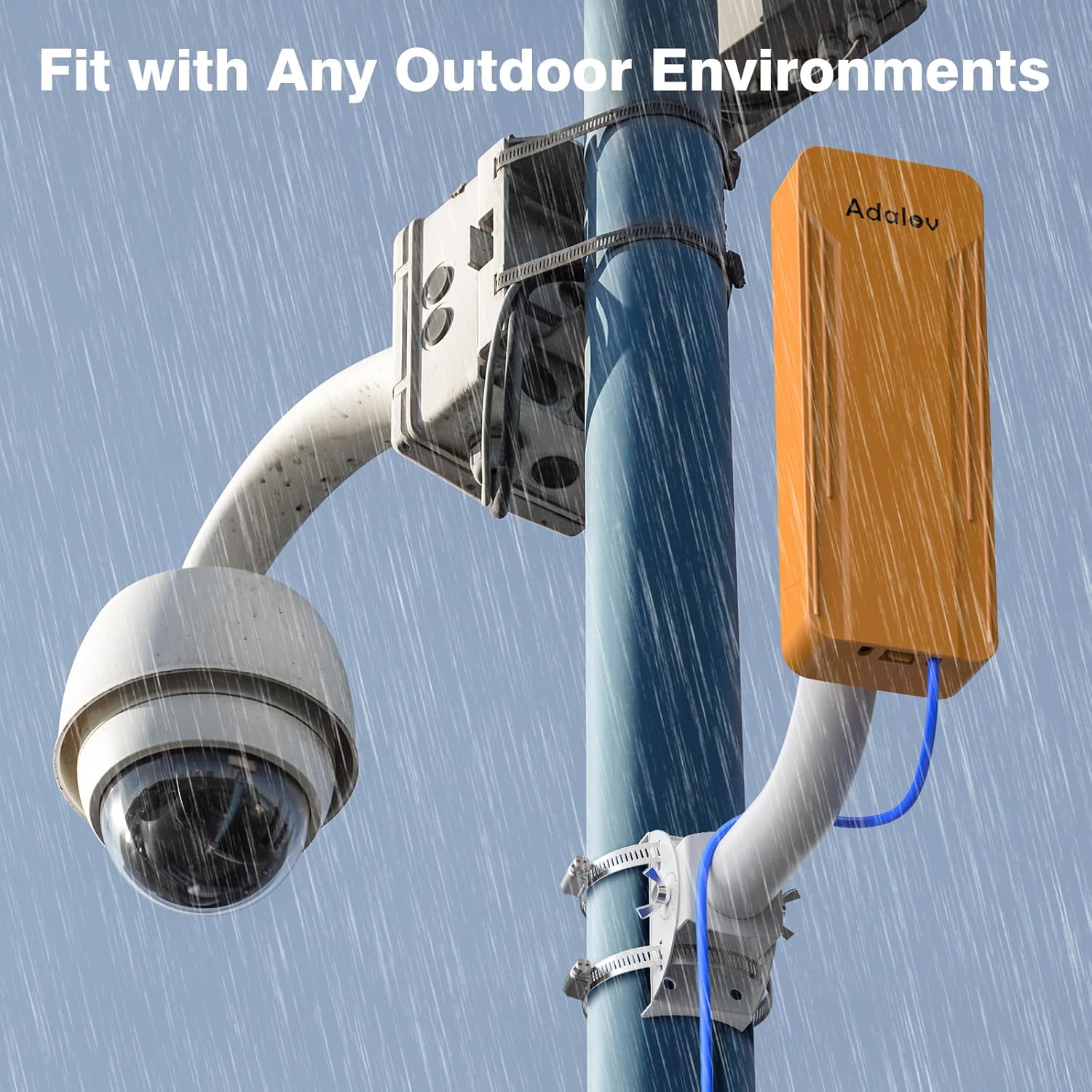
Figure 13: IP65 Weatherproof design for outdoor environments.

Figure 14: Environmental protection features.
8. Solució De Problemes
Effective wireless bridge performance relies heavily on a clear line of sight between the Master and Slave units. Obstacles such as buildings, dense foliage, or terrain can significantly degrade signal quality and throughput.
- Sense connexió/Senyal deficient: Ensure both units are powered on and the LED indicators show proper pairing. Verify that there are no physical obstructions between the units. Adjust the aiming of the units for optimal signal strength.
- Velocitat lenta: Check for any physical obstructions. Ensure the units are properly aligned. Confirm that the network cables are securely connected and undamaged.
- Connexió intermitent: This can be caused by environmental factors (e.g., heavy rain, strong winds) or temporary obstructions. Re-check alignment and consider a more stable mounting solution.

Figure 15: Importance of clear line of sight.
9. Especificacions
| Característica | Detall |
|---|---|
| Nom del model | Dual band CPE469 wireless bridge kit |
| Número de model de l'article | CPE468 |
| Dimensions del producte | 3.54 x 2.17 x 9.84 polzades |
| Pes de l'article | 3.75 lliures |
| Classe de banda de freqüència | Doble banda (2.4 GHz i 5.8 GHz) |
| Comunicació sense fils estàndard | 802.11a, 802.11ac, 802.11g, 802.11n |
| Tecnologia de connectivitat | 12V DC, 24V POE, Ethernet, RJ45, Wi-Fi |
| Característiques especials | Access Point Mode, Guest Mode, Internet Security, LED Indicator, Weatherproof |
| Dispositius compatibles | Access point, Computer, Router, Security Camera, Starlink |
| Color | Taronja |
10. Garantia i Suport
AdaLov products come with a 1-Year Warranty and Lifetime After-Sales Support. For technical assistance, troubleshooting, or warranty claims, please contact AdaLov customer service through their official channels or the retailer where the product was purchased.
AdaLov is committed to providing practical, cost-effective data communication solutions and ensuring customer satisfaction.


