Nobsound Mini FM Radio Transistor User Manual
Model: DZ102-2024
1. Introducció
This manual provides detailed instructions for the Nobsound Mini FM Radio Transistor, model DZ102-2024. This compact and versatile FM radio is designed for global use, featuring automatic and manual station search, a digital display, and flexible power options. Please read this manual thoroughly before operating the device to ensure proper use and longevity.
2. Informació de seguretat
Consells de seguretat importants:
- It is not recommended to connect headphones to the 3.5mm output. The sound effect may not be optimal, and the volume cannot be adjusted through the device when headphones are connected.
- A DC 5V power adapter is required for operation and is not included in the package. Please ensure you use a compatible power adapter (200mA recommended).
- No exposeu el dispositiu a l'aigua ni a una humitat excessiva.
- Eviteu deixar caure o sotmetre el dispositiu a forts impactes.
- No intenteu desmuntar ni reparar el dispositiu vosaltres mateixos. Demaneu el servei tècnic a personal qualificat.
3. Producte acabatview
3.1. Contingut del paquet
En desembalar, comproveu que hi hagi tots els elements que s'enumeren a continuació:
- 1x Nobsound Mini FM Radio Tuner
- 1x cable de 3.5 mm a RCA
- 1x Cable USB (Tipus C)
- 1 cable de 3.5 mm
- 1x antena FM

3.2. Disseny i controls del dispositiu

- Pom multifuncional:
- Girar: Adjusts volume or selects stations.
- Premsa curta: Enters volume adjustment mode.
- Premsa llarga: Enters manual selection station mode.
- ATS Button: (Automatic Search Station)
- Premsa llarga: Initiates automatic station search.
- Premsa curta: Turns the display screen light on for 6 seconds.
- VHF Button:
- Premsa curta: Saves the currently selected station.
- Premsa llarga: Selects the FM frequency range (87-108MHz, 76-108MHz, or 64-108MHz).
- FM Antenna Interface (ANT): Connecteu l'antena FM inclosa aquí.
- Entrada de CC de 5 V (tipus C): Power input port for the device.
- 3.5mm Audio Output (AUDIO OUT): Connect to external audio devices like preamplificadors o ampaixecadors.
4. Configuració
- Connect the FM Antenna: Insert the provided FM antenna into the "ANT" interface on the rear of the radio. Extend the antenna fully for optimal reception.
- Connectar l'alimentació: Use the included USB Type-C cable to connect the "DC 5V IN" port on the radio to a compatible DC 5V (200mA) power adapter (not included) or a USB power source.
- Connecteu la sortida d'àudio (opcional): If connecting to an external audio system, use the 3.5mm to RCA cable or a 3.5mm cable to connect the "AUDIO OUT" port on the radio to the audio input of your amplifier o preampmés viu.
5. Instruccions de funcionament
5.1. Encendre/apagar
The device powers on automatically when connected to a power source. To turn off the display, short press the ATS button. The radio will remain active.
5.2. Automatic Station Search (ATS)
To automatically search for and store available FM stations:
- Assegureu-vos que l'antena estigui connectada i estesa correctament.
- Premeu llargament el botó ATS button. The radio will begin scanning and storing stations with strong signals.
- The scanning process will display the frequencies as it searches. Once complete, it will stop on the first found station.

5.3. Manual Station Selection and Storage
- Enter Manual Mode: Premeu llargament el botó Pom multifuncional. The display will indicate manual tuning mode.
- Tune Frequency: Gira el Pom multifuncional to manually adjust the frequency to your desired station.
- Save Station: Once you have tuned to the desired frequency, short press the VHF button to save the station.
5.4. Ajust de volum
Per ajustar el volum:
- Premeu breument Pom multifuncional to enter volume adjustment mode.
- Gira el Pom multifuncional per augmentar o disminuir el volum.
- The display will show the volume level.
5.5. Selecting Frequency Range
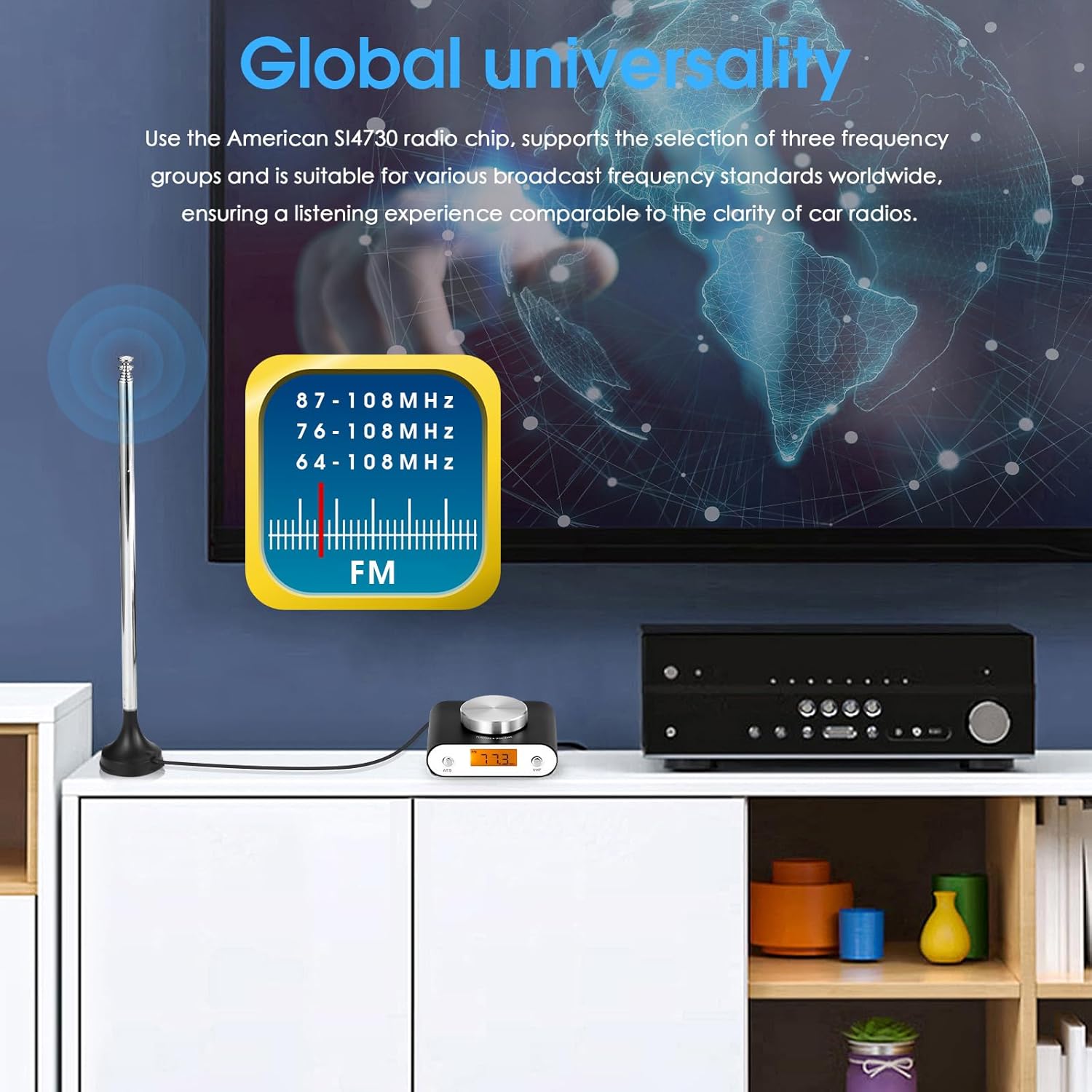
The Nobsound Mini FM Radio supports three global frequency ranges:
- 87-108 MHz
- 76-108 MHz
- 64-108 MHz
To change the frequency range, long press the VHF button. Each long press will cycle through the available frequency groups.
6. Manteniment
- Neteja: Use a soft, dry cloth to clean the exterior of the radio. Do not use liquid cleaners or aerosols.
- Emmagatzematge: Quan no la feu servir durant períodes prolongats, guardeu la ràdio en un lloc fresc i sec, allunyat de la llum solar directa i de temperatures extremes.
- Cura de l'antena: Handle the antenna gently to prevent bending or breaking.

7. Solució De Problemes
| Problema | Causa possible | Solució |
|---|---|---|
| No hi ha alimentació/El dispositiu no s'encén. | No power adapter connected or adapter is faulty. | Ensure a DC 5V (200mA) power adapter is correctly connected. Try a different USB power source or adapter. |
| Mala recepció de ràdio. | Antenna not properly connected or extended; weak signal in location. | Ensure the FM antenna is fully extended and securely connected. Try repositioning the antenna or the radio for better signal. |
| Headphone sound quality is poor or volume cannot be adjusted. | This is a known characteristic of the 3.5mm output. | The 3.5mm output is primarily for connecting to external amplifiers/preamplifiers. It is not recommended for direct headphone use. Volume adjustment should be done via the connected ampmés viu. |
| Cannot find desired station during auto search. | Station signal is too weak for auto-detection; incorrect frequency range selected. | Try manual tuning (Section 5.3). Ensure the correct frequency range is selected for your region (Section 5.5). |
8. Especificacions
| Paràmetre | Valor |
|---|---|
| Número de model | DZ102-2024 |
| Entrada d'àudio | FM |
| Sortida d'àudio | Jack de 3.5 mm |
| FM Frequency Ranges | 87-108 MHz / 76-108 MHz / 64-108 MHz |
| Font d'alimentació | DC 5V (200mA) |
| Dimensions (W*D*H) | 77*62*21mm / 3.03*2.44*0.83in |
| Pes net | 80 g / 0.18 lliures |
| Pes de l'article | 1.01 pounds (Package weight: 500g / 1.10lb) |
| Material | Carcassa d'aliatge d'alumini |
| Color | Negre |
| Tecnologia de connectivitat | Auxiliar |
9. Garantia i Suport
For warranty information and technical support, please refer to the official Nobsound weblloc web o poseu-vos en contacte amb el vostre distribuïdor. Conserveu el rebut de compra per a reclamacions de garantia.
For further assistance, you may visit the Nobsound store on Amazon: Nobsound Amazon Store


