1. Introducció
This manual provides instructions for the operation and maintenance of your RadioShack Universal Smart Battery Charger, Model 2309355. This charger is designed to charge various rechargeable battery types, including Li-ion, NiMH, AA, AAA, C, D, and 9V batteries, with automatic detection and current adjustment for efficient charging.
2. Informació de seguretat
Please read and understand all safety instructions before using the charger. Failure to follow these instructions may result in electric shock, fire, or personal injury.
- Use this charger only for rechargeable batteries specified in this manual. Attempting to charge non-rechargeable batteries may cause them to leak, rupture, or explode.
- No exposeu el carregador a la pluja o la humitat.
- Do not disassemble or modify the charger. Refer all servicing to qualified personnel.
- Assegureu-vos que hi hagi una ventilació adequada durant la càrrega. No tapeu el carregador.
- Mantingueu el carregador lluny dels nens i de les mascotes.
- Desendolleu el carregador de la font d'alimentació quan no l'utilitzeu.
3. Contingut del paquet
Verifiqueu que tots els elements siguin presents al paquet:
- RadioShack Universal Smart Battery Charger
- Cable d'alimentació USB

Image: The package includes the smart battery charger and a USB power cable.
4. Producte acabatview
The RadioShack Universal Smart Battery Charger features multiple charging bays and a digital display for monitoring battery status.
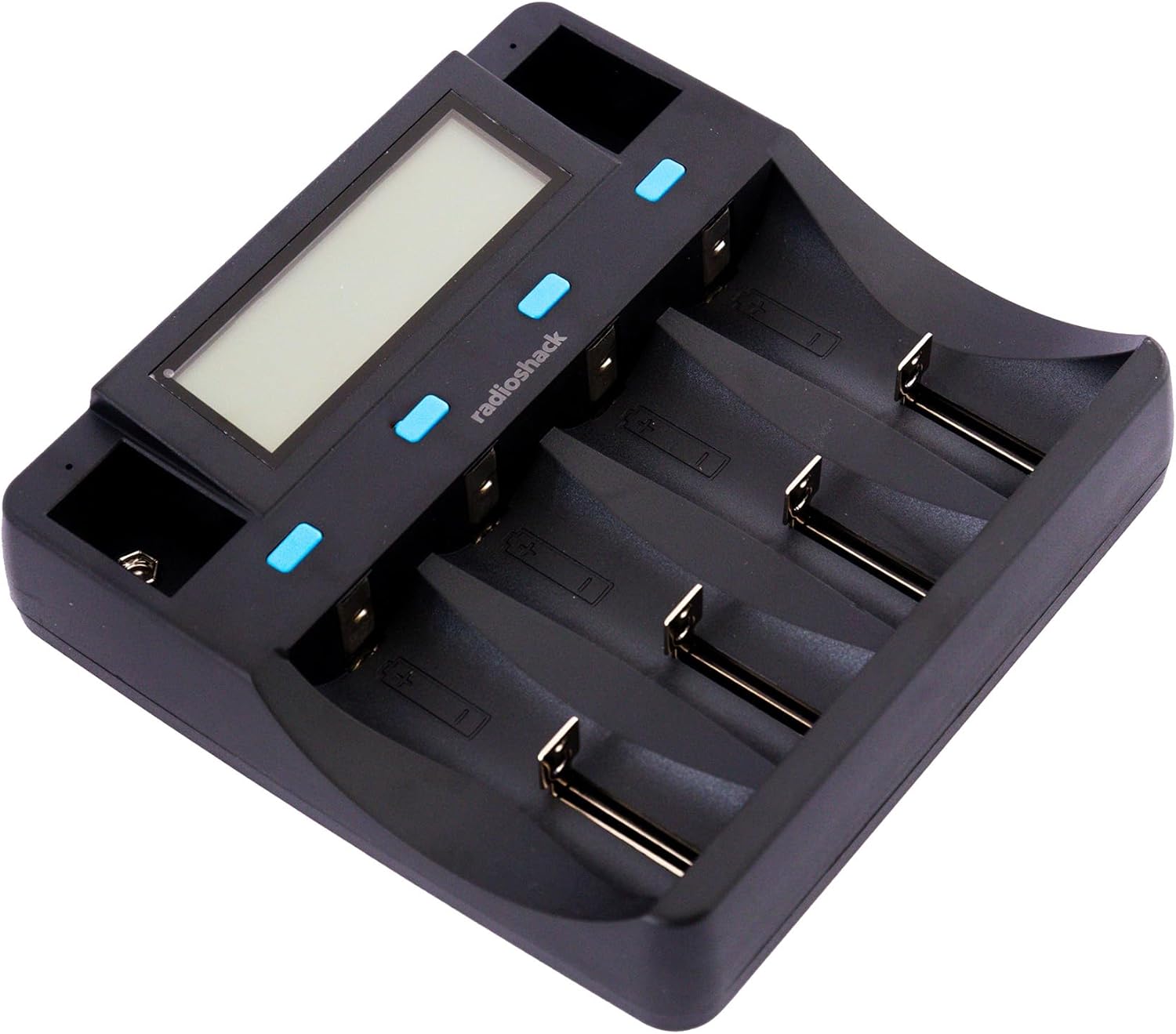
Imatge: De dalt a baix view of the charger, showing the digital display and four main charging bays, plus two 9V slots.
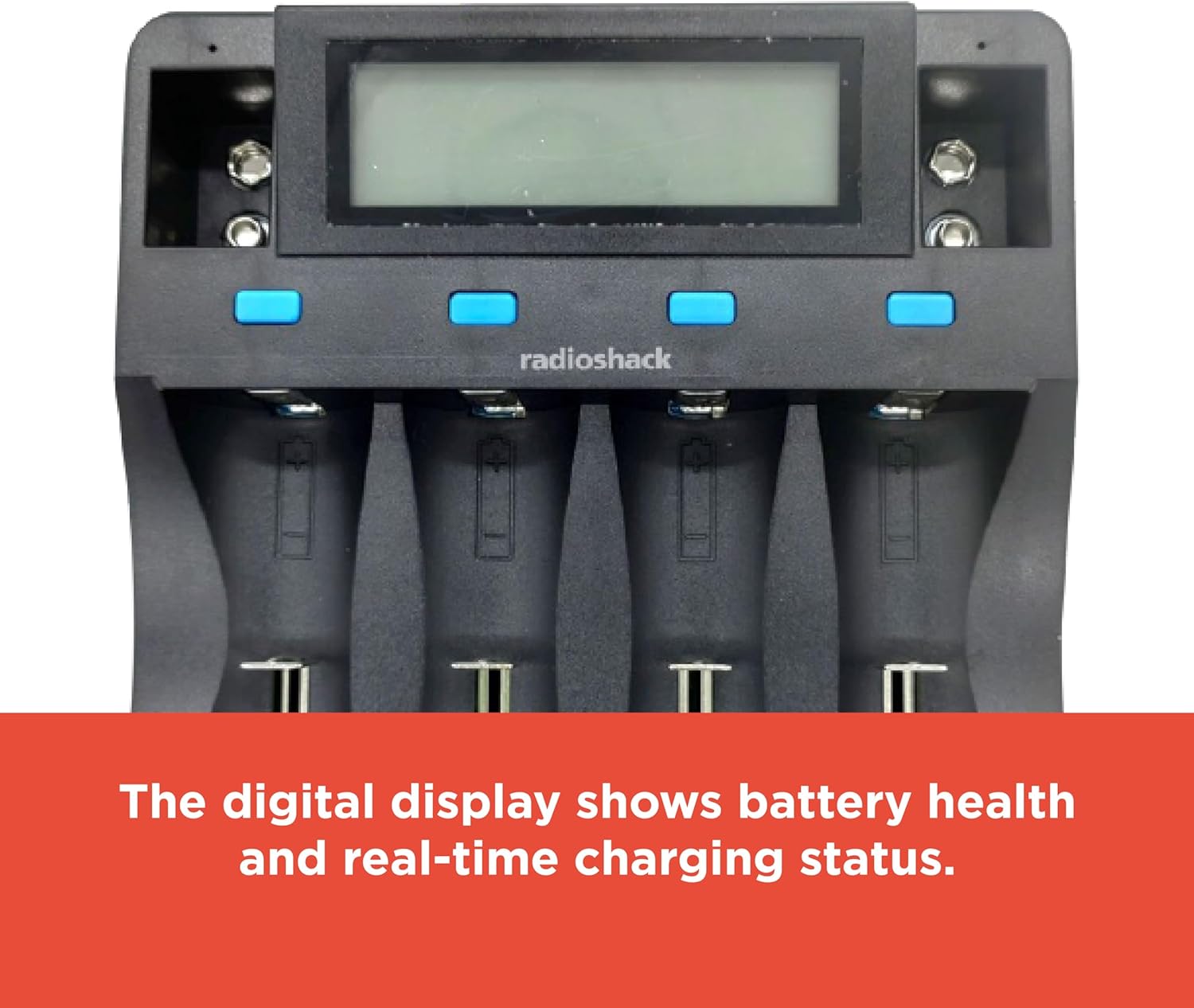
Image: The digital display provides real-time information on battery health and charging status.

Image: The charging slots are designed for safe, universal charging with automatic battery detection.

Imatge: Lateral view of the charger, highlighting the USB input ports for power.
5. Configuració
Segueix aquests passos per configurar el carregador de bateries:
- Connectar l'alimentació: Use the provided USB cable to connect the charger to a compatible USB power source (e.g., a USB wall adapter, computer USB port, or power bank). The charger requires a DC 5V 2A input.
- Encès: Once connected, the charger's digital display will illuminate, indicating it is ready for use.

Image: The included USB cable allows for connection to various USB power outlets, making the charger portable.
6. Instruccions de funcionament
6.1 Inserció de les bateries
Carefully insert rechargeable batteries into the appropriate charging bays. The charger supports various sizes and chemistries. Ensure correct polarity (+ and -) when inserting batteries. For 9V batteries, use the dedicated 9V slots.
6.2 Automatic Battery Detection
The charger automatically detects the battery type (Li-ion, NiMH, etc.) and adjusts the charging current accordingly. This ensures optimal and safe charging for each battery.
6.3 Comprensió de la pantalla digital
The digital display provides real-time information for each of the four main charging bays. Information typically includes:
- Química de la bateria: Indicates Li-ion, NiMH, etc.
- Voltage: Vol actualtage de la bateria.
- Actual: Charging current being applied.
- Capacitat: Estimated charged capacity.
- Temps transcorregut: Durada del procés de càrrega.
For 9V batteries, a small indicator light typically shows the charging status, but detailed information may not be displayed on the main screen.
6.4 Procés de càrrega
Once batteries are inserted and detected, the charging process begins automatically. The display will update with charging progress. When a battery is fully charged, the display will indicate completion, and the charger will stop supplying current to prevent overcharging.
7. Compatible Battery Types
The charger supports a wide range of rechargeable battery types and sizes:
| Química de la bateria | Mides compatibles |
|---|---|
| Li-ion / Li-Fe | 26700, 26650, 18650, 18500, 17670, 17500, 14500, 10440, 16340 (CR123A), 6F22 (9V) |
| Ni-MH / Ni-Cd | D, C, SC, AA, AAA, 6F22 (9V) |

Image: The bottom label of the charger lists detailed input, output, and compatible battery specifications.
8. Solució De Problemes
Si teniu problemes amb el carregador, consulteu els següents problemes i solucions habituals:
- El carregador no s'encén:
- Ensure the USB cable is securely connected to both the charger and a functional USB power source.
- Verify that the USB power source provides at least DC 5V 2A.
- Proveu un cable USB o un adaptador d'alimentació diferent.
- Les bateries no es carreguen:
- Check that batteries are inserted with correct polarity.
- Ensure the batteries are rechargeable and compatible with the charger (refer to Section 7).
- Clean battery contacts on both the charger and batteries if they appear dirty.
- Some batteries, particularly certain CR123A types, may not fit securely in the slots despite being listed as compatible. Ensure a proper physical connection.
- "ERR" Display Message:
- This typically indicates a problem with the battery, such as being non-rechargeable, damaged, or incorrectly inserted.
- Remove and reinsert the battery. If the error persists, the battery may be faulty.
- Càrrega lenta:
- Charging speed can vary based on the battery's capacity, current charge level, and the number of batteries being charged simultaneously.
- Ensure your USB power source provides sufficient current (DC 5V 2A) for optimal charging speed.
9. Especificacions
| Característica | Detall |
|---|---|
| Número de model | 2309355 |
| Entrada | DC 5V 2A |
| Output (Li-ion) | DC 4.2V 1000mA (2pcs), 500mA (4pcs) |
| Output (Li-Fe) | DC 3.7V 1000mA (2pcs), 500mA (4pcs) |
| Output (Ni-MH/Ni-Cd) | DC 1.48V 500mA (4pcs) |
| Sortida (9 V) | DC 9V 85mA (2pcs) |
| Tipus de bateries compatibles | Li-ion/Li-Fe: 26700, 26650, 18650, 18500, 17670, 17500, 14500, 10440, 16340 (CR123A), 6F22 (9V) Ni-MH/Ni-Cd: D, C, SC, AA, AAA, 6F22 (9V) |
| Dimensions del producte | 11.02 x 7.64 x 1.97 polzades (28 x 19.4 x 5 cm) |
| Pes de l'article | 12.2 unces (0.34 kg) |
| Color | Negre |
| Certificacions | FCC, RoHS |
10. Cura i Manteniment
Per garantir la longevitat del carregador:
- Netegeu el carregador amb un drap suau i sec. No utilitzeu productes de neteja abrasius ni dissolvents.
- Keep the charging contacts free from dust and debris.
- Guardeu el carregador en un lloc fresc i sec quan no l'utilitzeu.
- Eviteu deixar caure el carregador ni sotmetre'l a impactes forts.
11. Garantia i Suport
For warranty information or technical support, please refer to the documentation included with your purchase or contact RadioShack customer service. Keep your proof of purchase for warranty claims.


