Introducció
This manual provides detailed instructions for the setup, operation, and maintenance of your Best Choice Products 61-Key Electronic Keyboard Piano. Please read this manual thoroughly before using the product to ensure proper function and longevity. Keep this manual for future reference.
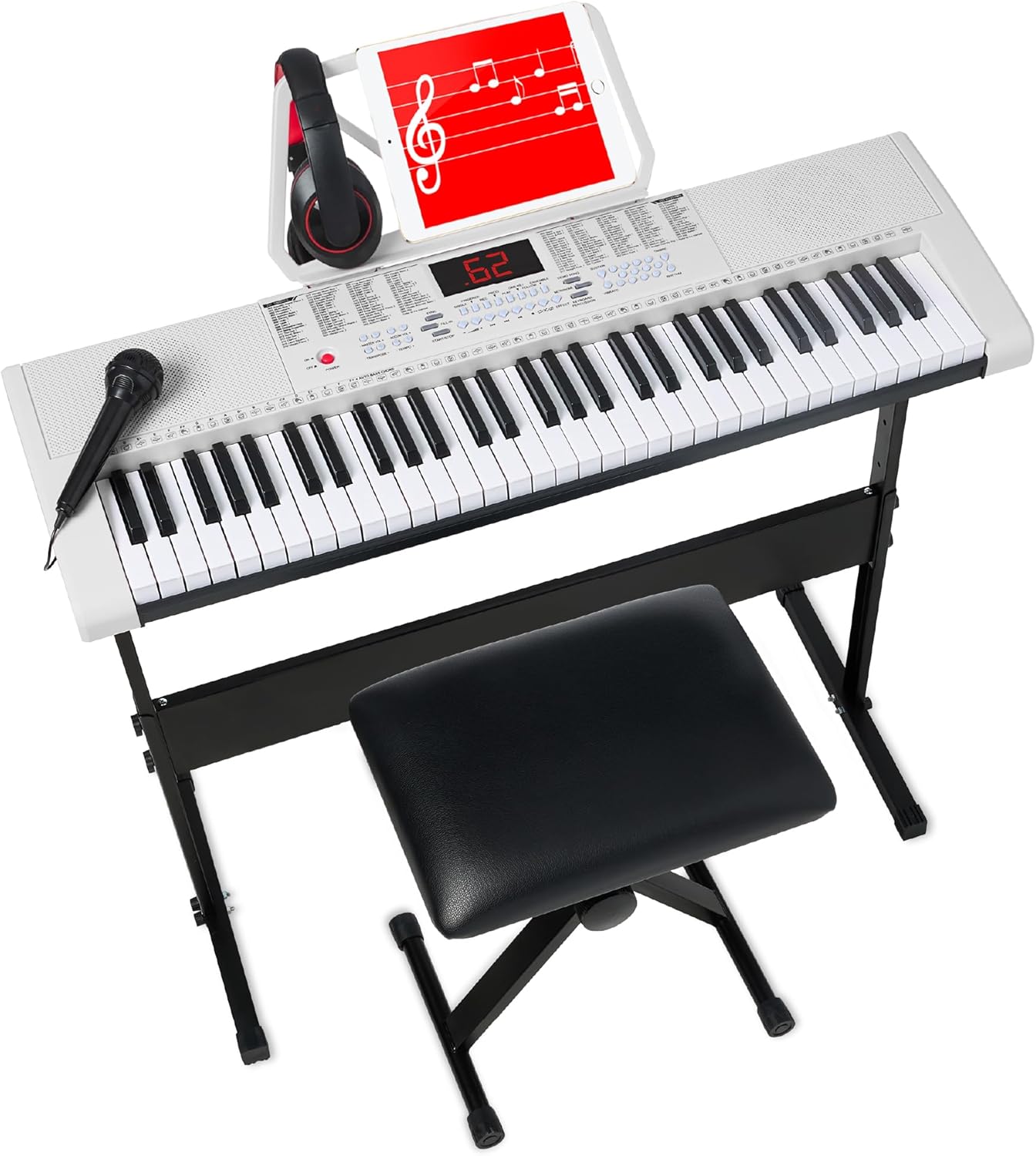
Image: The Best Choice Products 61-Key Electronic Keyboard Piano, shown with its adjustable stand, padded bench, headphones, and microphone, ready for use.
Instruccions de seguretat
- Assegureu-vos que l'adaptador de corrent sigui compatible amb la vostra font d'alimentació local.
- Do not expose the keyboard to water, moisture, or extreme temperatures.
- Eviteu col·locar objectes pesats sobre el teclat.
- Mantingueu el producte lluny de fonts de calor i de la llum solar directa.
- Clean the keyboard with a soft, dry cloth. Do not use liquid cleaners.
- Superviseu els nens durant l'ús per evitar accidents.
Contingut del paquet
Verifiqueu que tots els elements que s'enumeren a continuació s'inclouen al vostre paquet:
- 1x 61-Key Electronic Keyboard
- 1x H-style Keyboard Stand
- 1x Padded Stool (Bench)
- 1x Music Stand (Holder)
- 1x adaptador de corrent
- Auriculars 1x
- 1x micròfon
- 1x Manual d'usuari (Aquest document)

Image: An illustration detailing the contents of the package, including the 61-key keyboard, headphones, microphone, music holder, keyboard stand, and padded stool.
Configuració
1. Assembling the Keyboard Stand and Stool
- Unpack the H-style keyboard stand components.
- Follow the included assembly instructions for the stand to ensure it is stable and securely put together.
- Assemble the padded stool, ensuring all screws are tightened. The stool is adjustable to three heights.
2. Placing the Keyboard
- Col·loqueu amb cura el teclat electrònic de 61 tecles sobre el suport muntat. Assegureu-vos que estigui centrat i estable.
- Attach the music stand (holder) to the designated slot on the keyboard.
3. Potència de connexió
- Locate the DC IN port on the back of the keyboard.
- Connect the power adapter to the DC IN port.
- Connecteu l'adaptador d'alimentació a una presa de corrent estàndard.
4. Connexió d'accessoris
- Auriculars: Plug the headphones into the 3.5mm headphone jack on the keyboard. This will mute the built-in speakers.
- Micròfon: Plug the microphone into the designated microphone input jack.
- Unitat USB: For music playback, insert a USB drive with compatible audio files al port USB.

Imatge: Una imatge detallada view of the included padded headphones and microphone, essential accessories for an immersive playing experience.
Instruccions de funcionament
1. Engegada/Apagada i Volum
- Premeu el botó PODER botó per encendre o apagar el teclat.
- Utilitza el MASTER VOL +/- buttons to adjust the overall volume.
2. LED Screen and Navigation
The central LED screen displays current settings, modes, and selections. Use the numeric keypad and navigation buttons to select different functions, timbres, rhythms, and demo songs.
3. Modes d'ensenyament
The keyboard features three intelligent teaching modes designed for beginners:
- One-Key Mode: Play any key to advance the melody of a demo song.
- Mode de seguiment: El teclat espera que toqueu la nota correcta abans de continuar.
- Mode conjunt: Play along with the melody, focusing on rhythm and timing.
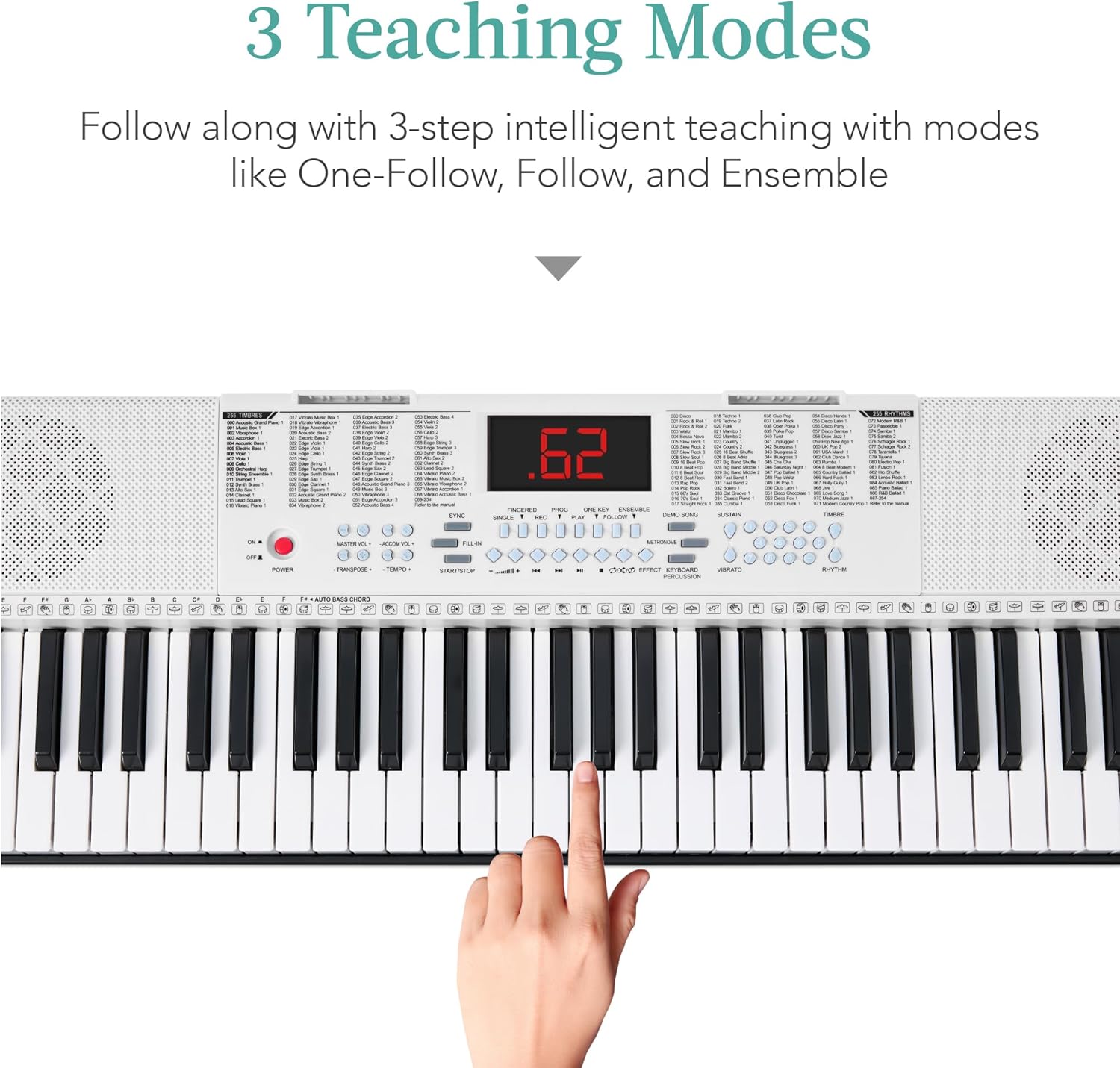
Imatge: Un primer pla view of the keyboard's control panel, highlighting the "3 Teaching Modes" section (One-Key, Follow, Ensemble) with a hand demonstrating key press.
4. Personalització del so
Explore various sound options to enhance your musical creations:
- Timbre (255 options): Select from a wide range of instrument sounds. Use the TIMBRE +/- buttons or numeric keypad to choose.
- Rhythms (255 options): Add drum patterns and accompaniments. Use the RHYTHM +/- botons o el teclat numèric.
- Demo Songs (24 options): Listen to pre-recorded songs for inspiration or practice. Use the CANÇÓ DEMO button and numeric keypad.
- Percussion Sounds (32 options): Access individual percussion sounds for rhythm programming.
- Mantenir: Premeu el botó SOSTENIR button to add a sustain effect to notes.
- Vibrat: Premeu el botó VIBRAT button to add a vibrato effect.
- Transposar: Utilitza el TRANSPOSAR +/- buttons to shift the pitch of the keyboard.

Imatge: Una imatge detallada view of the keyboard's control panel, illustrating the extensive options for sound customization, including 255 timbres, 255 rhythms, 24 demo songs, and 32 percussion sounds.
5. Gravació i reproducció
- Premeu el botó REC button to start recording your performance.
- Premeu el botó JUGAR botó per escoltar la melodia gravada.
6. Microphone and USB Music Player
- Once the microphone is connected, you can sing along while playing or listening to music.
- Inseriu una unitat USB amb MP3 files into the USB port. Use the keyboard's controls to play, pause, and skip tracks.
Manteniment
- Neteja: Wipe the keyboard surface with a soft, dry, lint-free cloth. Do not use abrasive cleaners, waxes, or solvents.
- Emmagatzematge: When not in use for extended periods, store the keyboard in a cool, dry place, away from direct sunlight and extreme temperatures. Cover it to protect from dust.
- Potència: Disconnect the power adapter from the wall outlet when the keyboard is not in use or during electrical storms.
Resolució de problemes
| Problema | Causa possible | Solució |
|---|---|---|
| No hi ha so dels altaveus. | Volume is too low; headphones are connected; power is off. | Increase volume; unplug headphones; ensure power is on. |
| El teclat no s'encén. | L'adaptador de corrent no està connectat; problema amb la presa de corrent. | Check power adapter connection; try a different outlet. |
| El micròfon no funciona. | Microphone not fully plugged in; microphone volume low. | Ensure microphone is securely connected; check keyboard's microphone volume settings. |
| Les tecles no responen. | Keyboard might be in a specific teaching mode or frozen. | Try restarting the keyboard. Check if a teaching mode is active and disable if necessary. |
Especificacions
| Característica | Detall |
|---|---|
| Nom del model | 61-Key Beginners Electronic Keyboard Piano Set w/ 3 Modes, Microphone |
| Número de model | Sky8327 |
| Nombre de claus | 61 |
| Modalitats d'ensenyament | One-Key, Follow, Ensemble |
| Timbres | 255 |
| Ritmes | 255 |
| Cançons de demostració | 24 |
| Percussion Sounds | 32 |
| Connectivitat | 3.5mm Jack (Headphones, Microphone), USB |
| Font d'alimentació | Power Adapter (manual) |
| Dimensions del producte (teclat) | 33" (llargada) x 10.5" (amplada) x 3" (alçada) |
| Overall Dimensions (With Stand) | 33" (L) x 15.5" (W) x 33.5-37.5" (H) |
| Pes de l'article | 17.2 lliures |
| UPC | 842957148882 |

Image: A visual representation of the product dimensions for the keyboard, stand, and stool, including length, width, and height measurements.
Garantia i Suport
For warranty information, technical support, or service inquiries, please refer to the contact information provided by Best Choice Products at the time of purchase or visit their official weblloc web. Si us plau, conserveu el comprovant de compra per a reclamacions de garantia.
For further assistance, you may contact Best Choice Products customer service directly.


