1. Introducció
This manual provides detailed instructions for the setup, operation, and maintenance of your GOODTEL G2 10-inch Android Tablet. Please read this manual thoroughly to ensure proper use and to maximize your device's performance and longevity.
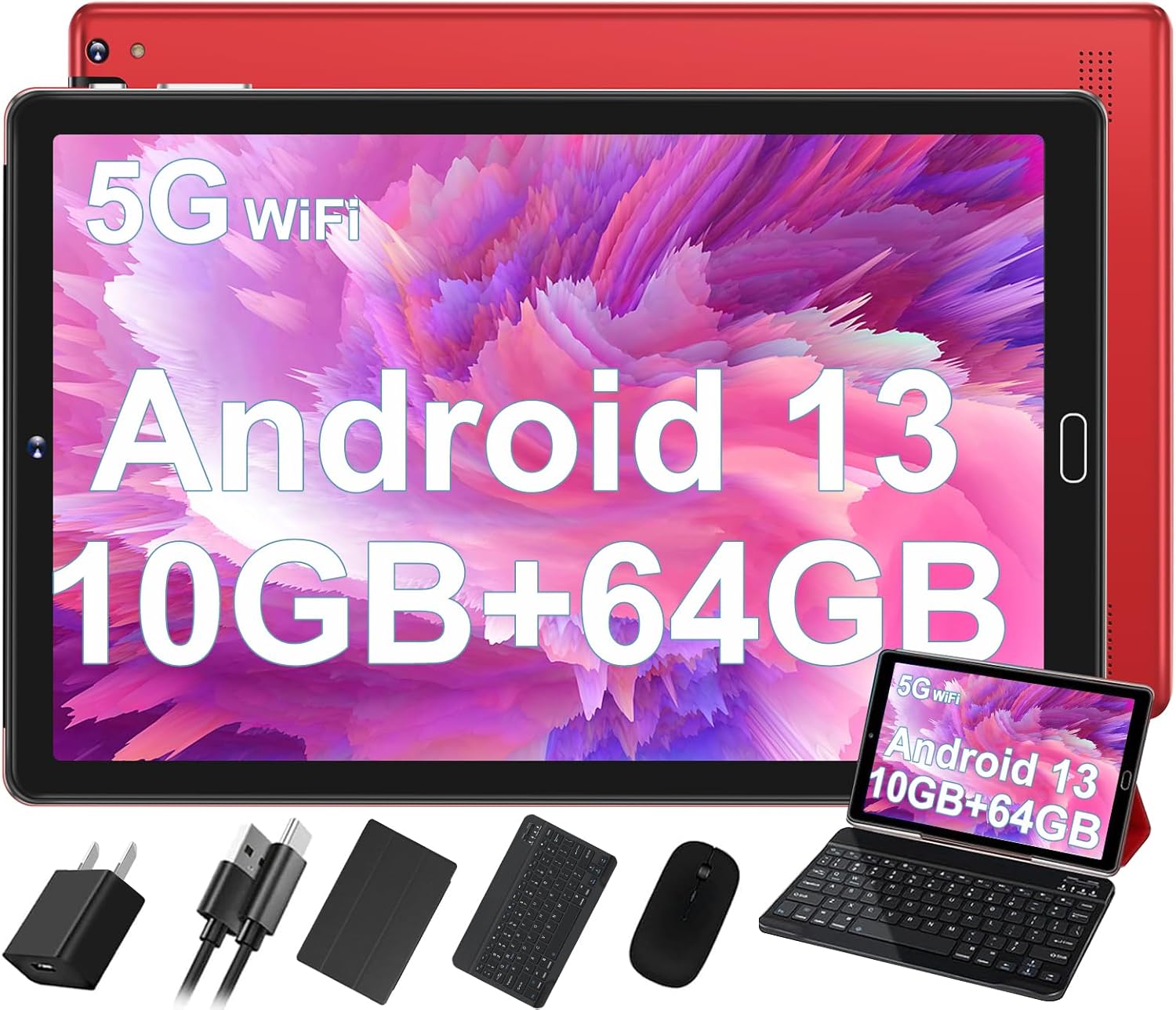
Image: The GOODTEL G2 10-inch Android Tablet displayed with its accompanying accessories, including a charger, USB cables, protective case, Bluetooth keyboard, and mouse, highlighting its versatility as a 2-in-1 device.
2. Què hi ha a la caixa
Verifiqueu que tots els elements siguin presents al paquet:
- GOODTEL G2 10-inch Android Tablet
- Teclat
- Ratolí
- Funda protectora
- Adaptador OTG
- Protector de pantalla
- Carregador
3. Producte acabatview
3.1 Physical Components and Ports
Familiarize yourself with the tablet's physical layout and connection points.

Image: A detailed diagram illustrating the various ports and buttons on the GOODTEL G2 Tablet. This includes the volume controls, power button, 3.5mm headphone jack, Micro SD card slot, Type-C port for charging and OTG, the 8MP rear camera with flash, and the two stereo speakers.
- Botó d'encesa: Press and hold to power on/off or restart. Short press to sleep/wake.
- Botons de volum: Ajusta el volum de l'àudio.
- Presa d'auriculars de 3.5 mm: Connecteu els auriculars amb cable.
- Port de tipus C: For charging the tablet and connecting OTG (On-The-Go) devices.
- Ranura per a targetes Micro SD: Insert a MicroSD/TF card for expandable storage (supports up to 1TB).
- Càmeres: Front (5MP) and Rear (8MP with flash) cameras for photos and video calls.
- Ponents: Two stereo speakers for audio output.
4. Configuració
4.1 Engegada i càrrega inicials
- Carregueu la tauleta: Before first use, connect the tablet to the charger using the provided Type-C cable. Allow it to charge fully. The battery indicator on the screen will show charging status.
- Encès: Press and hold the Power button until the screen lights up and the GOODTEL logo appears.
4.2 Configuració inicial
Upon first power-on, you will be guided through the Android 13 setup wizard:
- Selecció d'idioma: Trieu el vostre idioma preferit.
- Connexió Wi-Fi: Seleccioneu la vostra xarxa Wi-Fi i introduïu la contrasenya per connectar-vos a Internet.
- Compte de Google: Inicia la sessió amb el teu compte de Google o crea'n un de nou. Això és necessari per descarregar aplicacions de Google Play Store i sincronitzar dades.
- Data i hora: Estableix la data i l'hora correctes o permet que la xarxa les estableixi automàticament.
- Seguretat: Configura un bloqueig de pantalla (PIN, patró o contrasenya) per a la seguretat del dispositiu.
- Transferència de dades: You may have the option to transfer data from another device.
4.3 Connexió d'accessoris
- Teclat i ratolí:
- Ensure the keyboard and mouse are charged or have fresh batteries.
- Enceneu el teclat i el ratolí.
- A la tauleta, vés a Configuració > Dispositius connectats > Bluetooth.
- Activa el Bluetooth i busca dispositius.
- Select the keyboard and mouse from the list of available devices to pair them.
- Funda protectora: Insert the tablet into the provided protective case for protection and to use its stand functionality.
- Protector de pantalla: Carefully apply the screen protector to the tablet screen, ensuring no dust or bubbles.
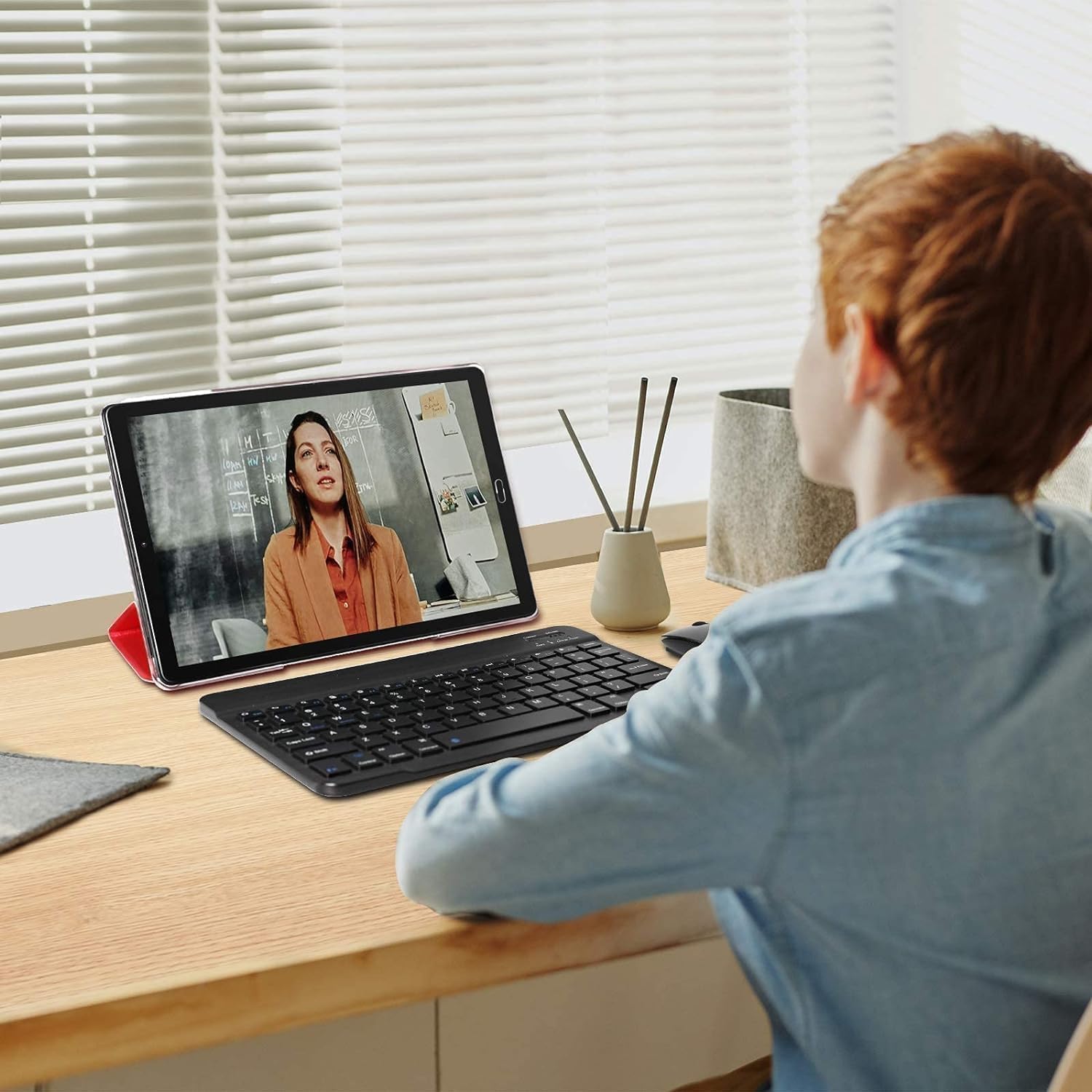
Image: A user interacting with the GOODTEL G2 tablet, which is placed in its protective case acting as a stand, connected to a Bluetooth keyboard and mouse, demonstrating its laptop-like functionality.
5. Instruccions de funcionament
5.1 Sistema operatiu Android 13
The GOODTEL G2 tablet runs on Android 13, offering enhanced privacy controls, improved security, and a user-friendly interface. Key features include:
- Tauler de control de privadesa: Monitor and manage app permissions for location, camera, and microphone access.
- Notification Controls: Customize how and when you receive notifications.
- Material You: Dynamic theming that adapts the system's color palette to your wallpaper.
- Funcionalitat de pantalla dividida: Use two apps simultaneously by dragging one app to the side of the screen.

Image: The GOODTEL G2 Tablet showcasing its Android 13 interface with multiple application icons visible on the home screen, indicating a modern and functional operating system.
5.2 Memory and Storage Management
The tablet features 10GB RAM (4GB physical + 6GB expansion) and 64GB internal storage. Storage can be expanded up to 1TB using a MicroSD/TF card.
- Emmagatzematge ampliable: Insert a MicroSD card into the designated slot. You can configure it as internal storage (adoptable storage) or portable storage.
- Memory Manager: Access the built-in Memory Manager in Settings to receive suggestions for freeing up space, such as cleaning junk files, deleting duplicates, or managing large downloaded files.

Image: A visual representation of the tablet's memory specifications, indicating 10GB RAM and 64GB ROM, alongside an illustration of a MicroSD card being inserted into the tablet for storage expansion.
5.3 Connectivitat
- Wi-Fi: Supports both 2.4G and 5G Wi-Fi networks for stable and fast internet access. Connect via Configuració > Xarxa i Internet > Wi-Fi.
- Bluetooth 5.0: For connecting wireless peripherals like headphones, speakers, keyboards, and mice. Pair devices via Configuració > Dispositius connectats > Bluetooth.
- GPS: Built-in AGPS for precise positioning and navigation. Ensure location services are enabled in Configuració > Ubicació.
5.4 Pantalla i àudio
The 10-inch IPS display offers a resolution of 1280x800 pixels. It includes features designed for eye comfort.
- Mode de cura dels ulls: Reduces harmful blue light and adjusts color temperature for comfortable viewing, especially in low light. Access this feature in Configuració > Mostra.
- Altaveus estèreo: Enjoy clear audio with the tablet's dual stereo speakers.

Image: A close-up of the GOODTEL G2 tablet screen, held by hands, displaying a high-resolution image of colorful roses, demonstrating the clarity and vibrant color reproduction of its 10-inch IPS display.
Funcionalitat de càmera 5.5
The tablet is equipped with a 5MP front camera and an 8MP rear camera with flash.
- Fer fotos/vídeos: Open the Camera app to capture images and record videos.
- Videotrucades: Use the front camera for video conferencing and calls through compatible applications.

Imatge: Una mostra de collageasing example photographs, including portraits and a person in water, illustrating the capabilities of the tablet's 5MP front and 8MP rear cameras for capturing moments.
5.6 Gestió de la bateria
The tablet is powered by a 6000 mAh battery, designed for extended use.
- Càrrega: Use the provided charger and Type-C cable. Avoid using unapproved chargers to prevent damage.
- Optimització de la bateria: Android 13 includes power-saving features. You can further optimize battery life by adjusting screen brightness, disabling unused connectivity features (Wi-Fi, Bluetooth, GPS), and closing background applications.

Image: A graphic highlighting the 6000mAh battery capacity of the GOODTEL G2 Tablet and its Type-C charging port, emphasizing long battery life and modern charging convenience.
5.7 Multi-functionality
The GOODTEL G2 can function as both a tablet and a laptop when paired with its accessories.
- Mode tauleta: Ideal for media consumption, browsing, and casual gaming.
- Mode portàtil: Attach the keyboard and mouse for productivity tasks, document editing, and more efficient navigation.
- Control parental: Utilize built-in parental control features to manage content access and screen time for children.

Image: A series of vignettes showing individuals using the GOODTEL G2 tablet for diverse purposes, including watching movies, engaging in entertainment, participating in video calls, performing work tasks, and facilitating learning, demonstrating its versatility.
6. Manteniment
- Neteja: Feu servir un drap suau i sense borrissol per netejar la pantalla i la carcassa. Eviteu materials abrasius o productes químics agressius.
- Actualitzacions de programari: Comproveu i instal·leu regularment si hi ha actualitzacions del sistema per garantir un rendiment i una seguretat òptims. Aneu a Configuració > Sistema > Actualització del sistema.
- Gestió d'emmagatzematge: Esborra la memòria cau periòdicament, elimina les innecessàries files, and uninstall unused apps to maintain sufficient storage space.
- Condicions ambientals: Avoid exposing the tablet to extreme temperatures, direct sunlight, dust, or moisture.
7. Solució De Problemes
| Problema | Possible solució |
|---|---|
| La tauleta no s'encén. | Ensure the tablet is fully charged. Connect the charger and wait a few minutes before attempting to power on again. If unresponsive, perform a force restart by holding the Power button for 10-15 seconds. |
| Tablet freezes or is unresponsive. | Force restart the tablet by holding the Power button for 10-15 seconds. Close background applications. Check for system updates. If the issue persists, consider a factory reset (backup data first). |
| No es pot connectar a la Wi-Fi. | Ensure Wi-Fi is enabled in settings. Check if the Wi-Fi password is correct. Restart your router and the tablet. Try connecting to a different Wi-Fi network if available. |
| El dispositiu Bluetooth no s'està emparellant. | Ensure Bluetooth is enabled on both the tablet and the accessory. Make sure the accessory is in pairing mode. Move the devices closer together. Restart Bluetooth on the tablet. |
| Slow performance or low storage. | Use the Memory Manager to clean junk files. Uninstall unused apps. Transfer large files to a MicroSD card or cloud storage. Clear app caches. |
| La bateria s'esgota ràpidament. | Reduce screen brightness. Disable Wi-Fi, Bluetooth, and GPS when not in use. Close background apps. Check battery usage in settings to identify power-hungry apps. |
8. Especificacions
| Característica | Detall |
|---|---|
| Marca | BON TEL |
| Nom del model | G2 |
| Sistema operatiu | Android 13 |
| Processador | 2 GHz Octa-Core |
| RAM | 10GB (4GB + 6GB Expansion) |
| Emmagatzematge intern (ROM) | 64 GB |
| Emmagatzematge ampliable | MicroSD/TF up to 1TB |
| Mida de la pantalla | 10.1 polzades |
| Resolució de pantalla | 1280 x 800 IPS |
| Càmera posterior | 8MP |
| Càmera frontal | 5MP |
| Connectivitat sense fil | WiFi 5G (802.11ac), Bluetooth 5.0 |
| GPS | AGPS |
| Ports | 1x Type-C, 1x 3.5mm AUX Headphone Jack, 1x SD Card Port |
| Capacitat de la bateria | 6000 mAh |
| Pes de l'article | 2.88 lliures |
| Dimensions del producte | 0.31 x 6.3 x 10.24 polzades |
9. Garantia i Suport
For warranty information and technical support, please refer to the documentation included with your purchase or contact GOODTEL customer service. Keep your proof of purchase for warranty claims.
For further assistance, visit the official GOODTEL support weblloc web o contacteu amb els seus canals d'atenció al client.


