1. Introducció
Thank you for choosing the Nilight RGB LED Rock Lights Kit. This kit provides vibrant, customizable underglow lighting for various vehicles, including trucks, ATVs, UTVs, RZRs, and SUVs. Featuring 12 durable LED pods, this system offers 16 million RGB colors, multiple flashing modes, and music synchronization, all controllable via a remote or a dedicated Bluetooth app. This manual provides essential information for proper installation, operation, and maintenance to ensure optimal performance and longevity of your rock lights.

Image: The Nilight RGB LED Rock Lights Kit illuminates the underside of a vehicle with a striking blue light, highlighting its robust design and vibrant output.
2. Contingut del paquet
Si us plau, verifiqueu que tots els components siguin presents al vostre paquet:
- 12 x RGB LED Rock Light Pods with 117-inch wire leads
- 12 coixinets de muntatge de goma plana
- 12 x Round/Bull Bar Rubber Mounting Pads
- 1 x 12-Way Splitter Controller Box
- 1 x comandament a distància RF
- Mounting Hardware (screws and nuts)
3. Especificacions
| Característica | Especificació |
|---|---|
| Voltage | 9-32V DC |
| LED Quantity per Pod | 3 PCS |
| LED Power per Pod | 10-14 watts |
| Color LED | RGB (16 million colors) |
| Tarifa impermeable | IP68 |
| Vida útil | Més de 50,000 hores |
| Material de l'habitatge | Premium Die-cast Aluminum |
| Material de la lent | Policarbonat |
| Número de model | RL13F |
| Pes de l'article | 2.98 kg |
| Tipus de servei del vehicle | ATV, Car, Golf Cart, Motorcycle, Tractor, Truck, UTV |
Imatge: Una imatge detallada view of a Nilight rock light pod, emphasizing its durable construction and bright LED output.
4. Configuració i instal·lació
Follow these steps for a secure and effective installation of your rock lights:
- Choose Mounting Pad: Based on your desired mounting surface (flat or round/bull bar), select the appropriate rubber pad for each light pod.
- Seat Lights: Place each light pod onto its chosen rubber pad, ensuring the wire lead exits from the side of the pad.
- Llums de muntatge: Securely mount each light pod to the desired position on your vehicle using the provided screws and nuts. Ensure the mounting location is stable and allows for proper wire routing.
- Connect Lights to Splitter: Connect the wire leads from each light pod to the 8-way splitter controller wires. Ensure all connections are firm.
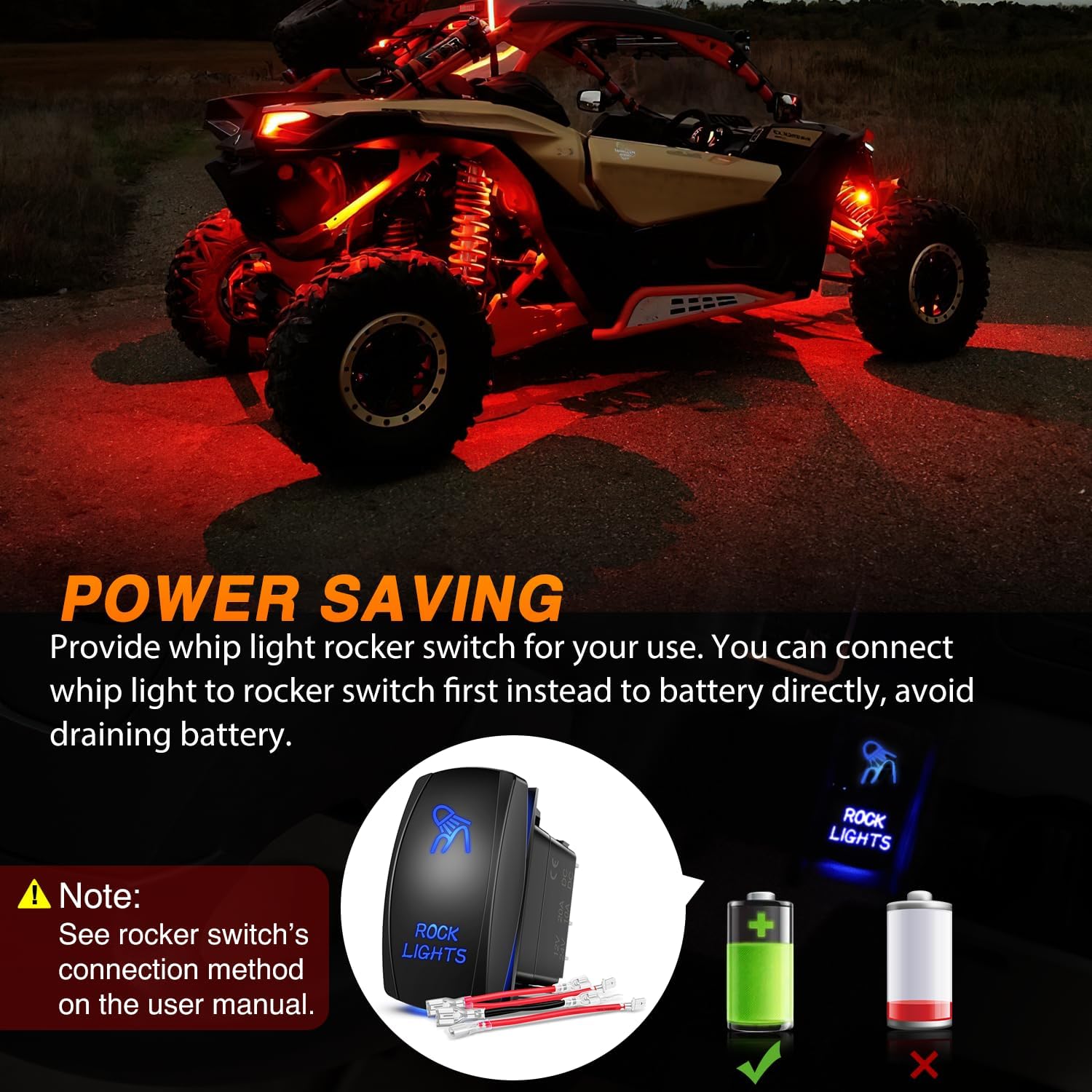
- Connect Controller to Power: Connect the controller box to your vehicle's power source. Important: It is highly recommended to connect the controller to a switch first, rather than directly to the battery. This prevents battery drainage when the vehicle is off.

Image: A visual guide illustrating the straightforward installation process for the rock lights, from pad selection to power connection.
Power Connection Recommendation
To prevent battery drain, always connect the rock light system through a rocker switch. This allows you to completely cut power to the lights when not in use.

Image: Illustration demonstrating the recommended power saving connection method using a rocker switch.
5. Instruccions de funcionament
Your Nilight RGB LED Rock Lights can be controlled via a Bluetooth app or the included RF remote control.
5.1 Control de l'aplicació Bluetooth
The Bluetooth app offers extensive control over your rock lights. It is compatible with iOS 9.0 and Android 5.0 or above systems.
- Descarrega l'aplicació: Scan the QR code on the controller box or search for "BLEDIM2" in your device's app store. Descarrega l'aplicació aquí
- Activa el Bluetooth: Assegureu-vos que el Bluetooth estigui habilitat al vostre telèfon intel·ligent.
- Connecta't al dispositiu: Open the BLEDIM2 app, connect to your rock light device within the app, and then turn on the lights.

Image: The Bluetooth controller and wiring, with steps for app download and connection.
Característiques de l'aplicació:
- Roda de colors: Select from 16 million RGB colors.
- Control de brillantor: Ajusta la intensitat de les llums.
- Strobe/Flashing Modes: Choose from various dynamic lighting effects.
- Mode de música: Synchronize lights with music playing on your device.
- Mode DIY: Create and customize your own unique lighting patterns.
- Group Devices Control: Manage multiple Nilight devices simultaneously.
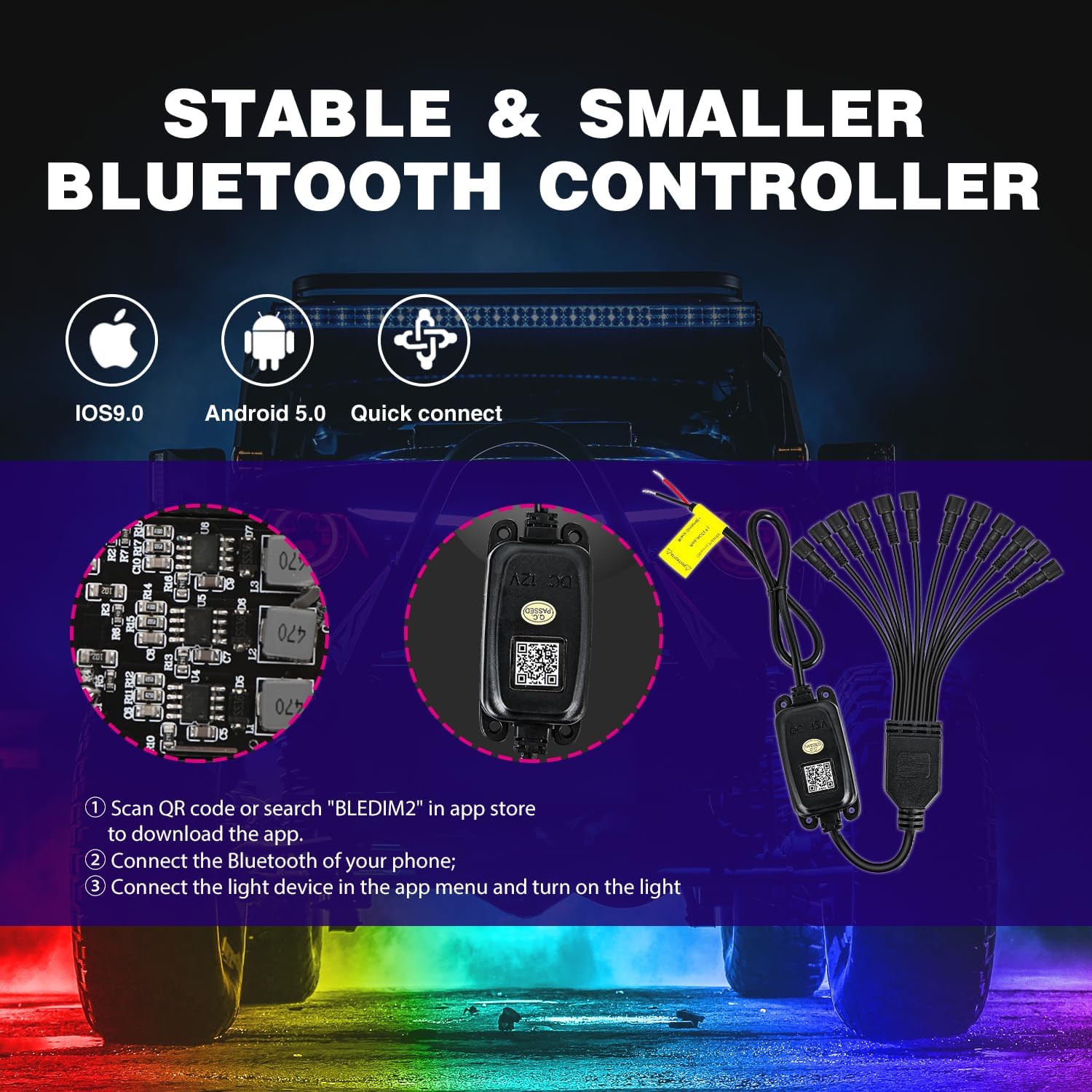
Image: Screenshots of the BLEDIM2 app demonstrating various control options including music, color selection, and custom modes.
Control remot RF 5.2
The included RF remote provides convenient control over basic functions and color selection.
One-to-One Remote Control Mode:
To prevent interference from other remote controls, you can set your rock lights to a one-to-one remote control mode. This feature allows you to pair your specific remote with your light kit. You can also remove this mode to allow pairing with other devices if desired.

Image: The remote control and app interface, illustrating the one-to-one remote control functionality.
6. Manteniment
Regular maintenance ensures the longevity and optimal performance of your Nilight RGB LED Rock Lights:
- Neteja: Periodically clean the light pods and lenses with a soft cloth and mild soap solution to remove dirt and debris. Avoid abrasive cleaners that could scratch the lens.
- Comprovació de la connexió: Inspect all wiring connections regularly to ensure they are secure and free from corrosion. Loose connections can lead to intermittent operation or failure.
- Inspecció de l'habitatge: Check the aluminum housing for any signs of damage or cracks, especially after off-road use, to maintain the IP68 waterproof rating.
- Gestió de cables: Ensure all cables are properly routed and secured to prevent snagging or damage during vehicle operation.
7. Solució De Problemes
If you encounter issues with your rock lights, refer to the following troubleshooting guide:
- Els llums no s'encenen:
- Verify that the power connection to the controller box is secure and receiving power (check fuses if applicable).
- Ensure all light pods are correctly connected to the splitter controller.
- Check if the lights are turned on via the app or remote control.
- If connected via a switch, ensure the switch is in the ON position.
- Incorrect Colors or Individual Pods Not Working:
- Inspect the wiring connections for the affected pods for any looseness or damage.
- Try resetting the controller by disconnecting and reconnecting power.
- Ensure the app or remote is set to the desired color/mode. Some complex colors require multiple diodes to blend, and issues may indicate a faulty connection or LED.
- Interferència del comandament a distància:
- Activate the one-to-one remote control mode as described in Section 5.2 to prevent interference from other RF devices.
- Problemes de connexió Bluetooth:
- Ensure your device's Bluetooth is enabled and within range of the controller box.
- Restart the BLEDIM2 app and try reconnecting.
- Check if your smartphone's operating system meets the minimum requirements (iOS 9.0 / Android 5.0 or above).
8. Garantia i Suport
Nilight products are designed for durability and performance. For specific warranty information regarding your RGB LED Rock Lights Kit (Model RL13F), please refer to the warranty card included in your original packaging or visit the official Nilight weblloc.
If you require technical assistance, have questions about installation, or need to report a defective product, please contact Nilight customer support through their official channels. Providing your product model number (RL13F) and purchase details will help expedite your support request.


