1. Introducció
Gràcies per la compraasing the BLOW PRMX 4-Channel USB Audio Mixer. This compact analog mixer is designed for versatile audio applications, including live stage performances, recording studios, and DJ setups. It offers a range of features such as a USB input for MP3 playback, an integrated echo effect, and multiple input/output options. This manual provides comprehensive instructions to help you set up, operate, and maintain your mixer for optimal performance.
2. Producte acabatview
The BLOW PRMX 4 is a low-noise, four-channel analog mixer housed in a durable metal casing. It features a user-friendly interface with essential controls for each channel and master output.
Característiques principals:
- Four-channel analog mixer
- USB input for MP3 file reproducció
- Integrated echo effect with repeat and delay options
- Jack socket for external effect processors
- Two XLR microphone inputs and two 6.3mm Jack/RCA inputs
- +48V Phantom power for condenser microphones and DI boxes
- 3-band equalization, AUX send, pan display, and FX effect on each channel
- Stereo line output (6.3mm Jack) and RCA output
- Headphone output with independent volume control
- INSERT slots on channels 1 and 2
- Metall robust casing
Identificació de components:

Figura 2.1: superior view of the BLOW PRMX 4 mixer. This image displays the overall layout of the mixer, including all channels, controls, and the USB player section.
Refer to Figure 2.1 for a visual guide to the mixer's controls and connections. Each channel features GAIN, HIGH, MID, LOW (EQ), AUX, EFF, and PAN controls, along with a volume fader. The master section includes controls for DELAY, REP (Repeat), PHONES, AUX SEND, EFF SEND, and the MAIN output fader. The USB player section has a digital display and control buttons.

Figure 2.2: Close-up of the input and output connections. This image highlights the various ports for microphones, line inputs, main outputs, and auxiliary connections.
Figure 2.2 shows a detailed view of the input and output jacks. Channels 1 and 2 feature XLR microphone inputs and 6.3mm LINE inputs with INSERT points. Channels 3/4 offer 6.3mm LINE inputs and RCA inputs. The main output section includes REC (RCA), MAIN OUT (6.3mm Jack), AUX, and PHONES outputs.
3. Configuració
Follow these steps to set up your BLOW PRMX 4 mixer:
- Connexió d'alimentació: Ensure the mixer's power switch is in the OFF position. Connect the provided power cable to the mixer's power input and then to a suitable electrical outlet (240VAC / 50-60Hz).
- Connexions del micròfon:
- For dynamic microphones, connect them to the XLR inputs (MIC 1, MIC 2).
- For condenser microphones, connect them to the XLR inputs and activate the +48V Phantom Power switch located in the master section. Ensure all channel gains are turned down before activating phantom power to prevent damage to equipment.
- Line Input Connections:
- Connect instruments or line-level devices (e.g., keyboards, CD players) to the 6.3mm LINE inputs on channels 1-4 or the RCA inputs on channels 3/4.
- Connexió de sortida principal: Connecteu el vostre amplifier, powered speakers, or recording device to the MAIN OUT (6.3mm Jack) or REC (RCA) outputs.
- Connexió d'auriculars: Plug your headphones into the PHONES jack for monitoring.
- External Effects Processor (Optional): If using an external effects unit, connect its input to the AUX SEND and its output to the FX RETURN (if available, or an unused line input).
- Dispositiu USB: Inseriu una unitat USB que contingui MP3 files al port USB per a la reproducció.
- Encès: Once all connections are secure, switch the mixer's power ON.
4. Instruccions de funcionament
This section details the operation of the BLOW PRMX 4 mixer's various controls.
4.1 Channel Controls (Channels 1-4)
- GUANY: Adjusts the input sensitivity for the connected microphone or line source. Start with this control at its minimum and gradually increase until a healthy signal level is achieved without clipping (PEAK LED).
- HIGH, MID, LOW (EQ): These knobs control the treble, midrange, and bass frequencies for each channel. Use them to shape the tone of your audio source.
- AUX: Sends a portion of the channel's signal to the AUX output, typically used for monitor mixes or external effects.
- EFF: Sends a portion of the channel's signal to the internal echo effect or an external effects processor connected to the FX return.
- PA: Adjusts the stereo position of the channel's signal, moving it between the left and right main outputs.
- Fader del canal: Controls the overall volume level of the individual channel sent to the main mix.
- LED PIC: Illuminates when the input signal is too high, indicating potential clipping. Reduce the GAIN control if this LED lights up frequently.
4.2 Master Section Controls
- Alimentació fantasma +48V: Activa l'alimentació phantom per a micròfons de condensador connectats a entrades XLR.
- RETARD: Adjusts the delay time of the integrated echo effect.
- REP (Repetició): Controls the number of repetitions for the echo effect.
- TELÈFONS: Adjusts the volume level for the headphone output.
- ENVIAMENT AUXILIAR: Controls the overall level of the signal sent to the AUX output.
- EFF SEND: Controls the overall level of the signal sent to the internal echo effect or external effects.
- Fader principal: Controls the overall volume level of the stereo main output.
- Indicador de nivell: Displays the output level of the main mix. Aim for levels that are strong but do not consistently peak into the red.
4.3 USB MP3 Player Operation
The integrated USB player allows you to play MP3 files directament des d'una unitat flash USB.
- Inseriu una unitat USB que contingui MP3 files al port USB.
- Use the control buttons (Play/Pause, Next, Previous, Mode) to navigate and play tracks. The digital display will show track information.
- Adjust the volume of the USB player using its dedicated level control or by routing it through an available channel.
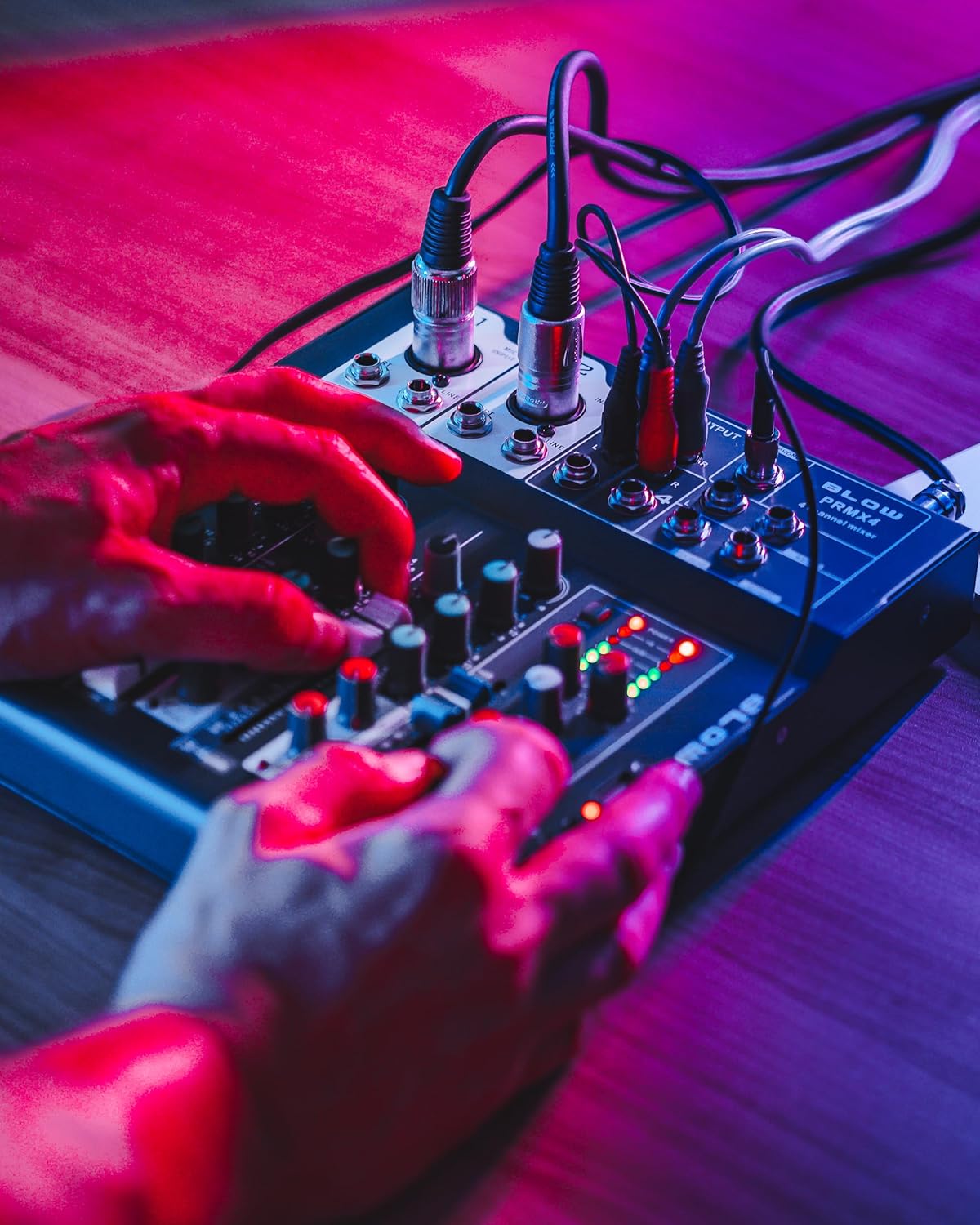
Figure 4.1: User interacting with the mixer controls. This image demonstrates a user adjusting the various knobs and faders on the mixer during operation.

Figure 4.2: Mixer with headphones for monitoring. This image shows the mixer connected to headphones, illustrating its use for private audio monitoring.
5. Manteniment
Un manteniment adequat garanteix la longevitat i el rendiment òptim del vostre mesclador.
- Neteja: Use a soft, dry cloth to clean the exterior of the mixer. For stubborn dirt, a slightly damp es pot fer servir un drap, seguit d'un drap sec. Eviteu productes de neteja o dissolvents abrasius.
- Protecció contra la pols: Keep the mixer covered when not in use to prevent dust accumulation, especially on faders and knobs.
- Emmagatzematge: Guardeu la batedora en un lloc fresc i sec, allunyat de la llum solar directa i de temperatures extremes.
- Gestió de cables: Assegureu-vos que tots els cables estiguin ben organitzats i no estiguin sota tensió per evitar danys als connectors i ports.
6. Solució De Problemes
If you encounter issues with your BLOW PRMX 4 mixer, refer to the following common problems and solutions:
| Problema | Causa possible | Solució |
|---|---|---|
| Sense sortida de so |
|
|
| So distorsionat |
|
|
| El micròfon no funciona |
|
|
| USB player not working |
|
|
7. Especificacions
Detailed technical specifications for the BLOW PRMX 4-Channel USB Audio Mixer:
- Tipus: Four-channel analog mixer
- Frequency Response (Headphones): 20 Hz - 20 kHz
- Distorsió harmònica total (THD): <0.01%
- Relació senyal/soroll (SNR): > 110 dB
- Nivell de sortida: +/- 1 V
- Sensibilitat d'entrada de línia: +/- 150 mV
- Sensibilitat d'entrada del micròfon: +/- 1.5 mV
- Requisits d'alimentació: 240VAC / 50-60Hz
- Dimensions (L x A x A): 210 x 245 x 55 mm (8.27 x 9.65 x 2.17 polzades)
- Tecnologia de connectivitat: Auxiliar, USB
- Entrada d'àudio: Jack 6.3mm, XLR, RCA
- Habitatge: Metall
8. Garantia i Suport
This product is manufactured by BLOW. For specific warranty information, please refer to the documentation provided at the time of purchase or contact your retailer. General support inquiries can be directed to the BLOW customer service channels.
Please note that specific details regarding warranty duration and terms are not available in this manual. Keep your proof of purchase for any warranty claims.

Figure 8.1: Product packaging for the BLOW PRMX 4 mixer. This image shows the retail box, which may contain additional warranty or support information.


