1. Introducció
Thank you for choosing the KOORUI 24E6CA 24-inch 180Hz 1ms Full HD Curved Gaming Monitor. This manual provides essential information for the safe and efficient use of your new monitor. Please read it thoroughly before installation and operation, and keep it for future reference.
2. Informació de seguretat
- Col·loqueu sempre el monitor sobre una superfície estable i plana per evitar que caigui.
- Keep the monitor away from water, moisture, and direct sunlight.
- No bloquegeu les obertures de ventilació. Assegureu-vos que hi hagi prou espai al voltant del monitor per a un flux d'aire adequat.
- Feu servir només l'adaptador de corrent que s'inclou amb el monitor.
- No intenteu reparar el monitor vosaltres mateixos. Encarregueu totes les tasques de manteniment a personal qualificat.
- Desendolleu el monitor de la presa de corrent durant tempestes o quan no el feu servir durant períodes prolongats.
3. Contingut del paquet
Verifiqueu que tots els elements siguin presents al vostre paquet:
- KOORUI 24E6CA Monitor
- Base i coll del suport
- Cable HDMI (2.0)
- Adaptador d'alimentació
- Manual d'instruccions

Image: KOORUI 24E6CA monitor with included accessories: HDMI cable, power adapter, stand, and manual.
4. Configuració
4.1 Muntatge del suport
- Traieu amb cura el monitor de l'embalatge.
- Fixeu el coll del suport al panell del monitor.
- Fixeu la base del suport al coll del suport.
4.2 Instal·lació del suport VESA
The monitor supports VESA mount standard 100x100mm. To install a VESA mount, remove the stand and attach your VESA-compatible bracket.

Imatge: Part posterior view of KOORUI 24E6CA monitor showing VESA 100x100mm mounting points and port locations.
4.3 Connexió a dispositius
Connecteu l'ordinador o altres dispositius al monitor amb els cables adequats.
- DisplayPort (DP 1.2): Connects to a computer's DisplayPort output.
- HDMI (2.0): Two HDMI ports are available for connecting to computers, game consoles, or other HDMI-enabled devices.
- Sortida d'àudio: Connect headphones or external speakers. Note: This monitor does not have built-in speakers.
- Entrada DC: Connect the provided power adapter.

Image: Close-up of KOORUI 24E6CA monitor ports including two HDMI 2.0, one DisplayPort 1.2, Audio Out, and DC In.
4.4 Physical Adjustment
El monitor permet ajustar la inclinació per optimitzar viewangle de ing.
- Inclinació: Adjust the screen tilt from -5° to 15° for comfortable viewing.

Imatge: Lateral view of KOORUI 24E6CA monitor demonstrating the tilt adjustment range from -5 to 15 degrees.
5. Instruccions de funcionament
5.1 OSD Joystick Navigation
The On-Screen Display (OSD) menu is controlled by a joystick located on the back of the monitor. Use the joystick to navigate through menu options and adjust settings.
- Premeu el joystick per entrar al menú OSD.
- Move the joystick up/down/left/right to navigate and select options.
- Press the joystick again to confirm a selection or exit a sub-menu.

Image: Diagram showing the OSD joystick on the back of the monitor and its functions for menu navigation.
5.2 modes de joc
The monitor offers various game modes to optimize visual settings for different game genres. These modes can be accessed via the OSD menu.
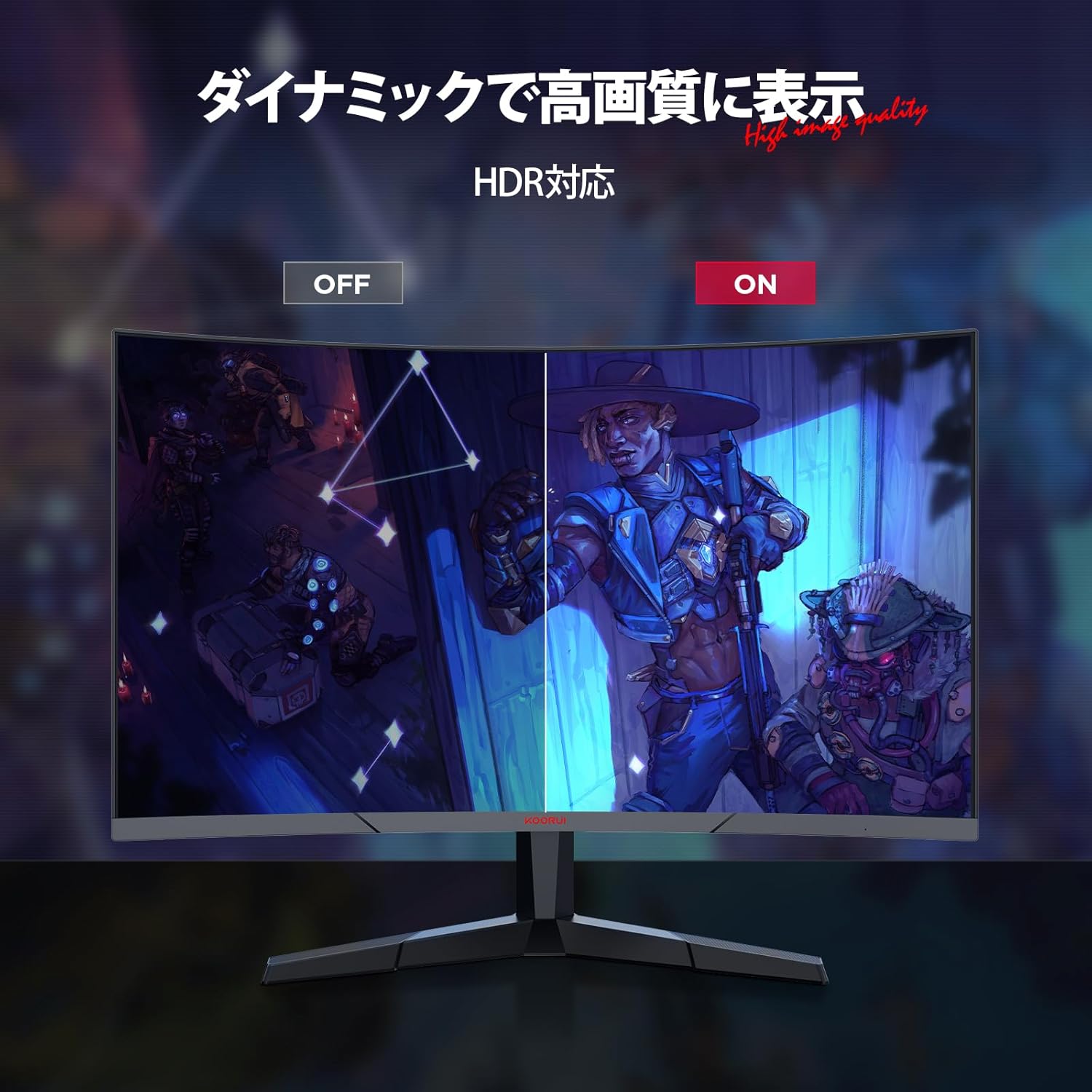
Image: KOORUI 24E6CA monitor displaying a game scene with a console controller, indicating support for Full HD at up to 180fps.
5.3 Adaptive Sync (G-Sync Compatible)
Adaptive Sync technology synchronizes the monitor's refresh rate with your GPU's frame rate, eliminating screen tearing and stuttering for a smoother gaming experience. This monitor is G-Sync compatible.

Image: Comparison showing Adaptive-Sync ON with smooth gameplay versus Adaptive-Sync OFF with screen tearing and stuttering.
5.4 HDR (alt rang dinàmic)
HDR enhances the contrast and color range of images, providing more vibrant and realistic visuals. Enable HDR through your device settings and the monitor's OSD menu for compatible content.

Image: Comparison showing HDR OFF with muted colors and contrast versus HDR ON with enhanced, vibrant colors and deeper contrast.
6. Característiques
6.1 High Refresh Rate and Rapid Response Time
Experience incredibly smooth visuals with a 180Hz refresh rate and a rapid 1ms (MPRT) response time. This combination minimizes motion blur and ghosting, providing a competitive edge in fast-paced games.

Image: Comparison of 75Hz refresh rate versus 180Hz refresh rate, showing significantly smoother motion at 180Hz.

Image: Comparison of 75Hz display with tearing and stuttering versus 180Hz 1ms display with smooth, clear motion.
6.2 1500R Curved Display
La curvatura de 1500R proporciona una visió immersiva viewing experience, wrapping the image around your field of vision. This design is particularly beneficial for gaming and multimedia content, enhancing depth perception and reducing eye strain.

Image: Illustration of the 1500R curved display providing a wide field of view for immersive viewing.
6.3 Excellent Color Reproduction and Contrast
The VA panel delivers deep blacks and a high 3000:1 contrast ratio. With 99% sRGB color gamut and 72% NTSC wide color gamut, the monitor produces vivid and accurate colors. A 178° viewing angle ensures consistent color and contrast from various perspectives.

Image: Monitor's color capabilities with 72% NTSC and 99% sRGB color gamut for vibrant and clear images.
6.4 Característiques de la cura dels ulls
The monitor includes anti-flicker technology and blue light reduction to minimize eye strain during extended use, promoting a more comfortable viewexperiència.

Image: Comparison showing a display with blue light ON versus blue light OFF, indicating the monitor's eye care features.
6.5 Frameless Design
The 3-sided frameless design maximizes screen space and enhances immersion, making it ideal for multi-monitor setups.

Image: Two KOORUI monitors in a multi-monitor setup, highlighting the 3-sided frameless design for increased immersion.
7. Manteniment
Per garantir la longevitat i el rendiment òptim del monitor, seguiu aquestes pautes de manteniment:
- Neteja de la pantalla: Gently wipe the screen with a soft, lint-free cloth. For stubborn marks, dampNetegeu lleugerament el drap amb aigua o amb un netejador de pantalles especialitzat. No ruixeu mai líquid directament sobre la pantalla.
- Neteja de la Casing: Use a soft, dry cloth to wipe the monitor casing. Eviteu netejadors o dissolvents abrasius.
- Ventilació: Ensure the ventilation openings are clear of dust and debris to prevent overheating.
- Apagueu: Turn off the monitor and unplug it from the power outlet when not in use for extended periods.
8. Solució De Problemes
Si teniu problemes amb el monitor, consulteu els passos habituals següents per a la resolució de problemes:
| Problema | Possible solució |
|---|---|
| No hi ha imatge a la pantalla | Check if the power cable is securely connected. Ensure the video cable (HDMI/DP) is properly connected to both the monitor and the source device. Select the correct input source via the OSD menu. |
| La imatge és borrosa o distorsionada | Check the display resolution settings on your computer. Ensure it matches the monitor's native resolution (1920x1080). Adjust the monitor's sharpness settings in the OSD menu. |
| Pantalla trencada o entretallat en jocs | Ensure Adaptive Sync is enabled in both the monitor's OSD menu and your graphics card settings. Update your graphics card drivers. |
| No sound from headphones/external speakers | Verify that headphones or speakers are correctly plugged into the Audio Out port. Check audio output settings on your computer. Adjust volume levels on both the monitor (if available in OSD) and the source device. |
| El monitor no s'encén | Confirm the power adapter is connected to a working power outlet and the monitor. Try a different power outlet. |
Si el problema persisteix després d'intentar aquests passos, poseu-vos en contacte amb l'atenció al client.
9. Especificacions
| Característica | Descripció |
|---|---|
| Marca | KOORUI |
| Número de model | 24E6CA (HKCJD-24E6CA) |
| Mida de la pantalla | 24 polzades |
| Tipus de panell | VA |
| Curvatura | 1500R |
| Resolució | Full HD (1920 x 1080 píxels) |
| Relació d'aspecte | 16:9 |
| Freqüència d'actualització | 180 Hz |
| Temps de resposta | 1 ms (MPRT) |
| Relació de contrast | 3000:1 |
| Brillantor | 250 nits |
| Gamma de colors | 99% sRGB, 72% NTSC |
| Viewangle ing | 178° |
| Entrades de vídeo | 1x DisplayPort (1.2), 2x HDMI (2.0) |
| Sortida d'àudio | 1x presa d'àudio |
| Compatibilitat VESA | 100x100mm |
| Dimensions del producte (W x H x D) | 59.8 x 39.2 x 13.4 cm |
| Pes del producte | 4.27 kg |
| Superfície de la pantalla | Sense enlluernament |
10. Garantia i Suport
KOORUI is dedicated to providing high-quality and high-performance monitors. Your KOORUI 24E6CA monitor comes with a manufacturer warranty:
- Monitor Screen Warranty: 1 any
- Other Accessories Warranty: 3 anys
For warranty claims or technical support, please contact KOORUI customer service. KOORUI monitors are also eligible for free collection and recycling.


