1. Introducció
This manual provides comprehensive instructions for the setup, operation, and maintenance of your PHOINIKAS H1C-G2B Gaming Headset. Please read this manual thoroughly before using the product to ensure optimal performance and longevity.
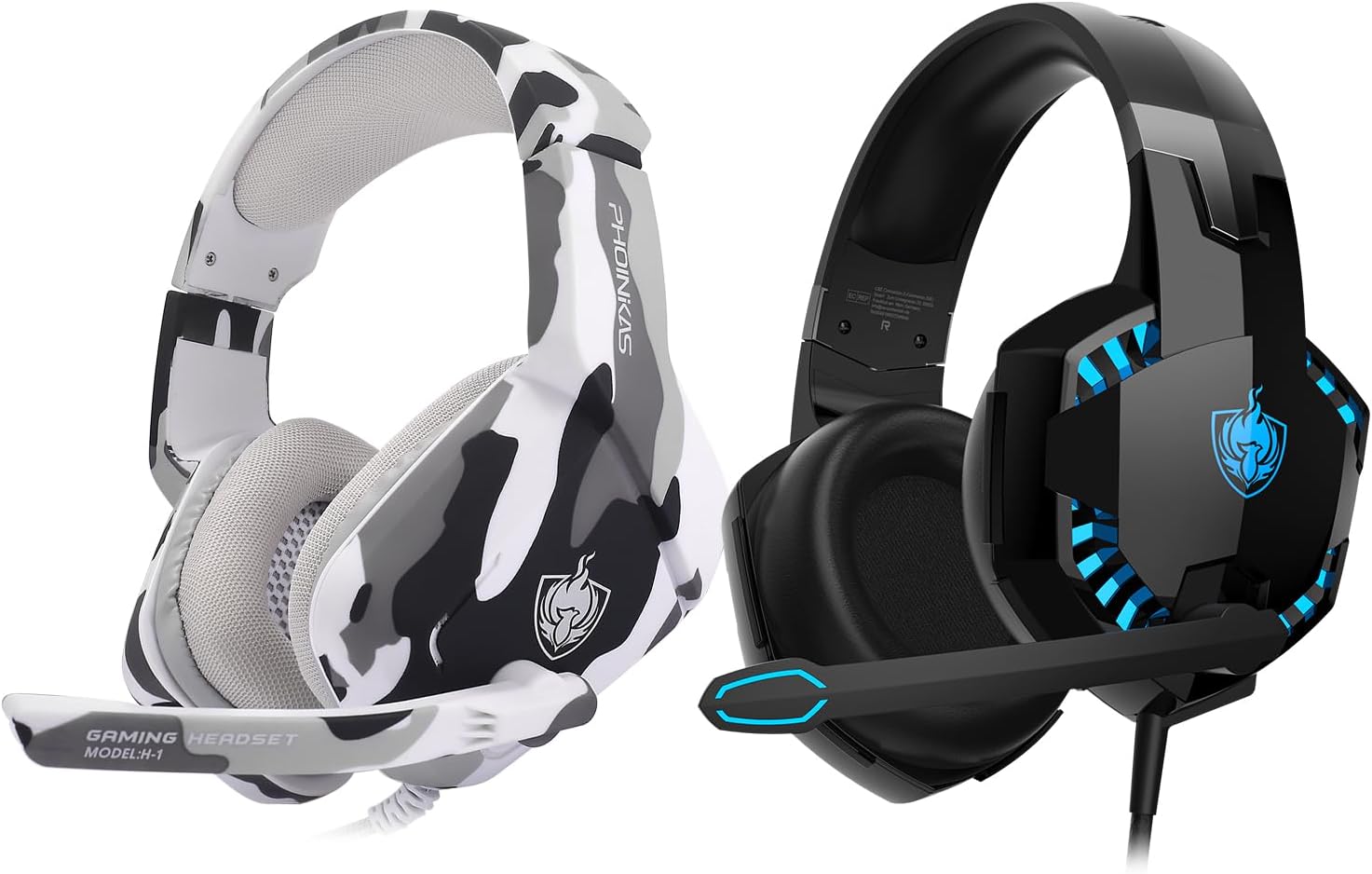
This image displays two PHOINIKAS H1C-G2B Gaming Headsets. One is in a black and blue color scheme, and the other features a white and grey camouflage pattern. Both headsets are over-ear style with integrated microphones.
2. Contingut del paquet
- PHOINIKAS H1C-G2B Gaming Headset
- Cable d'àudio de 3.5 mm
- 3.5mm Y Splitter Cable (for PC use)
- Manual d'usuari

This image features the camouflage version of the PHOINIKAS H1C-G2B Gaming Headset, along with its retail box and a user manual, providing a view of the complete product package.
3. Producte acabatview
3.1. Característiques clau
- Compatibilitat multiplataforma: Supports PC, PS4, PS5, Xbox Series X/S, Nintendo Switch, laptops, and other devices with a 3.5mm jack.
- So immersiu: Features 50mm audio drivers for surround sound and deep bass, enhancing acoustic positioning.
- Disseny ergonòmic: Constructed with soft, breathable materials to reduce pressure on the head and ears, with an adjustable headband for extended comfort.
- Micròfon amb cancel·lació de soroll: Omnidirectional microphone with advanced noise-cancelling technology for clear communication.
- Il·luminació RGB: USB-powered RGB lighting for an enhanced gaming aesthetic.
3.2. Controls
The headset features inline controls for convenient adjustments during gameplay:
- Roda de volum: Ajusta el nivell de sortida d'àudio.
- Silenciament amb una sola tecla: Quickly mutes or unmutes the microphone.

This image details the comfort and microphone features of the PHOINIKAS H1C-G2B Gaming Headset. It shows breathable earmuffs, an adjustable headband, and a soft, durable frame for ergonomic comfort. The headset also features cool LED lights and an omnidirectional noise-cancelling microphone with a flexible design.
4. Configuració i connectivitat
The PHOINIKAS H1C-G2B Gaming Headset offers versatile connectivity options. Follow the instructions below for your specific device:
4.1. PC & Laptop Connection
- Connect the headset's 3.5mm audio cable to the included 3.5mm Y splitter.
- Plug the green jack of the Y splitter into your PC/laptop's audio output port.
- Plug the pink jack of the Y splitter into your PC/laptop's microphone input port.
- For RGB lighting, connect the headset's USB cable to an available USB port on your PC/laptop.
4.2. PS4 / PS5 / Nintendo Switch / Phone / Tablet Connection
- Connect the headset's 3.5mm audio cable directly into the 3.5mm jack on your controller (PS4/PS5), console (Switch), or mobile device.
- The USB connection is not required for audio/microphone functionality on these devices, but can be used for RGB lighting if a USB port is available (e.g., on the console).
4.3. Xbox One / Xbox Series X/S Connection
- For Xbox Series X/S controllers, connect the headset's 3.5mm audio cable directly into the 3.5mm jack on the controller.
- For older Xbox One controllers without a 3.5mm jack, a Microsoft adapter (not included) is required. Connect the headset to the adapter, then plug the adapter into the controller.
- The USB connection is for RGB lighting only.

This diagram shows how the PHOINIKAS H1C-G2B Gaming Headset connects to various devices. It highlights the use of a 3.5mm audio cable for most devices, a 3.5mm Y splitter for PC/laptop, and an optional Microsoft adapter for older Xbox One controllers. The USB interface is shown for LED lights.

The PHOINIKAS H1C-G2B Gaming Headset is shown in a gaming setup, connected to a desktop PC, a Nintendo Switch, and an Xbox Series X console, illustrating its broad compatibility across different gaming platforms.
Official PHOINIKAS video showcasing the features and multi-platform compatibility of a gaming headset, including design, sound quality, and connectivity options. Note: The video may feature a similar model (H-9) but demonstrates general PHOINIKAS headset functionality.
5. Instruccions de funcionament
5.1. Audio Adjustment
Use the inline volume wheel to increase or decrease the audio volume to your preferred level. Ensure your device's volume is also appropriately set.
5.2. Ús del micròfon
The flexible, omnidirectional microphone can be adjusted to your desired position. Use the inline one-key mute switch to toggle the microphone on or off as needed for communication.
5.3. Il·luminació RGB
The RGB lighting is powered via the USB connection. Plug the USB connector into an available USB port on your device to activate the lights. The lighting is purely aesthetic and does not affect audio or microphone functionality.
6. Manteniment
- Mantingueu els auriculars nets netejant-los amb un drap suau i sec.
- Eviteu exposar els auriculars a temperatures extremes, humitat o llum solar directa.
- Do not attempt to disassemble or modify the headset, as this will void the warranty.
- Guardeu els auriculars en un lloc segur per evitar que es facin malbé quan no els feu servir.
7. Solució De Problemes
7.1. Sense so o volum baix
- Ensure the 3.5mm audio cable is fully plugged into both the headset and your device.
- Check the inline volume wheel and adjust it to an audible level.
- Verify your device's audio settings and volume levels.
- If using with a PC, ensure the 3.5mm Y splitter is correctly connected to both audio and microphone ports.
7.2. El micròfon no funciona
- Confirm the inline one-key mute switch is in the 'unmuted' position.
- Check your device's microphone input settings to ensure the headset is selected as the default input device.
- If using with a PC, ensure the pink jack of the 3.5mm Y splitter is correctly connected to the microphone input port.
- For Xbox One (older controllers), ensure the Microsoft adapter is correctly connected.
7.3. RGB Lights Not Working
- Assegureu-vos que el connector USB estigui ben connectat a un port USB amb alimentació.
- Note that the USB connection is solely for lighting and does not affect audio or microphone functionality.
8. Especificacions
| Nom del model | H1C-G2B |
| Tecnologia de connectivitat | Amb cable |
| Dispositius compatibles | PC, PS4, PS5, Xbox Series X/S, Switch, laptops, and devices with a 3.5mm jack |
| Tipus de control | Control de volum, silenci de micròfon |
| Característica del cable | Retractable |
| Forma de l'auricular | Copes supraaurals |
| Conector d'auriculars | 3.5 mm Jack |
| Fabricant | FOINIKAS |
9. Garantia i assistència
PHOINIKAS products are designed for reliability and performance. For warranty information or technical support, please refer to the contact details provided on the product packaging or visit the official PHOINIKAS weblloc web. Conserveu el rebut de compra com a comprovant de compra per a reclamacions de garantia.


