1. Introducció
The Avatto ZTS02-EU-B4 is a smart Zigbee 4-gang touch light switch designed to replace traditional wall switches, offering enhanced control and automation for your home lighting. This device integrates seamlessly with Zigbee gateways and the Tuya Smart Life application, allowing for remote control, scheduling, and voice command capabilities. It features a durable tempered glass panel and a fire-retardant ABS housing for safety and longevity.
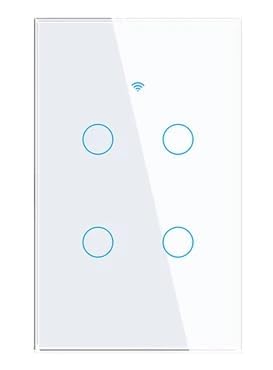
Figure 1: Avatto ZTS02-EU-B4 Smart Zigbee 4-Gang Touch Light Switch. This image shows the sleek, modern design of the smart light switch with its four touch-sensitive buttons.
2. Informació de seguretat
- Instal·lació elèctrica: Installation must be performed by a qualified electrician or a person with electrical knowledge. Ensure the main power supply is turned off at the circuit breaker before installation.
- Cable neutre necessari: This smart switch requires a neutral wire for proper operation. Verify that your electrical box has a neutral wire before attempting installation.
- Només per a ús interior: This device is intended for indoor use in dry locations. Do not expose to moisture or extreme temperatures.
- Capacitat de càrrega: Do not exceed the maximum rated load of 300W per button. Overloading can cause damage to the switch and create a fire hazard.
- Neteja: Desconnecteu l'alimentació abans de netejar. Feu servir un drap suau i sec. No utilitzeu netejadors líquids ni aerosols.
3. Contingut del paquet
Si us plau, comproveu el contingut del paquet en desempaquetar-lo:
- Avatto ZTS02-EU-B4 Smart Zigbee 4-Gang Touch Light Switch
- Manual d'usuari
- Cargols de muntatge
4. Producte acabatview
The Avatto ZTS02-EU-B4 features a minimalist design with a tempered glass touch panel. It includes four touch-sensitive areas for controlling individual light circuits. An integrated LED indicator provides visibility in low-light conditions.

Figura 2: Frontal view of the smart switch highlighting its touch interface and smart connectivity.
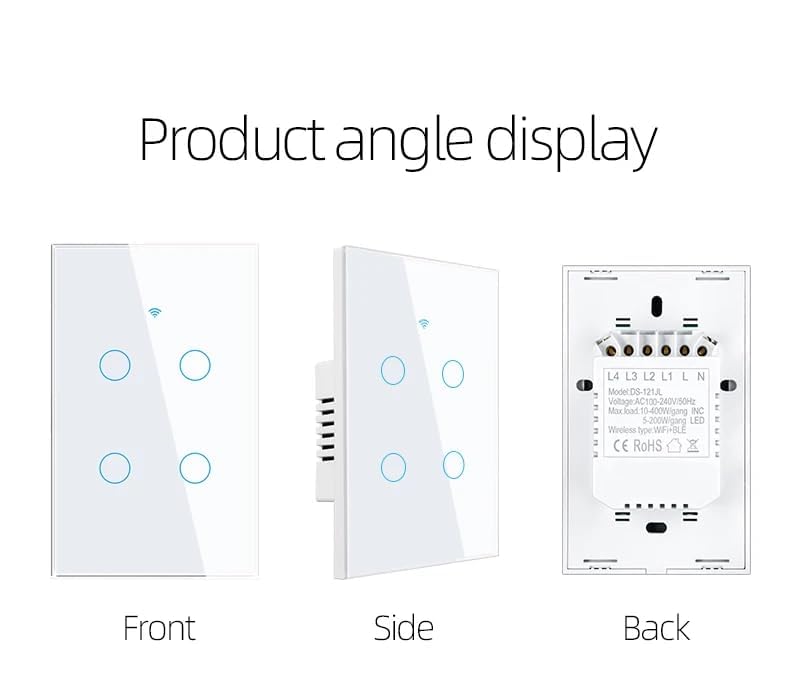
Figura 3: Detallada views of the switch from the front, side, and back, illustrating its physical dimensions and wiring terminals.
5. Configuració i instal·lació
Important: Ensure the main power supply is OFF before beginning installation.
- Desconnexió d'alimentació: Turn off the power to the light switch at your circuit breaker. Verify power is off using a voltage provador.
- Treure l'interruptor antic: Carefully remove your existing wall switch from the electrical box. Disconnect the wires, noting their connections.
- Identificar els cables: This smart switch requires a neutral wire (typically blue or black, but can vary by region). Identify the Live (L), Neutral (N), and Load (L1, L2, L3, L4) wires.
- Connecteu l'interruptor intel·ligent: Connect the wires to the corresponding terminals on the Avatto smart switch as shown in the wiring diagram (refer to Figure 3, back view).
- Connecteu el cable en fase al terminal 'L'.
- Connecteu el cable neutre al terminal 'N'.
- Connect the Load wires for each light circuit to 'L1', 'L2', 'L3', and 'L4' terminals respectively.
- Muntar l'interruptor: Secure the smart switch into the electrical box using the provided screws. Attach the glass panel.
- Restaura l'alimentació: Turn the power back on at the circuit breaker. The LED indicator on the switch should illuminate.
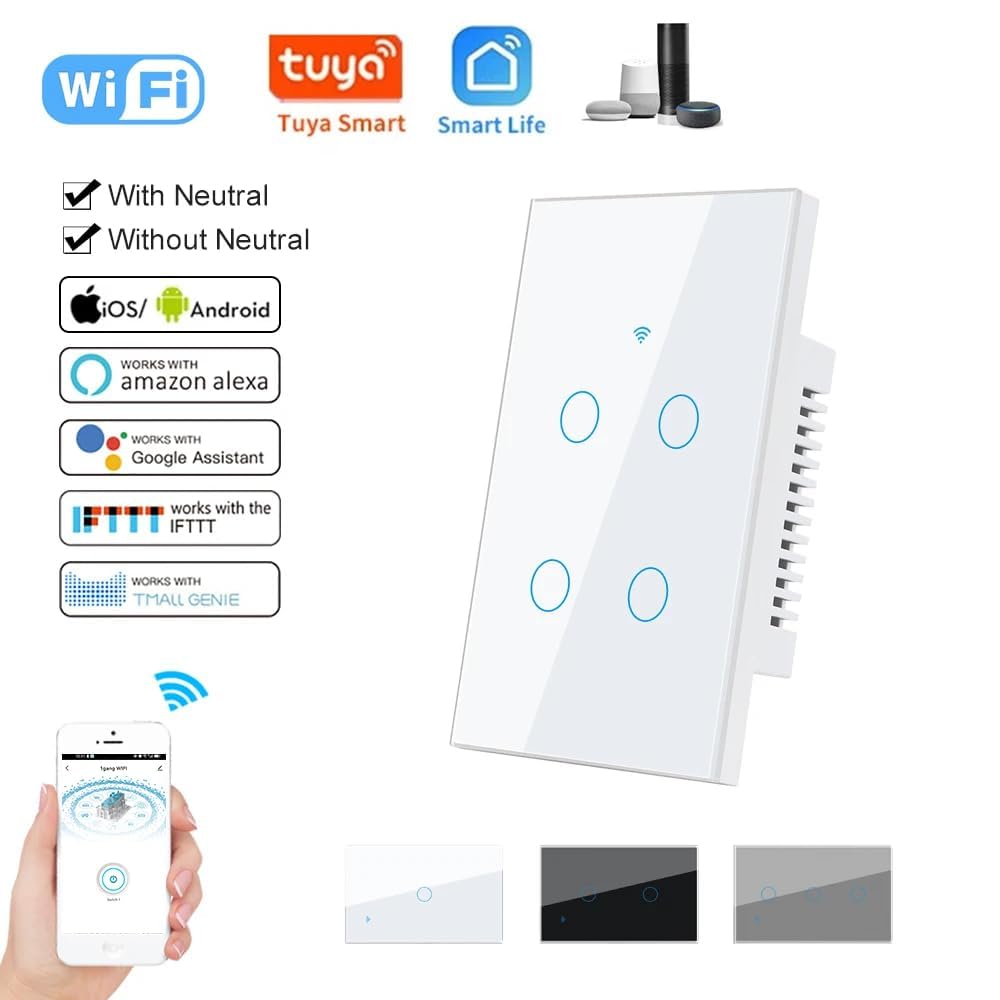
Figure 4: Compatibility details, showing the requirement for a neutral wire and support for various smart home ecosystems.
6. Instruccions de funcionament
Once installed and powered, the Avatto smart switch can be operated in two ways:
6.1 Control tàctil manual
Simply touch the corresponding button on the glass panel to turn the connected light circuit ON or OFF. The LED indicator will change state to reflect the light's status.
6.2 Smart App Control (Tuya Smart Life)
For remote control and advanced features, integrate the switch with the Tuya Smart Life application.
- Descarregar l'aplicació: Baixeu l'aplicació "Tuya Smart" o "Smart Life" des de la botiga d'aplicacions del vostre telèfon intel·ligent (iOS o Android).
- Registra't/Inici de sessió: Creeu un compte o inicieu sessió al vostre compte existent.
- Afegeix un dispositiu: Open the app, tap '+' to add a device. Select 'Lighting' > 'Switch (Zigbee)'.
- Mode de sincronització: To put the switch into pairing mode, press and hold any touch button on the switch for approximately 5-10 seconds until the LED indicator starts blinking rapidly.
- Connecta la passarel·la: Ensure your Zigbee gateway (hub) is powered on and connected to the internet. The app will search for nearby Zigbee devices.
- Confirmeu la connexió: Once detected, confirm the device in the app. You can rename the switch and assign it to a room.
- Control: You can now control the light switch remotely, set schedules, timers, and create smart scenes within the app.
6.3 Integració del control per veu
The Avatto smart switch is compatible with voice assistants like Amazon Alexa and Google Assistant through the Tuya Smart Life app.
- Comptes d'enllaç: In your Alexa or Google Home app, enable the "Tuya Smart" or "Smart Life" skill/action and link your account.
- Descobriu els dispositius: Demana al teu assistent de veu que "Descobreixi dispositius" o inicia manualment la detecció de dispositius a l'aplicació.
- Comandaments de veu: Un cop descobert, podeu utilitzar ordres de veu com ara:
"Alexa, encén els llums de la sala d'estar."
"Ei Google, apaga el llum del dormitori."

Figure 5: An illustration of voice control functionality, demonstrating interaction with a smart assistant to operate the light switch.
7. Manteniment
To ensure the longevity and proper functioning of your Avatto smart switch, follow these maintenance guidelines:
- Neteja: Regularly wipe the glass panel with a soft, dry, lint-free cloth. Avoid abrasive cleaners, solvents, or chemical sprays, as these can damage the finish or internal components. Always turn off power at the circuit breaker before cleaning.
- Condicions ambientals: Ensure the switch is not exposed to excessive moisture, direct sunlight, or extreme temperatures outside its operating range (-20°C to 50°C).
- Actualitzacions de firmware: Periodically check the Tuya Smart Life app for any available firmware updates for your device. Keeping the firmware updated can improve performance and security.
8. Solució De Problemes
If you encounter issues with your Avatto smart switch, refer to the following troubleshooting steps:
| Problema | Causa possible | Solució |
|---|---|---|
| L'interruptor no respon al tacte. | Sense alimentació; cablejat solt; interruptor defectuós. | Check circuit breaker. Verify wiring connections. If problem persists, contact support. |
| Lights flicker or do not turn on/off correctly. | Incorrect wiring; incompatible bulb type; overloaded circuit. | Ensure neutral wire is connected. Check bulb compatibility (LEDs are recommended). Verify load is within 300W per gang. |
| Cannot connect to Tuya Smart Life app. | Switch not in pairing mode; Zigbee gateway offline; Wi-Fi interference; incorrect app steps. | Ensure switch is blinking rapidly (pairing mode). Check Zigbee gateway status. Ensure strong Wi-Fi signal. Follow app pairing instructions carefully. |
| El control per veu no funciona. | Accounts not linked; device not discovered by voice assistant; incorrect commands. | Verify Tuya/Smart Life skill is enabled and linked in Alexa/Google Home app. Ask assistant to "Discover devices." Use correct device names. |
9. Especificacions
| Característica | Especificació |
|---|---|
| Número de model | ZTS02-EU-B4 |
| Marca | Avatto |
| Vol. Operatiutage | AC 110-240V / 50~60Hz |
| Rated Load (per button) | < 300 W |
| Autoconsum | < 1 mA |
| Entorn de funcionament | -20°C to 50°C, < 95% RH |
| Vida útil | > 100,000 d'operacions |
| Dimensions (aprox.) | 120 x 74 x 3.9 mm (Note: Model is EU, dimensions provided are US type) |
| Connectivitat | Zigbee, Tuya Smart Life App |
| Material | Tempered Glass Panel, Fire-retardant ABS Housing |
| Fil neutre | Obligatori |
10. Garantia i Suport
For warranty information and technical support, please refer to the documentation provided with your purchase or visit the official Avatto website. If you encounter issues not covered in this manual, please contact Avatto customer service for assistance.


