1. Introducció
This manual provides detailed instructions for the installation, configuration, and operation of your SODOLA 12 Port 10Gb Managed Switch. This device is designed to enhance network performance with high-speed connectivity and advanced management features, suitable for home labs, small businesses, and professional network environments.
2. Producte acabatview
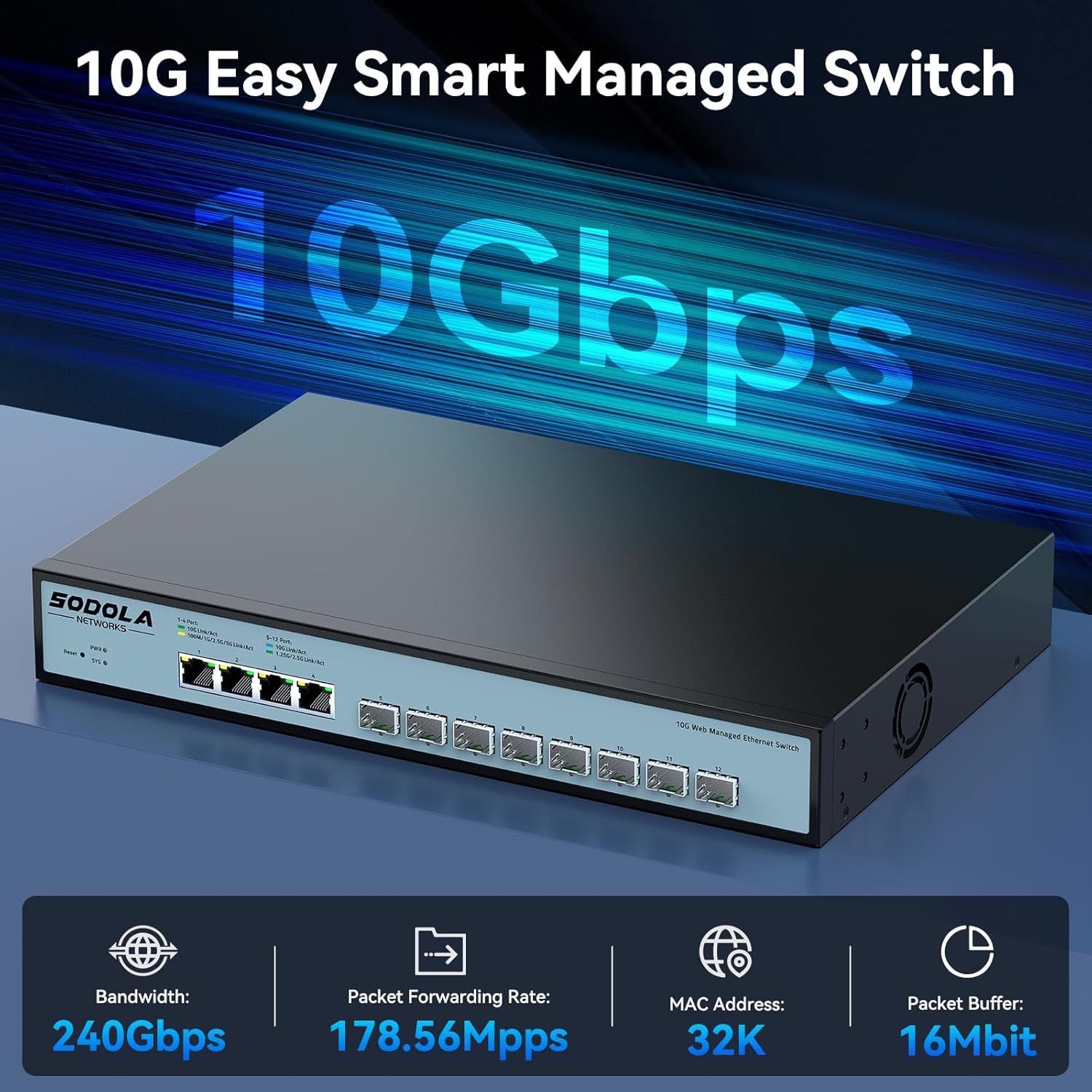
The SODOLA 12 Port 10Gb Managed Switch features a robust design with a combination of 10 Gigabit Ethernet ports to support diverse network requirements.
2.1 Característiques clau
- Hybrid 10G Port Flexibility: 8x10G SFP+ ports for fiber/DAC and 4x10GBase-T RJ45 ports for versatile high-speed connections.
- Web Gestió: Fàcil d'utilitzar web GUI for configuring LACP, QoS, VLAN, SNMP, and other network management functions.
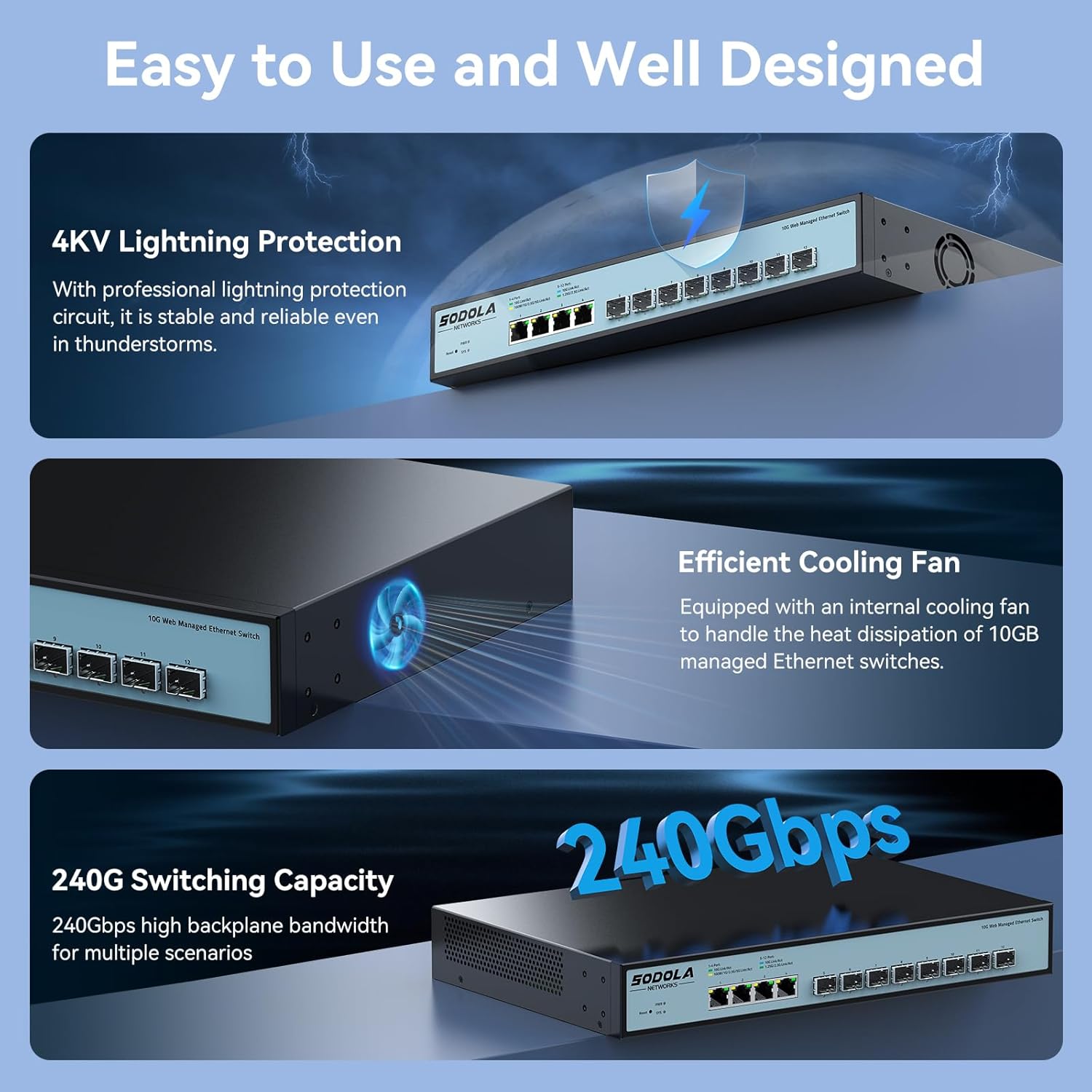
- Refrigeració eficient: Built-in fans dynamically adjust speed to maintain stable 10G performance and prevent overheating.
- Disseny de muntatge en bastidor: 1U compact design with included mounting brackets for easy installation in racks or cabinets.
- Àmplia compatibilitat: RJ45 ports support 10G/5G/2.5G/1G/100M speeds, ensuring backward compatibility with existing network devices.
2.2 Disposició del panell frontal

Imatge 2.2.1: Panell frontal view highlighting the Reset Button, Power Indicator, 4x10G RJ45 Ports, and 8x10G SFP+ Ports.
2.3 Configuració del port

Imatge 2.3.1: Detailed port configuration, illustrating adaptive speed rates for RJ45 ports (1G/2.5G/5G/10G) and SFP+ ports (1G/2.5G/10G modules). Compatible cables include CAT5e, CAT6, and CAT7 for RJ45 connections.
3. Contingut del paquet
Verify the contents of your package upon unboxing. If any items are missing or damaged, please contact customer support.

Imatge 3.1.1: Illustration of included accessories and the switch unit.
- SODOLA 12 Port 10G Managed Ethernet Switch (Model: SL-SWTGW2C48NS)
- Cable d'alimentació
- Rack Ears (for 1U rack mounting)
- Manual d'usuari
- Certificate of Inspection
4. Configuració i instal·lació
4.1 Instal·lació física
The switch can be installed on a desktop or mounted in a standard 1U rack.
- Ubicació d'escriptori: Col·loqueu l'interruptor sobre una superfície plana i estable. Assegureu-vos que hi hagi una ventilació adequada al voltant del dispositiu.
- Muntatge en bastidor: Attach the included rack ears to the sides of the switch using the provided screws. Secure the switch into a standard 19-inch rack.
4.2 Connexió d'alimentació
Connect the power cord to the AC input port on the rear of the switch and then to a suitable power outlet (AC 100-240V). The Power Indicator LED on the front panel will illuminate when the device receives power.
4.3 Connexions de xarxa
Connect your network devices (servers, workstations, NAS, routers, access points) to the RJ45 or SFP+ ports using appropriate Ethernet cables or SFP/SFP+ modules and fiber optic cables.
- Ports RJ45: Use CAT5e, CAT6, or CAT7 cables for optimal performance. These ports support auto-negotiation for speed (100M/1G/2.5G/5G/10G) and Auto-MDI/MDIX.
- Ports SFP+: Insert compatible 1G, 2.5G, or 10G SFP/SFP+ transceiver modules and connect with appropriate fiber optic or DAC cables.
5. Web Interfície de gestió
The SODOLA 12 Port 10Gb Managed Switch can be configured and monitored via a webinterfície gràfica d'usuari (GUI) basada en.
5.1 Accés a Web Interfície

Imatge 5.1.1: Steps for accessing the web interfície de gestió.
- Esborra la memòria cau del navegador: Assegureu-vos el vostre web browser's cache is cleared to prevent issues with loading the interface.
- Adjust Network Settings: Connect your computer directly to one of the switch's RJ45 ports.
- Set PC IP to Match Switch Subnet: Configure your computer's network adapter with a static IP address within the same subnet as the switch's default IP. For example, if the switch's default IP is 192.168.2.1, set your PC's IP to 192.168.2.100 amb una màscara de subxarxa de 255.255.255.0.
- Access Login Page: Obre a web navegador i navegueu fins a l'adreça IP predeterminada: http://192.168.2.1.
- Inici de sessió: Introduïu les credencials predeterminades:
Nom d'usuari: admin
Contrasenya: admin
5.2 Key Management Functions

Imatge 5.2.1: Acabatview de disponible web característiques de gestió.
El web interface provides access to various advanced network management features, including:
- LACP (Protocol de control d'agregació d'enllaços): Combineu diversos enllaços físics en un únic enllaç lògic per augmentar l'amplada de banda i la redundància.
- QoS (Qualitat de servei): Prioritzeu el trànsit de xarxa per garantir que les aplicacions crítiques rebin prou ample de banda.
- VLAN (Xarxa d'Àrea Local Virtual): Segment your network into smaller, isolated broadcast domains for improved security and performance.
- SNMP (Protocol simple de gestió de xarxa): Monitor network devices and manage network performance.
- Multidifusió: Efficiently send data to a group of recipients.
- DHCP: Configure DHCP server or relay functions.
- Configuració IP: Configure the switch's IP address and related network parameters.
- Mirall de ports: Supervisar el trànsit de xarxa enviant una còpia dels paquets d'un port a un altre.
6. Configuració Examples
6.1 Configuració del port
Imatge 6.1.1: Example of port configuration in the web interfície.
Dins del web interface, navigate to the port settings section to configure individual port parameters such as speed, duplex mode, and flow control. Remember to click "Apply" after making changes and then "Save" to retain configurations after a reboot.
6.2 10G LAN Setup Case

Imatge 6.2.1: Example network topology for a 10G LAN setup.
This diagram illustrates a common setup for a 10G Local Area Network (LAN) suitable for home or Small Office/Home Office (SOHO) environments. It demonstrates how the SODOLA switch can integrate with a router, Network Attached Storage (NAS) utilizing LACP for increased throughput, WiFi 7 Access Points, 10G-capable PCs, and segmented VLANs for different device groups like printers.
7. Manteniment
7.1 Sistema de refrigeració
Imatge 7.1.1: Internal cooling fan for heat dissipation.
The switch is equipped with an efficient cooling fan to manage heat dissipation, ensuring stable operation, especially during high workloads. Ensure that the fan vents are not obstructed to allow for proper airflow.
7.2 Atenció general
- Keep the device in a clean, dry environment, away from direct sunlight and heat sources.
- Eviteu exposar l'interruptor a la humitat o a temperatures extremes.
- Netegeu l'exterior de l'interruptor amb un drap suau i sec. No utilitzeu netejadors líquids ni en aerosol.
- Periodically check for firmware updates on the manufacturer's weblloc per garantir un rendiment i una seguretat òptims.
8. Solució De Problemes
Aquesta secció ofereix solucions a problemes comuns que podeu trobar.
8.1 Sense poder
- Assegureu-vos que el cable d'alimentació estigui connectat correctament tant a l'interruptor com a una presa de corrent que funcioni.
- Verifiqueu que la presa de corrent funciona connectant-hi un altre dispositiu.
- Check the Power Indicator LED on the front panel. If it is off, there may be a power supply issue.
8.2 Sense connectivitat de xarxa
- Check the Link/Act LEDs for the connected ports. A solid green or amber light indicates a link, and blinking indicates activity. If the LED is off, check the cable connection and the connected device.
- Ensure that the Ethernet cables are properly seated and not damaged.
- Verify that the connected devices are powered on and configured correctly.
- If using SFP+ ports, ensure the SFP/SFP+ modules are correctly inserted and compatible with the connected device.
8.3 No es pot accedir Web Interfície
- Confirm your computer's IP address is within the same subnet as the switch's default IP (e.g., 192.168.2.x).
- Ensure you are using the correct default IP address (192.168.2.1) and credentials (admin/admin).
- Try clearing your web browser's cache or using a different browser.
- If the switch's IP address has been changed and forgotten, a factory reset may be necessary. Refer to the reset procedure in the full manual (if available) or contact support.
9. Especificacions
| Marca | Sodola |
| Número de model | 4x10G RJ45+8x10G SFP+(Managed) |
| Tipus d'interfície | 4x10G RJ45, 8x10G SFP+ |
| Nombre de Ports | 12 |
| Velocitat de transferència de dades | 10 gigabits per segon |
| Material de la caixa | Metall |
| Pes de l'article | 4.4 lliures |
| Dimensions del paquet | 14.57 x 11.42 x 3.35 polzades |
| Dispositius compatibles | Escriptori, portàtil, servidor |
10. Informació de seguretat
- Llegiu atentament totes les instruccions abans d'utilitzar el dispositiu.
- No obriu el dispositiu casing. No hi ha peces que l'usuari pugui reparar a l'interior.
- Utilitzeu només l'adaptador d'alimentació subministrat amb el dispositiu.
- Assegureu-vos de la connexió a terra adequada del dispositiu.
- Avoid installing the device in areas with high humidity, dust, or extreme temperatures.
- Desconnecteu l'alimentació abans de netejar o moure el dispositiu.
11. Garantia i Suport
SODOLA products are designed for reliability and performance. For warranty information or technical support, please refer to the official SODOLA weblloc web o poseu-vos en contacte amb el vostre distribuïdor local. Conserveu el rebut de compra per a reclamacions de garantia.
Fabricant: Shenzhen hongyavision Technology Co.,Ltd.


