1. Introducció
The TELESIN Magnetic Desktop Phone Holder is a versatile and robust stand designed for both phones and tablets. It features a strong magnetic attachment, a heavy-duty metal base for stability, and offers 360° rotation with adjustable height and angle. This stand is ideal for various uses including video calls, vlog recording, and hands-free viewing.
Característiques principals:
- Upgraded Strong Magnetic Function: Designed with N52 magnets for instant, secure attachment.
- High Quality Materials: Stable aluminum alloy rod body, metal housing shaft, and a square heavy-duty metal base ensure durability and stability.
- Weighted Metal Anti-Slip Base: Prevents slipping or tipping, with an EVA non-slip pad for desktop protection.
- 360° Height & Angle Adjustable Rotation: Allows for comfortable viewing angles and heights, supporting horizontal, vertical, or diagonal device placement.
- 3 Lbs Load-Bearing Capacity: Supports devices up to 3lbs/1.5KG without sinking.
2. Què hi ha a la caixa
Upon opening your TELESIN Magnetic Desktop Phone Holder package, you will find the following components:
- 1 x Tabletop Stand (pre-assembled base and arm)
- 1 x Magnetic Attractor Ring (for device attachment)
- 1 x Magnetizing Ring Patch (for non-MagSafe devices)
- 1 x Hexagonal Wrench (for adjusting joint tightness)
- 1 x Cleaning Kit (alcohol pad and cloth for surface preparation)
- 1 x Manual d'usuari

Image: Contents of the TELESIN Magnetic Desktop Phone Holder package.
3. Configuració
3.1. Muntatge de l'estand
- Desplegueu el suport: Gently unfold the stand from its compact storage position. The arms are designed to move smoothly.
- Attach Magnetic Ring: Take the magnetic attractor ring and screw it onto the top ball head of the stand. Tighten the nut to secure it.
- Adjust Joint Tightness (Optional): If the stand's joints are too stiff or too loose, use the provided hexagonal wrench (stored in the base) to adjust the screws at the joints to your preferred tension.
Video: Step-by-step guide on assembling the TELESIN Magnetic Desktop Phone Holder, including attaching the magnetic ring and adjusting joint tightness.
3.2. Device Preparation (for Magnetic Attachment)
The stand uses a strong magnetic connection. Follow these steps to prepare your device:
- For iPhone/iPad (MagSafe Compatible): Devices with built-in magnetic rings can be directly attached to the stand's magnetic attractor ring.
- For Android/Non-MagSafe Devices:
- Clean the back of your phone case thoroughly using the provided alcohol pad and cloth.
- Peel off the protective film from the magnetizing ring patch.
- Carefully center and firmly attach the magnetizing ring patch to the back of your phone case.
- Allow the magnetizing ring patch to stand for at least 2 hours before use to ensure strong adhesion.
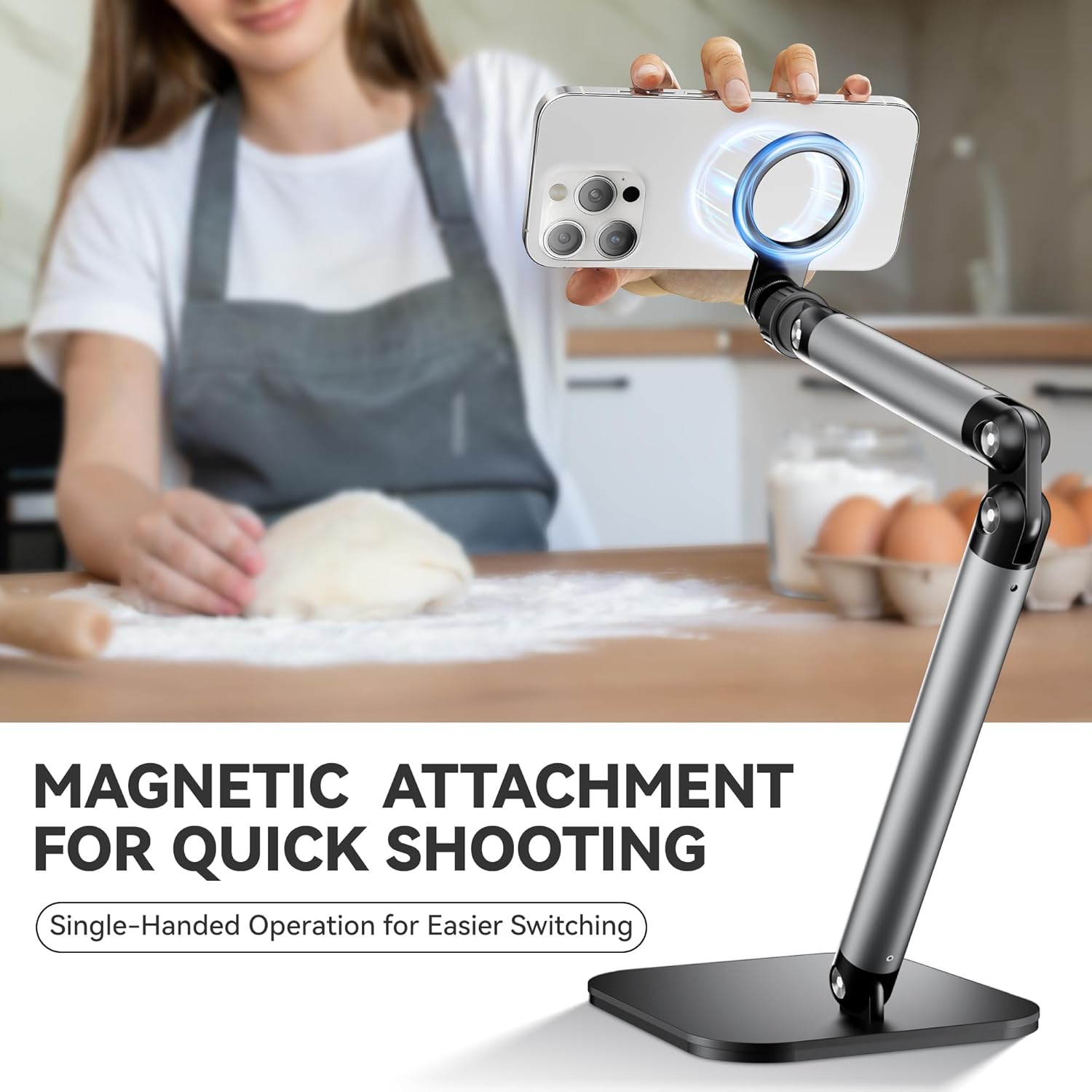
Image: Demonstrates the magnetic attachment of a phone to the stand for quick setup.
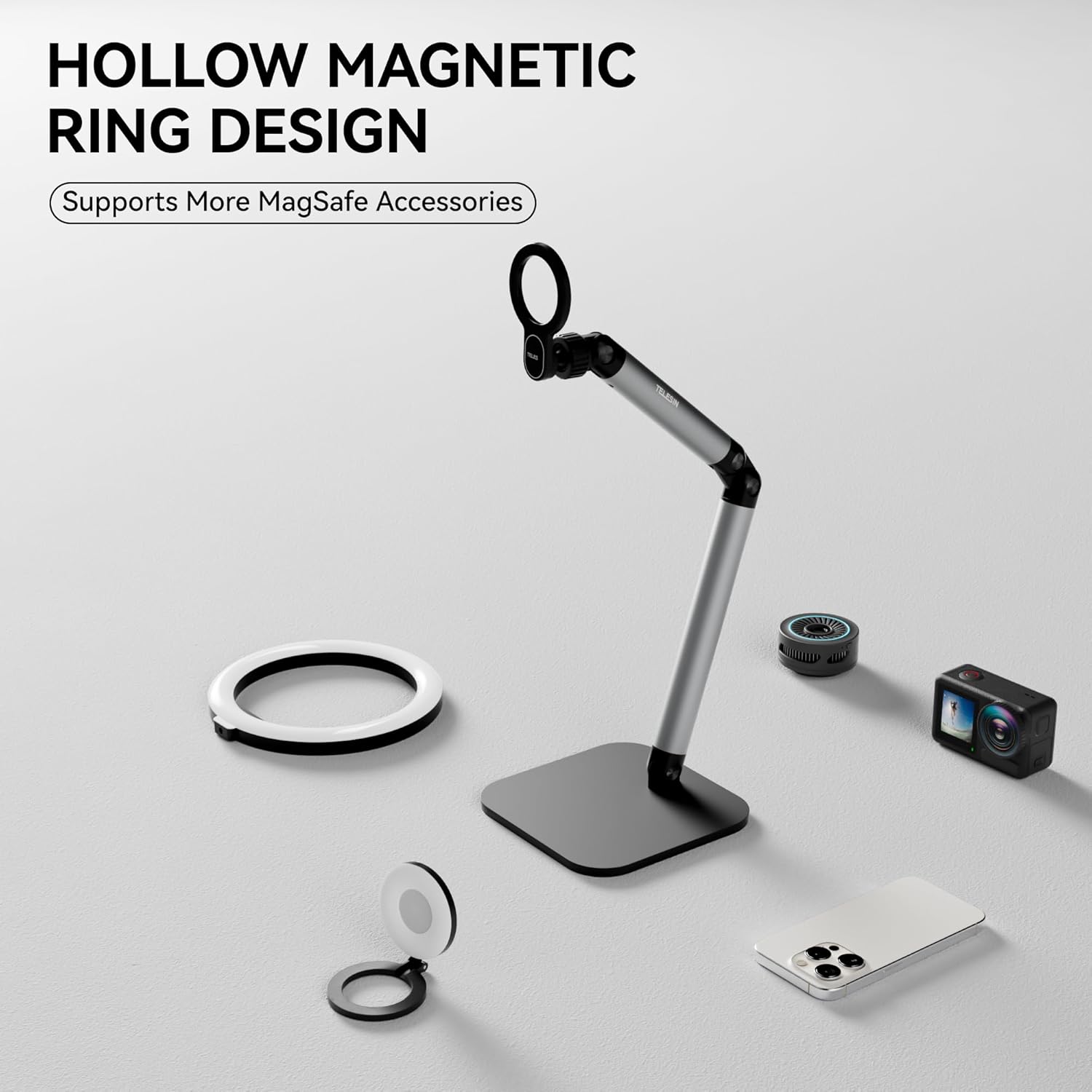
Image: The hollow magnetic ring design supports various MagSafe accessories and provides a secure hold.
4. Funcionament de l'estand
4.1. Connectar el dispositiu
Once your device is prepared (with or without the magnetizing ring patch), simply bring the back of your device close to the magnetic attractor ring on the stand. The strong N52 magnets will securely hold your device in place.
4.2. Ajust Viewangle i alçada
The TELESIN Magnetic Desktop Phone Holder offers extensive adjustability:
- Ajust del braç: The multi-jointed aluminum alloy arms can be moved to achieve desired height and reach. Hold the base with one hand and adjust the arms with the other for stability.
- Rotació de 360°: The magnetic attractor ring allows your device to rotate 360 degrees. You can easily switch between portrait, landscape, or any diagonal orientation without detaching the device.
- Ajust d'inclinació: The ball head design of the magnetic ring allows for tilting your device up or down to find the perfect viewangle de ing.

Image: The stand's flexible arms and 360° rotating magnetic head allow for diverse viewangles d'ajust.
Video: Demonstrates the magnetic phone holder in various scenarios, highlighting its 360° rotation and adjustable features for recording or watching videos.
5. Manteniment
- Neteja: Use the provided cleaning cloth or a soft, dry cloth to wipe down the stand and magnetic surfaces. Avoid harsh chemicals that may damage the finish.
- Estanquitat de les articulacions: Periodically check the tightness of the joints. If they become too loose over time, use the hexagonal wrench to re-tighten them for optimal stability.
- Emmagatzematge: When not in use, the stand can be folded into a compact form for easy storage in a drawer or bag, keeping your workspace tidy.

Image: The stand's foldable design allows for convenient, space-saving storage when not in use.
6. Solució De Problemes
- El dispositiu no es subjecta correctament:
- Ensure the magnetizing ring patch (if used) has been applied correctly and allowed to cure for at least 2 hours.
- Verify that your device's weight does not exceed the 3lbs/1.5KG load-bearing capacity.
- Check for any obstructions or debris between the device and the magnetic ring.
- Stand Feels Loose/Unstable:
- Use the provided hexagonal wrench to tighten the screws at the joints of the stand's arms and base.
- Ensure the stand is placed on a flat, stable surface. The weighted metal base is designed for maximum stability.
- Dificultat per ajustar els braços:
- If the arms are too stiff, slightly loosen the joint screws with the hexagonal wrench until movement is smooth.
- Always hold the base firmly when adjusting the arms to prevent accidental tipping.
7. Especificacions
| Dimensions del producte | 3.07 x 6.54 x 11.26 polzades |
| Pes de l'article | 0.705 unces |
| Número de model de l'article | PFK-EU-P3-DS-01 |
| Característiques especials | 360 Degree Rotation, Adjustable, Flexible, Foldable, Hand Free |
| Factor de forma | Desktop Phone / Tablet Stand Holder |
| Color | Negre |
| Fabricant | TELESIN |
| Dispositius compatibles | Android users / iPhone Pro Max series, iPad Mini series / iPad Pro series / iPad Air series |
8. Garantia i assistència
For any problems encountered while using your TELESIN Magnetic Desktop Phone Holder, please do not hesitate to reach out to us via Amazon message. Our customer service team is ready to assist you.


