1. Introducció
This manual provides essential information for the safe and efficient use of your XGODY Gimbal5 Smart Mini Projector. Please read these instructions carefully before operating the device and retain them for future reference.
The XGODY Gimbal5 is a versatile smart mini projector featuring Android 11, native 1080P resolution with 4K support, 5G WiFi 6, Bluetooth 5.0, electric focus, auto keystone correction, and a 180-degree rotating stand for flexible projection.
2. Què hi ha a la caixa
En obrir el paquet, comproveu que tots els components hi són presents i en bon estat:
- XGODY Gimbal5 Smart Mini Projector
- Adaptador d'alimentació
- Control remot
- Manual d'usuari (aquest document)

Image: The XGODY Gimbal5 Smart Mini Projector shown with its power adapter, remote control, and user manual.
Video: An unboxing demonstration of the XGODY Gimbal5 Smart Mini Projector, showing the projector, power cable, remote, and manual.
3. Producte acabatview
The XGODY Gimbal5 projector is designed for ease of use and high-quality projection. Key features include:
- Native 1080P Full HD: Delivers clear and vivid images.
- Sistema operatiu Android 11.0: Access to pre-installed apps like Netflix, YouTube, and more.
- 5G Dual-Band WiFi 6: Ensures high transfer rates and low latency for streaming and screen mirroring.
- Bluetooth 5.0: For enhanced audio connectivity with external speakers.
- Enfocament elèctric: Remote-controlled precision focus adjustment.
- Correcció trapezoidal automàtica: Automatically adjusts the projection angle for a clear, rectangular image.
- Suport giratori de 180°: Allows projection onto walls or ceilings from various angles.
- Disseny compacte: Portable for use in different rooms or during travel.

Image: A visual representation of the XGODY Gimbal5 projector's 1080P native resolution and 18000 Lumen brightness, highlighting vivid and detailed picture quality compared to a standard 720P projector.

Imatge: Un primer pla view of the XGODY Gimbal5 projector's rear panel, showing the power button, USB port, 3.5mm audio jack, and HDMI port.
4. Configuració
4.1 Encès inicial
- Connecteu l'adaptador de corrent a l'entrada d'alimentació del projector i després a una presa de corrent.
- Premeu el botó d'encesa del projector o del comandament a distància per encendre el dispositiu.
- The projector will display the boot-up screen.
4.2 Ajust del focus
The projector features electric focus. Use the remote control to adjust the focus until the image is clear and sharp.
4.3 Correcció Keystone
The XGODY Gimbal5 supports automatic keystone correction. After adjusting the projection angle using the 180° rotating stand, the projector will automatically correct the image to reduce distortion. Manual 4-point correction may also be available in settings for fine-tuning.
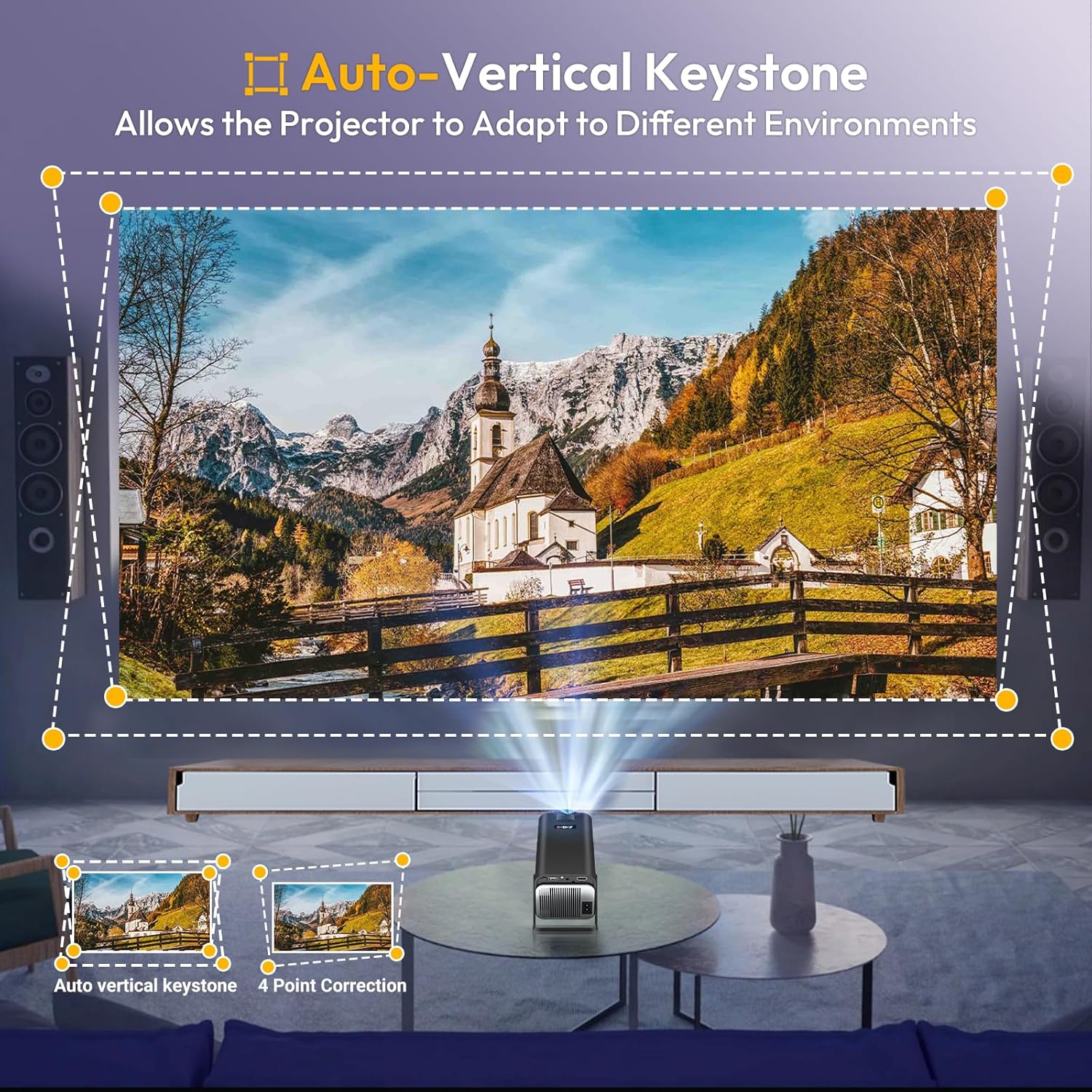
Image: The projector automatically adjusting its image for vertical keystone correction, showing how a distorted image is corrected to a rectangular shape.

Image: The XGODY Gimbal5 projector positioned to project onto a ceiling, illustrating its 180-degree rotational capability.
5. Instruccions de funcionament
5.1 Interfície d'Android TV 11.0
The projector runs on Android 11.0, providing access to a wide range of applications. Navigate the interface using the remote control:
- Use the directional buttons to move between apps and settings.
- Press the "OK" button to select an item.
- Press the "Back" button to return to the previous screen.
- Pre-installed apps include Netflix, YouTube, and others. More applications can be downloaded from the app store.

Image: A family watching content projected from the XGODY Gimbal5, showcasing the Android TV 11.0 interface with numerous streaming applications.
Video: A demonstration of navigating the XGODY Gimbal5 projector's Android TV interface and performing a factory reset.
5.2 Screen Mirroring (Eshare)
The projector supports Eshare for wireless mirroring from your smartphone or other compatible devices. Ensure both the projector and your device are connected to the same Wi-Fi network.

Image: The XGODY Gimbal5 projector wirelessly mirroring content from a smartphone, with icons indicating compatibility with Android, iOS, and Windows devices.
6. Connectivitat
The XGODY Gimbal5 offers multiple connectivity options:
- Port HDMI: Connect devices such as TV Sticks, laptops, gaming consoles (PS5), and PCs for high-definition video and audio transmission.
- Port USB: Connect USB drives for media playback or other USB-compatible accessories.
- Conector d'àudio de 3.5 mm: Connect external headphones or speakers for private listening or enhanced audio.
- 5G WiFi 6: For high-speed internet access and stable wireless connections.
- Bluetooth 5.0: Connect to Bluetooth speakers or headphones for wireless audio.
Image: A diagram illustrating the various input options of the XGODY Gimbal5 projector, including HDMI for PS4/PS5, TV Box, TV Stick, PC, Laptop, USB for USB drives and phones, and Audio for DVD players, headsets, and earphones.
Vídeo: Un vídeo promocionalasing the XGODY Gimbal5 projector's features, including 180-degree rotation, short-throw capability, automatic keystone correction, WiFi 6, Eshare, and Bluetooth 5.0 connectivity.
7. Manteniment
Per garantir la longevitat i el rendiment òptim del projector, seguiu aquestes pautes de manteniment:
- Neteja de la lent: Feu servir un drap suau i sense borrissol dissenyat específicament per a lents òptiques. Eviteu materials abrasius o productes químics agressius.
- Neteja de l'exterior: Netegeu l'exterior del projector amb un drap suau i sec. No utilitzeu productes de neteja líquids directament sobre el dispositiu.
- Ventilació: Assegureu-vos que les obertures de ventilació del projector estiguin buides i sense obstruccions per evitar el sobreescalfament.
- Emmagatzematge: Quan no l'utilitzeu durant períodes prolongats, guardeu el projector en un lloc fresc i sec, protegit de la pols i de les temperatures extremes.
8. Solució De Problemes
If you encounter issues with your XGODY Gimbal5 projector, refer to the following common solutions:
| Problema | Causa possible | Solució |
|---|---|---|
| No es mostra cap imatge | Cable d'alimentació desconnectat, font d'entrada incorrecta, dispositiu no encès. | Check power connections. Ensure the input source (HDMI, USB) is correctly selected. Power on the connected device. |
| Imatge borrosa | Desenfocat, distància de projecció incorrecta. | Adjust the electric focus using the remote control. Ensure the projector is within the recommended projection distance (1-4 meters). |
| Imatge distorsionada (forma trapezoïdal) | Incorrect projection angle. | The projector features automatic keystone correction. If needed, manually adjust keystone settings in the menu. |
| Sense so | Volume too low, external speakers not connected/paired, mute enabled. | Increase volume. Check Bluetooth connection for external speakers. Disable mute. |
| Problemes de connexió Wi-Fi | Contrasenya incorrecta, fora de rang, problemes amb el router. | Verify Wi-Fi password. Move projector closer to the router. Restart router. |
9. Especificacions
| Característica | Detall |
|---|---|
| Marca | Xgody |
| Any model | 2024 |
| Dimensions del producte | 15 x 13.6 x 25.4 cm; 1 kg |
| Interfície del maquinari | Port AV, USB, HDMI |
| Dispositius compatibles | Laptops, USB drives, iOS devices, Android devices, PS5, TV sticks |
| Característiques especials | Built-In Wi-Fi, Portable, Wireless |
| Tecnologia de visualització | LCD |
| Brillantor de la imatge | 18000 lm |
| Relació de contrast de la imatge | 12000:1 |
| Relació d'aspecte | 16:9 |
| Resolució de pantalla | 1920 x 1080 |
| Resolució | Píxels Full HD de 1080p |
| Freqüència d'actualització | 60 Hz |
| Tipus de connector | Bluetooth, HDMI, USB, Wi-Fi |
| Factor de forma | Portàtil |
| Tipus de muntatge | Muntatge al sostre, muntatge a la paret |
| Pes de l'article | 1 kg |
| País d'origen | Xina |
10. Garantia i Suport
For warranty information and technical support, please refer to the contact details provided with your product packaging or visit the official XGODY weblloc web. Conserveu el rebut de compra com a comprovant de compra per a reclamacions de garantia.


