Producte acabatview
The ECHTPower Wireless Switch Controller combines a nostalgic retro design with modern gaming technology. It is compatible with Nintendo Switch, Nintendo Switch 2, iOS, Android, and PC, offering versatile connectivity options. This controller features Hall Effect joysticks for precise, drift-free control, programmable macro and turbo functions, customizable RGB lighting, and dual vibration for an immersive gaming experience. Its long-lasting 800mAh battery ensures extended playtime.

Davant view of the ECHTPower Wireless Switch Controller, showcasing its purple color and button layout.
Configuració i connexió
Emparellament sense fils
- Assegureu-vos que el controlador estigui carregat.
- On your Nintendo Switch, navigate to the "Controllers" menu and select "Change Grip/Order".
- Press and hold the pairing button on the top of the ECHTPower controller until the indicator lights begin to flash.
- The controller will automatically connect to your Switch. Once connected, the player indicator lights will become solid.
- For other devices (iOS, Android, PC), refer to your device's Bluetooth pairing instructions and select "ECHTPower Controller" from the available devices.
Connexió per cable
Connect the controller to your device using a compatible USB-C cable. The controller will automatically be recognized and can be used in wired mode.
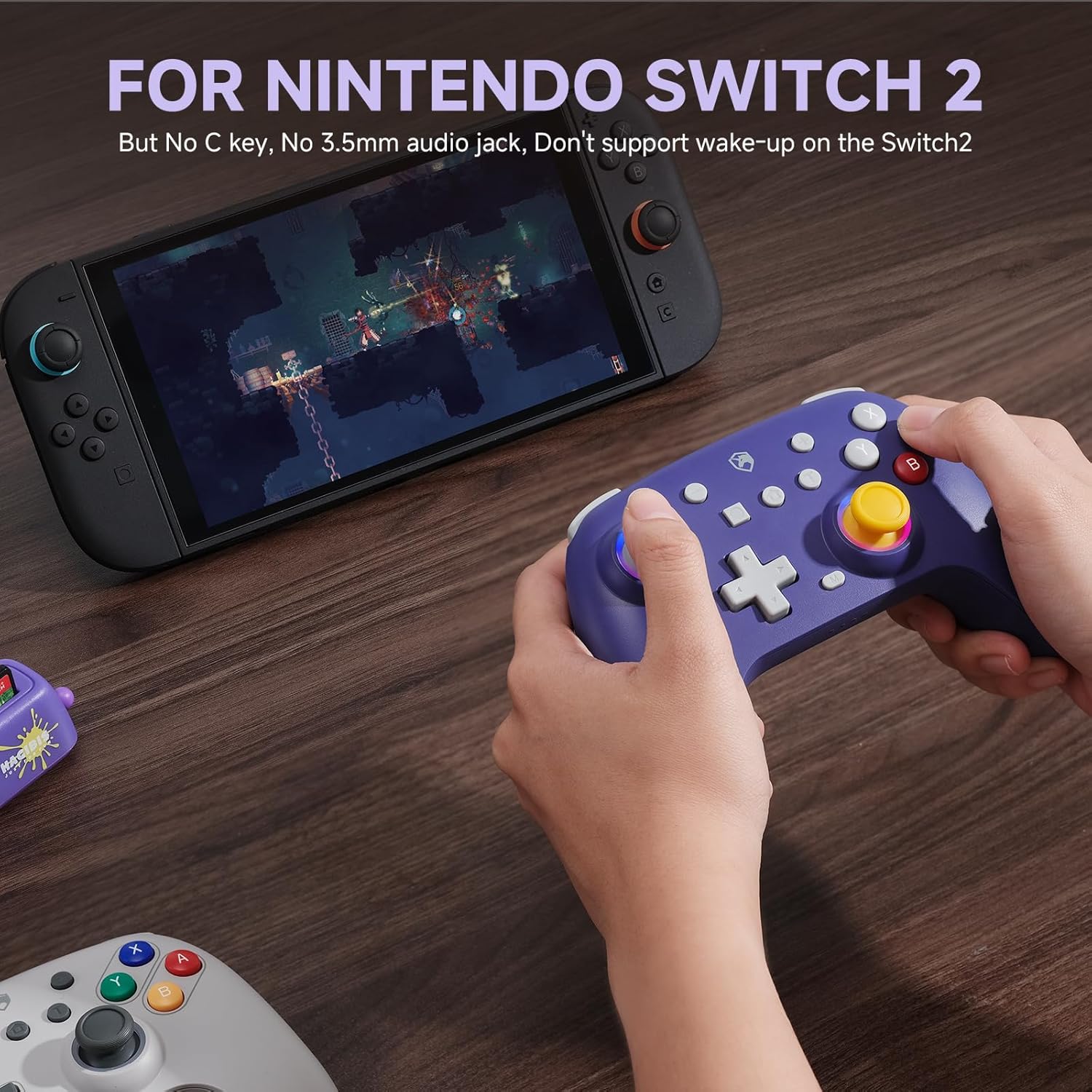
The ECHTPower controller in use with a Nintendo Switch console, demonstrating its compatibility. Note: This controller does not support the 'C' key, 3.5mm audio jack, or wake-up function on the Switch 2.
Instruccions de funcionament
Joysticks d'efecte Hall
The controller is equipped with Hall Effect joysticks, which use electromagnetic induction for precise and accurate control, significantly reducing the risk of joystick drift. This contactless design also contributes to a longer lifespan for the joysticks.

A visual representation highlighting the Hall Effect joystick technology, emphasizing its precision and durability.
Programmable Macro Functions
The controller features two programmable back buttons (M1 and M2) that allow you to assign complex sequences of actions or single button presses. This provides a competitive edge by enabling one-touch execution of intricate moves.
- To program a macro: Press the 'M' button (located near the bottom center of the controller) followed by the M1 or M2 button. Then input the sequence of buttons you wish to record. Press the 'M' button again to save.
- Refer to the detailed instructions in the included quick start guide for specific programming steps.

posterior view of the controller illustrating the location of the programmable M1 and M2 buttons.
Funcions Turbo
The Turbo function allows for rapid, repeated input of a button press, reducing fatigue during gameplay. It offers three adjustable speed settings.
- To activate Turbo: Press and hold the Turbo button (T) and then press the button you wish to apply Turbo to.
- To adjust Turbo speed: While holding the Turbo button, move the right joystick up or down to cycle through the three speed settings.

A user holding the controller, with a visual overlay indicating the Turbo function's benefit in reducing repetitive button presses.
Il·luminació RGB personalitzable
Personalize your controller with 9 unique RGB lighting effects and 4 different modes: Steady, Breathing, Running Horse, and Rainbow. Adjust colors and lighting to match your preference.
- To change RGB mode/color: Refer to the controller's specific button combinations for RGB adjustment, typically involving a dedicated light button or a combination with the 'M' button.
Doble vibració
Experience enhanced immersion with adjustable dual vibration motors, offering 4 different vibration intensity levels for realistic feedback during gameplay.

The controller shown with visual waves emanating from it, illustrating the dual vibration feature.
Funció de despertador
The controller supports a convenient wake-up feature. Simply press the "Home" button on the controller to bring your Nintendo Switch out of standby mode and resume gameplay directly.
Bateria i càrrega
The ECHTPower controller is equipped with an 800mAh rechargeable battery. A full charge typically takes 2-3 hours and provides approximately 8-16 hours of playtime, depending on usage and features enabled (e.g., RGB lighting, vibration intensity).
- To charge: Connect the controller to a power source (e.g., USB port on a console, PC, or wall adapter) using the provided USB-C cable. The indicator lights will show charging status.
- When the battery is low, the indicator lights will flash to alert you.
Manteniment
To ensure the longevity and optimal performance of your ECHTPower controller, follow these maintenance guidelines:
- Neteja: Feu servir un drap suau i sec per netejar el controlador. Per a la brutícia persistent, netegeu lleugerament.ampNetegeu el drap amb aigua o un netejador suau i no abrasiu. Eviteu la humitat excessiva.
- Emmagatzematge: Guardeu el controlador en un lloc fresc i sec, allunyat de la llum solar directa, de temperatures extremes i de la humitat.
- Càrrega: Do not overcharge the battery. Disconnect the charging cable once the controller is fully charged. Avoid completely draining the battery frequently.
- Manipulació: Eviteu deixar caure el controlador ni sotmetre'l a impactes forts, ja que això pot danyar els components interns.
Resolució de problemes
Joystick Drift Issues
While the Hall Effect joysticks are designed to prevent drift, improper connection procedures can sometimes lead to temporary drift. If you experience joystick drift, please follow the solution below:
Video demonstrating the cause and solution for joystick drift. It shows that pushing the joystick while connecting wirelessly can cause drift, and reconnecting without touching the joystick resolves the issue.
Solució: When connecting wirelessly, ensure you do not push or touch the joysticks. If drift occurs, disconnect the controller and then reconnect it, making sure the joysticks are in their neutral position during the connection process. This will recalibrate the joysticks and resolve the drift.

An image illustrating the warning: "Please Don't Touch the Joystick When Powering on and Connecting" to prevent drift issues.
Connection Instability / Disconnections
If the controller frequently disconnects or has trouble connecting, try the following:
- Assegureu-vos que el controlador estigui completament carregat.
- Move closer to the console/device to reduce interference.
- Remove any obstacles between the controller and the device.
- Torneu a vincular el controlador amb el vostre dispositiu.
- Update your console/device's system software to the latest version.
Macro/Turbo Functions Not Working
If programmable macros or turbo functions stop working unexpectedly, it may require remapping. Follow the programming instructions in the "Operating Instructions" section to re-assign your desired functions.
Controller Not Turning On / Charging Issues
If the controller does not turn on or charge, consider these steps:
- Ensure the charging cable is securely connected to both the controller and the power source.
- Try a different USB-C cable and/or a different power source.
- Allow the controller to charge for at least 30 minutes before attempting to turn it on again.
- If the controller has been completely drained, it might take a few minutes for the charging indicator to appear.
Especificacions
| Característica | Detall |
|---|---|
| Número de model | ES01PE |
| Capacitat de la bateria | Polímer de liti de 800 mAh (inclòs) |
| Hora de joc | 8-16 hores (aprox.) |
| Temps de càrrega | 2-3 hores (aprox.) |
| Connectivitat | Sense fil (Bluetooth), amb cable (USB-C) |
| Compatibilitat | Nintendo Switch, Nintendo Switch 2, iOS, Android, PC |
| Dimensions | 6.38 x 4.69 x 2.6 polzades |
| Pes | 9.5 unces |
Garantia i Suport
ECHTPower products are designed for quality and reliability. For any questions, technical support, or warranty inquiries, please contact ECHTPower customer service through the retailer where you purchased the product or visit the official ECHTPower weblloc per obtenir informació de contacte d'assistència.
Conserveu el vostre comprovant de compra per a reclamacions de garantia.


