1. Introducció
Thank you for choosing the DEERC Spider RC Car Transform Robot. This remote-controlled toy offers dynamic transformation between a high-speed car and an agile robot, featuring 2.4GHz control, 360-degree rotation, and one-key transformation. This manual provides essential information for safe operation, setup, and maintenance to ensure optimal performance and enjoyment.
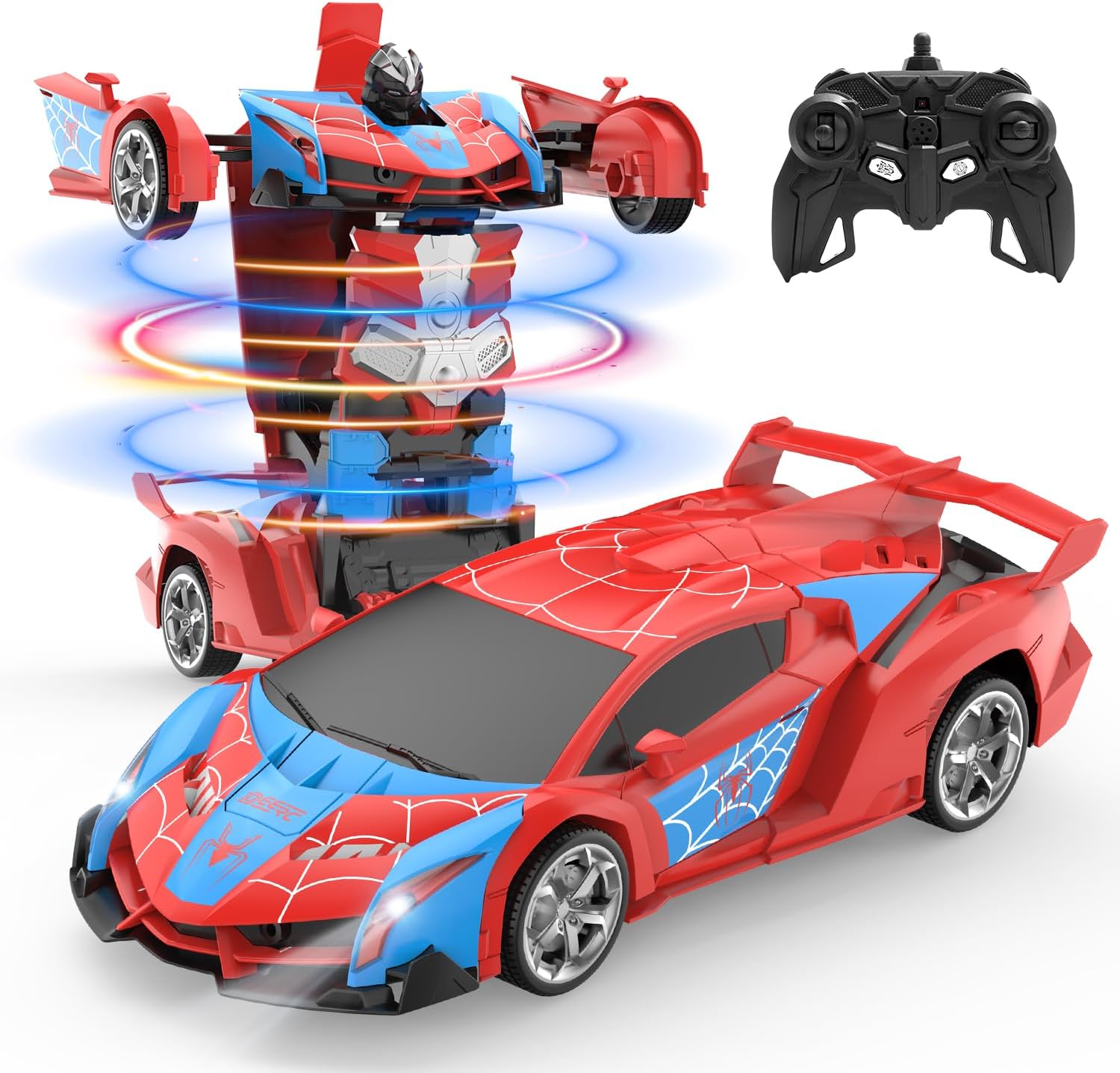
Image 1.1: The DEERC Spider RC Car Transform Robot in its car and robot configurations, alongside its remote control unit.
2. Informació de seguretat
Please read and understand all safety warnings before operating the product. Failure to follow these instructions may result in injury or damage to the product.
- Només per a ús extern. Do not ingest any parts of the toy or battery.
- Aquest producte es recomana per a nens de 8 anys o més. Es recomana la supervisió d'un adult per als usuaris més joves.
- Keep fingers, hair, and loose clothing away from moving parts, especially during transformation.
- Do not operate the toy near water or in wet conditions to prevent electrical damage.
- Use only the provided charging cable and battery. Do not attempt to charge non-rechargeable batteries.
- If the battery becomes hot during charging or use, discontinue use immediately.
- Avoid operating the toy in crowded areas or near obstacles that could cause collisions.
- Guardeu el producte en un lloc fresc i sec quan no l'utilitzeu.
3. Contingut del paquet
Verify that all items are present in the package before beginning setup.
- DEERC Spider RC Car Transform Robot
- Control remot
- Rechargeable Lithium Ion Battery (for the toy)
- Cable de càrrega USB
- Tornavís
- Manual del producte (aquest document)

Image 3.1: All components included in the DEERC Spider RC Car Transform Robot package.
4. Configuració
4.1. Charging the Toy Battery
- Locate the rechargeable Lithium Ion battery and the USB charging cable.
- Connecteu la bateria al cable de càrrega USB.
- Connecteu l'extrem USB del cable a un adaptador de corrent USB estàndard (no inclòs) o a un port USB de l'ordinador.
- The indicator light on the USB cable will illuminate during charging and turn off or change color when fully charged.
- La càrrega sol trigar aproximadament entre 60 i 90 minuts. No la carregueu massa.
4.2. Installing the Toy Battery
- Using the provided screwdriver, open the battery compartment on the underside of the toy.
- Carefully insert the fully charged battery into the compartment, ensuring correct polarity.
- Tanqueu el compartiment de la bateria i fixeu-lo amb el cargol.
4.3. Instal·lació de les bateries del comandament a distància
- Obriu el compartiment de la bateria a la part posterior del comandament a distància.
- Insert two 1.5V 'AA' batteries (not included), observing the correct polarity (+/-).
- Tanqueu el compartiment de la bateria de manera segura.
4.4. Vinculació del comandament a distància
- Ensure the toy's battery is installed and the toy is powered off.
- Engegueu el comandament a distància. L'indicador lluminós del comandament a distància parpellejarà.
- Turn on the toy. The toy's indicator light will also flash.
- Within a few seconds, both indicator lights should become solid, indicating successful pairing. If pairing fails, turn off both devices and repeat the process.
5. Instruccions de funcionament
Familiarize yourself with the remote control functions before operating the toy.
5.1. Basic Movement
- Endavant: Empenyeu el joystick esquerre cap endavant.
- Enrere: Estireu el joystick esquerre cap enrere.
- Giri a l'esquerra: Empenyeu el joystick dret cap a l'esquerra.
- Giri a la dreta: Empenyeu el joystick dret cap a la dreta.
5.2. One-Key Transformation
Press the dedicated transformation button on the remote control to switch between car mode and robot mode. The toy will automatically perform the transformation sequence.

Image 5.1: Visual representation of the one-key transformation feature.
5.3. Rotació de 360°
In either car or robot mode, use specific joystick combinations (refer to remote control diagram if available) or a dedicated button to initiate a 360-degree spin. This feature allows for dynamic maneuvers.

Image 5.2: The robot performing a 360-degree rotation.
5.4. Mode automàtic
Press the 'Auto Mode' button on the remote control to activate an automatic demonstration sequence. The toy will showcase its transformation and movement capabilities independently.
5.5. Llums LED
The toy features integrated LED lights that illuminate during operation and transformation, enhancing the visual experience.
6. Manteniment
6.1. Neteja
- Wipe the toy with a soft, dry cloth to remove dust and dirt.
- Do not use water or chemical cleaners, as this can damage electronic components.
6.2. Emmagatzematge
- When not in use for extended periods, remove batteries from both the toy and the remote control.
- Store the toy and remote in a cool, dry place, away from direct sunlight and extreme temperatures.
6.3. Material Durability
The toy is constructed from durable ABS plastic and features robust rubber tires designed for longevity and smooth transformation.
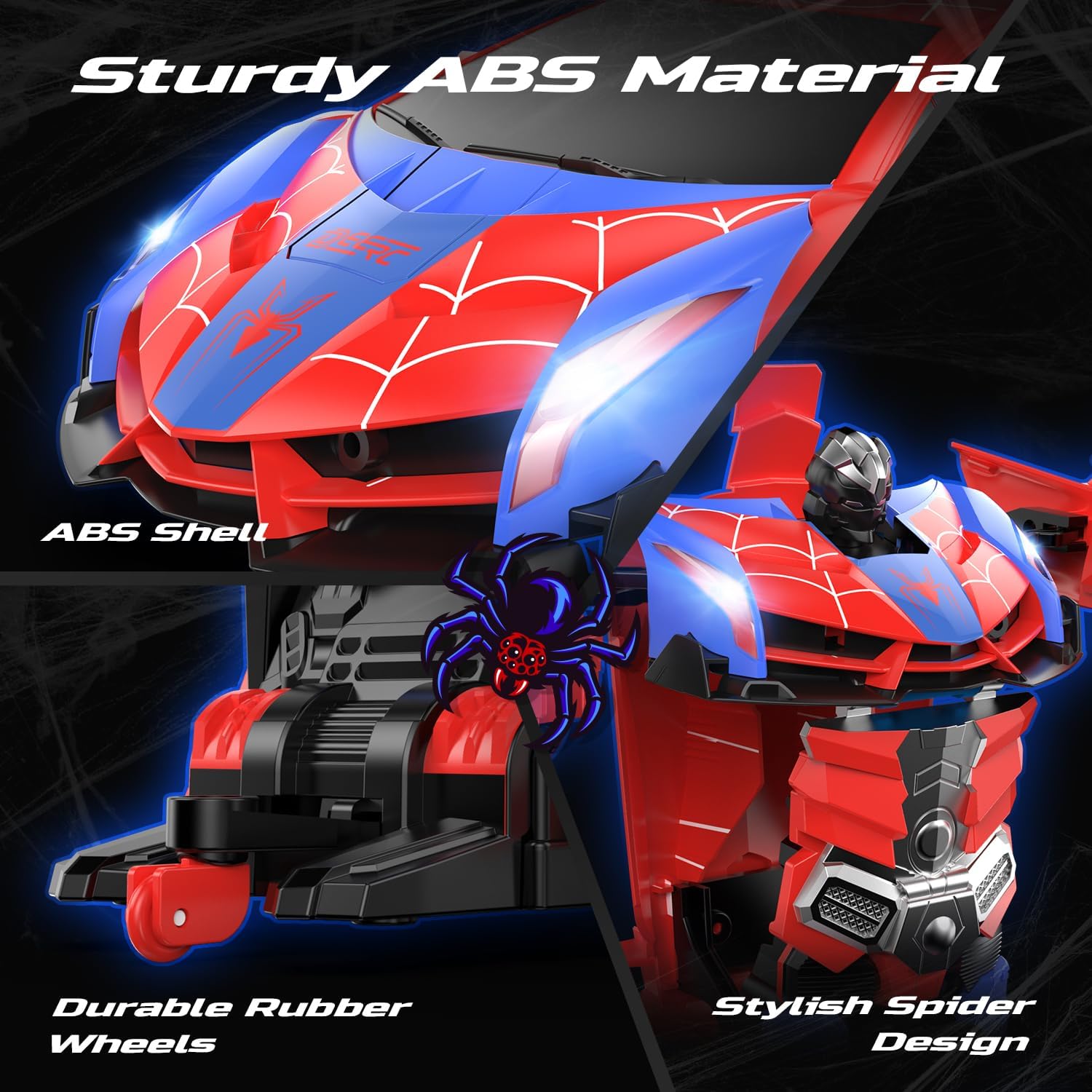
Image 6.1: Details of the toy's durable ABS material and rubber wheels.
7. Solució De Problemes
If you encounter issues with your DEERC Spider RC Car Transform Robot, refer to the following common problems and solutions:
| Problema | Causa possible | Solució |
|---|---|---|
| Toy does not respond to remote control. | Low battery in toy or remote; pairing failure; interference. | Charge toy battery fully. Replace remote control batteries. Re-pair the remote and toy (Section 4.4). Ensure no other 2.4GHz devices are causing interference. |
| Temps de funcionament curt. | Bateria no completament carregada; bateria envellida. | Ensure the battery is fully charged before each use. Consider purchasing a spare battery for extended playtime. |
| Transformation is not smooth or incomplete. | Obstrucció; desalineació del mecanisme. | Ensure no debris is blocking the moving parts. Gently assist the transformation if minor tweaking is needed, but do not force it. |
| Toy moves slowly or erratically. | Low battery; damaged motor/gears. | Charge toy battery. If the problem persists after charging, contact customer support. |
8. Especificacions
- Dimensions del producte: 9.05 x 3.74 x 2.36 polzades
- Pes de l'article: 14.6 unces
- ASIN: B0D9M3W6GL
- Edat recomanada pel fabricant: 8 anys i més
- Bateries: 1 Lithium Ion battery (included) for toy, 2 AA batteries (not included) for remote.
- Freqüència de control: 2.4 GHz
- Fabricant: DEERC
9. Garantia i Suport
DEERC products are designed for quality and performance. For any questions, technical assistance, or warranty claims, please contact DEERC customer support. Refer to the product packaging or the official DEERC weblloc web per obtenir la informació de contacte més actualitzada.
Si us plau, conserveu el comprovant de compra per motius de garantia.


