Introducció
The MAONO PS22 Lite USB Audio Interface is a compact and powerful device designed for high-quality audio recording, podcasting, streaming, and music production. It offers professional-grade sound capture with a 24-bit/192kHz sample rate and a 106dB dynamic range, ensuring clear and realistic audio.
This interface is equipped with an XLR input for microphones, including support for condenser microphones with 48V phantom power, and a dedicated instrument input for guitars. Its intuitive design and plug-and-play compatibility with various operating systems make it suitable for both beginners and experienced content creators.

Figura 1: Frontal view of the MAONO PS22 Lite USB Audio Interface.
Contingut del paquet
Abans de començar, assegureu-vos que tots els elements estiguin presents al paquet:
- MAONO PS22 Lite USB Audio Interface
- Cable USB-A/USB-C a USB-C
- Manual d'usuari (aquest document)
Configuració
1. Connexió a l'ordinador
The MAONO PS22 Lite is designed for plug-and-play functionality with most operating systems. Use the provided USB-A/USB-C to USB-C cable to connect the interface to your computer's USB port. The device is powered directly via the USB connection, eliminating the need for an external power adapter.

Figure 2: The MAONO PS22 Lite is widely compatible with computers, phones, and tablets.
2. Driver Installation (Optional but Recommended)
While the device is plug-and-play, installing the dedicated ASIO drivers and ProStudio Routing Software (Windows only) is recommended for optimal performance, lower latency, and access to advanced routing features. Please refer to the MAONO official weblloc web per a la descàrrega dels controladors més recents.
3. Connexió de micròfons i instruments
- XLR Microphone: Connect your XLR microphone to the MIC/LINE input. For condenser microphones, press the 48 V button to activate phantom power.
- instrument: Connect your guitar or other instrument to the INST input.
- Monitors: Use the MONITOR outputs to connect to your studio monitors or ampmés viu.
- Auriculars: Plug your headphones into the 3.5mm headphone jack located on the side of the unit for direct monitoring.
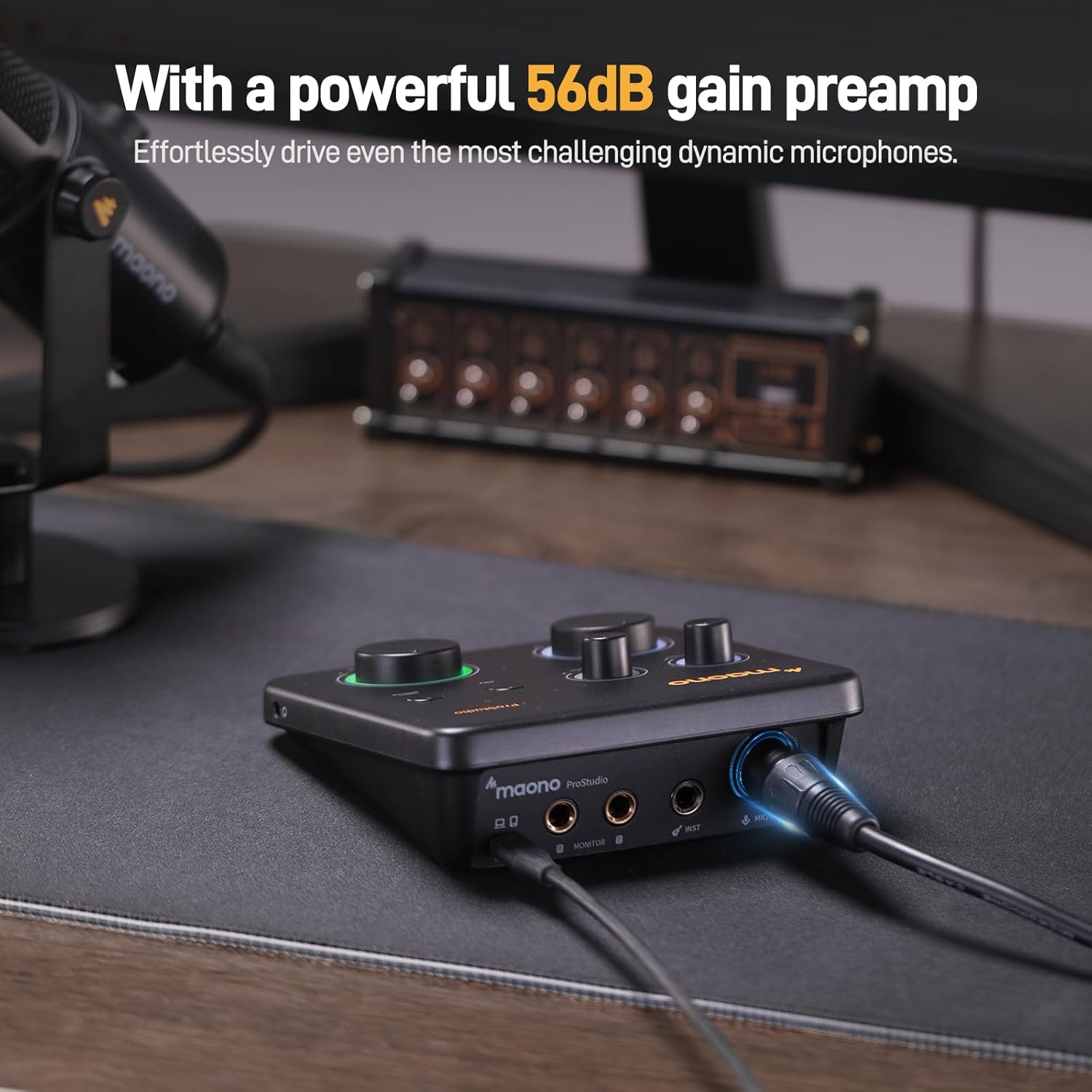
Figure 3: Connecting an XLR microphone to the interface.

Figure 4: A user playing guitar connected to the MAONO PS22 Lite.
Funcionament de la interfície
Controls i indicadors
| Control/indicador | Funció |
|---|---|
| MIC/LINE GAIN Knob | Adjusts the input level for the microphone or line-level source. The surrounding light ring indicates input status (red for clipping). |
| INST GAIN Knob | Adjusts the input level for instruments connected to the INST input. |
| Botó 48V | Activa l'alimentació phantom de +48 V per a micròfons de condensador. |
| DIRECT MONITOR Button | Enables direct monitoring, allowing you to hear your input signal through headphones without latency from your computer. |
| MONITOR Knob | Controls the output volume for your studio monitors. |
| HEADPHONES Knob | Controls the output volume for your headphones. |
| Dynamic Light Ring | Indica l'estat de la connexió: Blau for powered but no data connection, Lila for USB data connection in Instrument Stream Mode, Verd for USB data connection detected. |

Figure 5: Dynamic light ring indicating connection status.

Figure 6: The 3.5mm headphone jack is conveniently located on the side for easy access and direct monitoring.
ProStudio Routing Software (Windows Only)
The included ProStudio Routing Software provides advanced control over your audio routing, virtual channels, and loopback functions. This is particularly useful for live streamers and content creators who need to mix audio from multiple applications or sources with ultra-low latency via ASIO drivers.

Figure 7: The ProStudio Routing Software allows for multi-channel control and ultra-low latency audio mixing.

Figure 8: Loopback functionality provides creative freedom to remix and overlay tracks effortlessly.
Manteniment
To ensure the longevity and optimal performance of your MAONO PS22 Lite USB Audio Interface, follow these general maintenance guidelines:
- Mantingueu el dispositiu net netejant-lo amb un drap suau i sec. Eviteu utilitzar productes químics agressius o materials abrasius.
- Store the interface in a cool, dry place away from direct sunlight and extreme temperatures.
- Protect the knobs and buttons from excessive force or impact.
- Eviteu vessar líquids al dispositiu.
- When not in use, disconnect the cables to prevent strain on the ports.
Resolució de problemes
If you encounter any issues with your MAONO PS22 Lite, please refer to the following common troubleshooting tips:
| Problema | Possible solució |
|---|---|
| Audio crackles or pops |
|
| Chirping sound or audio artifacts |
|
| Microphone input is too loud/clipping (red light on gain knob) |
|
| No sound from headphones/monitors |
|
Official Product Videos for Troubleshooting and Setup
For visual guidance on setup and understanding features, please refer to the following official MAONO videos:
Video 1: "MAONO USB Audio Interface - Should you get it?" This video provides an overview of the interface and its features, which can be helpful for understanding basic setup and functionality.
Video 2: "Maono ProStudio Lite Review - Simple Setup for Recording." This video demonstrates a simple setup for recording, which can assist with initial connection and configuration.
Especificacions
| Característica | Detall |
|---|---|
| Model | PS22 Lite Black |
| Dimensions (L x A x A) | 6.29 x 5.19 x 2 polzades |
| Pes | 15.1 unces |
| Connectivitat | USB-C |
| Nombre de canals | 2 (XLR/TRS Combo, Instrument) |
| Resolució de gravació | 24 bits / 192 kHz |
| Interval dinàmic | 106 dB |
| Pref. Micròfonamp Guanyar | Fins a 56 dB |
| Poder fantasma | +48V |
| Sistemes operatius compatibles | Windows, macOS, iOS, Android, ChromeOS |
| DAW compatibles | Avid Pro Tools, Ableton Live, Steinberg Cubase, Studio One, Logic Pro, Nuendo, Reaper, Audacity, Adobe Audition |
Garantia i Suport
MAONO is committed to providing excellent customer service and product support. Your MAONO PS22 Lite USB Audio Interface comes with the following:
- Reemplaçament de 365 dies: Enjoy peace of mind with a full year replacement policy.
- Suport tècnic de per vida: Access dedicated technical assistance for the lifetime of your product.
- 7/24H Customer Support: Our customer support team is available around the clock to assist you.
- One-to-One Debugging: Receive personalized debugging assistance from professional staff.
For further assistance, please visit the official MAONO weblloc web o contacteu directament amb el seu servei d'atenció al client.