Introducció
The PowerA Battle Dragon Advanced Wireless Controller is designed for an enhanced gaming experience across multiple platforms. It offers versatile connectivity options including 2.4GHz wireless for PC, wired USB-C, and Bluetooth for Android devices, tablets, and smart TVs. This controller features magnetic Hall effect triggers, mechanical switches, mappable advanced gaming buttons, and adjustable trigger locks to provide precise control and customization.
Característiques del producte
- Compatibilitat multiplataforma: Optimized for PC desktops and laptops, cloud gaming devices, compatible Smart TVs, and Android smartphones and tablets.
- Triple connectivitat: Connect via wired USB-C, 2.4 GHz wireless for PC, or Bluetooth for Android devices.
- Hall Effect Technology: Integrated Hall Effect sensors in thumbsticks provide accurate response with anti-drift technology. Hall sensor triggers offer a precise feel for racing and shooting games.
- Interruptors mecànics: ABXY, D-PAD, and LB/RB buttons feature mechanical switches for tactile feedback.
- Adjustable Height Analog Sticks: Customize thumbstick height by twisting to suit individual gaming styles.
- Mappable Buttons: Four advanced gaming buttons can be mapped for personalized control.
- 3-Way Trigger Locks: Adjustable trigger locks allow for shorter trigger pulls and faster response in compatible games.
- Botó Turbo: Program the Turbo feature to ABXY, LB/RB, Select/Start buttons to reduce hand fatigue.
- Dual-Rumble Motors: Proporciona una resposta hàptica immersiva durant el joc.
- Bateria recarregable: Integrated 800mAh battery offers up to 30 hours of playtime, rechargeable via USB-C.
- Analog Caps: Non-slip removable caps enhance accuracy and sensitivity.
- Suport de l'aplicació: Use the free PowerA Battle Dragon App for testing, calibration, and customization (supports wired USB-C and 2.4GHz Wireless only).
Contingut del paquet
- PowerA Battle Dragon Advanced Wireless Controller
- Adaptador sense fil USB de 2.4 GHz
- Cable de càrrega USB-C
- Adjustable Height Analog Stick Caps (pre-installed or included separately)
- Manual d'instruccions (aquest document)
Disseny del controlador
Familiarize yourself with the various buttons and components of your PowerA Battle Dragon Advanced Wireless Controller.
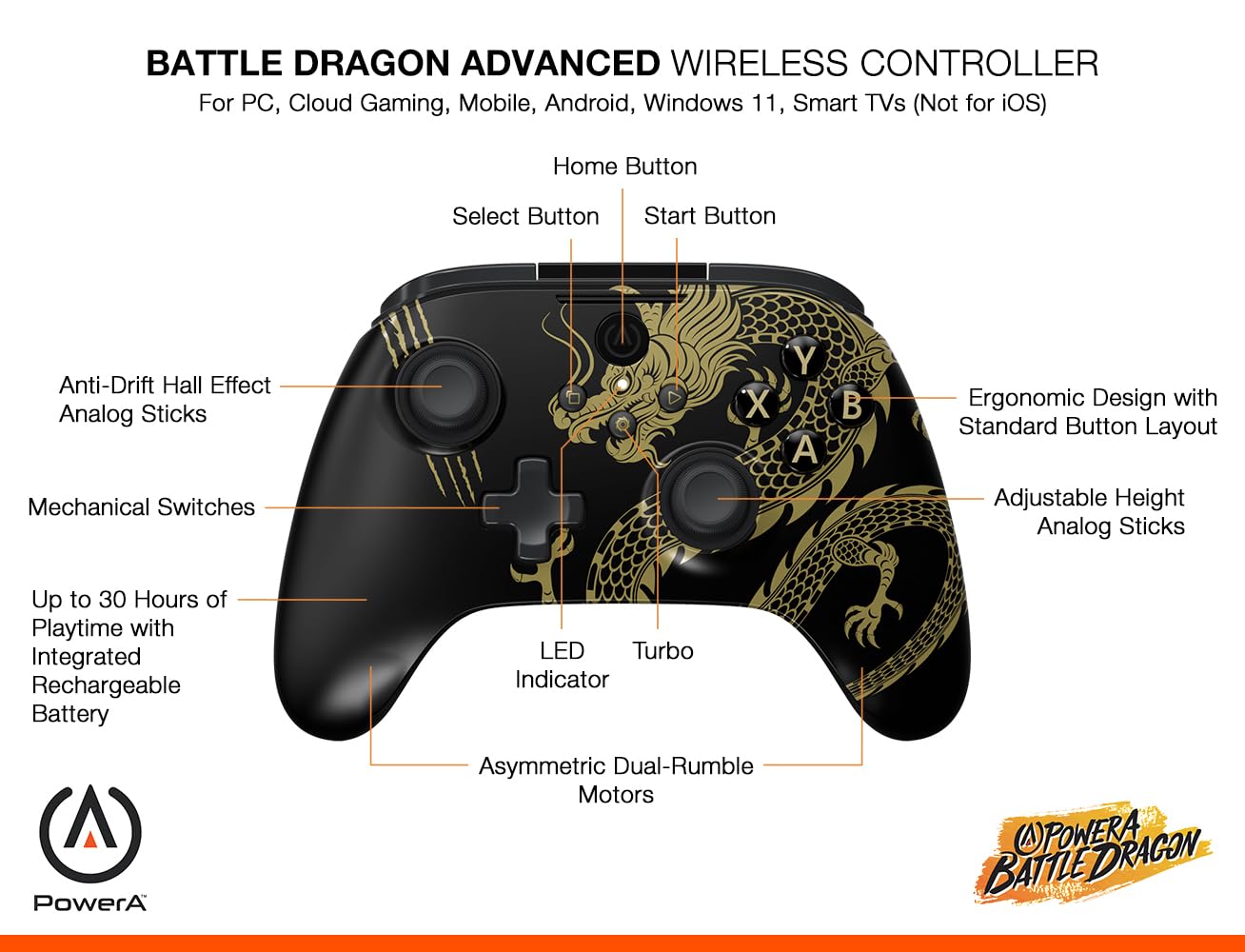
Imatge: Davant view of the controller, highlighting the Home, Select, Start buttons, Anti-Drift Hall Effect Analog Sticks, Mechanical Switches, LED Indicator, Turbo button, Asymmetric Dual-Rumble Motors, Ergonomic Design, and Adjustable Height Analog Sticks.

Imatge: Enrere view of the controller, showing Hall Sensor Triggers, Three-Way Trigger Locks, Mappable Advanced Gaming Buttons, Textured Grips, Program Button, Battery Indicator, and Sync button. It also indicates connectivity options via Bluetooth, USB, or 2.4GHz Wireless.
Configuració
1. Càrrega del controlador
Before initial use, fully charge the controller. Connect the included USB-C cable to the controller's USB-C port and the other end to a powered USB port (e.g., PC, USB wall adapter). The LED indicator will show charging status and turn off when fully charged. A full charge provides up to 30 hours of playtime.

Imatge: The controller is shown with an overlay indicating up to 30 hours of playtime with its rechargeable battery.
2. Connecting to PC (Wired or 2.4GHz Wireless)
The controller offers two methods for PC connection:
- USB-C amb cable: Connect the USB-C cable directly from the controller to an available USB port on your PC. The controller will be recognized automatically.
- Sense fil de 2.4 GHz: Insert the 2.4GHz USB wireless dongle into an available USB port on your PC. Power on the controller. The controller should automatically pair with the dongle. If not, press the Sync button on the back of the controller and the button on the dongle to initiate pairing.

Imatge: A visual representation of the three connectivity options: PC Low-Latency 2.4GHz, Bluetooth for other devices, and Wired USB-C for PC.
3. Connecting to Android Devices / Smart TVs (Bluetooth)
Per connectar-se mitjançant Bluetooth:
- Assegureu-vos que el controlador estigui encès.
- Activate Bluetooth pairing mode on the controller by pressing and holding the Sync button on the back until the LED indicator flashes rapidly.
- On your Android device or Smart TV, navigate to Bluetooth settings and search for available devices.
- Select "PowerA Battle Dragon Controller" (or similar name) from the list to pair. The LED indicator on the controller will become solid when connected.
Note: This controller is not compatible with iOS devices.

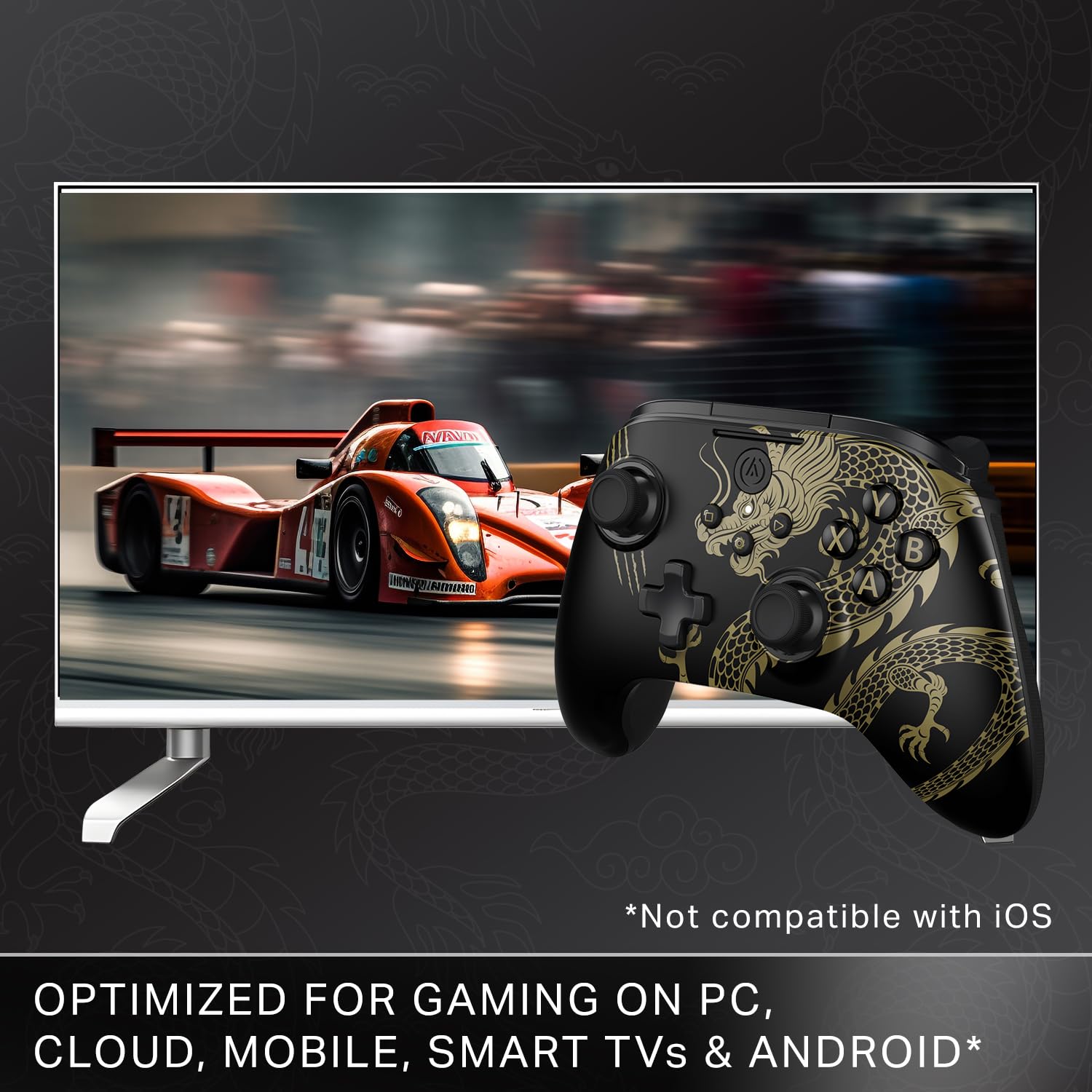
Imatge: The controller is shown next to a television, illustrating its compatibility with PC, cloud, mobile, Smart TVs, and Android, with a clear disclaimer about iOS incompatibility.
Funcionament
Mode Switching (X-Input / D-Input)
The controller defaults to X-Input mode. To switch to D-Input mode, press the SELECCIONA i COMENÇA buttons simultaneously for 3 seconds. The LED indicator will flash 3 times to confirm the mode change.

Imatge: A diagram illustrating the process of switching controller modes. It shows the Select and Start buttons and explains that pressing them simultaneously for 3 seconds changes the mode, indicated by three LED flashes.
Mappable Advanced Gaming Buttons
The controller features four mappable Advanced Gaming Buttons (AGB) on the back. To map a button:
- Premeu el botó PROGRAMA button on the back of the controller. The LED indicator will flash.
- Press the button you wish to map (e.g., A, B, X, Y, LB, RB, LT, RT, D-pad, L3, R3).
- Press one of the four Advanced Gaming Buttons (AGB1, AGB2, AGB3, AGB4) to assign the function. The LED indicator will stop flashing, confirming the mapping.

Imatge: The rear of the controller is shown, emphasizing the four mappable Advanced Gaming Buttons and the 3-way Trigger Locks.
Bloqueigs de disparador de 3 vies
Adjust the physical switches next to the triggers on the back of the controller to set the trigger pull depth. This allows for shorter trigger travel, providing faster response times in games like first-person shooters.
Botó Turbo
The Turbo feature allows a button to be repeatedly pressed automatically when held down. To activate Turbo:
- Manteniu premut el botó TURBO botó.
- Mentre aguanta TURBO, press the desired button (ABXY, LB/RB, Select/Start) to assign the Turbo function.
- Release both buttons. The assigned button will now activate Turbo when held.
- To disable Turbo for a button, repeat the process.
Adjustable Height Analog Sticks
The analog sticks can be adjusted in height to match your preference. Simply twist the top of the analog stick to raise or lower its height. This customization can improve comfort and precision.

Imatge: Un primer pla view of an analog stick with arrows indicating a twisting motion for quick height adjustment.
App Support for Customization
Download the free PowerA Battle Dragon App (PC HQ App) to test, calibrate, and customize your controller settings. The app supports wired USB-C and 2.4GHz wireless connections only.

Imatge: A screenshot of the PowerA PC HQ App, demonstrating its interface for testing, calibrating, and troubleshooting controller issues like stick drift and dead zones. A QR code for app download is also visible.
Scan this QR code to download the PowerA PC HQ App: Enllaç de descàrrega de l'aplicació
Manteniment
- Neteja: Feu servir un drap suau i sec per netejar el controlador. Eviteu productes de neteja o dissolvents abrasius.
- Emmagatzematge: Guardeu el controlador en un lloc fresc i sec, allunyat de la llum solar directa i de temperatures extremes.
- Cura de la bateria: Per allargar la durada de la bateria, eviteu descarregar completament el controlador amb freqüència. Carregueu-lo regularment, fins i tot si no l'utilitzeu durant períodes prolongats.
- Manets analògics: The non-slip removable analog caps can be cleaned or replaced if worn.
Resolució de problemes
- El controlador no es connecta:
- Assegureu-vos que el controlador estigui carregat.
- For 2.4GHz wireless, ensure the USB dongle is securely inserted and the controller is in pairing mode.
- For Bluetooth, ensure Bluetooth is enabled on your device and the controller is in pairing mode.
- Try connecting via wired USB-C to rule out wireless issues.
- Deriva del stick o entrada incorrecta:
- Use the PowerA Battle Dragon App (PC HQ App) to calibrate the analog sticks and check for dead zones.
- Ensure the analog stick caps are properly seated.
- Botons que no responen:
- Check if the controller is in the correct input mode (X-Input/D-Input) for your game.
- Assegureu-vos que no hi hagi deixalles que obstrueixin els botons.
- Durada de la bateria curta:
- Assegureu-vos que el controlador estigui completament carregat abans d'utilitzar-lo.
- Reduce rumble intensity if possible through game settings or the app, as this consumes more power.
Especificacions
| Número de model | PCGP0403-01 |
| Connectivitat | 2.4GHz Wireless, Bluetooth, Wired USB-C |
| Bateria | Polímer de liti de 800 mAh (recarregable) |
| Hora de joc | Fins a 30 hores (amb una única càrrega) |
| Dimensions (LxWxH) | 15.6 x 10.8 x 6.3 cm |
| Pes | 270 g |
| País d'origen | Xina |
Informació de la garantia
This PowerA Battle Dragon Advanced Wireless Controller comes with a Two-Year Limited Warranty. Please retain your proof of purchase for warranty claims. For full warranty terms and conditions, refer to the official PowerA weblloc o contacteu amb el servei d'atenció al client.
Atenció al client
For further assistance, technical support, or warranty inquiries, please contact PowerA customer care:
- Correu electrònic: india.info@acco.com
- Assistència en línia: Visit the PowerA support portal to submit a case request: www.powera.com/support/submit-case-request/
Imatge: PowerA Customer Care Contact details, including an email address and a link to their support page, accompanied by a QR code for easy access.
Scan this QR code to submit a support request: Support Request Link


