1. Introducció
Gràcies per la compraasing the Jazmm CD-W16 Boombox CD Cassette Player. This device offers multiple audio playback options including CD, cassette, FM radio, Bluetooth, USB, TF card, and AUX-IN. It features a built-in rechargeable battery for portable use and comes with a remote control for convenience. Please read this manual thoroughly to understand the proper operation and care of your new device.

Figura 1.1: Jazmm CD-W16 Boombox with remote control and a visual indicator of its 5000mAh rechargeable battery.
2. Instruccions de seguretat importants
Per garantir un funcionament segur i evitar danys, observeu les precaucions següents:
- No exposeu la unitat a la pluja ni a la humitat per evitar incendis o descàrregues elèctriques.
- No bloquegeu cap obertura de ventilació. Instal·leu-ho d'acord amb les instruccions del fabricant.
- No instal·leu a prop de cap font de calor com ara radiadors, registres de calor, estufes o altres aparells (inclosos amplificadors) que produeixen calor.
- Eviteu que el cable d'alimentació sigui trepitjat o pessigat, especialment als endolls, els endolls i el punt on surten de l'aparell.
- Utilitzeu només accessoris/accessoris especificats pel fabricant.
- Desendolleu aquest aparell durant les tempestes amb llamps o quan no l'utilitzeu durant llargs períodes de temps.
- Demaneu tot el servei a personal de servei qualificat. Cal fer servei quan l'aparell s'hagi fet malbé d'alguna manera.
- No obriu la c.asing. No hi ha peces que l'usuari pugui reparar a l'interior.
3. Producte acabatview i Components
The Jazmm CD-W16 is a versatile audio system designed for various playback needs. It integrates multiple functions into a single portable unit.
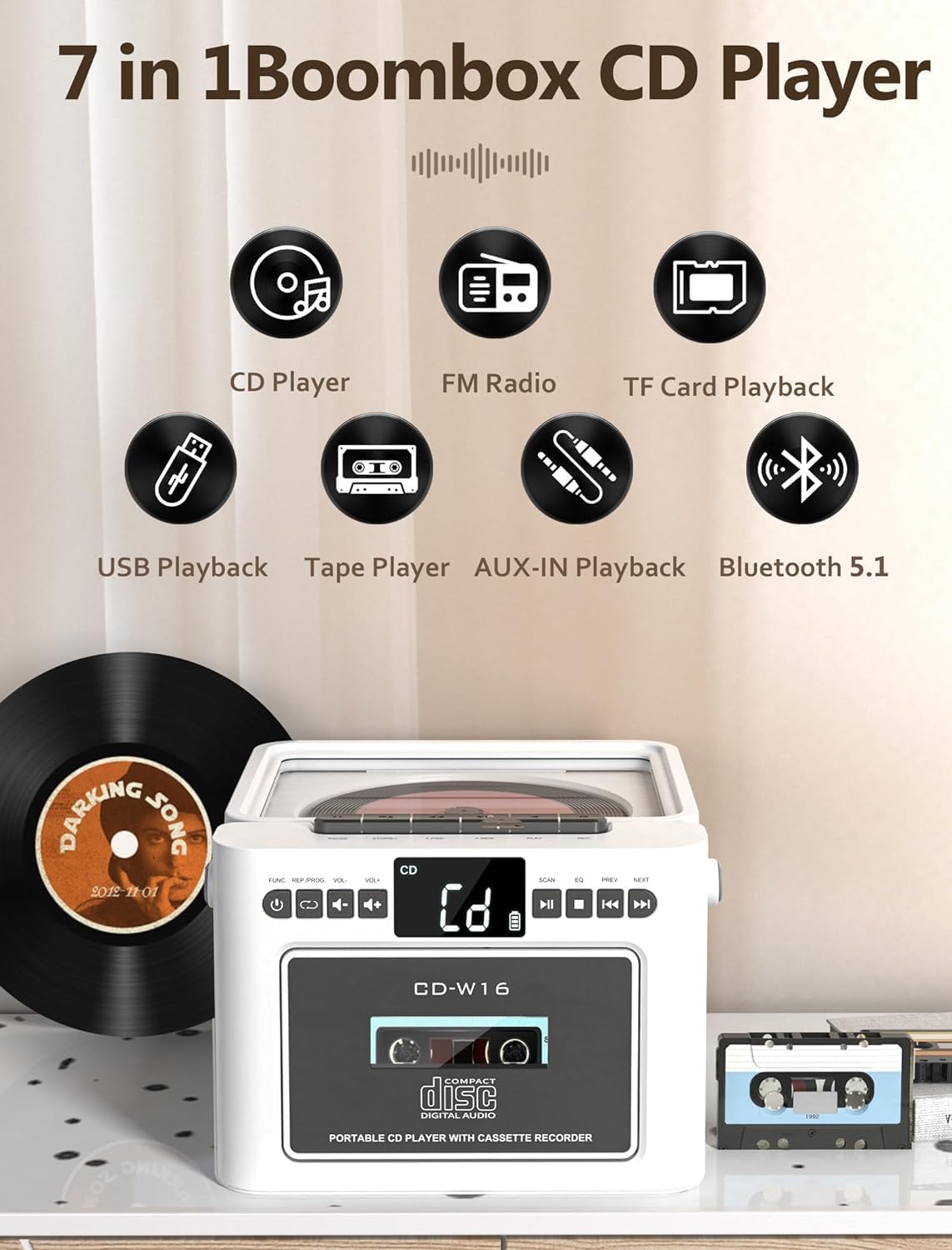
Figura 3.1: Acabatview of the 7-in-1 functions: CD Player, FM Radio, TF Card Playback, USB Playback, Tape Player, AUX-IN Playback, and Bluetooth 5.1.
3.1 Controls del panell frontal
- POWER/MODE Button: Turns the unit on/off and switches between modes (CD, Tape, FM, Bluetooth, USB, TF, AUX).
- Botons de VOLUM +/-: Ajusta el nivell de sortida d'àudio.
- Botó REPRODUCIR/PAUSA: Inicia o posa en pausa la reproducció.
- Botó STOP: Atura la reproducció.
- SKIP/SEARCH Buttons (PREV/NEXT): Salta pistes o cerca dins d'una pista.
- Botó SCAN: For FM radio auto-scanning.
- Botó EQ: Passa ciclísticament pels preajustos de l'equalitzador.
- Compartiment de CD: Per inserir discos compactes.
- Compartiment de casset: Per inserir cassets d'àudio.
3.2 Rear/Side Panel Connections
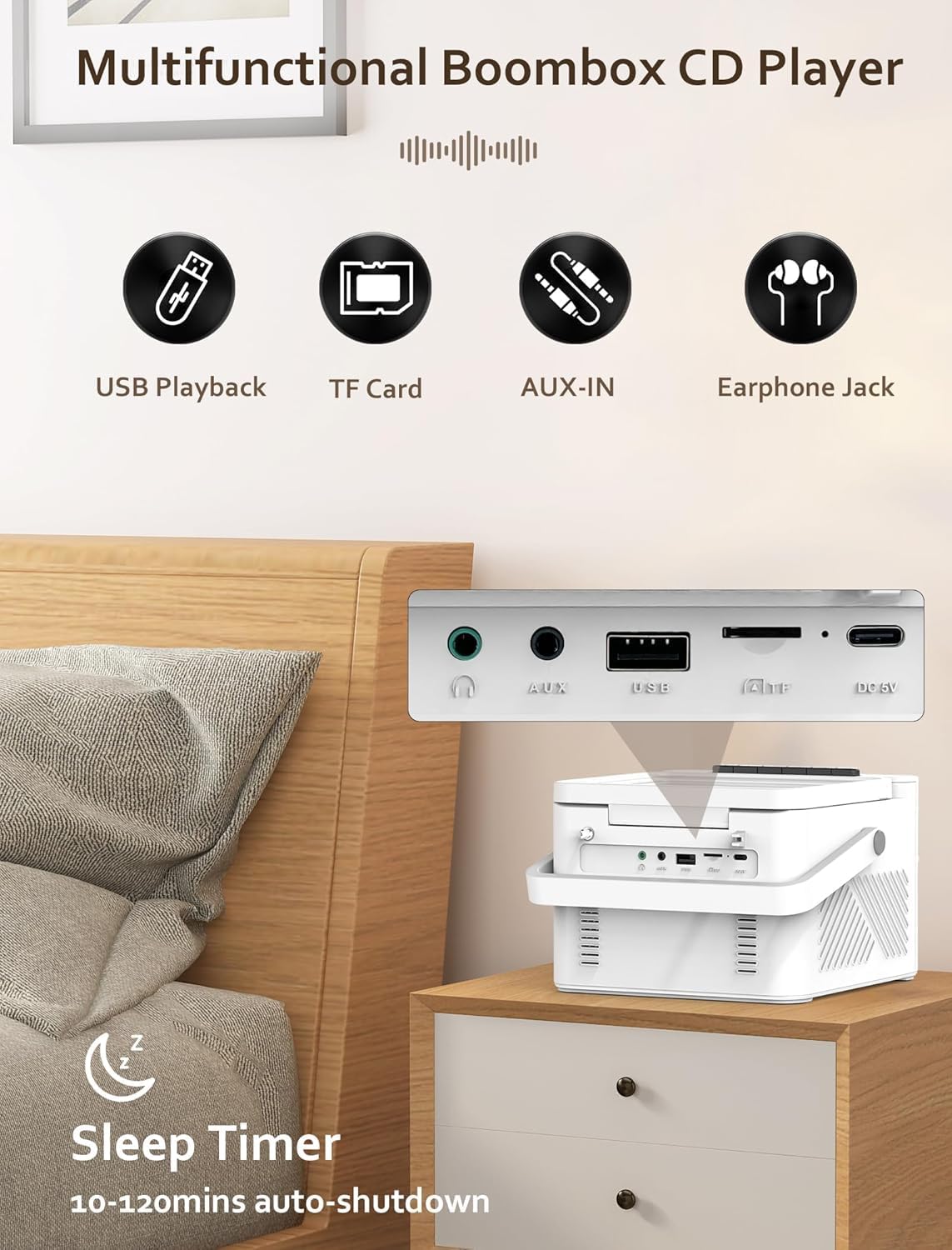
Figura 3.2: posterior view displaying the USB port, TF card slot, AUX-IN jack, and DC 5V charging port. Also shows the 3.5mm headphone jack on the side.
- Port USB: Per a la reproducció des d'una unitat flaix USB.
- Ranura per a targetes TF: Per a la reproducció de targetes Micro SD.
- Presa AUX-IN: Per connectar dispositius d'àudio externs.
- Entrada DC 5V: Port tipus C per carregar la bateria interna.
- Presa d'auriculars de 3.5 mm: Per a una escolta privada.
- Antena FM: Extendable antenna for radio reception.
3.3 Control remot
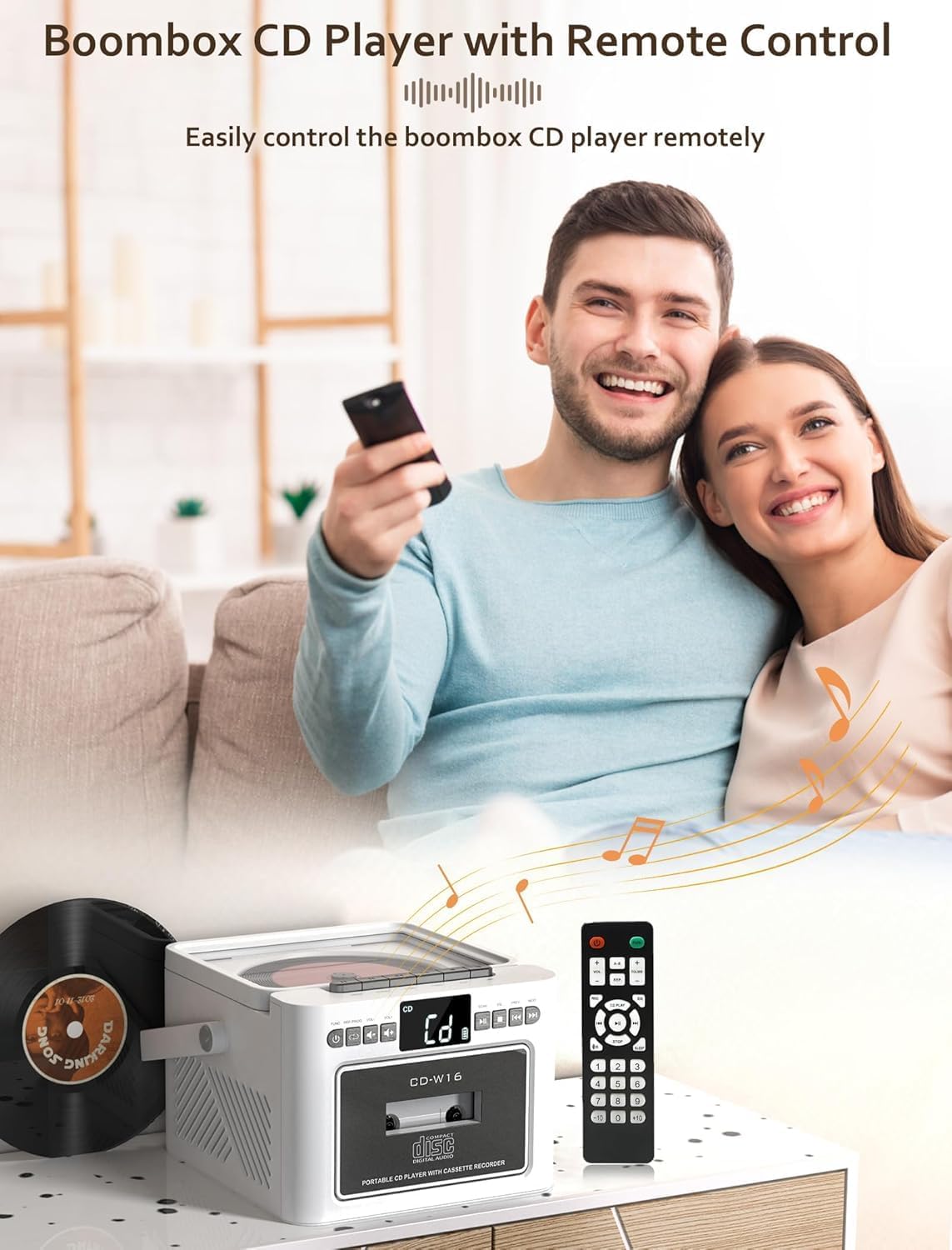
Figura 3.3: The Jazmm CD-W16 Boombox shown with its included remote control, enabling convenient operation from a distance.
The remote control allows for convenient operation of all major functions from a distance. Ensure the remote control's line of sight to the boombox is clear for optimal performance.
4. Configuració
4.1 Engegar la unitat
The Jazmm CD-W16 can be powered by its internal rechargeable battery or via a Type-C 5V/2A power adapter.

Figura 4.1: The 5000mAh rechargeable battery can be charged using a Type-C 5V adapter, power bank, or car charger.
- Càrrec inicial: Before first use, fully charge the boombox for approximately 5-8 hours. Connect the provided Type-C cable to the DC 5V input on the unit and the other end to a compatible USB power adapter (not included).
- Durada de la bateria: A full charge provides approximately 5-8 hours of playback, depending on volume and mode.
- Encès/apagat: Manteniu premut el botó POTÈNCIA / MODE botó per encendre o apagar la unitat.
4.2 Extending the FM Antenna
For optimal FM radio reception, fully extend the telescopic antenna located on the rear of the unit.
5. Funcionament
5.1 Canvi de modes
Premeu el botó POTÈNCIA / MODE button repeatedly to cycle through the available playback modes: CD, TAPE, FM, BT (Bluetooth), USB, TF, AUX-IN.
5.2 Reproducció de CD
- Obriu la tapa del compartiment del CD.
- Place a CD (CD/CDR/CDRW/MP3/WMA format) onto the spindle with the label side facing up.
- Close the CD compartment lid securely.
- Premeu el botó POTÈNCIA / MODE botó fins que se seleccioni el mode "CD".
- El CD començarà a reproduir-se automàticament. Si no, premeu el botó REPRODUCCIÓ/PAUSA botó.
- Ús ANTERIOR / SEGÜENT buttons to skip tracks. Press and hold to fast forward/rewind.
- Premeu STOP per aturar la reproducció.
5.2.1 CD Repeat and Program Functions
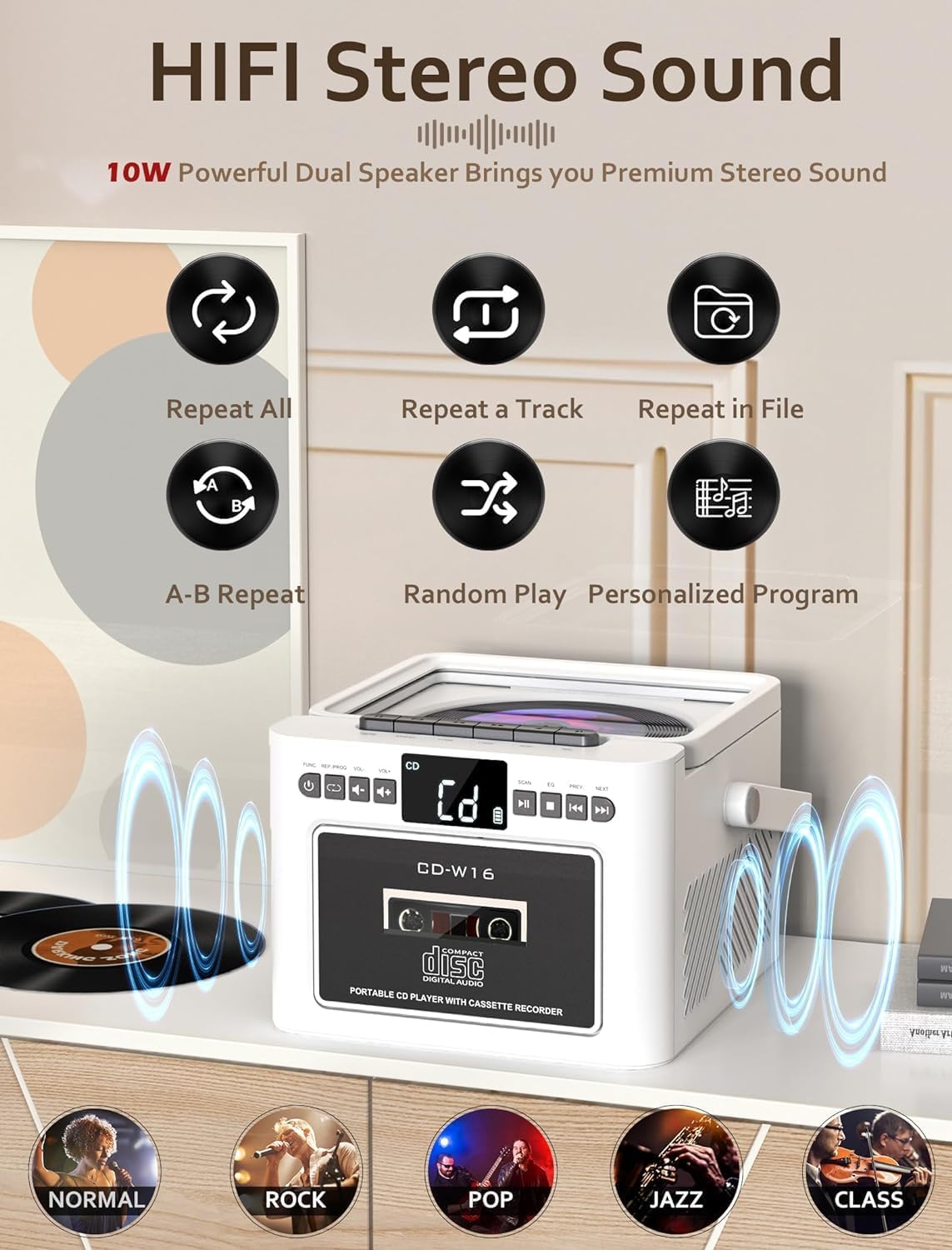
Figura 5.1: Icons representing repeat all, repeat a track, repeat in file, A-B repeat, random play, and personalized program functions for CD playback.
- Repetiu: Press the repeat button on the remote to cycle through repeat modes (e.g., repeat one, repeat all).
- Programa: In STOP mode, press the PROGRAM button on the remote to select tracks for programmed playback.
5.3 Reproducció i gravació de cassets

Figura 5.2: The Jazmm CD-W16 Boombox with a cassette tape inserted, highlighting its capability for both cassette playback and recording.
- Obriu la porta del compartiment del casset.
- Inseriu una cinta de casset.
- Tanqueu la porta del compartiment del casset.
- Premeu el botó POTÈNCIA / MODE button until "TAPE" mode is selected.
- Premeu el botó JUGAR button on the unit to start playback.
- Gravació: To record, insert a blank cassette tape. Select the desired source (e.g., FM radio, CD, Bluetooth). Press the REGISTRAR button (usually red) on the unit. The unit will record the audio from the selected source onto the cassette.
5.4 Funcionament de la ràdio FM

Figura 5.3: The Jazmm CD-W16 Boombox tuned to an FM frequency (87.5 MHz), with its telescopic antenna extended for improved reception.
- Esteneu completament l'antena FM.
- Premeu el botó POTÈNCIA / MODE botó fins que se seleccioni el mode "FM".
- Escaneig automàtic: Premeu el botó ESCANEAR button to automatically search and save available FM stations (up to 30 presets).
- Sintonització manual: Utilitza el ANTERIOR / SEGÜENT buttons to manually tune to desired frequencies or cycle through saved presets.
5.5 Bluetooth (BT) Playback and Transmission
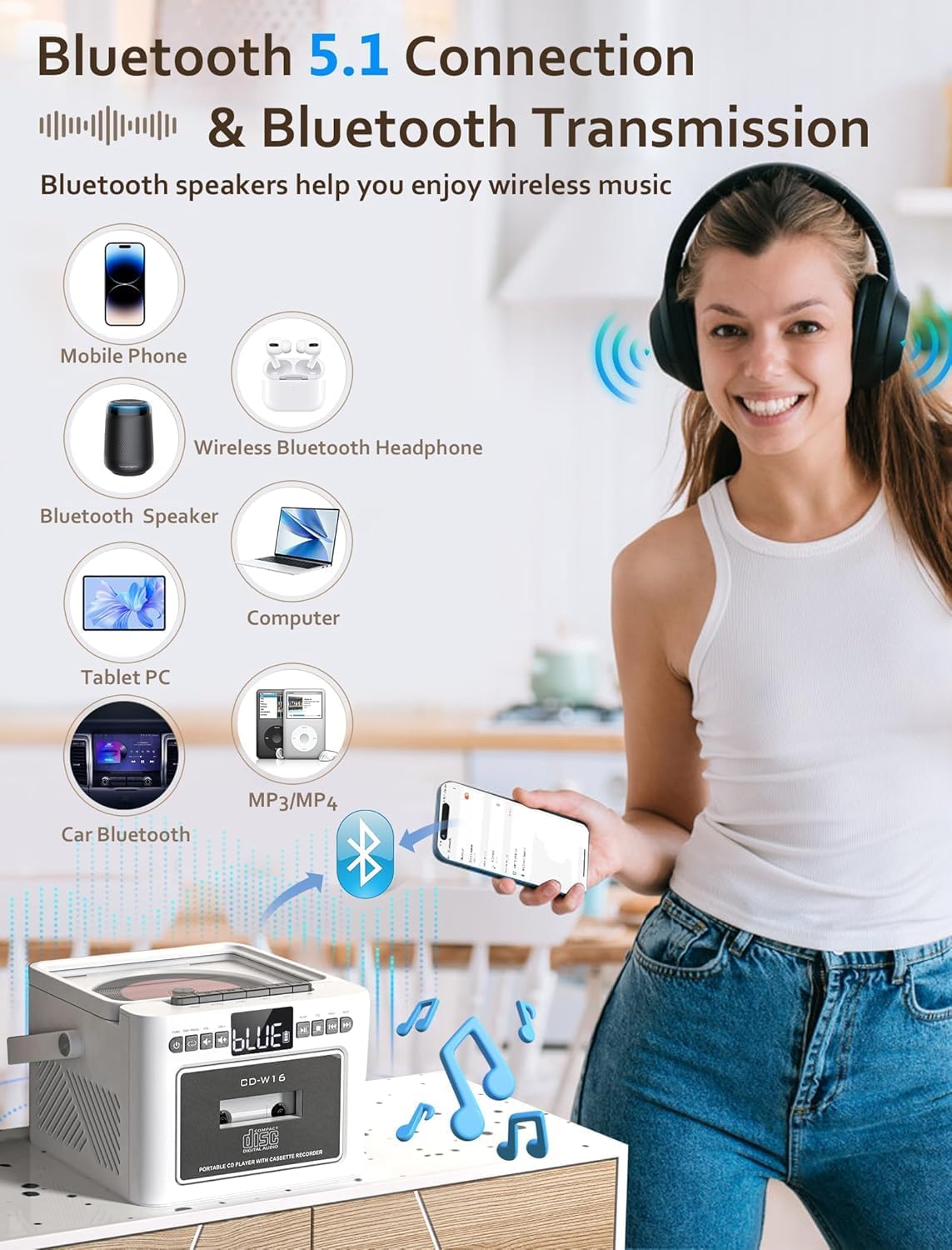
Figura 5.4: The boombox can connect to mobile phones, tablets, and computers as a Bluetooth speaker, and also transmit audio to Bluetooth headphones or other Bluetooth speakers.
- Premeu el botó POTÈNCIA / MODE button until "BT" mode is selected. The display will show "BT" and a pairing indicator will flash.
- Receiving (Bluetooth Speaker Mode): On your external device (e.g., smartphone, tablet), enable Bluetooth and search for "CD-W16". Select it to pair. Once connected, you can play audio from your device through the boombox.
- Transmitting (Bluetooth Transmitter Mode): To transmit audio from the boombox (e.g., CD, FM) to Bluetooth headphones or another Bluetooth speaker, ensure the receiving device is in pairing mode. The boombox will automatically search for and connect to nearby Bluetooth audio receivers.
Reproducció de targetes USB/TF de 5.6
- Insert a USB flash drive into the USB port or a TF (Micro SD) card into the TF card slot.
- Premeu el botó POTÈNCIA / MODE botó fins que se seleccioni el mode "USB" o "TF".
- La unitat detectarà automàticament i començarà a reproduir àudio compatible files (MP3/WMA).
- Ús ANTERIOR / SEGÜENT botons per saltar pistes.
5.7 AUX-IN Playback
- Connect one end of a 3.5mm audio cable (not included) to the AUX-IN jack on the boombox.
- Connect the other end to the headphone jack or audio output of an external audio device (e.g., MP3 player, smartphone).
- Premeu el botó POTÈNCIA / MODE botó fins que se seleccioni el mode "AUX".
- Controla la reproducció i el volum des del teu dispositiu extern.
5.8 Ús d'auriculars
Plug 3.5mm headphones into the headphone jack on the side of the unit for private listening. The main speakers will be muted automatically.
5.9 Configuració de l'equalitzador (EQ)
Premeu el botó EQ button on the unit or remote control to cycle through different sound presets: NORMAL, ROCK, POP, JAZZ, CLASS.
5.10 Temporitzador de repòs
The unit features a sleep timer function, allowing it to automatically shut down after a set period (10-120 minutes). Refer to the remote control instructions for setting the sleep timer.
6. Manteniment
6.1 Neteja de la unitat
- Netegeu l'exterior de la unitat amb un drap suau i sec.
- No utilitzeu netejadors abrasius, ceres o dissolvents, ja que poden danyar l'acabat.
- Per a la lent del CD, feu servir un disc netejador de lents de CD especialitzat.
- For the cassette head, use a cotton swab lightly dampamb alcohol isopropílic.
6.2 Cura de la bateria
- Per allargar la durada de la bateria, eviteu descarregar-la completament amb freqüència.
- If the unit will not be used for an extended period, charge it fully and then store it in a cool, dry place. Recharge every 3-6 months to prevent deep discharge.
7. Solució De Problemes
| Problema | Causa possible | Solució |
|---|---|---|
| La unitat no s'encén. | La bateria està esgotada. L'adaptador de corrent no està connectat o està defectuós. | Connect the unit to a power source and charge the battery. Ensure the power adapter is working correctly. |
| No hi ha so dels altaveus. | Volume is too low. Headphones are connected. Incorrect mode selected. | Increase the volume. Disconnect headphones. Ensure the correct playback mode is selected. |
| El CD no es reprodueix o salta. | CD is dirty or scratched. CD is inserted incorrectly. CD compartment lid is not closed. | Clean the CD with a soft cloth. Insert the CD with the label side up. Close the CD compartment lid firmly. |
| Mala recepció de ràdio FM. | Antenna not extended. Weak signal in the area. | Fully extend the telescopic antenna. Try repositioning the unit for better reception. |
| El dispositiu Bluetooth no es pot emparellar. | Boombox not in Bluetooth pairing mode. Device too far away. Bluetooth on external device is off. | Ensure the boombox is in BT mode and flashing. Move the device closer. Enable Bluetooth on your external device. |
| Cassette tape not playing. | Tape inserted incorrectly. Play button not pressed. | Ensure the tape is inserted correctly. Press the PLAY button. |
| El comandament a distància no funciona. | Batteries are depleted. Obstruction between remote and unit. | Replace remote control batteries. Ensure clear line of sight to the unit's sensor. |
8. Especificacions
- Model: CD-W16
- Entrada d'alimentació: DC 5V/2A (tipus C)
- Bateria: Bateria recarregable de 5000 mAh integrada
- Modes de reproducció: CD, Cassette, FM Radio, Bluetooth 5.1, USB, TF Card, AUX-IN
- Sortida de l'altaveu: 2 x 5W (10W total) HiFi Stereo
- Rang de freqüència de FM: 87.5 - 108 MHz
- Versió Bluetooth: 5.1 (Transmitting & Receiving)
- Formats de disc compatibles: CD, CDR, CDRW, MP3, WMA
- Supported USB/TF Formats: MP3, WMA
- Auriculars Jack: 3.5mm estèreo
- Distància de control remot: Fins a 7 metres (línia de visió)
- Dimensions (L x A x A): Approximately 7.56 x 61.92 x 7.56 inches (Note: 61.92 inches seems unusually large for width, please verify product dimensions if possible.)
9. Garantia i Suport
Jazmm offers a lifetime warranty for the CD-W16 Boombox. For any questions, technical assistance, or warranty claims, please contact our customer service team. We provide 24/7 world-class customer support to ensure your satisfaction.
Please refer to the contact information provided with your purchase or visit the official Jazmm weblloc per obtenir detalls de suport.


