Introducció
Gràcies per la compraasing the Jazmm CD-W16 Boombox CD Cassette Player. This versatile audio system combines multiple playback options including CD, cassette, FM radio, Bluetooth, USB, TF card, and AUX-IN. It features 10W HiFi stereo speakers, a built-in rechargeable battery, and a convenient remote control for an enhanced listening experience. Please read this manual carefully before use to ensure proper operation and to maximize the product's lifespan.
Instruccions importants de seguretat
- Llegiu totes les instruccions abans d'utilitzar el dispositiu.
- Conserveu aquest manual com a referència futura.
- No exposeu la unitat a la pluja ni a la humitat per evitar incendis o descàrregues elèctriques.
- No bloquegeu cap obertura de ventilació. Instal·leu-ho d'acord amb les instruccions del fabricant.
- No instal·leu a prop de cap font de calor com ara radiadors, registres de calor, estufes o altres aparells (inclosos amplificadors) que produeixen calor.
- Eviteu que el cable d'alimentació sigui trepitjat o pessigat, especialment als endolls, els endolls i el punt on surten de l'aparell.
- Utilitzeu només accessoris/accessoris especificats pel fabricant.
- Desendolleu aquest aparell durant les tempestes amb llamps o quan no l'utilitzeu durant llargs períodes de temps.
- Demaneu tot el servei a personal de servei qualificat. El manteniment és necessari quan l'aparell s'ha fet malbé d'alguna manera, com ara el cable d'alimentació o l'endoll està danyat, s'ha vessat líquid o han caigut objectes a l'aparell, l'aparell ha estat exposat a la pluja o la humitat, no funciona amb normalitat. , o s'ha deixat caure.
- No obriu la c.asing. No hi ha peces que l'usuari pugui reparar a l'interior.
Contingut del paquet
- Jazmm CD-W16 Boombox CD Cassette Player
- Control remot
- Cable de càrrega USB tipus C
- Manual d'usuari
Producte acabatview
The Jazmm CD-W16 offers a comprehensive audio experience with its multi-functional design. Below is an overview de les seves característiques i components principals.

Imatge: Frontal view of the Jazmm CD-W16 Boombox, highlighting its seven playback modes: CD Player, FM Radio, TF Card Playback, USB Playback, Tape Player, AUX-IN Playback, and Bluetooth 5.1.
Característiques principals:
- 7-in-1 Playback: CD, Cassette, FM Radio, Bluetooth 5.1, USB, TF Card, AUX-IN.
- Compatibilitat amb CD: Supports CD, CDR, CDRW, MP3, WMA formats.
- Cassette Player & Recorder: Play tapes and record audio.
- Ràdio FM: Automatic scanning, 30 preset stations.
- So d'alta fidelitat: Dual 10W HiFi speakers with advanced noise reduction.
- 5 modes de so d'equalització: NORMAL, ROCK, POP, JAZZ, CLASS.
- Bateria recarregable: Built-in 5000mAh battery for portable use (5-8 hours playback).
- Connectivitat: USB port, TF card slot, 3.5mm AUX-IN, 3.5mm Headphone Jack.
- Comoditat: Remote control, portable handle, Type-C charging.
Configuració
1. Encendre i carregar
The Jazmm CD-W16 features a built-in 5000mAh rechargeable battery. Before first use, it is recommended to fully charge the device.
- Connect the provided Type-C USB charging cable to the Type-C port on the boombox.
- Connect the other end of the cable to a 5V/2A USB power adapter (not included), a power bank, or a car charger.
- The charging indicator will illuminate. Once fully charged, the indicator may change color or turn off, depending on the unit's design.
- A full charge typically provides 5-8 hours of playback time.

Image: The Jazmm CD-W16 Boombox being charged via Type-C USB cable from various sources including a wall charger, power bank, and car charger, illustrating its 5000mAh rechargeable battery.
2. Engegada inicial
Premeu el botó PODER button on the unit or remote control to turn on the boombox. The display will light up, indicating the current mode.
Instruccions de funcionament
1. Controls generals
Familiarize yourself with the control buttons on the unit and the remote control.
- Botó d'encendre: Encén/apaga la unitat.
- MODE/FUNCTION Button: Switches between CD, TAPE, FM, Bluetooth, USB, TF, AUX-IN modes.
- VOLUM +/-: Ajusta el volum de reproducció.
- Botó REPRODUCIR/PAUSA: Inicia o posa en pausa la reproducció.
- Botó STOP: Atura la reproducció.
- PREVIOUS/NEXT Buttons: Salta a la pista/emissora anterior o següent.
- Botó EQ: Cycles through sound equalizer modes (NORMAL, ROCK, POP, JAZZ, CLASS).
- Botó REPEAT: Cycles through repeat modes (Repeat One, Repeat All, Repeat Folder).
2. Reproducció de CD
- Premeu el botó MODE/FUNCIÓ botó per seleccionar el mode CD.
- Open the CD compartment cover gently.
- Place a CD (CD, CDR, CDRW, MP3, WMA format) onto the spindle with the label side facing up.
- Tanqueu la tapa del compartiment del CD. La unitat començarà a llegir el disc i la reproducció s'iniciarà automàticament.
- Utilitza el REPRODUCCIÓ/PAUSA, STOP, ANTERIOR / SEGÜENT botons per controlar la reproducció.
- Premeu el botó REPETIR button to select repeat modes (e.g., repeat one track, repeat all tracks).
3. Cassette Playback and Recording
- Premeu el botó MODE/FUNCIÓ per seleccionar el mode TAPE.
- Obriu la porta del compartiment del casset.
- Insert a cassette tape into the compartment and close the door.
- Premeu el botó JUGAR per iniciar la reproducció.
- Per gravar:
- Ensure a blank cassette tape is inserted.
- Select the desired audio source (e.g., FM radio, AUX-IN, or use the built-in microphone).
- Premeu el botó REGISTRAR button (usually red) on the unit. Playback from the source will begin, and recording will start simultaneously onto the tape.
- Premeu el botó STOP botó per finalitzar l'enregistrament.
4. Funcionament de la ràdio FM
- Premeu el botó MODE/FUNCIÓ botó per seleccionar el mode FM.
- Esteneu l'antena telescòpica per a una recepció òptima.
- Escaneig automàtic: Manteniu premut el botó REPRODUCCIÓ/PAUSA button (or a dedicated SCAN button if available) to automatically scan and save available FM stations. The unit can save up to 30 preset stations.
- Sintonització manual: Utilitza el ANTERIOR / SEGÜENT botons per sintonitzar manualment les freqüències desitjades.
- Recordant presets: Use the number buttons on the remote control or dedicated preset buttons on the unit to select saved stations.
5. Emparellament Bluetooth
The boombox supports Bluetooth 5.1 for wireless audio streaming.
- Premeu el botó MODE/FUNCIÓ button to select Bluetooth (BT) mode. The display will show "BT" and an indicator will flash, signifying it's in pairing mode.
- Al dispositiu amb Bluetooth (telèfon intel·ligent, tauleta, ordinador portàtil), activeu el Bluetooth i cerqueu els dispositius disponibles.
- Select "Jazmm CD-W16" (or similar name) from the list of devices.
- Once paired, the boombox will emit a confirmation sound, and the Bluetooth indicator will stop flashing.
- Ara pots reproduir àudio des del teu dispositiu a través del boombox.
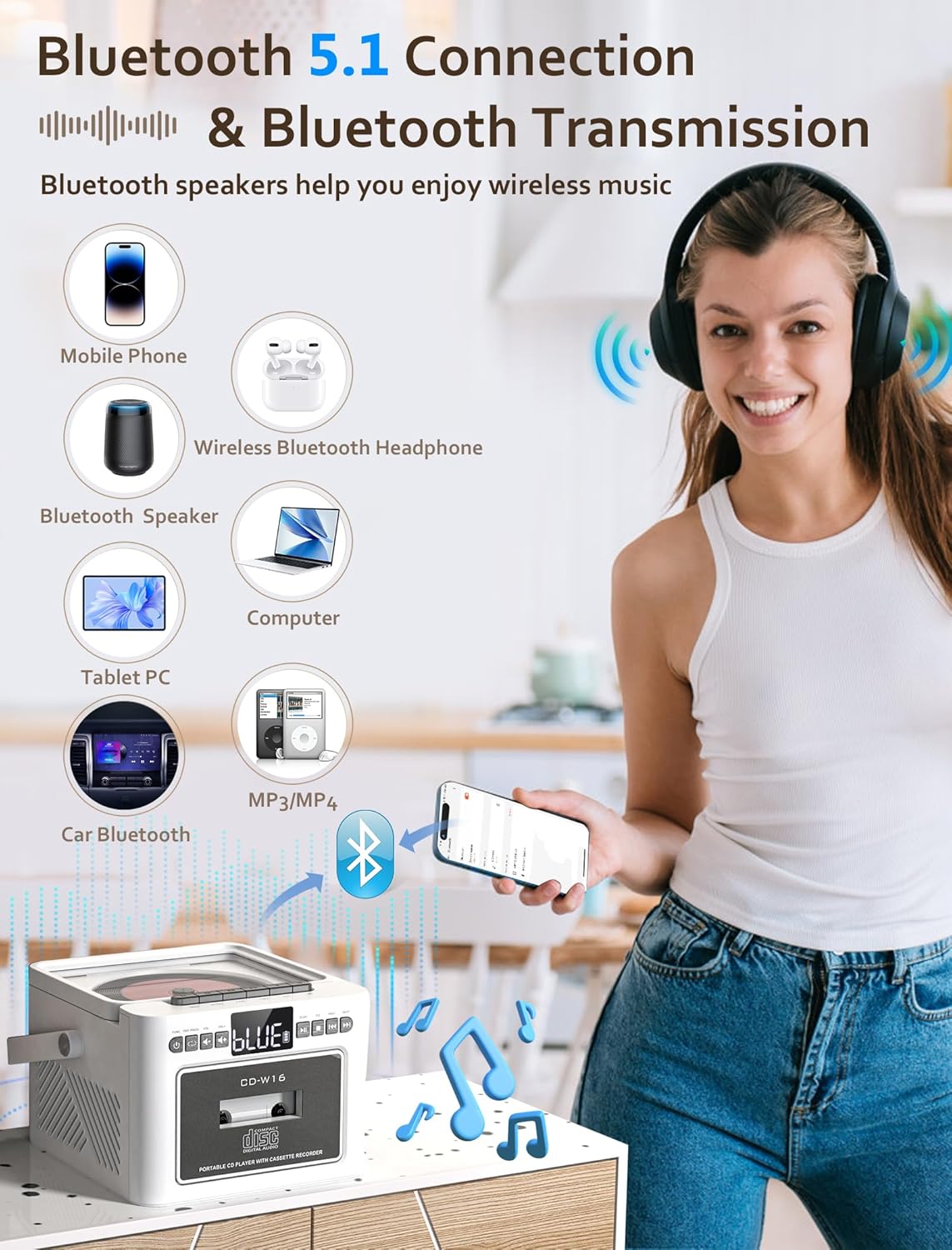
Image: The Jazmm CD-W16 Boombox demonstrating its Bluetooth 5.1 connectivity, wirelessly streaming music from a mobile phone, and connecting to other devices like Bluetooth speakers, headphones, tablets, computers, and car Bluetooth systems.
6. Reproducció de targetes USB / TF
- Insert a USB flash drive into the USB port or a TF (Micro SD) card into the TF card slot.
- Premeu el botó MODE/FUNCIÓ button to select USB or TF mode. The unit will automatically detect and begin playing compatible audio files (MP3, WMA).
- Utilitza el REPRODUCCIÓ/PAUSA, STOP, ANTERIOR / SEGÜENT botons per controlar la reproducció.
7. AUX-IN Playback
- Connect an external audio device (e.g., MP3 player, smartphone) to the AUX-IN port on the boombox using a 3.5mm audio cable (not included).
- Premeu el botó MODE/FUNCIÓ botó per seleccionar el mode AUX-IN.
- Control playback directly from your connected external device. The boombox will act as a speaker.
8. EQ Sound Modes
The Jazmm CD-W16 offers 5 equalizer presets to optimize your listening experience for different music genres.
- Premeu el botó EQ button repeatedly to cycle through the available modes: NORMAL, ROCK, POP, JAZZ, CLASS.
- Select the mode that best suits your audio content.
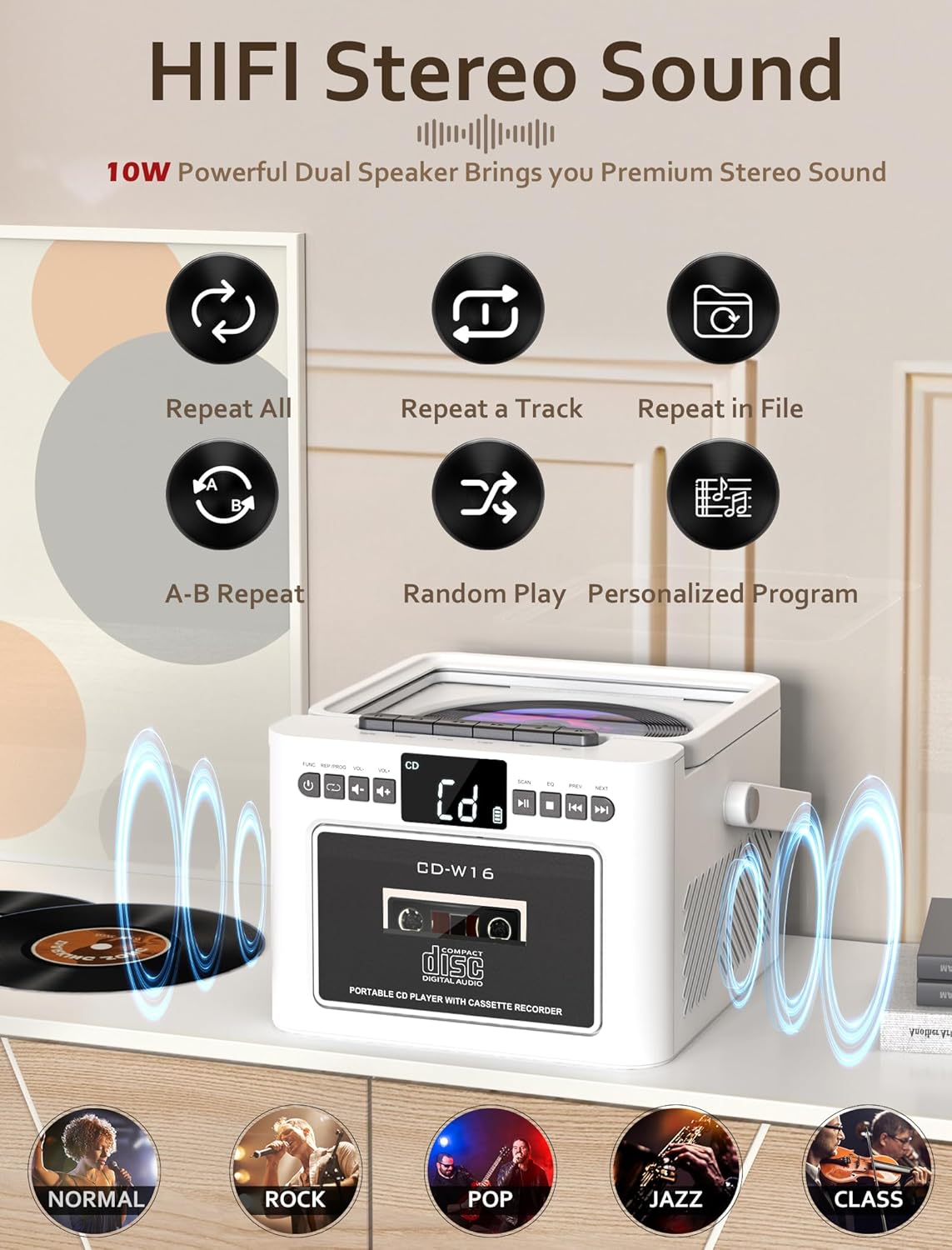
Image: The Jazmm CD-W16 Boombox illustrating its 10W HIFI stereo sound output and the five available EQ sound modes: Normal, Rock, Pop, Jazz, and Class.
9. Ús del comandament a distància
The included remote control allows convenient operation from a distance of up to 7 meters. Ensure there are no obstructions between the remote and the boombox's IR receiver.
- Insert batteries into the remote control (type usually AAA, refer to remote's battery compartment).
- The remote control duplicates most functions available on the main unit, including power, mode selection, volume, track skipping, play/pause, stop, EQ, and repeat.
- For FM radio, the remote may also offer direct number input for station frequencies or preset recall.
Manteniment
1. Neteja
- Desconnecteu sempre la unitat de la font d'alimentació abans de netejar-la.
- Feu servir un drap suau i sec per netejar les superfícies exteriors.
- Per a marques difícils, esbandiu lleugeramentampNetegeu el drap amb aigua i un detergent suau i, a continuació, eixugueu-lo immediatament.
- No utilitzeu netejadors abrasius, ceres o dissolvents, ja que poden danyar l'acabat.
- For the CD lens, use a specialized CD lens cleaning kit. Do not touch the lens directly.
- For the cassette head, use a cassette head cleaning solution and swab.
2. Emmagatzematge
- When not in use for extended periods, store the boombox in a cool, dry place, away from direct sunlight and extreme temperatures.
- Remove any discs or tapes from the compartments before storage.
- If storing for a very long time, it is advisable to periodically charge the built-in battery to maintain its health.
Resolució de problemes
| Problema | Causa possible | Solució |
|---|---|---|
| Sense poder | Battery depleted; Power cable not connected; Unit off. | Charge the battery; Ensure power cable is securely connected; Press the POWER button. |
| Sense so | Volume too low; Mute activated; Incorrect mode selected; Headphone connected. | Increase volume; Check if mute is active; Select correct playback mode; Disconnect headphones. |
| El CD no es reprodueix | Disc dirty/scratched; Disc inserted incorrectly; Unsupported disc format; CD compartment not closed. | Clean or replace disc; Insert disc label-side up; Ensure disc is CD/CDR/CDRW/MP3/WMA; Close compartment firmly. |
| El casset no reprodueix/grava | Tape damaged; Tape inserted incorrectly; Cassette heads dirty. | Use a functional tape; Insert tape correctly; Clean cassette heads. |
| Mala recepció FM | Antena no estesa; Zona de senyal feble; Interferències. | Fully extend the telescopic antenna; Reposition the unit; Move away from electronic devices causing interference. |
| S'ha produït un error en l'aparellament de Bluetooth | Boombox not in pairing mode; Device Bluetooth off; Out of range; Already paired to another device. | Ensure boombox is in BT pairing mode; Enable Bluetooth on your device; Move device closer; Disconnect from other devices. |
| El comandament a distància no funciona | Batteries depleted/incorrectly inserted; Obstruction between remote and unit; Remote sensor blocked. | Replace/reinsert batteries; Remove obstructions; Ensure remote sensor on unit is clear. |
Especificacions
| Característica | Detall |
|---|---|
| Model | CD-W16 |
| Marca | Jazmm |
| Modes de reproducció | CD, Cassette, FM Radio, Bluetooth, USB, TF Card, AUX-IN |
| Compatibilitat amb CD | CD, CDR, CDRW, MP3, WMA |
| Versió Bluetooth | 5.1 |
| Sortida de l'altaveu | 2 x 10W (Stereo) |
| Font d'alimentació | Built-in 5000mAh Rechargeable Battery, Type-C 5V/2A Input |
| Durada de la bateria | Aproximadament 5-8 hores (segons l'ús) |
| Connectivitat | USB Port, TF Card Slot, 3.5mm AUX-IN, 3.5mm Headphone Jack |
| Interval de control remot | Fins a 7 metres |
| Dispositius compatibles | Smartphones, Laptops, Tablets, MP3 Players |
Garantia i Suport
Jazmm offers a lifetime warranty on this portable CD player boombox. For any product inquiries, technical support, or warranty claims, please contact our customer service team. We provide 24/7 world-class customer service to assist you.
Si us plau, consulteu la documentació de compra o la informació del venedor per obtenir dades de contacte específiques.


