1. Acabatview
This manual provides detailed instructions for the Jazmm CD Cassette Player Combo with Bluetooth, Model CD-W16. This versatile audio system offers multiple playback options including CD, cassette tape, FM radio, Bluetooth, USB, TF card, and AUX-IN. It features 10W HiFi speakers, a built-in rechargeable battery, and remote control for convenient use in various settings.

Image 1.1: The Jazmm CD Cassette Player Combo (Model CD-W16) highlighting its seven playback modes: CD Player, FM Radio, TF Card Playback, USB Playback, Tape Player, AUX-IN Playback, and Bluetooth 5.1.
2. Informació important de seguretat
- Llegiu totes les instruccions abans d'utilitzar el dispositiu.
- Conserveu aquest manual com a referència futura.
- No exposeu el dispositiu a la pluja ni a la humitat per evitar incendis o descàrregues elèctriques.
- No bloquegeu cap obertura de ventilació. Instal·leu-ho d'acord amb les instruccions del fabricant.
- No instal·leu a prop de cap font de calor com ara radiadors, registres de calor, estufes o altres aparells (inclosos amplificadors) que produeixen calor.
- Eviteu que el cable d'alimentació sigui trepitjat o pessigat, especialment als endolls, els endolls i el punt on surten de l'aparell.
- Utilitzeu només accessoris/accessoris especificats pel fabricant.
- Desendolleu aquest aparell durant les tempestes amb llamps o quan no l'utilitzeu durant llargs períodes de temps.
- Demaneu tot el servei a personal de servei qualificat. Cal fer servei quan l'aparell s'hagi fet malbé d'alguna manera.
3. Característiques del producte
The Jazmm CD Cassette Player Combo (Model CD-W16) is designed for versatile audio playback and recording. Key features include:
- 7-in-1 Playback Modes: Supports CD, Cassette Tape, FM Radio, Bluetooth 5.1, USB, TF Card, and AUX-IN.
- Reproductor de CD: Compatible with CD, CD-R, CD-RW, MP3, and WMA formats. Features song programming.
- Cassette Player & Recorder: Play existing tapes or record audio onto blank tapes using the built-in microphone.
- Ràdio FM: Extended antenna for improved reception, automatic scanning, and storage for up to 30 preset stations (FM 87.5-108MHz).
- Bluetooth 5.1: Supports both Bluetooth transmission (to external Bluetooth speakers/headphones) and reception (from mobile devices).
- High-Fidelity Speakers: Dual 10W HiFi speakers deliver clear sound with strong bass and pure treble.
- 5 modes de so d'equalització: Customize your audio experience with NORMAL, ROCK, POP, JAZZ, and CLASS settings.
- Múltiples entrades: USB port, TF (Micro SD) card slot, and 3.5mm AUX-IN jack for various media sources.
- Bateria recarregable: Built-in 5000mAh rechargeable battery for portable use.
- Comandament a distància: Conveniently operate the device from a distance of up to 7 meters.
- Auriculars Jack: 3.5mm headphone output for private listening.
4. Contingut del paquet
Si us plau, comproveu el paquet per veure si hi ha els elements següents:
- Jazmm CD Cassette Player Combo (Model CD-W16)
- Control remot
- Adaptador/cable de corrent
- Manual d'usuari
5. Controls i ports
Familiarize yourself with the controls and connection ports on your device.
Controls del panell frontal:
- FUNC/REP/PROG: Function/Repeat/Program button.
- VOL- / VOL+: Volume down / Volume up.
- ESCANEAR: Scan for radio stations.
- EQ: Configuració de l'equalitzador.
- ANTERIOR / SEGÜENT: Pista anterior / Pista següent.
- REPRODUCCIÓ/PAUSA: Botó Reproduir/Pausa.
- STOP/EXPULSIÓ: Stop playback / Eject CD or cassette.
- FFWD / REW: Fast forward / Rewind (for cassette).
- REC: Record button (for cassette).
- Botó d'encesa: Encén/apaga el dispositiu.
- Pantalla LCD: Shows current mode, track number, time, etc.
Side/Rear Panel Ports:
- Presa d'auriculars (3.5 mm): Per connectar auriculars.
- AUX-IN (3.5mm): Per connectar dispositius d'àudio externs.
- Port USB: Per a unitats flaix USB.
- Ranura per a targetes TF: For Micro SD cards.
- Port DC IN: Per a la connexió de l'adaptador de corrent.
- Antena FM: Extendable antenna for radio reception.
6. Configuració
- Connexió d'alimentació:
Connect the provided power adapter to the DC IN port on the device and plug it into a standard wall outlet. The internal battery will begin charging automatically.
- Càrrec inicial:
For optimal battery life, fully charge the device before first use. The charging indicator light will show charging status.
- Antenna (for FM Radio):
Extend the telescopic FM antenna for better radio reception.
- Encès:
Premeu el botó Poder button to turn on the device. The LCD display will illuminate.
7. Instruccions de funcionament
7.1 Reproducció de CD
- Obriu la tapa del compartiment del CD.
- Col·loqueu un CD (amb l'etiqueta cap amunt) a l'eix.
- Tanqueu bé la tapa del compartiment del CD.
- Premeu el botó EMPLEAT repetidament fins que se seleccioni el mode "CD".
- Premeu el botó REPRODUCCIÓ/PAUSA per iniciar la reproducció.
- Ús PREV i SEGÜENT botons per saltar pistes.
- Premeu PARAR/EXPULTAR per aturar la reproducció.
7.2 Cassette Tape Playback & Recording

Image 7.1: The Jazmm CD Cassette Player Combo with a cassette tape inserted into the front loading slot.
- Obriu la porta del compartiment del casset.
- Insert a cassette tape with the open edge facing the player.
- Tanqueu la porta del compartiment del casset.
- Premeu el botó EMPLEAT repetidament fins que se seleccioni el mode "TAPE".
- Premeu el botó REPRODUCCIÓ/PAUSA per iniciar la reproducció.
- Ús FFWD or REW for fast winding.
- To record: Insert a blank tape. Press the REC button. The device will record audio from the built-in microphone. Press PARAR/EXPULTAR per acabar d’enregistrar.
7.3 Funcionament de la ràdio FM

Image 7.2: The Jazmm CD Cassette Player Combo with its telescopic FM antenna fully extended for optimal radio reception.
- Esteneu completament l'antena FM.
- Premeu el botó EMPLEAT premeu el botó repetidament fins que seleccioneu el mode "FM".
- Premeu el botó ESCANEAR per escanejar i desar automàticament les emissores de FM disponibles.
- Ús PREV i SEGÜENT buttons to navigate through saved preset stations.
7.4 Connexió Bluetooth
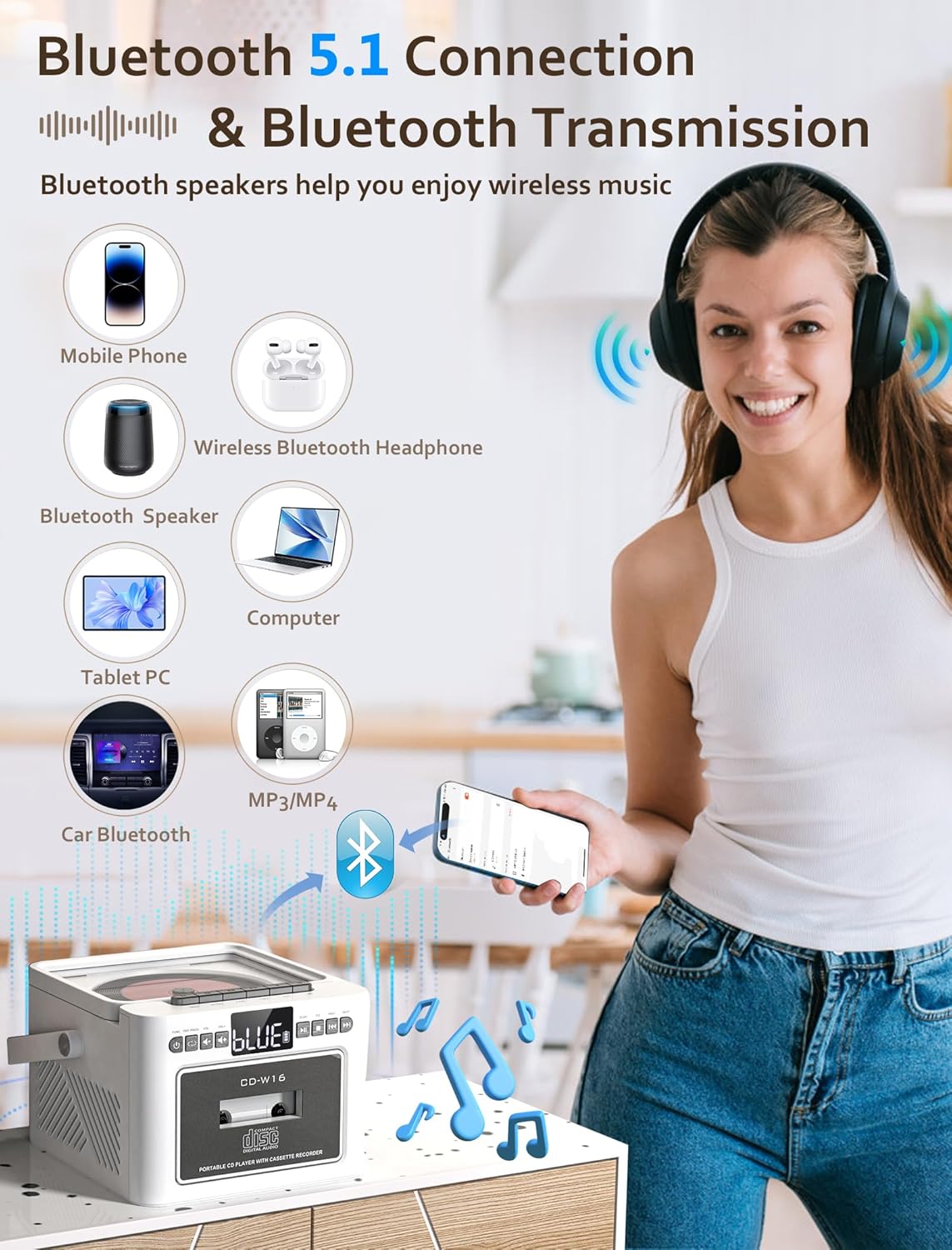
Image 7.3: The Jazmm CD Cassette Player Combo illustrating its Bluetooth 5.1 capabilities for both connecting to mobile devices and transmitting to Bluetooth speakers or headphones.
- Premeu el botó EMPLEAT button repeatedly until "BT" (Bluetooth) mode is selected. The display will show "BLUE" and flash, indicating it's in pairing mode.
- On your external device (smartphone, tablet, etc.), enable Bluetooth and search for "CD-W16" (or similar).
- Select "CD-W16" to pair. Once connected, the "BLUE" indicator will stop flashing.
- You can now play audio from your device through the boombox speakers.
- Transmissió Bluetooth: To transmit audio from the boombox (e.g., CD playback) to external Bluetooth headphones or speakers, ensure the external device is in pairing mode. The boombox will automatically search and connect.
7.5 USB / TF Card / AUX-IN Playback
- Targeta USB/TF: Insert a USB flash drive into the USB port or a TF (Micro SD) card into the TF card slot. Press the EMPLEAT button to select "USB" or "TF" mode. Playback will begin automatically.
- AUX IN: Connect an external audio device (e.g., MP3 player) to the AUX-IN port using a 3.5mm audio cable (not included). Press the EMPLEAT button to select "AUX" mode. Control playback from your external device.
7.6 Ús del comandament a distància

Image 7.4: The Jazmm CD Cassette Player Combo shown with its included remote control, allowing for convenient operation from a distance.
The remote control allows you to operate most functions from a distance. Ensure there are no obstructions between the remote and the boombox. Insert batteries (not included) into the remote control before use.
8. Manteniment
- Neteja: Feu servir un drap suau i sec per netejar l'exterior de la unitat. No utilitzeu productes de neteja abrasius ni dissolvents.
- Cura de les lents de CD: Si teniu problemes de reproducció de CD, feu servir un disc netejador de lents de CD disponible comercialment.
- Neteja del capçal del casset: Periodically clean the cassette player's heads with a cotton swab lightly dampened with isopropyl alcohol to ensure optimal sound quality.
- Emmagatzematge: Quan no l'utilitzeu durant períodes prolongats, guardeu el dispositiu en un lloc fresc i sec.
- Cura de la bateria: To prolong battery life, avoid fully discharging the battery frequently. Recharge the battery regularly, even if the device is not in active use.
9. Solució De Problemes
| Problema | Causa possible | Solució |
|---|---|---|
| Sense poder | Power adapter not connected; Battery discharged. | Ensure power adapter is securely connected and plugged into a working outlet. Charge the battery. |
| Sense so | Volum massa baix; Mode incorrecte seleccionat; Auriculars connectats. | Increase volume. Select the correct playback mode (CD, BT, FM, etc.). Disconnect headphones if sound is desired from speakers. |
| CD not playing / skipping | CD dirty or scratched; CD inserted incorrectly; CD format not supported. | Clean the CD with a soft cloth. Reinsert the CD label side up. Ensure the CD is a supported format (CD, CD-R, CD-RW, MP3, WMA). |
| Cassette tape not playing | Tape inserted incorrectly; Tape tangled or damaged. | Reinsert the tape correctly. Check the tape for damage. |
| Mala recepció de ràdio FM | Antena no estesa; Senyal feble. | Fully extend the FM antenna. Reposition the unit for better reception. |
| S'ha produït un error en l'aparellament de Bluetooth | Device not in pairing mode; Boombox too far from device. | Ensure both devices are in pairing mode. Move devices closer. Restart Bluetooth on both devices. |
10. Especificacions
| Característica | Detall |
|---|---|
| Model | CD-W16 |
| Marca | Jazmm |
| Dimensions del producte (L x A x A) | 7.5 x 6.2 x 4.3 polzades |
| Tecnologia de connectivitat | Auxiliar, Bluetooth, USB |
| Tipus d'altaveu | Stereo (Dual 10W HiFi Speakers) |
| Font d'alimentació | Alimentat per bateria (bateria recarregable integrada de 5000 mAh) |
| Freqüència de ràdio FM | 87.5-108 MHz |
| Versió Bluetooth | 5.1 |
| Mitjans suportats | CD, CD-R, CD-RW, MP3, WMA, Cassette Tape, USB, TF Card |
11. Garantia i Suport
Jazmm offers a lifetime warranty on this portable CD player boombox. For any inquiries, technical assistance, or warranty claims, please contact our customer service team. We provide 24/7 world-class customer service to ensure your satisfaction.
Please refer to your purchase documentation or the Jazmm official weblloc web per obtenir dades de contacte específiques.


