Introducció
The Logitech POP ICON Keys Wireless Bluetooth Keyboard is designed to provide a comfortable and efficient typing experience across multiple devices. This compact keyboard features contoured, low-profile keys and customizable Action Keys for enhanced productivity. It supports connection to up to three wireless devices across various operating systems, allowing for seamless switching.

Image: The Logitech POP ICON Keys Wireless Bluetooth Keyboard, showcasing its compact design and Graphite Lime color scheme.
Configuració
1. Instal·lació de la bateria
The POP ICON Keys keyboard requires 2 AAA batteries, which are included. To install or replace batteries:
- Localitzeu el compartiment de la bateria a la part inferior del teclat.
- Traieu la tapa de la bateria.
- Introduïu les 2 piles AAA, assegurant-vos de la polaritat correcta (+/-).
- Col·loqueu la tapa de la bateria de manera segura.

Image: A diagram illustrating the Logitech POP ICON Keys keyboard and the placement of the two AAA batteries included in the box.
2. Connexió mitjançant Bluetooth
The POP ICON Keys keyboard can connect to up to three devices simultaneously using Bluetooth. Follow these steps to pair your keyboard:
- Turn on the keyboard using the power switch located on the back or side.
- Press and hold one of the Easy-Switch keys (F1, F2, or F3) for 3 seconds until the LED indicator above the key starts blinking rapidly. This indicates the keyboard is in pairing mode.
- Al dispositiu (portàtil, tauleta, telèfon intel·ligent), aneu a la configuració de Bluetooth.
- Select "Logitech POP ICON Keys" from the list of available devices.
- Seguiu les indicacions de la pantalla per completar el procés de vinculació.
- Once connected, the LED indicator will glow solid for a few seconds before turning off.
To connect additional devices, repeat the process using a different Easy-Switch key (F1, F2, or F3).

Imatge: Un cop mésview diagram of the Logitech POP ICON Keys keyboard highlighting its ability to connect to up to 3 devices and its various shortcut and media keys.
Funcionament del teclat
Canvi entre dispositius
To switch between paired devices, simply press the corresponding Easy-Switch key (F1, F2, or F3) for the device you wish to use. The keyboard will instantly connect to the selected device.
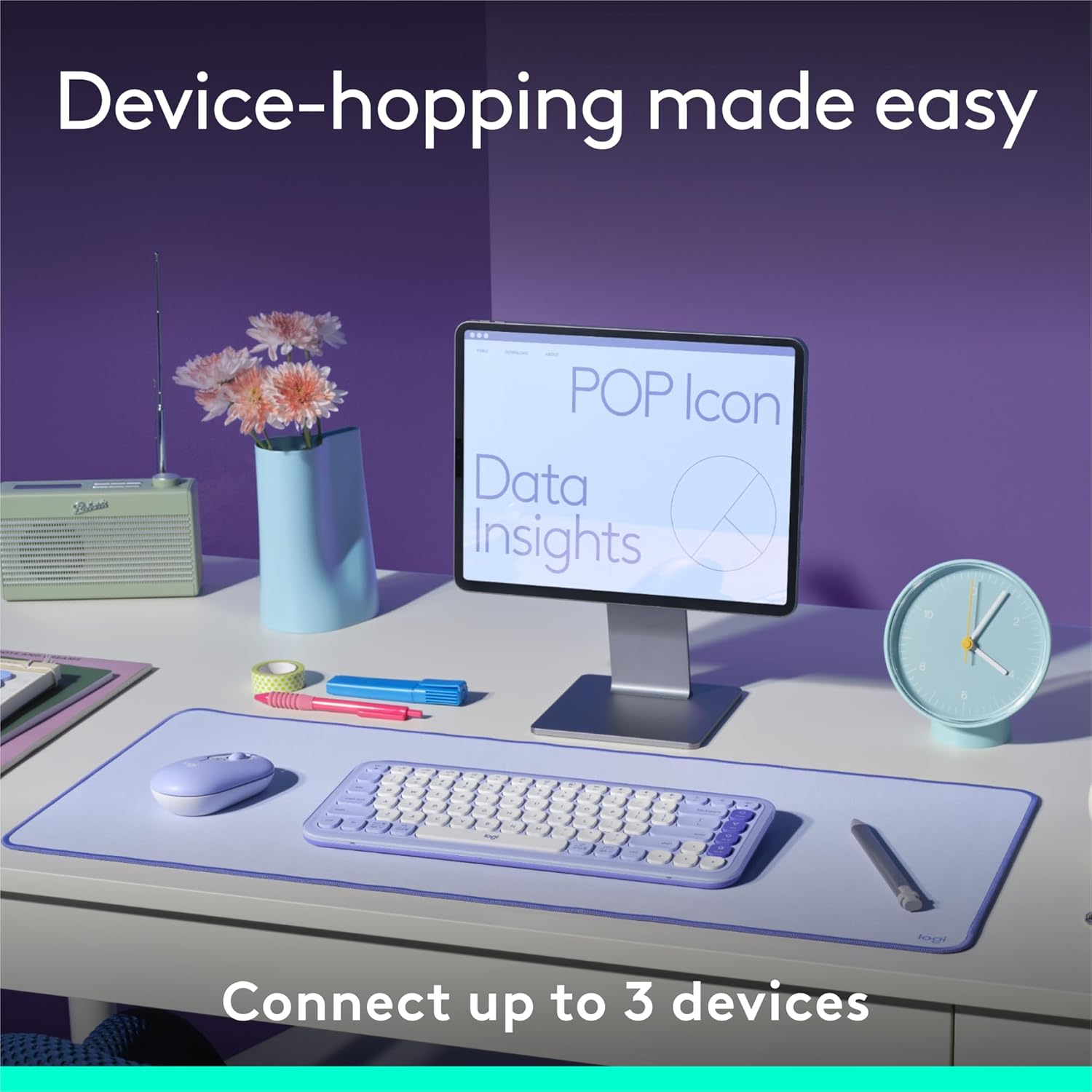
Image: A desk setup featuring the Logitech POP ICON Keys keyboard and mouse, demonstrating the ease of switching between multiple devices.
Action Keys and Customization
The POP ICON Keys keyboard features customizable Action Keys on the right side (Home, End, Page Up, Page Down, and a star key). These keys can be programmed to perform various functions using the Logi Options+ App.
- Default Functions: The keys have default functions for navigation (Home, End, Pg Up, Pg Dn). The star key typically opens the emoji menu or can be customized.
- Customization with Logi Options+ App: Download and install the Logi Options+ App (available for recent versions of Windows and macOS) to personalize the Action Keys. You can assign them to launch applications, perform specific shortcuts, or switch between work and break modes.

Imatge: Un primer pla view of the Logitech POP ICON Keys keyboard, highlighting the dedicated action keys on the right side.

Image: A user interacting with the Logitech POP ICON Keys keyboard, with a monitor in the background showing the Logi Options+ App interface for customizing shortcuts.
Media and Function Keys
The top row of keys (F1-F12) also serves as media and function keys. You can access these functions directly or by holding the Fn key, depending on your operating system's settings.

Imatge: Una imatge detallada view of the function and media keys on the Logitech POP ICON Keys keyboard, located on the top row.
Manteniment
To ensure the longevity and optimal performance of your Logitech POP ICON Keys keyboard, follow these maintenance guidelines:
- Neteja: Utilitzeu un drap suau i sense pelusa lleugerament dampened with water or a mild cleaning solution to wipe down the keys and surface. Avoid harsh chemicals or abrasive materials.
- Eliminació de pols: Feu servir aire comprimit per eliminar la pols i les restes que hi ha entre les tecles.
- Emmagatzematge: Quan no l'utilitzeu durant períodes prolongats, guardeu el teclat en un lloc fresc i sec.
- Durada de la bateria: The keyboard has a 3-year battery life and a power-saving auto-sleep mode. Replace batteries when the low battery indicator appears.
Resolució de problemes
If you encounter issues with your Logitech POP ICON Keys keyboard, try the following troubleshooting steps:
- El teclat no es connecta:
- Ensure the keyboard is turned on and batteries are properly installed.
- Assegureu-vos que el Bluetooth estigui habilitat al vostre dispositiu.
- Re-enter pairing mode on the keyboard by holding an Easy-Switch key (F1, F2, or F3) for 3 seconds.
- Elimina el teclat de la llista de Bluetooth del dispositiu i intenta tornar-lo a emparellar.
- Prova de connectar-te a un altre dispositiu per descartar problemes específics del dispositiu.
- Les tecles no responen:
- Comproveu el nivell de la bateria i substituïu-la si cal.
- Ensure the keyboard is connected to the correct device (check the Easy-Switch key LED).
- Reinicieu l'ordinador o el dispositiu.
- Lag or Disconnections:
- Ensure the keyboard is within the recommended Bluetooth range of your device.
- Minimitzar les interferències d'altres dispositius sense fil.
- Actualitza els controladors Bluetooth del teu dispositiu.
Especificacions
| Característica | Detall |
|---|---|
| Marca | Logitech |
| Número de model | 920-013143 |
| Connectivitat | Bluetooth |
| Dispositius compatibles | Laptop, Personal Computer, Tablet, Smartphone (Windows, macOS, iPadOS, iOS, ChromeOS, Android) |
| Font d'alimentació | Funciona amb piles (2 piles AAA incloses) |
| Durada de la bateria | Up to 3 years (may vary based on user and computing conditions) |
| Pes de l'article | 1.17 pounds (approx. 530g with batteries) |
| Dimensions (L x A x A) | 12.77 x 5.39 x 0.86 polzades (324.51 x 136.96 x 22 mm) |
| Material | Plastic parts include between 37% and 70% recycled plastic (depending on color, excluding printed wiring assembly and packaging) |
| País d'origen | Xina |

Image: The Logitech POP ICON Keys keyboard, emphasizing its construction with recycled plastic and responsible packaging.
Garantia i Suport
Logitech products are designed with quality and reliability in mind. For warranty information and technical support, please visit the official Logitech support weblloc web o consulteu la targeta de garantia inclosa amb el producte.
Aplicació Logi Options+: For advanced customization of your keyboard's Action Keys and other settings, download the Logi Options+ App from the official Logitech website. This application enhances your keyboard's functionality and allows for personalized shortcuts.
For further assistance, you may contact Logitech customer support through their weblloc web o la informació de contacte que es proporciona a l'embalatge del producte.


