Introducció
This manual provides detailed instructions for the setup, operation, and maintenance of your Douk Audio M1FM HiFi Bluetooth 5.1 Digital Amplifier with FM Receiver. Please read this manual thoroughly before using the product to ensure proper function and to maximize your listening experience. Keep this manual for future reference.
Instruccions de seguretat
- Assegureu-vos que la font d'alimentació voltage compleix els requisits especificats al dispositiu.
- No exposeu la unitat a la pluja, la humitat o les temperatures extremes.
- Eviteu col·locar la unitat a prop de fonts de calor o sota la llum solar directa.
- No obriu la c.asing. Demaneu totes les tasques de manteniment a personal qualificat.
- Mantingueu la unitat allunyada de camps magnètics forts.
- Desconnecteu l'adaptador de corrent durant tempestes amb llamps o quan no l'utilitzeu durant períodes prolongats.
- Assegureu-vos una ventilació adequada al voltant de la unitat per evitar el sobreescalfament.
Contingut del paquet
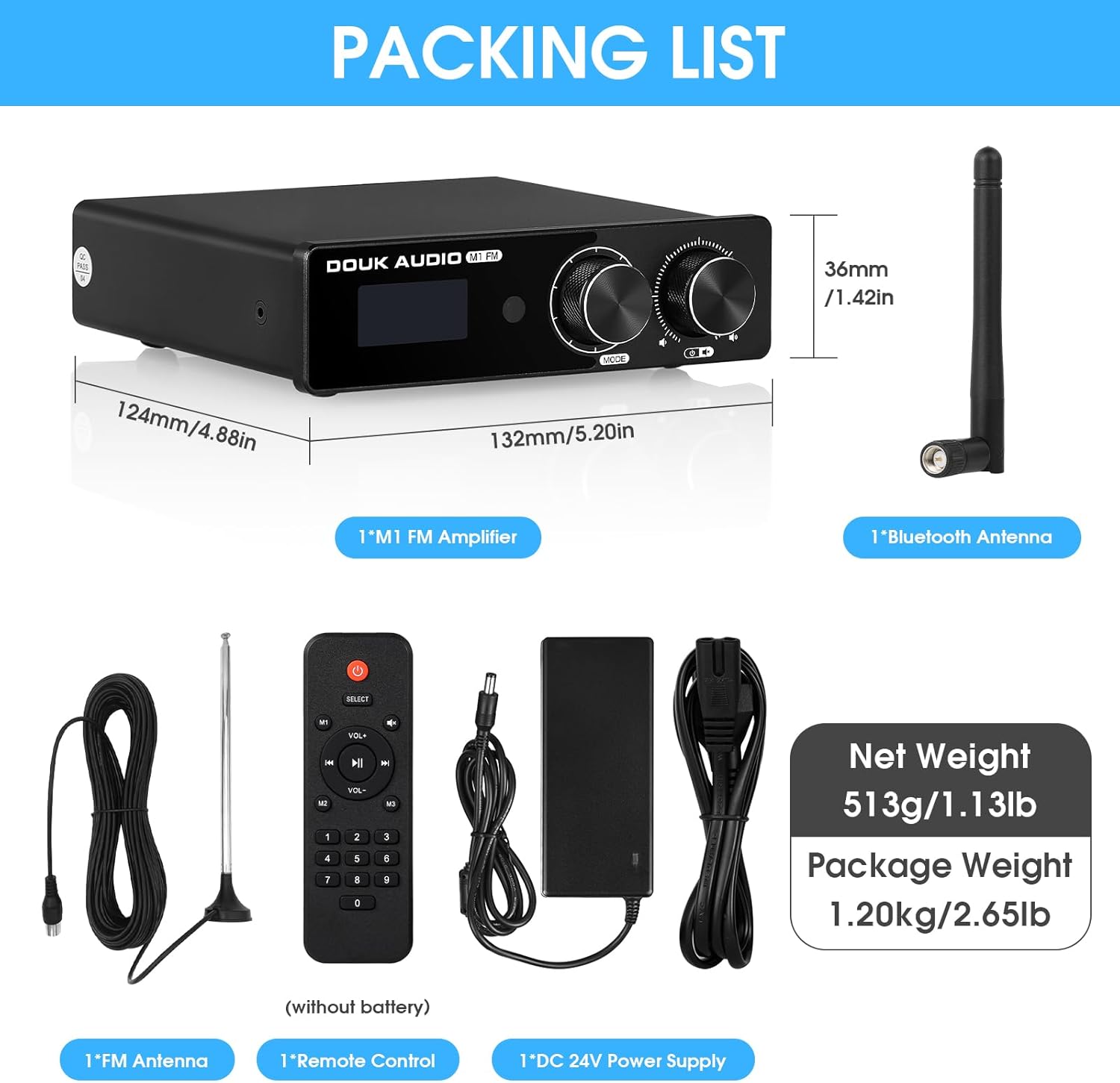
Verifiqueu que tots els elements siguin presents al paquet:
- 1x Douk Audio M1FM Ampmés viu
- 1x font d'alimentació de 24V/4A
- 1x Bluetooth Antenna
- 1x antena FM
- 1x Comandament a distància (piles no incloses)
Producte acabatview
Familiarize yourself with the front and rear panels of the M1FM ampmés viu.

Controls del panell frontal:
- Pantalla de visualització: Shows current input mode, FM frequency, and volume level.
- Pom multifunció: S'utilitza per a la navegació i selecció de menús.
- Power / Volume / Mute Knob: Press to power on/off or mute, rotate to adjust volume.
- Receptor d'infrarojos: Per a senyals de comandament a distància.
Connexions del panell posterior:
- FM ANT: Connecteu l'antena FM.
- RCA IN (L/R): Analog audio input for devices like CD players.
- ENTRADA AUXILIAR (3.5 mm): Analog audio input for portable devices.
- AUX OUT (3.5mm): Audio output to connect to another amplifier or active speaker/subwoofer.
- Sortida d'altaveu (E/D): Connecteu els altaveus passius amb connectors banana o cable nu.
- DC 15-24V: Entrada de potència.
Configuració
- Connectar els altaveus:
Connect your passive speakers to the "SPK OUT L" and "SPK OUT R" terminals on the rear panel. Ensure correct polarity (red to red, black to black). The amplifier supports 3-8Ω passive speakers.
- Connectar fonts d'àudio:
- Entrada RCA: Connect devices such as CD players or DACs to the "RCA IN" ports using an RCA cable.
- Entrada AUX: Connect portable devices (e.g., smartphones, tablets) to the "AUX IN" (3.5mm) port using a 3.5mm audio cable.
- Connecteu l'antena FM:
Attach the provided FM antenna to the "FM ANT" connector on the rear panel. Extend the antenna for optimal reception.

Figure 3: FM Antenna Setup. This image shows the Douk Audio M1FM amplifier connected to speakers and an FM antenna, illustrating the setup for radio reception. - Connect Bluetooth Antenna:
Screw the provided Bluetooth antenna into the dedicated connector on the rear panel for stable wireless connectivity.
Video 1: Douk Audio M1FM AmpConfiguració del lifier. This video demonstrates the physical connections for the Douk Audio M1FM amplifier, including speaker wires, RCA cables, AUX cables, and antenna connections, showcasing the rear panel setup. - Connexió d'alimentació:
Connect the 24V/4A power supply to the DC input on the rear panel, then plug the power supply into a wall outlet.
Funcionament
Encès/apagat i control de volum:
- Press the Power/Volume/Mute knob on the front panel to turn the unit on or off.
- Rotate the Power/Volume/Mute knob to adjust the volume level.
- Press the knob briefly to mute or unmute the audio.
Selecció d'entrada:
Press the Multi-function knob on the front panel to cycle through available input modes: Bluetooth, FM, RCA, AUX.
Funcionament Bluetooth:
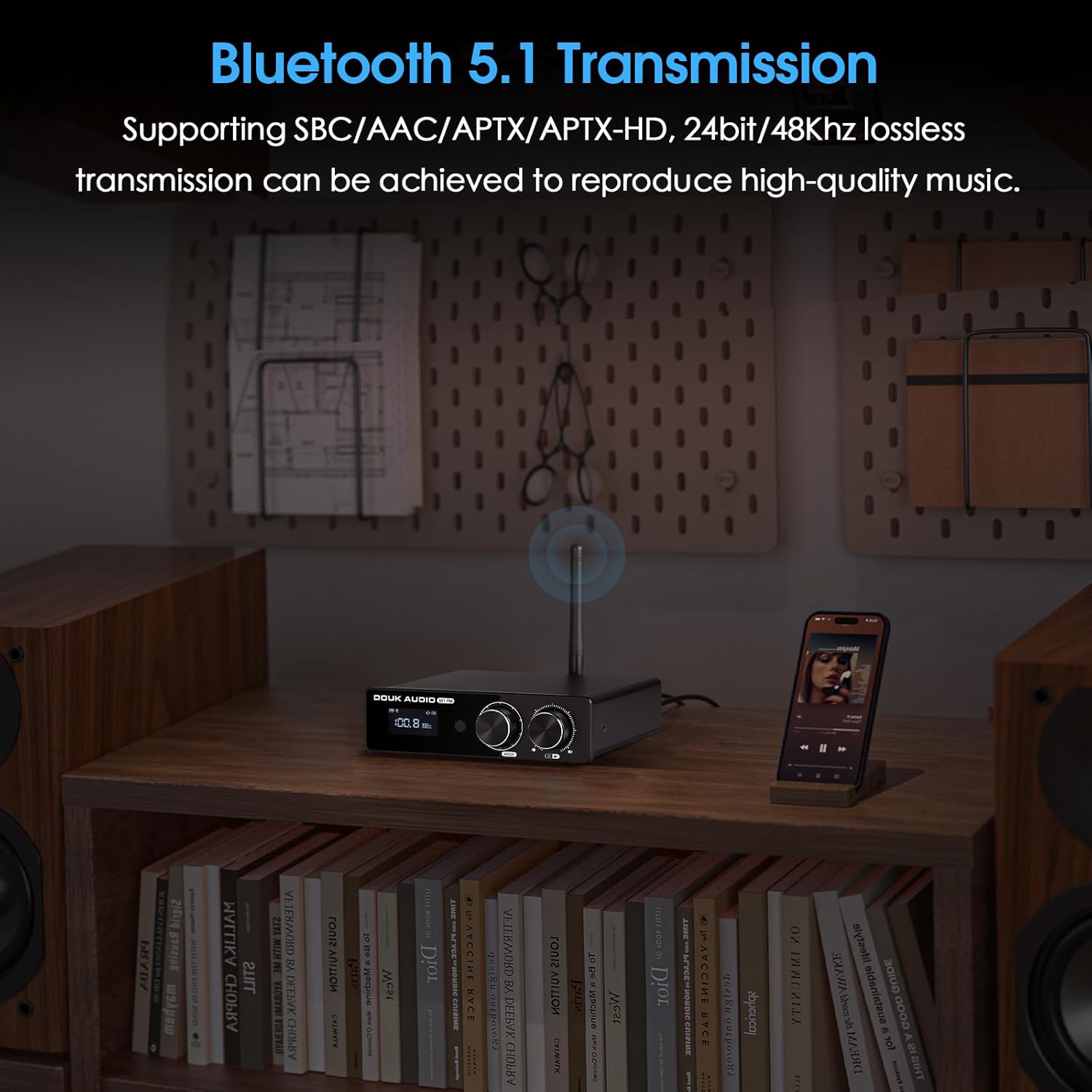
- Select "Bluetooth" input mode on the amplifier. The display will show "BT".
- On your mobile device, enable Bluetooth and search for "Douk Audio M1FM".
- Seleccioneu el amplifier to pair. Once connected, the display will indicate a successful connection.
- To clear paired devices, use the Bluetooth reset function via the remote control.
Funcionament de la ràdio FM:
- Select "FM" input mode.
- Use the Multi-function knob or remote control to perform automatic or manual station searches.
- The display will show the current FM frequency (76-108MHz).
Ús del control remot:
The full-function remote control allows for convenient operation from a distance. Insert 2x AAA batteries (not included) into the remote. Functions include power, input selection, volume adjustment, mute, FM tuning, and Bluetooth reset.

Especificacions
| Paràmetre | Valor |
|---|---|
| Entrada d'àudio | Bluetooth 5.1 / FM / RCA / AUX |
| Sortida d'àudio | AUX / Banana speaker jacks |
| Amplificador IC | TPA3116D2 |
| Xip Bluetooth | QCC303X (supports AAC/SBC/APTX/APTX-HD, 48kHz/24bit) |
| Op-amp | 4PCS NE5532 (pluggable sockets) |
| Freqüència FM | 76-108 Mhz |
| Resposta de freqüència | 20 Hz-20 kHz (± 1 dB) |
| Potència de sortida nominal | 50W*2 @ 4Ω |
| Sensibilitat d'entrada | 0.775 V |
| Nivell de sortida nominal AUX | 1.3 V |
| THD+N | 0.03% |
| SNR | ≥102 dB |
| Voltage | DC 15-24V |
| Dimensions (W*D*H) | 132*124*36mm / 5.20*4.88*1.42in |
| Pes net | 513 g / 1.13 lliures |

Resolució de problemes
| Problema | Causa possible | Solució |
|---|---|---|
| Sense poder | Power cable not connected; Power outlet faulty; Power adapter damaged. | Check power cable connection; Try a different outlet; Contact support for adapter replacement. |
| Sense so | Incorrect input selected; Volume too low; Speaker cables loose; Mute function active. | Select correct input; Increase volume; Check speaker connections; Deactivate mute. |
| Problemes de connexió Bluetooth | Device not in pairing mode; Amplifier too far from device; Interference; Previously paired device. | Assegureu-vos amplifier is in BT mode; Move device closer; Clear Bluetooth history on amplifier and device; Try pairing again. |
| Mala recepció FM | FM antenna not connected or poorly positioned; Weak signal in area. | Ensure FM antenna is securely connected and fully extended; Reposition antenna for better signal; Consider an external FM antenna if needed. |
| So distorsionat | Volume too high; Input signal too strong; Speaker impedance mismatch. | Reduce volume; Check source device output level; Ensure speakers are 3-8Ω. |
Manteniment
- Netegeu la unitat amb un drap suau i sec. No utilitzeu netejadors líquids ni aerosols.
- Mantingueu les obertures de ventilació netes de pols i deixalles.
- Emmagatzemar el ampguardeu el llifer en un lloc fresc i sec quan no l'utilitzeu durant períodes prolongats.
Garantia i Suport
Douk Audio products are designed for reliability and performance. For warranty information, please refer to the warranty card included with your purchase or visit the official Douk Audio website. For technical support or service inquiries, please contact Douk Audio customer service through their official channels.
Podeu trobar més informació i dades de contacte a Douk Audio Store on Amazon.


