1. Introducció
This manual provides detailed instructions for the setup, operation, and maintenance of your AJAZZ AKP03 Stream Controller. Please read this manual thoroughly before using the device to ensure proper functionality and to maximize your user experience. Keep this manual for future reference.
2. Producte acabatview
The AJAZZ AKP03 is a versatile stream controller designed to enhance desktop productivity and control. It features customizable buttons, knobs, and an LCD screen for efficient management of applications, streaming, and system monitoring.
2.1 Contingut del paquet
- AJAZZ AKP03 Stream Controller
- Cable USB tipus C
- Manual d'instruccions (aquest document)
2.2 Components del dispositiu
The AKP03 Stream Controller includes the following key components:
- 6 Visual Buttons: Customizable buttons with LCD displays for various functions.
- 3 Metal Knobs: For precise control over settings like volume or scrolling.
- 3 Switch Buttons: Additional programmable buttons.
- Interfície tipus C: Per connectar-vos al vostre ordinador.
- Detachable 40° Anti-Slip Stand: Provides an ergonomic viewing and operating angle.

Figura 1: superior view of the AJAZZ AKP03 Stream Controller, showing the 6 visual buttons, 3 metal knobs, and 3 switch buttons.
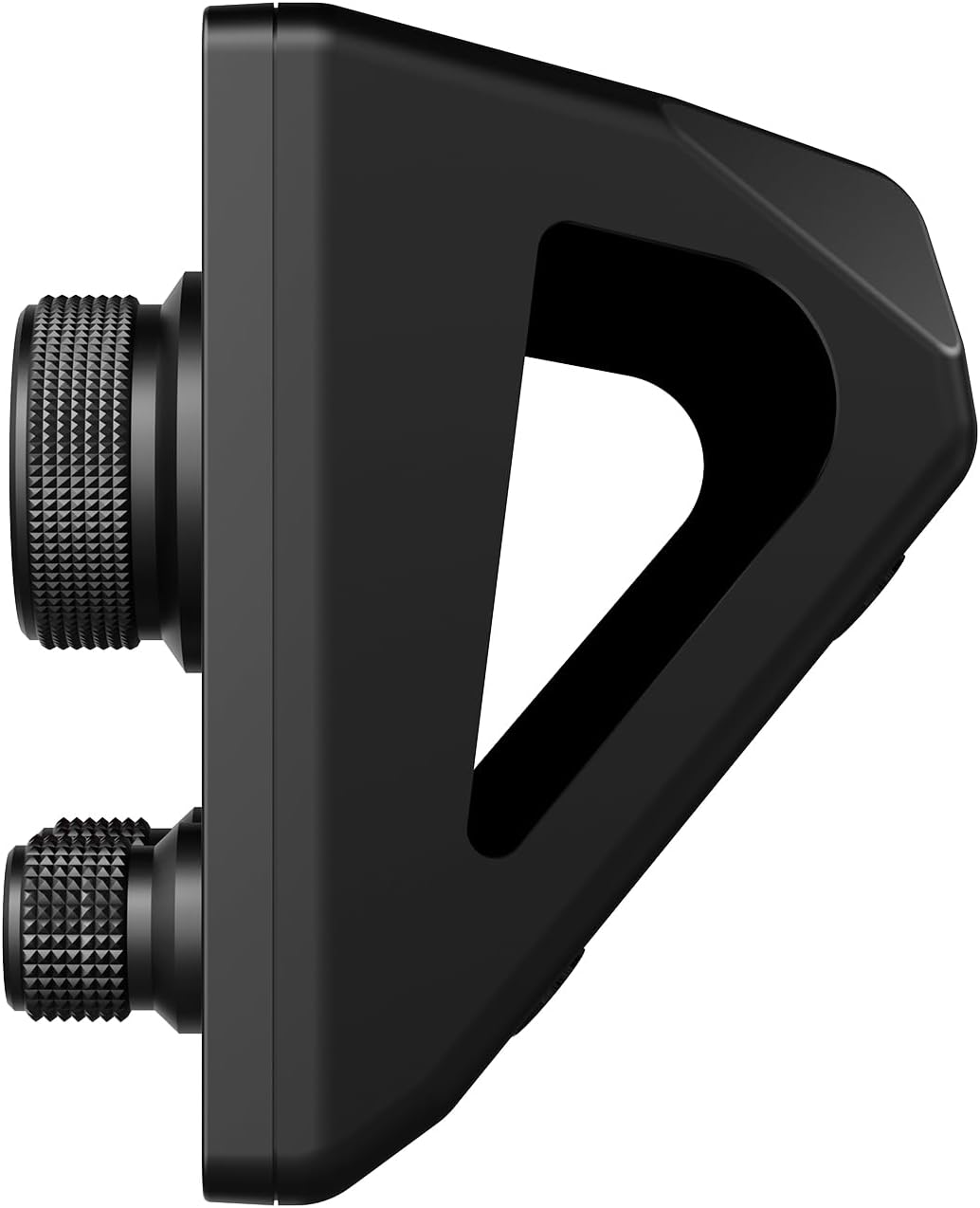
Figura 2: lateral view of the AJAZZ AKP03 Stream Controller, illustrating the detachable 40-degree anti-slip stand and the profile of the knobs.
3. Configuració
3.1 Requisits del sistema
- Windows 7 o superior
- macOS 10.13 o superior
- Available USB 3.0 port (recommended for optimal performance)
3.2 Connexió del dispositiu
- Connect one end of the provided Type-C USB cable to the Type-C port on the AJAZZ AKP03 Stream Controller.
- Connect the other end of the USB cable to an available USB port on your computer. For best results, use a USB 3.0 port (often identified by a blue interior).
- The device should be recognized by your operating system.
3.3 Col·locació del suport
The detachable 40° anti-slip stand can be easily attached to the controller. Align the stand with the slots on the bottom of the controller and gently push until it snaps securely into place. This provides an ergonomic angle for use.
3.4 Instal·lació del programari
To fully customize and utilize the features of the AKP03 Stream Controller, dedicated software is required. Please visit the official AJAZZ website to download the latest version of the control software compatible with your operating system. Follow the on-screen instructions for installation.
Note: Ensure you download software only from the official AJAZZ website to avoid compatibility issues or security risks.
4. Instruccions de funcionament
Once the software is installed and the device is connected, you can begin customizing and operating your AKP03 Stream Controller.
4.1 Customizing Buttons and Knobs
- Launch the AJAZZ control software on your computer.
- Within the software interface, you will find options to assign functions to the 6 visual buttons, 3 metal knobs, and 3 switch buttons.
- Visual Buttons: These buttons can be programmed for various actions such as launching applications, triggering macros, controlling streaming software, or executing editing shortcuts in programs like Adobe Photoshop. Customizable icons can be assigned for visual identification.
- Metal Knobs: The knobs can be configured for functions such as media control (play/pause, next/previous track), master Windows volume adjustment, or assigning hotkeys.
- Switch Buttons: These provide additional programmable inputs for quick actions.
4.2 LCD Side Screen Functions
The integrated LCD side screen can display real-time information about your computer's performance, such as CPU utilization and memory usage. This feature helps you monitor your system's health during intensive tasks.
4.3 Enhancing Productivity
The AKP03 Stream Controller is designed to streamline workflows in various applications, including:
- Managing desktop applications and webllocs.
- Controlling streaming media and chat platforms.
- Executing editing shortcuts in photo and video editing software.
- Assisting in game production, medical imaging, and music production.
5. Manteniment
To ensure the longevity and optimal performance of your AJAZZ AKP03 Stream Controller, follow these maintenance guidelines:
- Neteja: Use a soft, dry cloth to wipe the surface of the device. For stubborn dirt, a slightly damp Es pot fer servir un drap amb sabó suau, assegurant-se que no entri líquid al dispositiu. Eviteu netejadors o dissolvents abrasius.
- Emmagatzematge: When not in use, store the controller in a clean, dry environment away from direct sunlight and extreme temperatures.
- Cura del cable: Handle the Type-C USB cable gently. Avoid bending or twisting it excessively to prevent damage.
6. Solució De Problemes
If you encounter issues with your AKP03 Stream Controller, refer to the following troubleshooting steps:
6.1 El dispositiu no respon
- Comprova la connexió USB: Ensure the Type-C USB cable is securely connected to both the controller and your computer. Try a different USB port, preferably a USB 3.0 port.
- Reinicieu l'ordinador: De vegades, un simple reinici de l'ordinador pot resoldre els problemes de connectivitat.
- Comproveu el cable: Try using a different Type-C USB cable to rule out a faulty cable.
6.2 Problemes de programari
- Reinstal·lar el programari: If the software is not functioning correctly, uninstall it and download the latest version from the official AJAZZ website, then reinstall.
- Compatibilitat: Verify that your operating system meets the minimum requirements (Windows 7+ / macOS 10.13+).
- Privilegis d'administrador: Ensure the software is run with administrator privileges during installation and operation if necessary.
6.3 Knobs Not Performing Desired Functions
- Configuració del programari: Confirm that the knobs are correctly configured within the AJAZZ control software for the desired actions (e.g., media control, master volume, hotkeys).
- Enfocament de l'aplicació: Ensure the target application is in focus when attempting to use knob functions that interact with specific software.
If problems persist after attempting these steps, please contact AJAZZ customer support for further assistance.
7. Especificacions
| Model | AKP03 |
| Dimensions del producte | 130 x 80 x 60 mm (5.12 x 3.15 x 2.36 polzades) |
| Pes de l'article | 160 g (5.64 unces) |
| Nombre de botons | 6 Visual buttons + 3 Metal knobs + 3 Switch buttons |
| Interfície | Tipus C USB |
| Compatibilitat del sistema | Windows 7 i posterior, macOS 10.13 i posterior |
| Material | Plàstic |
| Color | Negre |
| Característiques especials | Customizable Display Keys, Macro Keys, LCD Side Screen |
8. Garantia i Suport
8.1 Informació de la garantia
AJAZZ provides a 12-month service guarantee for the AKP03 Stream Controller from the date of purchase. This warranty covers manufacturing defects under normal use. It does not cover damage caused by misuse, accidents, unauthorized modifications, or improper installation.
8.2 Atenció al client
If you have any questions, require technical assistance, or experience issues not covered in the troubleshooting section, please contact AJAZZ customer support. Refer to the official AJAZZ weblloc web per obtenir dades de contacte i recursos de suport.