1. Introducció
Thank you for choosing the Mesqool 10.1" Large Digital Clock. This device is designed to provide clear and comprehensive time, date, and environmental information, along with customizable reminders and photo display capabilities. It is ideal for various settings, including homes, offices, and classrooms, offering enhanced readability and functionality.

Mesqool 10.1" Large Digital Clock displaying time, day, date, temperature, and humidity.
2. Contingut del paquet
Please ensure all parts are included in your package:
- 1 x Mesqool 10.1" Large Digital Clock (Model CR1026)
- 1 x comandament a distància
- 1 x adaptador de corrent altern
- 1 x Manual d'usuari
- 2 x CR2032 Batteries (pre-installed for memory function)

The clock comes with a remote control and power adapter for convenient setup and use.
3. Configuració
3.1 Encès
- Connect the AC power adapter to the DC port on the back of the clock.
- Plug the adapter into a standard wall outlet. The clock will automatically power on and display the default time and date.
3.2 Configuració inicial de la data i l'hora
The clock typically comes pre-set with the correct time and date. If adjustment is needed, use the remote control or the side buttons:
- Premeu el botó MENU/EXIT/SETUP button on the remote or side panel to enter the settings menu.
- Utilitza el Amunt/Avall arrow buttons to navigate to "Date & Time" and press D'acord/ENTER.
- Adjust the time, date, 12/24-hour format, and date display format (MM/DD/YYYY or DD/MM/YYYY) using the arrow buttons and D'acord/ENTER per confirmar cada selecció.
- Premeu MENU/EXIT/SETUP per sortir de la configuració.
3.3 Opcions de muntatge
The clock can be placed on a tabletop using its integrated stand or wall-mounted. Mounting hardware is included for wall installation.
- Taula: Extend the built-in stand on the back of the clock to position it on any flat surface.
- Muntat a la paret: Use the provided wall anchors and screws with the mounting holes on the back of the clock. Ensure the clock is securely fastened.

The clock can be conveniently wall-mounted, saving space and providing easy access.
4. Instruccions de funcionament
4.1 Display Modes and Themes
The clock offers 12 unique display themes and 9 font colors to personalize its appearance. These include text time, analog clock, classic, and minimalist styles.
- Premeu MENU/EXIT/SETUP.
- Navigate to "Themes" and press D'acord/ENTER.
- Use the arrow buttons to browse through the available themes and colors.
- Premeu D'acord/ENTER to select your preferred theme.

Choose from 12 unique display themes and 9 font colors to match your personal taste or room décor.
4.2 Configuració d'alarmes i recordatoris
The clock supports up to 23 customizable schedules and 18 alarm sounds with 9 volume levels.
- Premeu MENU/EXIT/SETUP.
- Navigate to "Alarms" or "Schedule" and press D'acord/ENTER.
- For alarms, set the time, repeat days (weekdays, weekends, or everyday), choose a label, ringtone, and volume.
- For schedules, you can select from 23 pre-set reminders (e.g., medication, daily activities, visits) or create personalized messages using keyboard input.
- Premeu D'acord/ENTER per guardar i MENU/EXIT/SETUP per sortir.
The clock offers 23 preset schedules for daily routines and allows for personalized messages.
4.3 Brightness and Auto-Dimming
The clock features an intelligent light sensor that automatically adjusts screen brightness based on ambient light. You can also manually set brightness levels.
- Premeu MENU/EXIT/SETUP.
- Navigate to "Brightness" and press D'acord/ENTER.
- Choose between "Auto Dimming" or manual brightness levels (1-10).
- If selecting manual, use arrow buttons to adjust the level.
- Premeu D'acord/ENTER per salvar.

The built-in light sensor adjusts screen brightness based on ambient light for optimal viewing.
4.4 Indoor Temperature & Humidity Display
The clock includes an industrial-grade sensor for real-time temperature and humidity readings, displayed directly on the screen.
- The temperature can be displayed in Fahrenheit (°F) or Celsius (°C). Adjust this in the "Settings" menu.

Monitor your environment with real-time temperature and humidity readings.
4.5 Digital Picture Frame Function
Transform your clock into a digital picture frame by inserting a USB flash drive or SD card (up to 64GB, not included).
- Insert a USB flash drive or SD card containing your photos into the designated slot on the side of the clock.
- Premeu MENU/EXIT/SETUP.
- Navigate to "Album" and press D'acord/ENTER.
- The clock will begin displaying your photos in a slideshow format.
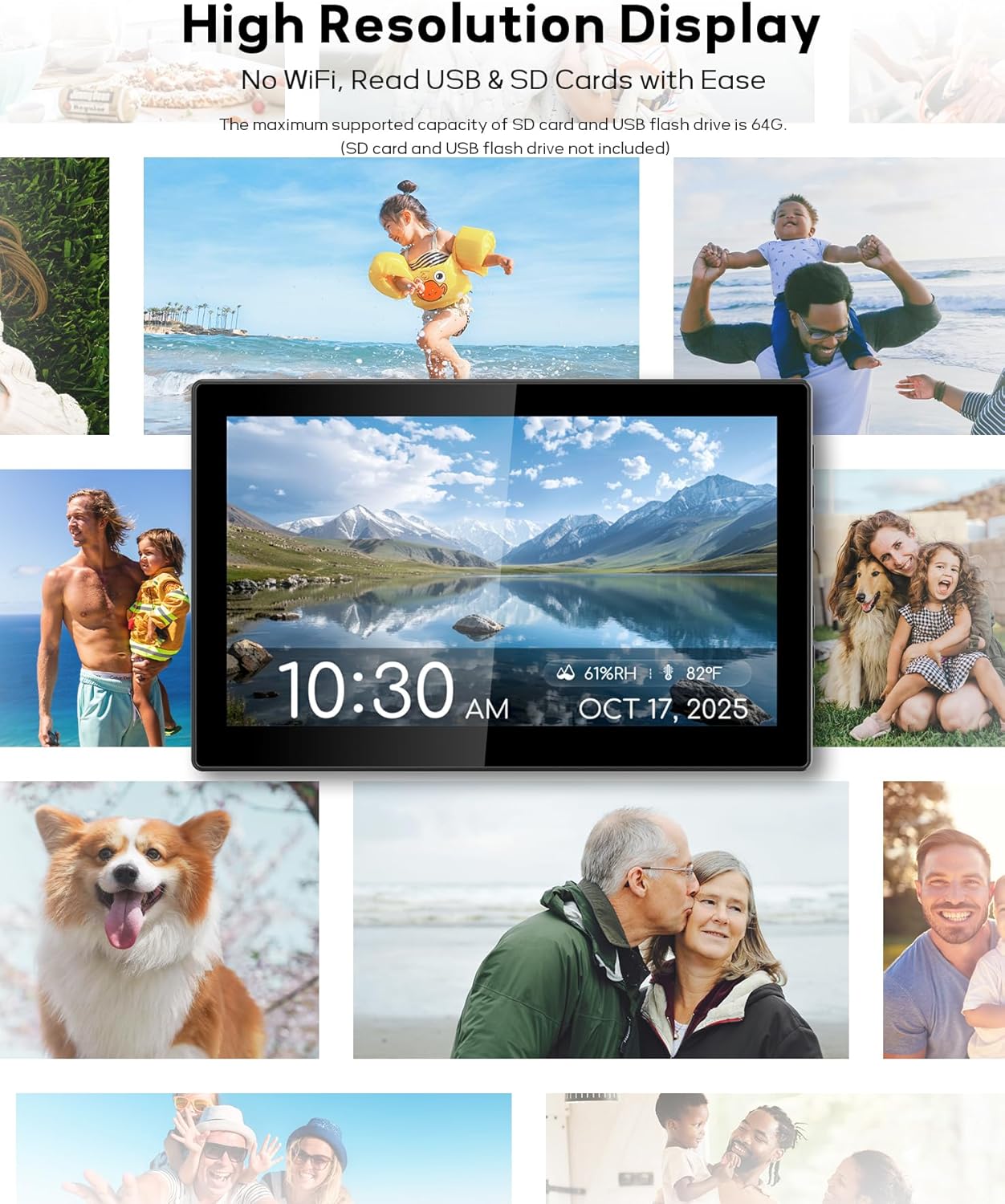
Display your favorite photos and relive precious memories on the screen.
4.6 Configuració d'idioma
El rellotge admet 6 idiomes: anglès, alemany, francès, italià, castellà i japonès.
- Premeu MENU/EXIT/SETUP.
- Navigate to "Settings" and press D'acord/ENTER.
- Select "Language" and use the arrow buttons to choose your desired language.
- Premeu D'acord/ENTER per confirmar.
4.7 Horari d'estiu automàtic (DST)
The clock features an Auto DST function to automatically adjust for daylight saving time changes. This can be enabled or disabled in the settings menu.
- Premeu MENU/EXIT/SETUP.
- Navigate to "Settings" and press D'acord/ENTER.
- Locate the "Daylight Saving Time" option and toggle it On/Off as needed.
- Premeu D'acord/ENTER per confirmar.
5. Manteniment
- Neteja: Feu servir un drap suau i sec per netejar la pantalla i l'exterior del rellotge. Eviteu productes de neteja o dissolvents abrasius.
- Adaptador d'alimentació: Ensure the power adapter is kept away from heat and moisture. Do not disassemble or modify the power adapter.
- Substitució de la bateria: The internal CR2032 batteries are for memory backup only. If the clock consistently loses time or date settings after a power outage, the backup batteries may need replacement. Consult the full user manual for detailed instructions on battery replacement.
6. Solució De Problemes
- El rellotge no s'encén: Ensure the AC power adapter is securely connected to both the clock and a working power outlet.
- El comandament a distància no funciona: Check the remote control batteries. Ensure there are no obstructions between the remote and the clock's sensor.
- Hora/data incorrecta: Access the "Date & Time" settings via the menu to manually adjust. Ensure Auto DST is correctly configured for your region.
- Display too bright/dim: Adjust brightness settings in the menu or ensure "Auto Dimming" is enabled if preferred.
- Fotos que no es mostren: Ensure the USB flash drive or SD card is correctly inserted and contains compatible image files (JPEG, PNG). Check that the storage device is formatted correctly (FAT32).
7. Especificacions
| Característica | Detall |
|---|---|
| Marca | Mesqool |
| Número de model | CR1026 |
| Tipus de visualització | IPS Digital Display |
| Mida de la pantalla | 10.1 polzades |
| Font d'alimentació | Cable elèctric (adaptador de CA) |
| Bateries de còpia de seguretat | 2 x CR2032 (inclòs) |
| Característiques especials | Adjustable Volume, Auto Dimmable, Battery Backup, Calendar Display, Temperature & Humidity Display, Digital Picture Frame, Remote Control, Customizable Alarms/Schedules, Auto DST, Multiple Themes & Colors, Multi-language Support |
| Dimensions del producte | 14 cm d'amplada x 4 cm d'alçada |
| Tipus de muntatge | Tabletop & Wall Mounted |
| Emmagatzematge compatible | USB flash drive, SD card (SD, SDHC, SDXC, USB2.0, max 64GB) |
8. Garantia i assistència
Mesqool provides a 1-year warranty for this product. If you encounter any manufacturing defects, please contact customer service immediately for a replacement or refund.
For further assistance or inquiries, please refer to the contact information provided in your product packaging or visit the official Mesqool weblloc.


