1. Introducció
Welcome to the user manual for your Monster AirMars XKT16 Wireless Bluetooth Headphones. This guide provides comprehensive instructions on how to set up, operate, maintain, and troubleshoot your new headphones. Designed for an active lifestyle, the XKT16 offers low latency, noise reduction, and extended battery life, making it ideal for gaming, sports, and everyday audio enjoyment.
Please read this manual carefully to ensure proper use and to maximize the performance and longevity of your device.
2. Producte acabatview
The Monster AirMars XKT16 headphones are engineered for superior audio performance and user comfort. Key features include:
- Connectivitat sense fils: Seamless Bluetooth connection for gaming and sports.
- Latència baixa: Ensures minimal audio lag for synchronized audio and visuals.
- Reducció de soroll: Minimizes external disturbances for an immersive audio experience.
- Durada de la bateria ampliada: Large battery capacity for prolonged usage.
- Disseny ergonòmic: Comfortable fit for extended wear during sports and gaming sessions.

Figure 2.1: Monster AirMars XKT16 Wireless Bluetooth Headphones with charging case.
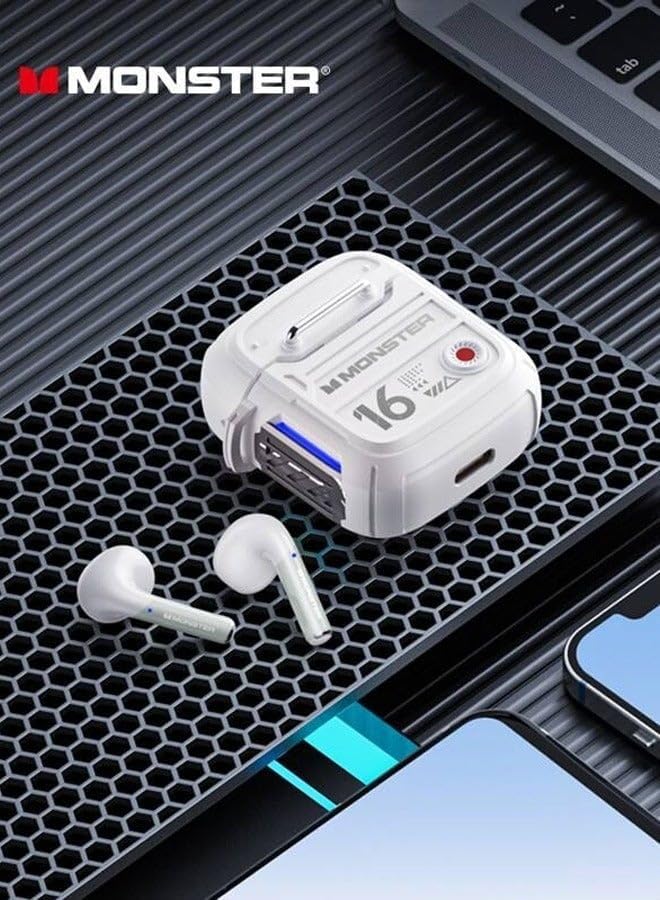
Figure 2.2: The XKT16 headphones and charging case, highlighting their compact and robust design.
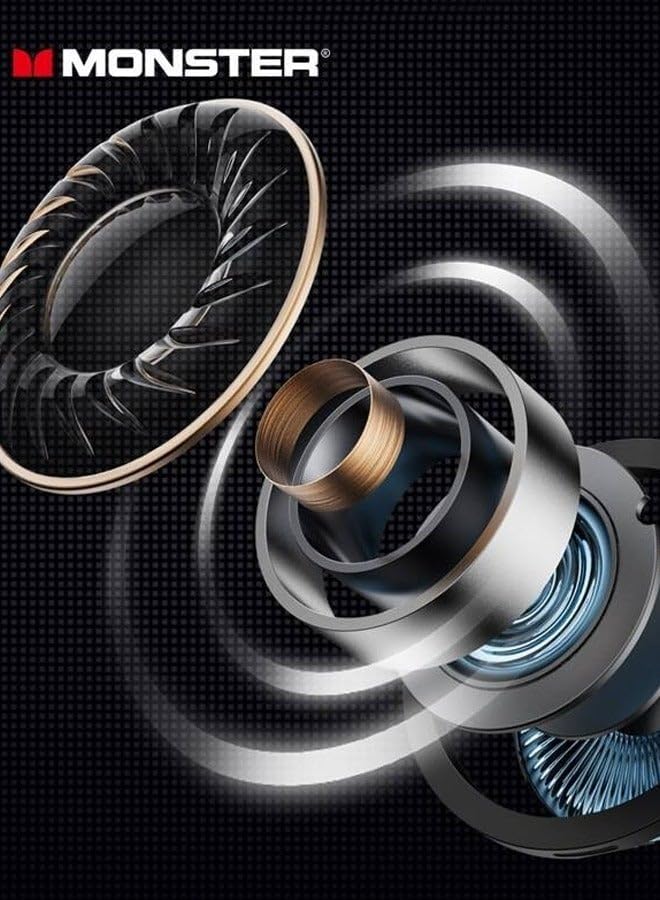
Figure 2.3: Illustration of the advanced internal driver components responsible for crystal-clear sound quality.
3. Configuració
3.1 Càrrega dels auriculars
Before first use, fully charge the headphones and the charging case. The charging case also acts as a portable power bank for the earbuds.
- Col·loca els auriculars a l'estoig de càrrega, assegurant-te que estiguin correctament col·locats.
- Connecteu la funda de càrrega a una font d'alimentació USB amb el cable de càrrega proporcionat.
- Els indicadors lluminosos de la carcassa mostraran l'estat de càrrega. Un cop carregada completament, els llums indicaran que s'ha completat o s'apagaran.
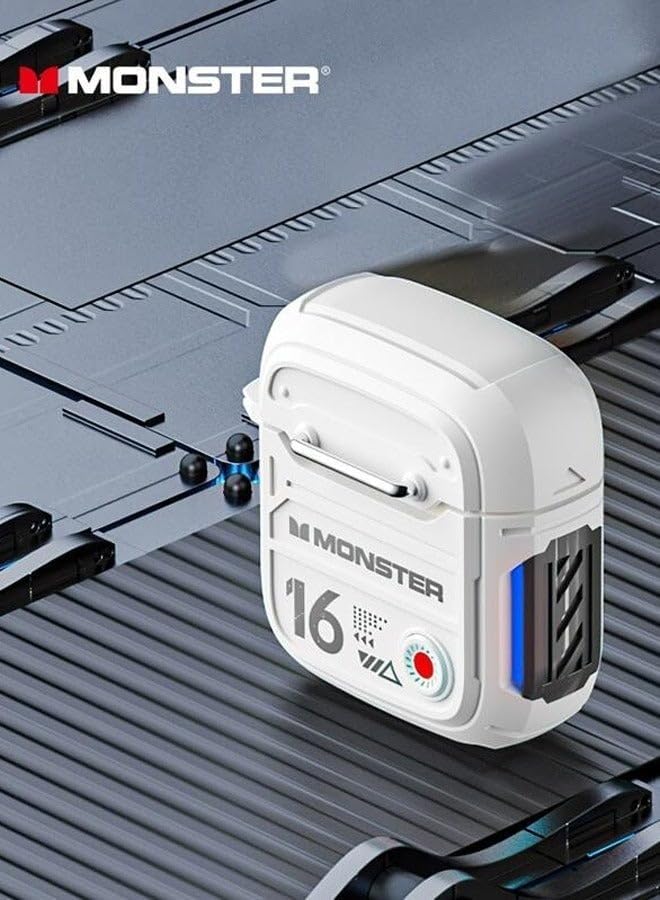
Figura 3.1: lateral view of the charging case, showing the charging port and indicator lights.
3.2 Vinculació Bluetooth
To connect your Monster AirMars XKT16 headphones to your device:
- Assegureu-vos que els auriculars estiguin carregats.
- Obre l'estoig de càrrega. Els auriculars entraran automàticament en mode d'emparellament, cosa que s'indicarà amb una llum intermitent als auriculars.
- Al dispositiu (telèfon intel·ligent, tauleta, ordinador), aneu a la configuració de Bluetooth i activeu el Bluetooth.
- Cerca available devices. Select "Monster AirMars XKT16" from the list.
- Un cop connectats, una indicació de veu confirmarà l'emparellament correcte i els indicadors lluminosos dels auriculars deixaran de parpellejar.
Note: The headphones will automatically reconnect to the last paired device when taken out of the case, if Bluetooth is enabled on the device.

Figure 3.2: The charging case with one earbud, illustrating the readiness for pairing.
4. Instruccions de funcionament
4.1 Encès/Apagat
- Encès: Obriu l'estoig de càrrega i els auriculars s'encendran automàticament. Si no, premeu i manteniu premuda la zona de control tàctil d'ambdós auriculars durant 3 segons.
- Apagar: Place the earbuds back into the charging case and close the lid. They will automatically power off and begin charging. Alternatively, disconnect Bluetooth and the earbuds will power off after 5 minutes of inactivity.
4.2 Controls tàctils
The Monster AirMars XKT16 features intuitive touch controls on each earbud:
| Funció | Acció |
|---|---|
| Reproducció/pausa de música | Un sol toc a qualsevol dels auriculars. |
| Pista següent | Toqueu dues vegades l'auricular dret. |
| Pista anterior | Toqueu dues vegades l'auricular esquerre. |
| Respondre/Finalitzar la trucada | Un sol toc a qualsevol dels auriculars. |
| Rebutja la trucada | Prem i mantén premut qualsevol dels auriculars durant 2 segons. |
| Activa l'Assistent de veu | Toqueu tres vegades qualsevol dels auriculars. |
| Toggle Gaming/Music Mode | Press and hold on the right earbud for 2 seconds. |
| Toggle Noise Reduction/Transparency Mode | Press and hold on the left earbud for 2 seconds. |
5. Manteniment
5.1 Neteja
- Netegeu regularment els auriculars i l'estoig de càrrega amb un drap suau, sec i sense borrissol.
- No utilitzeu netejadors abrasius, alcohol ni dissolvents químics.
- Assegureu-vos que els contactes de càrrega dels auriculars i de la funda estiguin nets i lliures de residus.
5.2 Emmagatzematge i cura de la bateria
- Guarda els auriculars a la seva funda de càrrega quan no els facis servir per protegir-los i mantenir-los carregats.
- Eviteu exposar els auriculars a temperatures extremes, humitat o llum solar directa.
- To preserve battery life, charge the headphones regularly, even if not used frequently. Avoid fully discharging the battery for extended periods.
6. Solució De Problemes
| Problema | Causa possible | Solució |
|---|---|---|
| Els auriculars no s'emparellan. | Bluetooth is off on device, headphones not in pairing mode, or interference. | Assegura't que el Bluetooth estigui activat. Col·loca els auriculars a l'estoig, tanca'ls i obre'ls per tornar a entrar en el mode d'emparellament. Acosta't al dispositiu. |
| No se sent so d'un o dels dos auriculars. | Low battery, not connected, or volume too low. | Charge headphones. Reconnect Bluetooth. Increase volume on device and headphones. |
| L'estoig de càrrega no es carrega. | Cable issue, power source issue, or dirty charging port. | Prova un cable USB i un adaptador de corrent diferents. Neteja el port de càrrega. |
| Audio delay (high latency). | Not in gaming mode, or environmental interference. | Ensure gaming mode is activated (refer to Operating Instructions). Reduce distance to device. |
6.1 Restabliment de fàbrica
If you experience persistent issues, a factory reset may resolve them. Consult the manufacturer's website or support for specific reset instructions for the Monster AirMars XKT16, as procedures can vary.
7. Especificacions
| Característica | Detall |
|---|---|
| Nom del model | Monster Airmars XKT16 |
| Número de model de l'article | XKT16 |
| Tecnologia de connectivitat | Sense fil (Bluetooth) |
| Factor de forma | A l'orella |
| Color | Lvory |
| Fabricant | Monstre |
| País d'origen | Xina |
8. Garantia i Suport
For warranty information, please refer to the warranty card included with your product or visit the official Monster weblloc web. Conserveu el comprovant de compra per a qualsevol reclamació de garantia.
If you require further assistance or have questions not covered in this manual, please contact Monster customer support through their official channels.


