Introducció
The Genius NX-7000 is a 2.4 GHz wireless mouse designed for comfort and versatility. Featuring BlueEye technology, it offers precise tracking on various surfaces. Its ambidextrous design ensures comfortable use for both left and right-handed users. This manual provides essential information for setting up, operating, maintaining, and troubleshooting your NX-7000 wireless mouse.
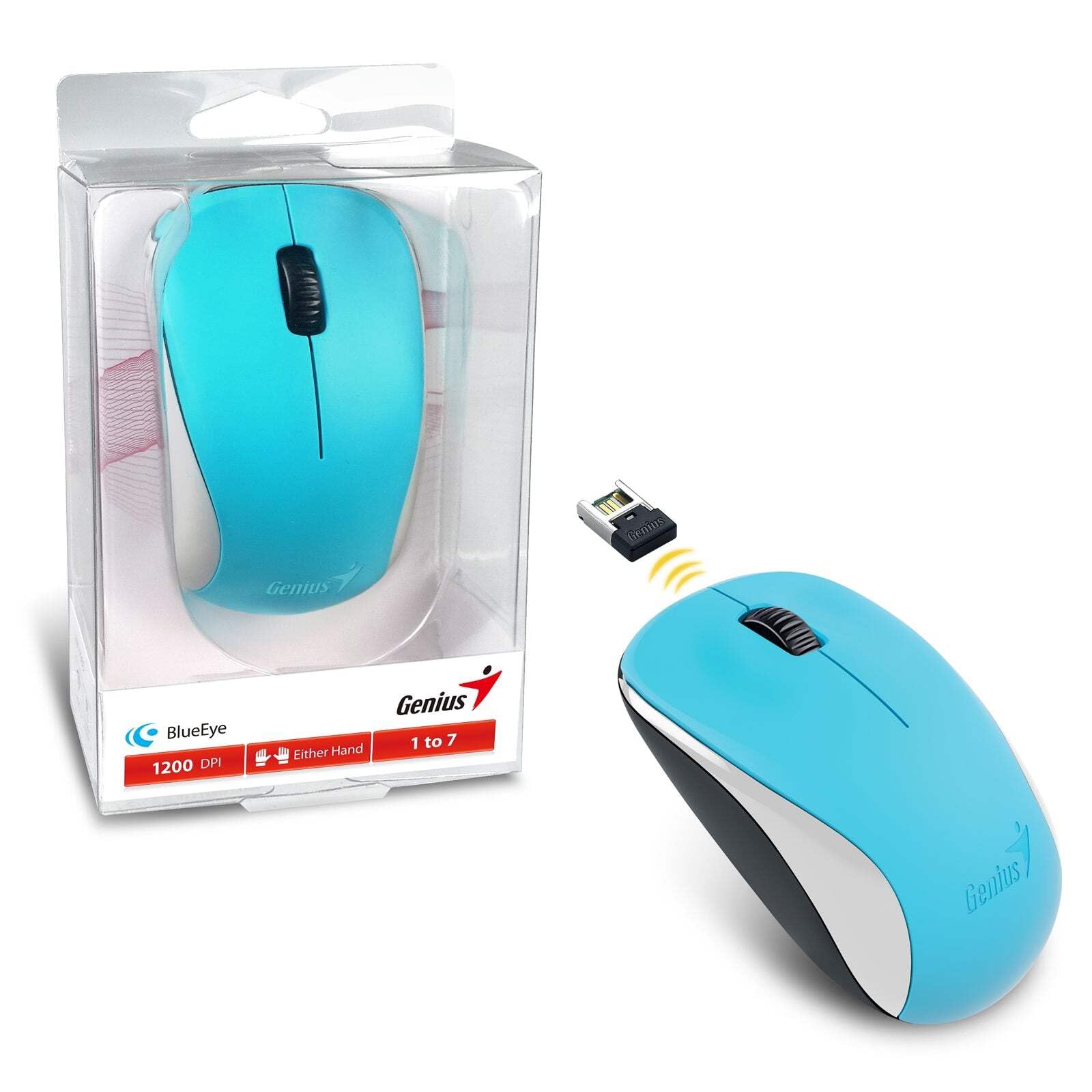
Image: The Genius NX-7000 wireless mouse in blue, shown alongside its compact USB pico receiver. The mouse features a contoured, ambidextrous design with a scroll wheel and two main buttons. The packaging is visible on the left.
Configuració
1. Requisits del sistema
- Operating System: Windows 7, 8, 8.1, 10 or Mac OS X 10.8 or later.
- Port USB disponible.
- One AA battery (for mouse power).
2. Instal·lació de la bateria
- Localitzeu la tapa del compartiment de la bateria a la part inferior del ratolí.
- Feu lliscar o aixequeu la tapa per obrir el compartiment.
- Inseriu una pila AA, assegurant-vos que els terminals positiu (+) i negatiu (-) s'alineïn correctament amb les marques de l'interior del compartiment.
- Tanqueu bé la tapa del compartiment de la bateria.
3. Connecting the USB Pico Receiver
- Remove the USB pico receiver from its storage slot on the bottom of the mouse.
- Plug the USB pico receiver into an available USB port on your computer.
- Your computer should automatically detect and install the necessary drivers for the mouse. This may take a few moments.
- Un cop instal·lats els controladors, el ratolí ja està llest per al seu ús.
Instruccions de funcionament
Funcionament bàsic
- Botó esquerre: Funció de clic principal, que normalment s'utilitza per seleccionar elements, obrir files, or activating links.
- Botó dret: Secondary click function, typically used to open context menus.
- Roda de desplaçament (botó central): S'utilitza per desplaçar-se pels documents o web pages. Pressing the scroll wheel can also act as a middle click button, often used for opening links in new tabs.
BlueEye Technology
The NX-7000 utilizes 1000dpi BlueEye technology, which provides enhanced tracking accuracy. This technology allows the mouse to function reliably on a wide variety of surfaces, including those that are typically challenging for optical mice, such as dusted glass, marble, sofas, or carpets.
SmartGenius Software (Optional)
For advanced customization, you can download and install the SmartGenius software from the official Genius website. This software allows you to adjust DPI levels and other performance settings to suit your personal preferences, enhancing your user experience.
Pico Receiver Storage
When traveling or not using the mouse, the USB pico receiver can be conveniently stored inside a dedicated slot on the bottom of the mouse. This prevents loss and protects the receiver.
Unifying Genius Mice
The NX-7000 receiver is designed to work with other compatible Genius wireless mice. This feature allows you to use a single receiver for multiple Genius wireless devices, reducing the number of USB ports required and offering greater mobility if you own several Genius wireless products.
Manteniment
- Neteja: Feu servir un drap suau i sec per netejar el ratolí. Per a la brutícia persistent, fregueu lleugerament.ampRenta el drap amb aigua. Evita utilitzar productes químics agressius o netejadors abrasius.
- Substitució de la bateria: Replace the AA battery when the mouse performance degrades or it stops responding. Always dispose of used batteries responsibly according to local regulations.
- Emmagatzematge: When not in use for extended periods, remove the battery to prevent leakage. Store the mouse and receiver in a cool, dry place.
- Eviteu condicions extremes: No exposeu el ratolí a temperatures extremes, llum solar directa ni humitat excessiva.
Resolució de problemes
| Problema | Possible causa/solució |
|---|---|
| El ratolí no respon. |
|
| El moviment del cursor és erràtic o irregular. |
|
| Mouse buttons or scroll wheel not working. |
|
Especificacions
| Característica | Detall |
|---|---|
| Número de model | 31030027402 |
| Tipus de connexió | Sense fil (2.4 GHz) |
| Sensor Engine | Ull blau |
| Resolució (DPI) | 1200 DPI (Adjustable via SmartGenius software) |
| Nombre de botons | 3 (Left, Right, Middle button with scroll wheel) |
| Disseny | Ambidextrous, Contoured |
| Font d'alimentació | 1 x bateria AA |
| Dimensions (A x A x P) | 60 x 105 x 37 mm (2.36 x 4.13 x 1.46 polzades) |
| Pes | 85 g (0.19 lliures) |
| Colors disponibles | Ocean Blue, Spring Green, Elegant White, Passion Red, Calm Black |
Garantia i Suport
For information regarding warranty coverage, technical support, or service, please refer to the warranty card included with your product or visit the official Genius weblloc web. Normalment hi podeu trobar recursos d'assistència, preguntes freqüents i informació de contacte per al servei d'atenció al client.
Official Genius Weblloc: www.geniusnet.com


