1. Introducció
Thank you for choosing the Intenso Buds Plus TWS T313AE Wireless Earbuds. These earbuds are designed to provide a superior audio experience with advanced features such as Active Noise Cancellation (ANC), Environmental Noise Cancellation (ENC), and Bluetooth 5.4 connectivity. This manual provides essential information for setting up, operating, and maintaining your earbuds.
2. Contingut del paquet
Si us plau, comproveu el paquet per veure si hi ha els elements següents:
- Intenso Buds Plus TWS Earbuds (Left and Right)
- Estoig de càrrega
- Cable de càrrega USB
- Múltiples mides de puntes per a les orelles
- Manual d'usuari
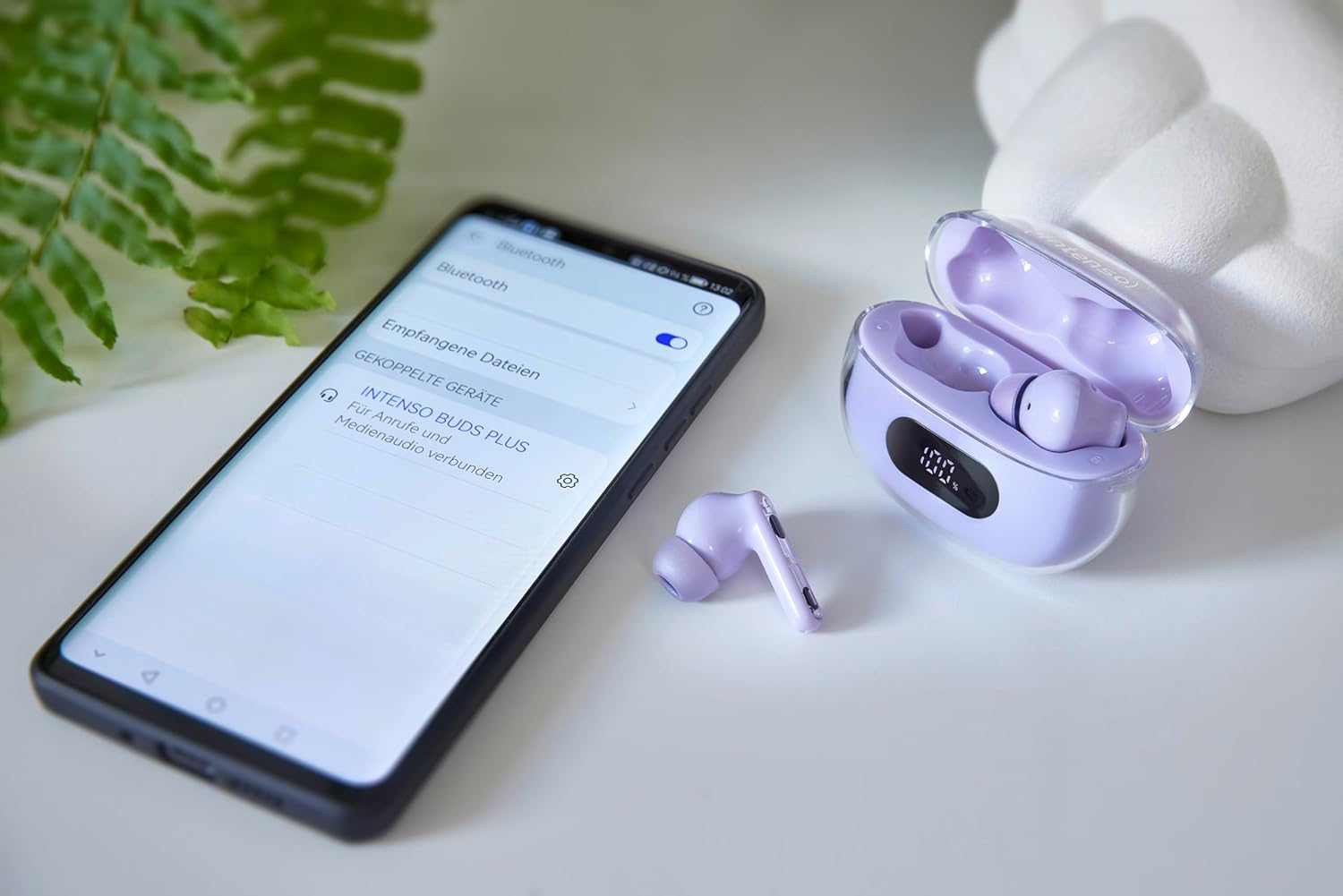
Image: Intenso Buds Plus TWS earbuds, charging case, and a smartphone displaying Bluetooth pairing settings.
3. Producte acabatview
The Intenso Buds Plus TWS earbuds feature a compact design with a transparent charging case. The earbuds are equipped with touch controls and integrated microphones for clear communication.

Image: Earbuds in open charging case with digital display.

Image: Features highlighted: ANC, ENC, and LED display.

Image: Charging case with 100% battery display.

Image: Close-up of individual earbuds.
4. Configuració
4.1 Càrrega dels auriculars i l'estoig
Before first use, fully charge the earbuds and the charging case. The charging case features an LED display to indicate the battery level.
- Col·loqueu els auriculars a la caixa de càrrega.
- Connecteu la funda de càrrega a una font d'alimentació USB amb el cable USB proporcionat.
- La pantalla LED de la carcassa mostrarà l'estat de càrrega.
- A full charge typically takes approximately 1.5 to 2 hours for the case and earbuds.

Image: LED status display on the charging case.
4.2 Vinculació Bluetooth
The Intenso Buds Plus earbuds utilize Bluetooth 5.4 for a stable and fast connection.
- Assegureu-vos que els auriculars estiguin carregats i dins de l'estoig de càrrega.
- Obre l'estoig de càrrega. Els auriculars entraran automàticament en mode d'emparellament.
- Al dispositiu (telèfon intel·ligent, tauleta, ordinador portàtil), aneu a la configuració de Bluetooth.
- Cerca available devices and select "Intenso Buds Plus" from the list.
- Un cop connectats, sentireu un to de confirmació i els auriculars estaran a punt per al seu ús.

Image: Earbuds and case next to a smartphone.
5. Instruccions de funcionament
5.1 Controls tàctils
The earbuds feature intuitive touch controls for managing audio playback, calls, and noise cancellation modes.
- Reproduir/pausa: Un sol toc a qualsevol dels auriculars.
- Pista següent: Toqueu dues vegades l'auricular dret.
- Pista anterior: Toqueu dues vegades l'auricular esquerre.
- Respondre/Finalitzar la trucada: Un sol toc a qualsevol dels auriculars.
- Rebutja la trucada: Manteniu premut qualsevol dels auriculars durant 2 segons.
- Pujar el volum: Toqueu tres vegades l'auricular dret.
- Baixar el volum: Toqueu tres vegades l'auricular esquerre.
- Activa l'Assistent de veu: Prem i mantén premut qualsevol dels auriculars durant 3 segons (quan no estiguis en una trucada).
5.2 Noise Cancellation Modes (ANC, ENC, Transparency)
The earbuds offer various modes to control your listening environment:
- Cancel·lació activa del soroll (ANC): Reduces ambient noise, allowing you to focus on your audio.
- Cancel·lació de soroll ambiental (ENC): Enhances voice clarity during calls by filtering out background noise.
- Mode de transparència: Et permet escoltar el teu entorn mentre gaudeixes de l'àudio, útil per a la consciència en entorns concorreguts.
To switch between ANC, Transparency, and Normal modes, press and hold the touch area on the left earbud for 2 seconds. ENC is automatically active during calls.
5.3 Durada de la bateria
The earbuds provide up to 7 hours of playback on a single charge. The charging case extends the total playtime to approximately 25 hours, allowing for multiple recharges on the go.

Image: Illustration of battery life with and without charging case.
6. Manteniment
To ensure the longevity and optimal performance of your Intenso Buds Plus earbuds, follow these maintenance guidelines:
- Neteja: Netegeu regularment els auriculars i l'estoig de càrrega amb un drap suau, sec i sense borrissol. No utilitzeu netejadors abrasius ni dissolvents.
- Consells per a les orelles: Traieu les puntes de les orelles periòdicament i netegeu-les amb aigua i sabó suau. Assegureu-vos que estiguin completament seques abans de tornar-les a col·locar.
- Contactes de càrrega: Mantingueu els contactes de càrrega dels auriculars i de l'interior de la funda nets i lliures de residus per garantir una càrrega correcta.
- Emmagatzematge: Quan no els utilitzeu, guardeu els auriculars a la seva funda de càrrega per protegir-los de la pols i els danys.
- Resistència a l'aigua: The earbuds are water-resistant. Avoid submerging them in water or exposing them to excessive moisture. Dry them thoroughly if they get wet.
7. Solució De Problemes
If you encounter any issues with your earbuds, refer to the following common solutions:
| Problema | Causa possible | Solució |
|---|---|---|
| Els auriculars no s'aparellen | Low battery; Bluetooth off; Earbuds not in pairing mode; Device already connected to another Bluetooth device. | Charge earbuds and case; Ensure Bluetooth is enabled on your device; Place earbuds in case, close, then open to re-enter pairing mode; Disconnect from other devices. |
| Sense so | Volume too low; Earbuds not connected; Audio source paused. | Increase volume on earbuds and device; Reconnect earbuds; Check audio playback on your device. |
| Mala qualitat del so | Ear tips not properly sealed; Earbuds dirty; Interference. | Try different size ear tips for a better fit; Clean earbuds and ear tips; Move closer to your device or away from sources of interference. |
| Els auriculars no es carreguen | Charging cable faulty; Charging contacts dirty; Power source issue. | Try a different USB cable; Clean charging contacts; Use a different USB port or power adapter. |
8. Especificacions
| Nom del model | Buds Plus |
| Número de model | 3720313 |
| Marca | Intenso |
| Tecnologia de connectivitat | Sense fil (Bluetooth 5.4) |
| Col·locació de l'orella | A l'orella |
| Factor de forma | In-orella |
| Cancel·lació de soroll | Cancel·lació activa de soroll (ANC), Cancel·lació de soroll ambiental (ENC) |
| Tipus de control | Control tàctil |
| Característiques especials | Noise Cancellation, Volume Control, Touch Control, Noise Isolation, Lightweight |
| Composició de la bateria | Polímer de liti |
| Bateria recarregable | Sí |
| Temps de joc (auriculars) | Fins a 7 hores |
| Temps de reproducció total (amb estoig) | Fins a 25 hores |
| Nivell de resistència a l'aigua | Resistent a l'aigua |
| Material | Plàstic |
| Dispositius compatibles | Mobile phone, Tablet, Laptop, Game console, Car audio system |
9. Garantia i Suport
Intenso products are designed for reliability and performance. For warranty information, technical support, or customer service inquiries, please refer to the contact details provided on the Intenso official weblloc web o la documentació de la compra.
Si us plau, conserveu el comprovant de compra per a qualsevol reclamació de garantia.


