1. Introducció
Gràcies per la compraasing the VILTROX DC-X3 SDI Camera Field Monitor. This professional-grade monitor is designed to enhance your video production workflow with its high brightness, comprehensive monitoring features, and versatile input/output options. Please read this manual thoroughly before using the product to ensure proper operation and to maximize its performance and lifespan.
2. Informació de seguretat
To prevent damage to the product or injury to yourself or others, read the following safety precautions completely before use.
- Do not disassemble or modify the monitor. Unauthorized modifications can lead to electric shock, fire, or product damage.
- Keep the monitor away from water and moisture. Do not expose it to rain or immerse it in liquid.
- Avoid extreme temperatures. Do not operate or store the monitor in excessively hot or cold environments.
- Use only VILTROX-approved power adapters and batteries. Using incompatible power sources may cause damage.
- Handle with care. Avoid dropping or subjecting the monitor to strong impacts.
- Clean the monitor with a soft, dry cloth. Do not use harsh chemicals or abrasive cleaners.
3. Contingut del paquet
Si us plau, comproveu el contingut del paquet per assegurar-vos que tots els articles hi són i estan en bon estat.
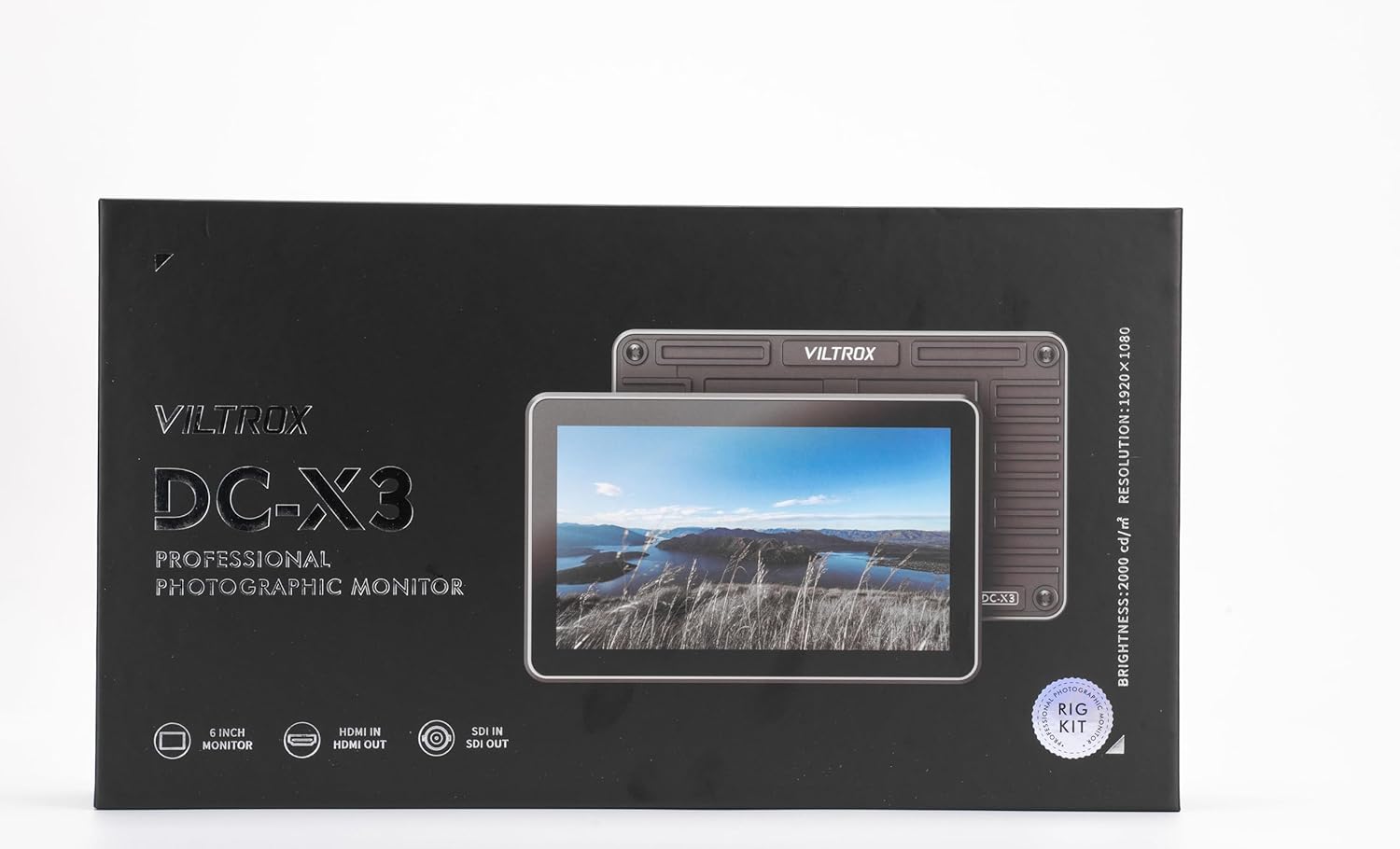
Davant view of the VILTROX DC-X3 product packaging.

posterior view of the VILTROX DC-X3 product packaging, showing the list of standard accessories included.
- VILTROX DC-X3 SDI Camera Field Monitor
- Bossa de transport
- Caputxa para-sol
- Battery (1 C battery included)
- HDMI-A to HDMI-A Cable
- HDMI-A to HDMI-C Cable
- HD Screen Protector
- Standard Shoe Adapter
- Targeta de garantia
- Hexagonal Wrench (Optional, if Rig Kit purchased)
4. Producte acabatview
The VILTROX DC-X3 is a 6-inch touchscreen field monitor designed for professional videography. It features a 2000 nits super bright daylight viewable display, 4K HDMI and SDI input/output, and a robust set of monitoring tools.

The VILTROX DC-X3 monitor mounted on a camera, showcasing its compact design and clear display in an outdoor setting.
4.1 Panell frontal i pantalla
The front of the monitor features a 6-inch IPS touchscreen display with Full HD 1920x1080 resolution, 360 PPI pixel density, and a 1000:1 contrast ratio. The 160° viewing angle ensures clear visibility from various positions.

Visual representation of the monitor's display features, including Full HD resolution, pixel density, contrast, and viewangle de ing.
4.2 Panell posterior i ports
The rear panel houses the battery plate and various input/output ports for connectivity.

posterior view of the VILTROX DC-X3 monitor, showing the battery plate and ventilation.
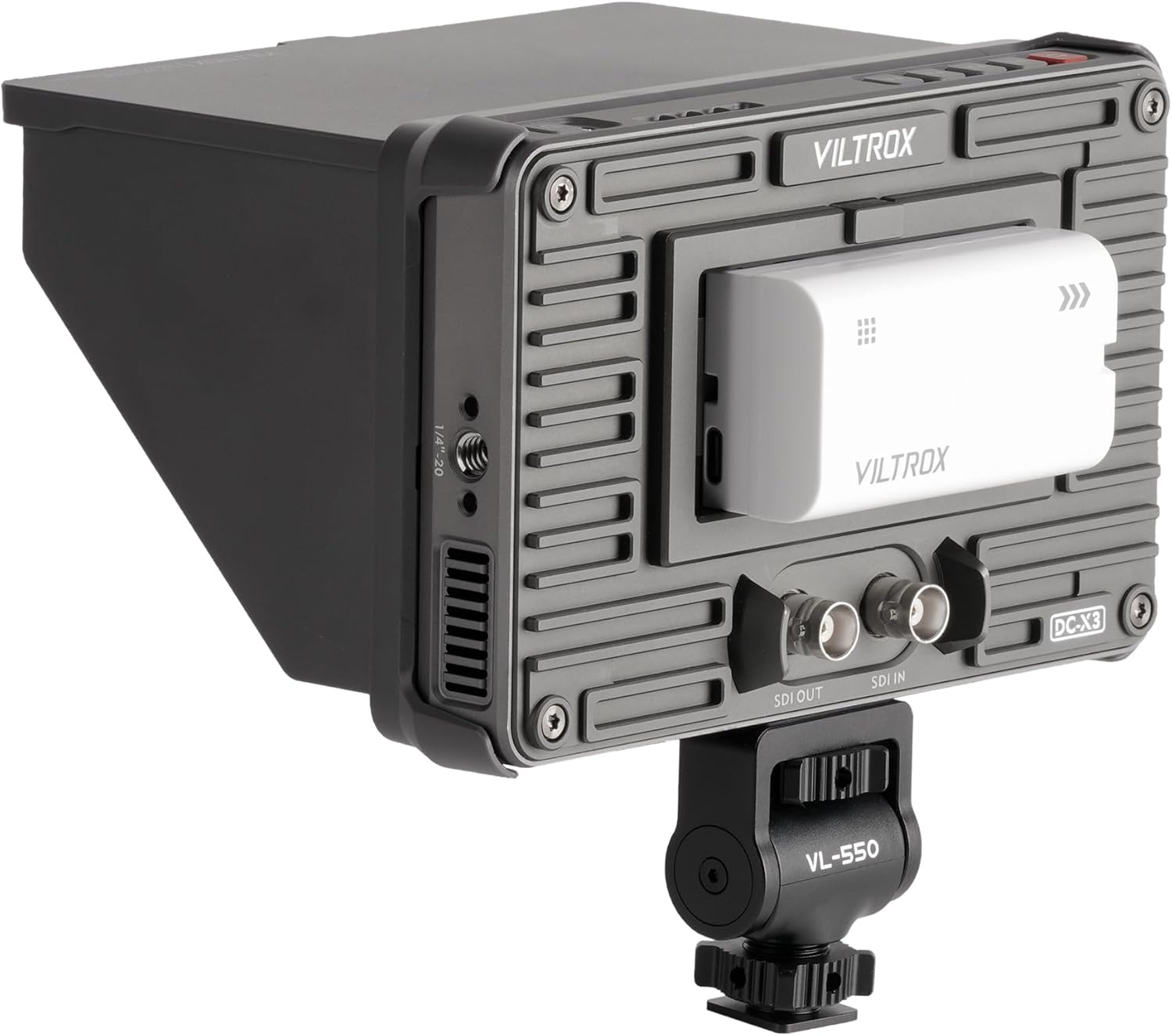
lateral view of the VILTROX DC-X3 monitor, highlighting the HDMI, SDI, and power input ports.
- SDI IN/OUT: For uncompressed, high-definition video transmission.
- ENTRADA/SORTIDA HDMI: Supports up to DCI/UHD 4K30 video input and output.
- DC IN: Power input for external power adapter.
- Tipus C: Entrada d'alimentació USB-C.
- USB: For firmware updates or external device power.
- F1-F4 Function Buttons: Customizable shortcut buttons.
- Botó de retorn: Navega enrere pels menús.
- 1/4"-20 Mounting Points: For attaching to cameras, rigs, or stands.
5. Configuració
5.1 Attaching the Sunshade Hood
The sunshade hood can be easily attached to the monitor to reduce glare in bright conditions. Align the hood with the grooves on the monitor and slide it into place until it clicks securely.

The VILTROX DC-X3 monitor with its sunshade hood attached, providing improved visibility in bright environments.
5.2 Muntatge del monitor
Use the included standard shoe adapter or the 1/4"-20 mounting points to attach the monitor to your camera, rig, or tripod.

The VILTROX DC-X3 monitor securely mounted on a camera rig, demonstrating its versatility in different setups.
5.3 Alimentació del monitor
The DC-X3 offers multiple power supply options:
- Sony L-series type batteries: Insert a compatible battery into the built-in battery plate on the rear of the monitor.
- DC Barrel Power Adapter: Connect a separately available DC barrel power adapter to the "DC IN" port.
- Adaptador d'alimentació USB-C: Connect a USB-C power adapter to the "Type-C" port.

The monitor powered by a Sony L-series type battery inserted into its dedicated slot.

The monitor receiving power via a DC barrel power adapter connected to the "DC IN" port.

The monitor being powered through its USB-C port, offering flexible power options.
5.4 Connexió de fonts de vídeo
Connect your camera or video source to the monitor using either the HDMI or SDI input ports. Use the appropriate cable (HDMI-A to HDMI-A or HDMI-A to HDMI-C) provided, or a compatible SDI cable.
6. Funcionament del monitor
6.1 Interfície de pantalla tàctil
The DC-X3 features an intuitive touchscreen interface for easy navigation and control of settings. Swipe, tap, and pinch to zoom for a seamless workflow.

A hand interacting with the VILTROX DC-X3's touchscreen interface, adjusting display settings.
6.2 Funcions de monitorització
The monitor is equipped with a suite of advanced features for precise image analysis:
- Histograma: Displays the tonal distribution of your image.
- Vectorscopi: Shows the color information of your video signal.
- Forma d'ona: Visualizes the luminance and chrominance levels.
- LUT 3D: Supports custom 3D LUTs for accurate color grading.
- Assistència d'enfocament màxim: Destaca les zones enfocades per a un enfocament precís.
- Color fals: Ajuda a avaluar els nivells d'exposició.
- Rayes de zebra: Indica zones sobreexposades.
- Aspect Ratio Markers: Guides for various aspect ratios.
- Flip de la imatge: Inverteix la imatge horitzontalment o verticalment.
- Giroscopi: Automatically adjusts screen orientation.

The VILTROX DC-X3 monitor showcasing its advanced monitoring tools, including waveform and histogram displays, for precise video analysis.
6.3 Customizing Function Buttons (F1-F4)
The four customizable function buttons (F1-F4) on the top of the monitor allow you to quickly access frequently used features. Navigate to the settings menu to assign specific functions to each button.

Primer pla view of the customizable F1-F4 function buttons on the VILTROX DC-X3 monitor.
7. Manteniment
Proper maintenance ensures the longevity and optimal performance of your VILTROX DC-X3 monitor.
- Neteja: Use a soft, lint-free cloth to clean the screen and body of the monitor. For stubborn smudges, slightly dampen the cloth with water or a screen-safe cleaning solution. Avoid spraying liquids directly onto the monitor.
- Emmagatzematge: When not in use, store the monitor in its carrying pouch in a cool, dry place, away from direct sunlight and extreme temperatures.
- Cura de la bateria: If using batteries, remove them if the monitor will not be used for an extended period. Store batteries in a cool, dry place.
- Actualitzacions de firmware: Periodically check the VILTROX official website for firmware updates to ensure your monitor has the latest features and bug fixes.
8. Solució De Problemes
If you encounter any issues with your VILTROX DC-X3 monitor, please refer to the following common problems and solutions:
| Problema | Causa possible | Solució |
|---|---|---|
| El monitor no s'encén. | Low or depleted battery; incorrect power connection. | Ensure battery is charged and properly inserted. Check DC IN or USB-C power connection. |
| Sense senyal de vídeo. | Incorrect input selected; loose HDMI/SDI cable; camera output settings. | Verify correct input source is selected on the monitor. Check cable connections. Ensure camera video output is enabled and set to a compatible resolution. |
| La pantalla tàctil no respon. | Error temporal de programari; interferències del protector de pantalla. | Restart the monitor. Ensure screen protector is applied correctly without air bubbles. |
| La imatge apareix distorsionada o amb colors incorrectes. | Incorrect color space settings; faulty cable. | Check color space settings on both monitor and camera. Try a different HDMI/SDI cable. |
If the problem persists after trying these solutions, please contact VILTROX customer support.
9. Especificacions
Detailed technical specifications for the VILTROX DC-X3 SDI Camera Field Monitor.
| Característica | Especificació |
|---|---|
| Nom del model | DC-X3 |
| Mida de la pantalla | 6 polzades |
| Resolució | 1920 x 1080 (Full HD) |
| Brillantor | 2000 nits |
| Relació de contrast | 1000:1 |
| Viewangle ing | 160 Degrees (Real Angle of View) |
| Ports d'entrada | HDMI, SDI, DC IN, Type-C |
| Ports de sortida | HDMI, SDI |
| Font d'alimentació | Sony L-series type batteries, DC IN, USB-C |
| Dimensions del producte | 12.01 x 6.69 x 2.95 polzades |
| Pes de l'article | 2.79 lliures |
| Primera data disponible | 18 d'agost de 2024 |
10. Garantia i Suport
VILTROX products come with a standard manufacturer's warranty. Please refer to the included Warranty Card for specific terms and conditions regarding your DC-X3 monitor.
For technical support, service, or warranty claims, please contact VILTROX customer service through their official weblloc web o la informació de contacte que apareix a la targeta de garantia.
VILTROX Official Store: Visita la botiga