1. Introducció
The Atomos Shinobi II is a versatile 5-inch HDMI 4K monitor designed for filmmakers and content creators. It features an HDR touchscreen, extended battery life, and a lightweight design, focusing on common settings that require on-the-fly adjustments. This manual provides detailed instructions for setting up, operating, and maintaining your Shinobi II monitor.

Image: Atomos Shinobi II highlighting its slimmer, brighter design and camera control capabilities.
2. Producte acabatview
The Shinobi II monitor is engineered for optimal performance and ease of use. Its compact and robust construction ensures reliability in various shooting environments.
2.1 Característiques clau
- 5-inch HDR Display: High-brightness 1500 nits screen for clear outdoor viewing.
- 4K HDMI Monitoring: Supports HDMI signals up to 4Kp30.
- Interfície de pantalla tàctil: Intuitive control for settings and monitoring tools.
- Connectivitat USB-C: Versatile power and camera control options.
- Llarga vida útil de la bateria: Designed for all-day operation on a single battery.
- Disseny lleuger: Enhanced portability for on-the-go productions.
2.2 Components físics
Familiarize yourself with the physical layout and connections of your Shinobi II monitor:
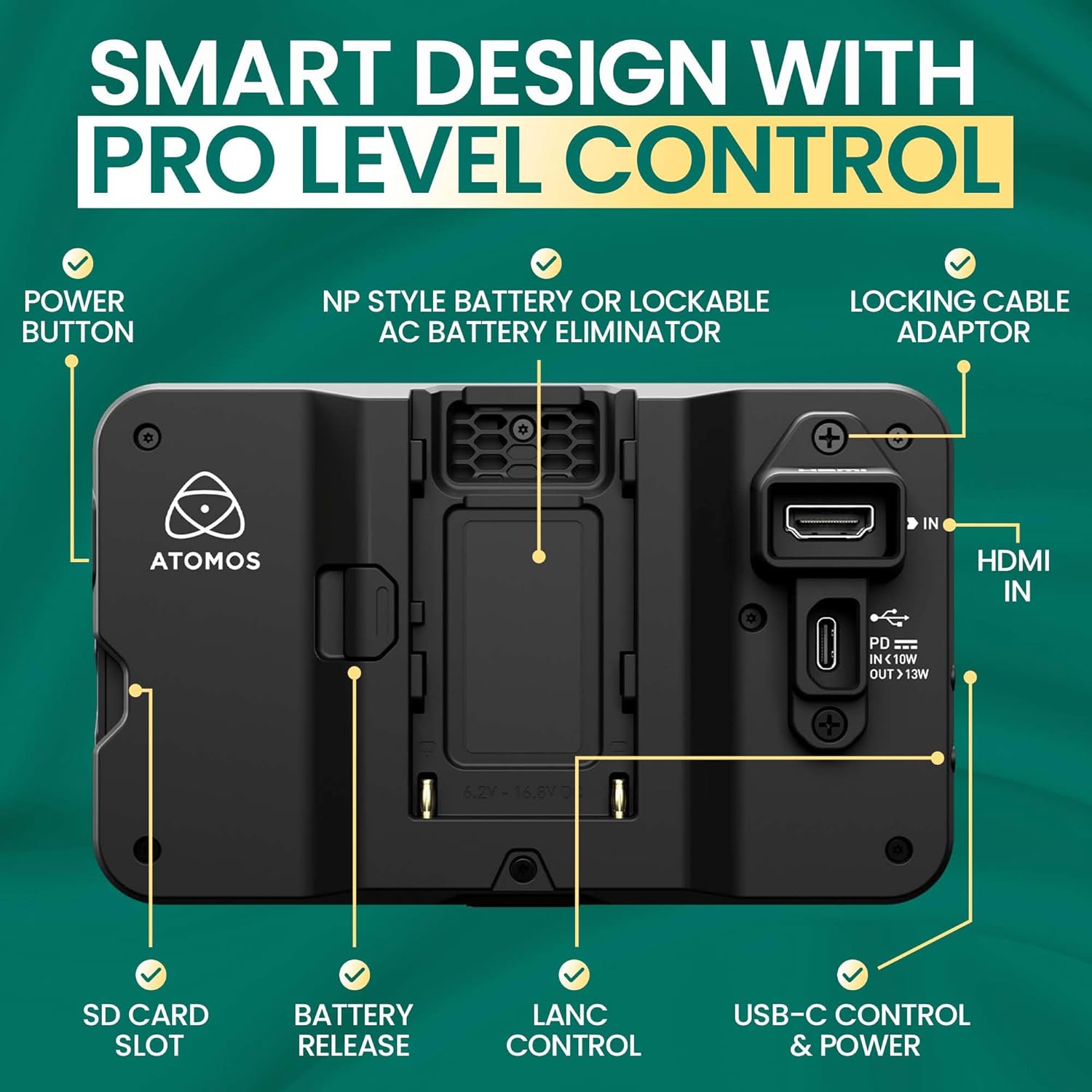
Imatge: Part posterior view of the Shinobi II monitor, detailing the power button, NP-style battery slot, locking cable adapter, HDMI IN, USB-C control & power, LANC control, battery release, and SD card slot.
- Botó d'encesa: Situat al lateral per encendre/apagar el dispositiu.
- NP-Style Battery Slot: Accommodates standard NP-F type batteries for portable power.
- Entrada HDMI: Connects to your camera for video input.
- USB-C Control & Power: Provides power delivery and camera control capabilities.
- LANC Control: For remote camera control (future firmware releases may support more vendors).
- Ranura per a targeta SD: For loading LUTs and firmware updates.
- Auriculars Jack: Per a la monitorització d'àudio.
- Port remot: For additional remote control options.
3. Configuració
3.1 Alimentació del monitor
The Shinobi II can be powered using NP-F style batteries or via USB-C Power Delivery.
- Instal·lació de la bateria: Slide a compatible NP-F battery into the battery slot on the rear of the monitor until it clicks securely into place.
- Alimentació USB-C: Connect a USB-C PD compatible power source to the USB-C port. This port can also power/charge your camera.
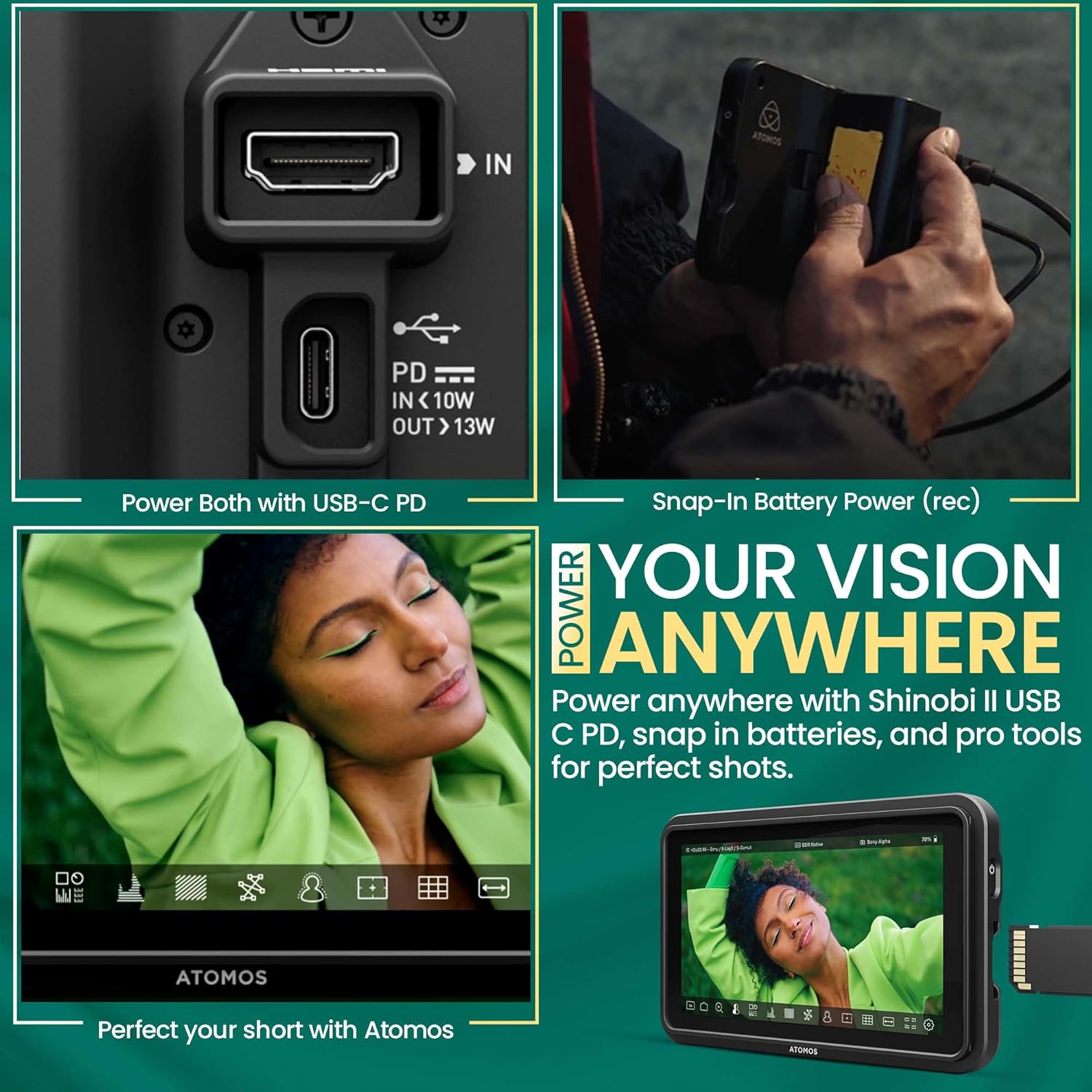
Image: A hand connecting a USB-C cable to the Shinobi II, demonstrating power options and battery use.
3.2 Connecting to Your Camera
Use an HDMI cable to connect your camera to the Shinobi II monitor.
- Connect one end of an HDMI cable to your camera's HDMI output port.
- Connecteu l'altre extrem del cable HDMI a Entrada HDMI port on the Shinobi II monitor.
- Ensure both devices are powered on. The monitor should automatically detect the input signal.
4. Funcionament del monitor
The Shinobi II features an intuitive touchscreen interface for easy navigation and control.
4.1 Controls bàsics
- Encès/apagat: Press and hold the power button on the side of the monitor.
- Navegació per pantalla tàctil: Tap, swipe, and pinch to navigate menus and adjust settings.
4.2 Monitoring Tools
The Shinobi II offers a suite of professional monitoring tools to ensure accurate exposure and focus.
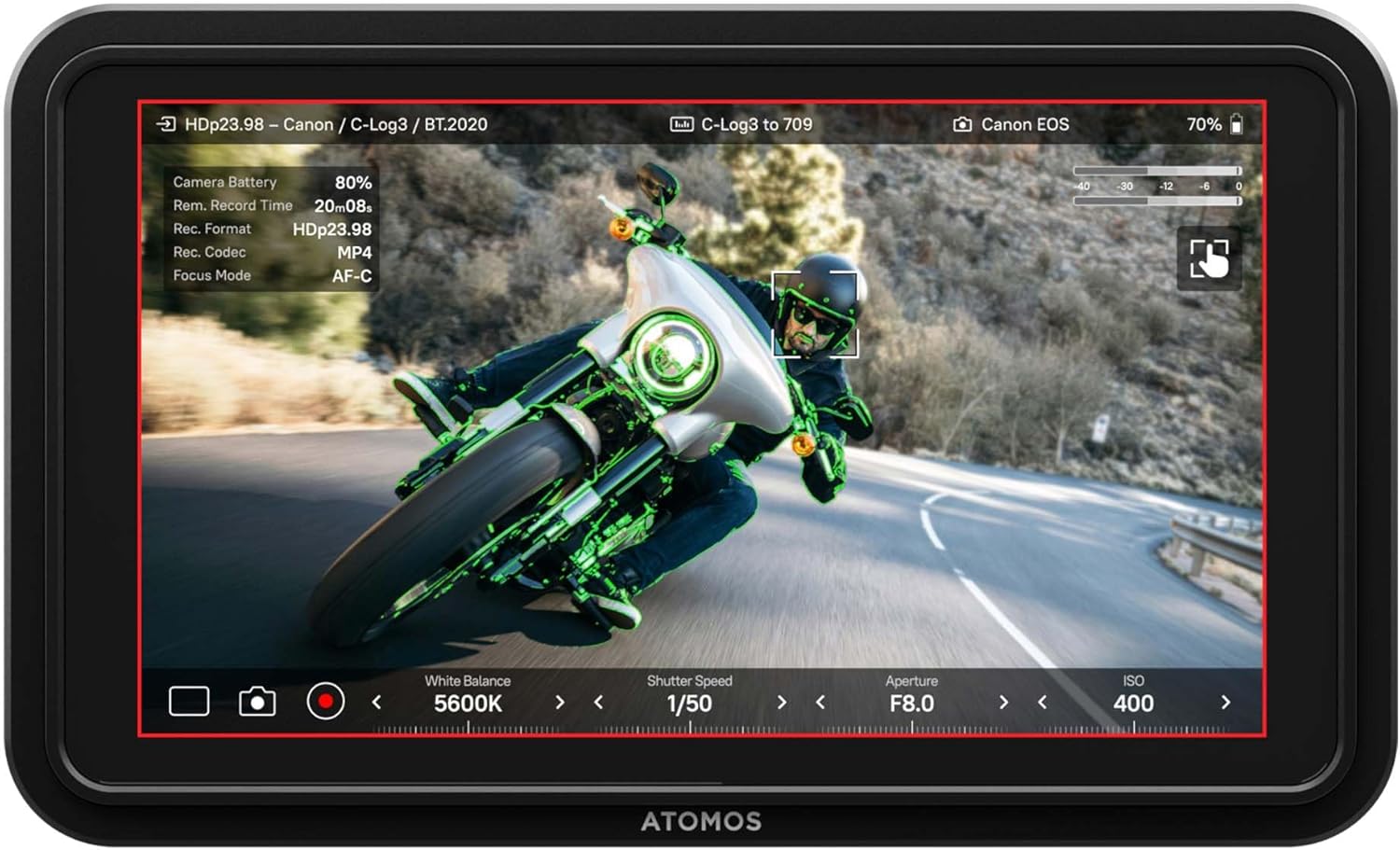
Image: The Shinobi II display showing various camera parameters like White Balance, Shutter Speed, Aperture, and ISO, along with monitoring overlays.
- Analysis Mode: Access waveform, histogram, and vectorscope tools for detailed image analysis.
- Built-in LUTs: Preview your look with up to 8 customizable LUTs. Load additional LUTs via the SD card slot.
- Frame Guides: Utilize various frame guides for precise composition for social media or cinematic productions.
- On-Screen Sliders: Adjust white balance, lens aperture, shutter speed, and ISO directly from the touchscreen.
4.3 Control de la càmera
The Shinobi II supports camera control for various mirrorless and DSLR cameras via USB-C and LANC, allowing for immediate and responsive access to camera settings.

Image: The Shinobi II monitor mounted on a camera, illustrating quick white balance adjustments, precise aperture, shutter, and ISO control for real-time shooting.
Video: An official product guide for the Atomos Shinobi II, demonstrating its features and functionality.
Video: A demonstration of the Atomos Shinobi II's touch focus capability.
5. Manteniment
Proper care and maintenance will extend the life of your Shinobi II monitor.
- Neteja: Use a soft, lint-free cloth to clean the screen and body. For stubborn smudges, a screen-safe cleaning solution can be applied to the cloth (not directly to the screen).
- Emmagatzematge: Store the monitor in a dry, cool place away from direct sunlight and extreme temperatures. Use a protective case during transport.
- Actualitzacions de firmware: Regularly check the Atomos website for the latest firmware updates to ensure optimal performance and access new features. Updates can typically be loaded via the SD card slot.
6. Solució De Problemes
If you encounter issues with your Shinobi II, refer to the following common solutions:
- Sense senyal: Ensure the HDMI cable is securely connected to both the camera and the monitor. Verify that the camera's HDMI output is active and configured correctly.
- El monitor no s'encén: Check battery charge or USB-C power connection. Ensure the power button is pressed and held for a few seconds.
- Pantalla tàctil que no respon: Restart the monitor. If the issue persists, check for available firmware updates.
- Sobreescalfament: Ensure proper ventilation around the monitor. Avoid prolonged use in direct sunlight or hot environments.
- Image Ghosting/Artifacts: Verify HDMI cable quality and connection. Check camera output settings and monitor input settings for compatibility.
For persistent issues, contact Atomos customer support.
7. Especificacions
| Característica | Especificació |
|---|---|
| Número de model | SHINOBI2 |
| Mida de la pantalla | 5 polzades |
| Resolució | 1920 x 1080 (FHD 1080p) |
| Brillantor de la imatge | 1500 nits |
| Relació de contrast de la imatge | 1000:1 |
| Relació d'aspecte | 16:9 |
| Ports d'entrada | HDMI, USB-C (Power/Control), LANC |
| Ports de sortida | Conector d'auriculars |
| Font d'alimentació | NP-F Batteries, USB-C PD (12V batteries required) |
| Dimensions del producte | 5.12 x 7.87 x 3.15 polzades |
| Pes de l'article | 7.4 unces |
8. Garantia i Suport
Atomos products are designed for reliability and performance. For warranty information, product registration, and technical support, please visit the official Atomos website or contact their customer service department. Keeping your product registered ensures you receive the latest news and information about Atomos updates.
Per obtenir més ajuda, visiteu: www.atomos.com/support


