Introducció
This manual provides detailed instructions for the setup, operation, and maintenance of your SABLUTE Wireless Keyboard and Mouse Combo, Model KC213D. This 2.4G wireless combo is designed for comfortable and efficient use with computers, laptops, and PCs running Windows, macOS, or Chrome OS. It features an ergonomic design with a wrist rest, a built-in phone/tablet holder, silent keys, and a responsive mouse.
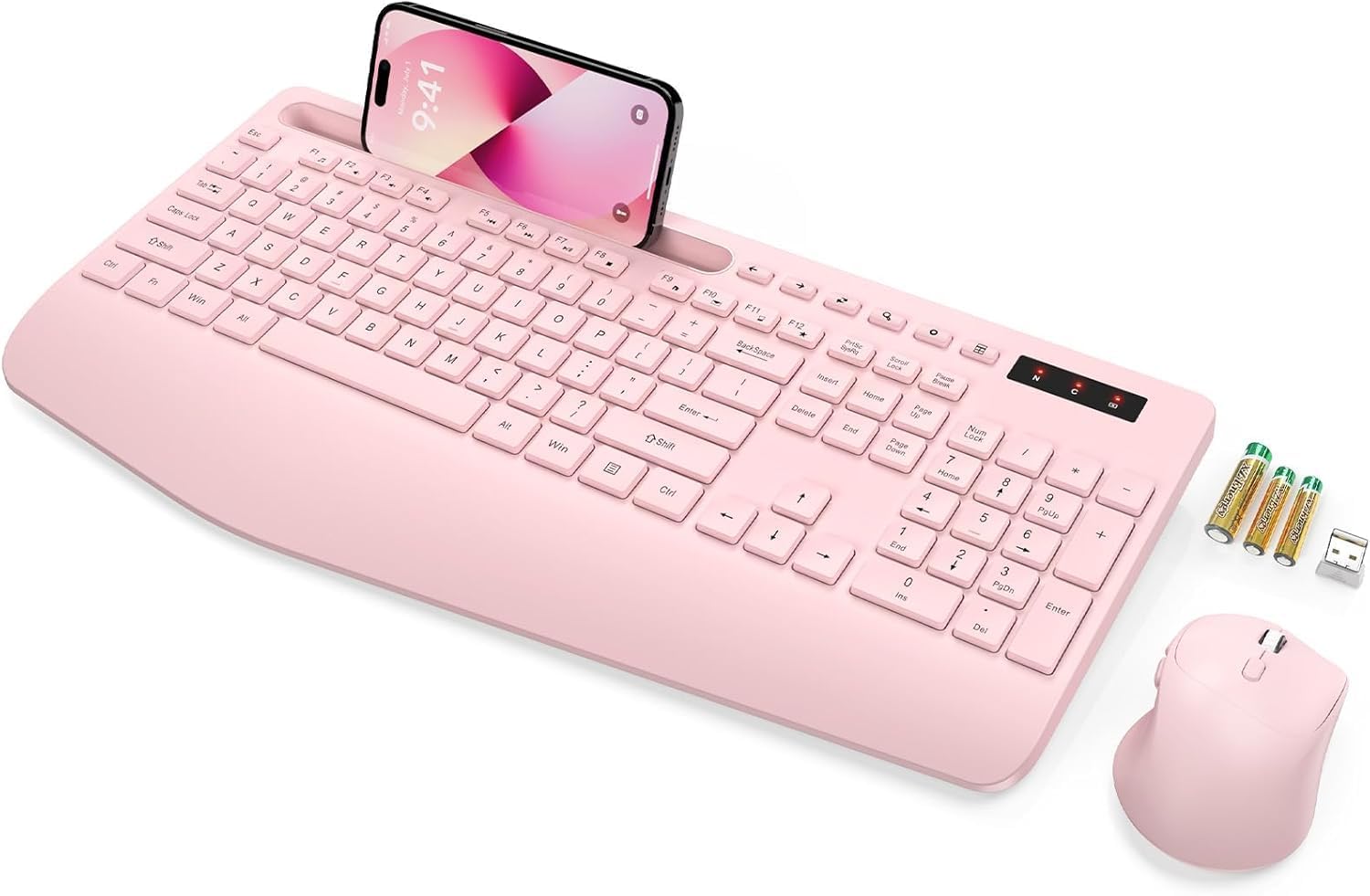
Image: The SABLUTE wireless keyboard and mouse combo in rose pink, with a phone in the integrated holder and batteries next to it.
Contingut del paquet
Si us plau, verifiqueu que tots els elements siguin presents al vostre paquet:
- Wireless Keyboard (Model KC213D)
- Ratolí sense fil
- Receptor USB 2.4G
- 2 x AAA Batteries (for keyboard)
- 1 x AA Battery (for mouse)
- Manual d'usuari (aquest document)
Instruccions de configuració
1. Instal·lació de la bateria
Install the included batteries into the keyboard and mouse:
- Localitzeu els compartiments de les piles a la part inferior del teclat i del ratolí.
- Obriu les tapes del compartiment de la bateria.
- Insert 2 AAA batteries into the keyboard, ensuring correct polarity (+/-).
- Insert 1 AA battery into the mouse, ensuring correct polarity (+/-).
- Tanqueu les cobertes del compartiment de la bateria de manera segura.

Image: Illustration showing the battery compartments on the underside of the keyboard and mouse, with AAA and AA batteries ready for insertion.
2. Connexió del receptor USB
The keyboard and mouse connect wirelessly via a single 2.4G USB receiver:
- Locate the USB 2.4G receiver. It is typically found in a sealed bag within the packaging or stored in the mouse's battery compartment.
- Connecteu el receptor USB a un port USB disponible del vostre ordinador, portàtil o PC.
- The system should automatically detect and install the necessary drivers. This is a plug-and-play device.
- The wireless connection range is up to 33 feet (10 meters).
Note: This keyboard and mouse combo uses a 2.4G USB receiver and cannot connect directly to tablets or phones via USB-C or Bluetooth.

Image: A diagram illustrating the 2.4G USB receiver plugged into a laptop, showing the wireless signal connecting to the keyboard and mouse.
Instruccions de funcionament
Característiques del teclat
- Reposa-canell ergonòmic: The keyboard features a 2.8-inch wide wrist rest and a 10° tilt angle to promote a comfortable typing posture and reduce wrist strain.
- Integrated Phone & Tablet Holder: A built-in slot at the top of the keyboard can securely hold phones and tablets up to 11.9 inches, allowing for convenient multitasking.
- Tecles d'accés directe multimèdia: The keyboard includes 6 dedicated multimedia hotkeys for quick access to functions such as previous page, next page, refresh, search, stop loading, and calculator.
- Escriptura silenciosa: The soft membrane keys are designed to reduce typing noise by up to 95%, providing a quiet working environment.

Imatge: Una imatge superior view of the ergonomic wireless keyboard, highlighting the large phone holder, wrist rest, and the location of the 6 one-click shortcut keys.

Imatge: Un primer pla view of the keyboard's multimedia shortcut keys, with labels explaining their functions: Previous Page, Next Page, Refresh, Search, Stop Loading, and Calculator.
Funcions del ratolí
- Disseny de 6 botons: The mouse features a standard left/right click, scroll wheel, DPI adjustment button, and dedicated forward/backward buttons for enhanced navigation.
- Adjustable Tracking Speed (DPI): Cycle through 3 levels of tracking speed to adjust cursor sensitivity to your preference.
- Clics silenciosos: Equipped with Silent Micro Motion technology, the mouse buttons produce minimal noise during clicks.

Imatge: Una imatge detallada view of the wireless mouse, highlighting its 6-button layout including forward and backward buttons, and illustrating the silent click feature.

Image: A graphic detailing the mouse's ergonomic design, 2.4G wireless connectivity, and three adjustable tracking speed levels.
Mode d'estalvi d'energia
To conserve battery life, the keyboard and mouse feature an automatic sleep mode:
- The devices will enter sleep mode after 10 minutes of inactivity.
- To wake the keyboard, press any key.
- To wake the mouse, click any button.
- The keyboard offers up to 365 days of standby time, and the mouse provides up to 400 hours of working time.

Image: A visual representation of the power-saving features, showing quick wake-up (1s), auto sleep mode (10 min), and extended standby time (365 days).
Manteniment
Proper maintenance ensures the longevity and optimal performance of your SABLUTE Wireless Keyboard and Mouse:
- Neteja: Use a soft, dry cloth to clean the surfaces of the keyboard and mouse. For deeper cleaning, a slightly damp cloth with mild soap can be used, ensuring no liquid enters the internal components. Avoid harsh chemicals or abrasive materials.
- Substitució de la bateria: When the devices become unresponsive or exhibit delayed input, it is likely time to replace the batteries. Follow the battery installation steps outlined in the Setup section. Dispose of old batteries responsibly according to local regulations.
- Emmagatzematge: When not in use for extended periods, remove the batteries to prevent potential leakage. Store the devices in a cool, dry place away from direct sunlight and extreme temperatures.
Resolució de problemes
If you encounter issues with your SABLUTE Wireless Keyboard and Mouse, please refer to the following common solutions:
- Cap resposta del teclat/ratolí:
- Assegureu-vos que les piles estiguin correctament instal·lades i que no estiguin esgotades. Substituïu-les si cal.
- Verify the USB receiver is securely plugged into a working USB port on your computer. Try a different USB port.
- Acosteu el teclat i el ratolí al receptor USB per descartar problemes d'abast.
- Reinicieu l'ordinador.
- Connexió endarrerida o intermitent:
- Ensure there are no large metal objects or other wireless devices (like Wi-Fi routers, cordless phones) operating too close to the receiver, which could cause interference.
- Comproveu els nivells de la bateria i substituïu-la si és baixa.
- El cursor del ratolí salta o és inexacte:
- Netegeu el sensor del ratolí a la part inferior.
- Feu servir el ratolí sobre una superfície neta i no reflectant. Es recomana utilitzar una estora de ratolí.
- Adjust the DPI setting using the button on the mouse to find a suitable tracking speed.
- Missing USB Dongle:
- The USB dongle is typically stored in a sealed bag within the product packaging or in the battery compartment of the mouse. Please inspect all packaging materials carefully.
If these steps do not resolve the issue, please contact SABLUTE customer support.
Especificacions
| Dimensions del producte | 16.54 x 8.27 x 1.38 polzades |
| Pes de l'article | 2 lliures |
| Número de model de l'article | KC213D |
| Piles necessàries | 2 AAA (keyboard), 1 AA (mouse) - included |
| Tecnologia de connectivitat | 2.4G USB sense fil |
| Característiques especials | Ergonomic Wrist Rest, Phone Holder, Full Size, Shortcut Keys, Low-profile keycap, Water Repellent |
| Dispositius compatibles | Chromebook, Dell Inspiron, HP ENVY, HUAWEI MateBook, Laptop, Notebook, Macbook Air, iMac, Personal Computer, Television (Windows, macOS, Chrome OS) |

Image: A diagram illustrating the precise dimensions of the SABLUTE wireless keyboard and mouse.
Garantia i Suport
SABLUTE is committed to providing quality products and customer satisfaction. Your product is covered by the following:
- Substitució de 90 dies: Eligible for replacement within 90 days of purchase.
- 360-Day Manufacturer Warranty: Covers manufacturing defects for 360 days from the date of purchase.
- Brand Care: Dedicated customer support for product assistance.
For any inquiries, technical support, or warranty claims, please contact us:
- Correu electrònic: sabluteservices@outlook.com
- En línia: Refer to your platform order or store link for direct support options.

Image: A customer service representative wearing a headset, smiling, representing SABLUTE support.


