Introducció
The ANCEL AD610 Pro is an advanced diagnostic tool designed for automotive professionals and DIY enthusiasts. It provides comprehensive functions including ABS and SRS system diagnosis, various reset services like ABS bleeding, SAS calibration, Electronic Parking Brake (EPB) reset, and Oil Light reset. This device also offers full OBD2 functions and convenient lifetime WiFi updates, ensuring broad vehicle compatibility and up-to-date software.
Configuració i configuració inicial
Upon receiving your ANCEL AD610 Pro, it is recommended to perform an initial setup and update the software to the latest version to ensure optimal performance and vehicle compatibility. The device supports convenient WiFi updates, eliminating the need for PC registration.

The ANCEL AD610 Pro diagnostic tool, shown with its protective carrying case and the standard OBD2 connector cable. The device features a clear display and intuitive button layout for easy navigation.
Performing WiFi Updates
The AD610 Pro offers a streamlined update process via WiFi. This saves significant time compared to traditional USB updates and does not require any registration.

The ANCEL AD610 Pro's screen displaying the WiFi update menu, allowing users to connect to a network for seamless software updates without the need for PC registration.
Passos d'actualització:
- Click the 'Update' menu option on the device.
- Connect to an available WiFi network (2.4G recommended).
- Select the relevant car model software updates.
- Tap 'Update' to initiate and complete the download and installation.

A four-step guide illustrating the easy WiFi update process: 1. Click menu update. 2. Connect to WiFi. 3. Select relevant car model software. 4. Tap 'Update' to complete the process.
Nota: A stable network connection is crucial for successful updates. Poor network conditions may lead to update failures.
Instruccions de funcionament
The ANCEL AD610 Pro offers a range of diagnostic and reset functions. Below are detailed instructions for key operations.
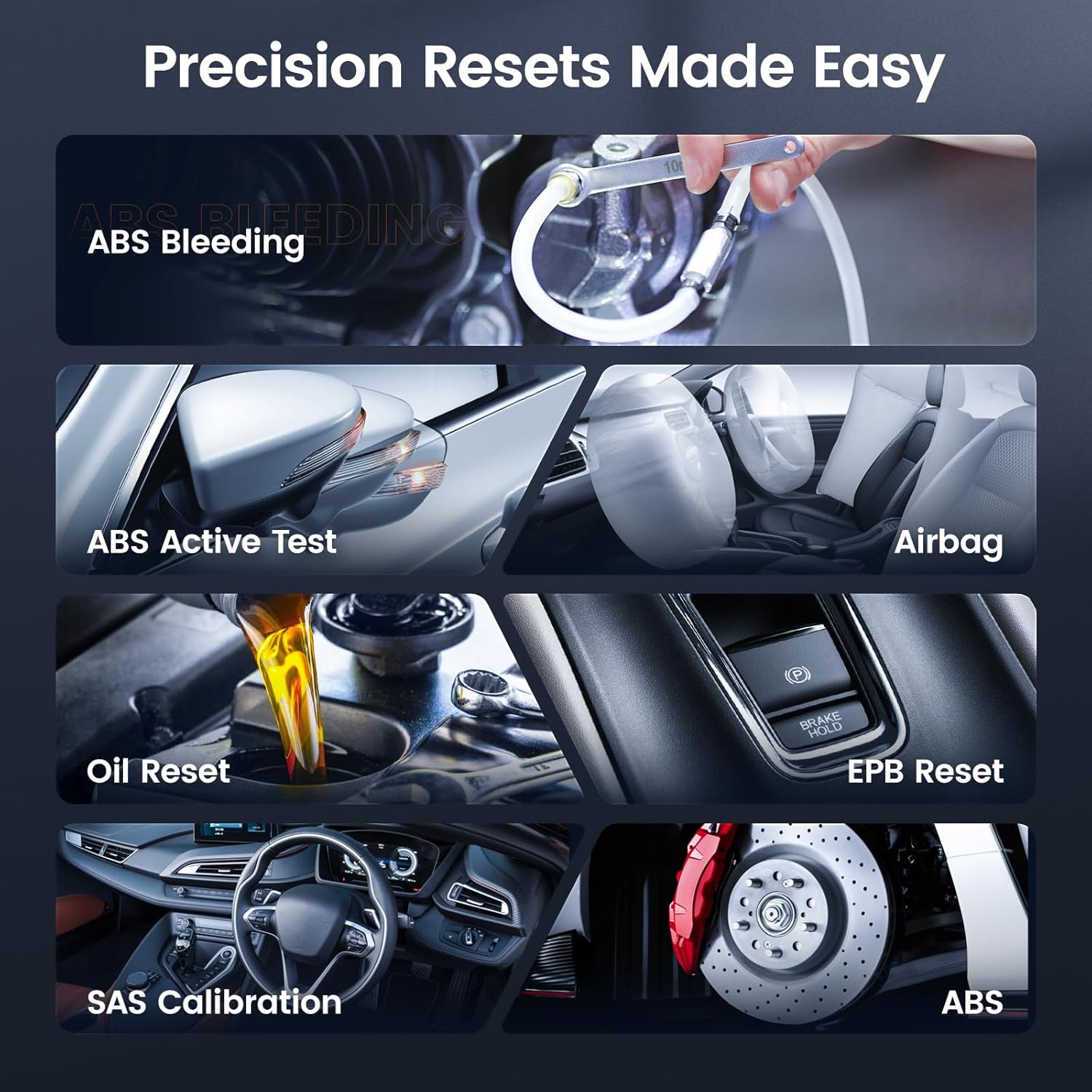
Un visual acabatview of the ANCEL AD610 Pro's precision reset capabilities, including ABS Bleeding, ABS Active Test, Airbag system functions, Oil Reset, Electronic Parking Brake (EPB) Reset, and Steering Angle Sensor (SAS) Calibration. These functions help maintain optimal vehicle performance.
ABS Diagnosis
Effectively read and clear ABS-related error codes after repairs. This addresses issues such as front or rear wheel speed sensor failure, sensor voltage irregularities, steering angle sensor faults, yaw rate, or G sensor malfunctions. Ensuring safe driving with reliable system performance.
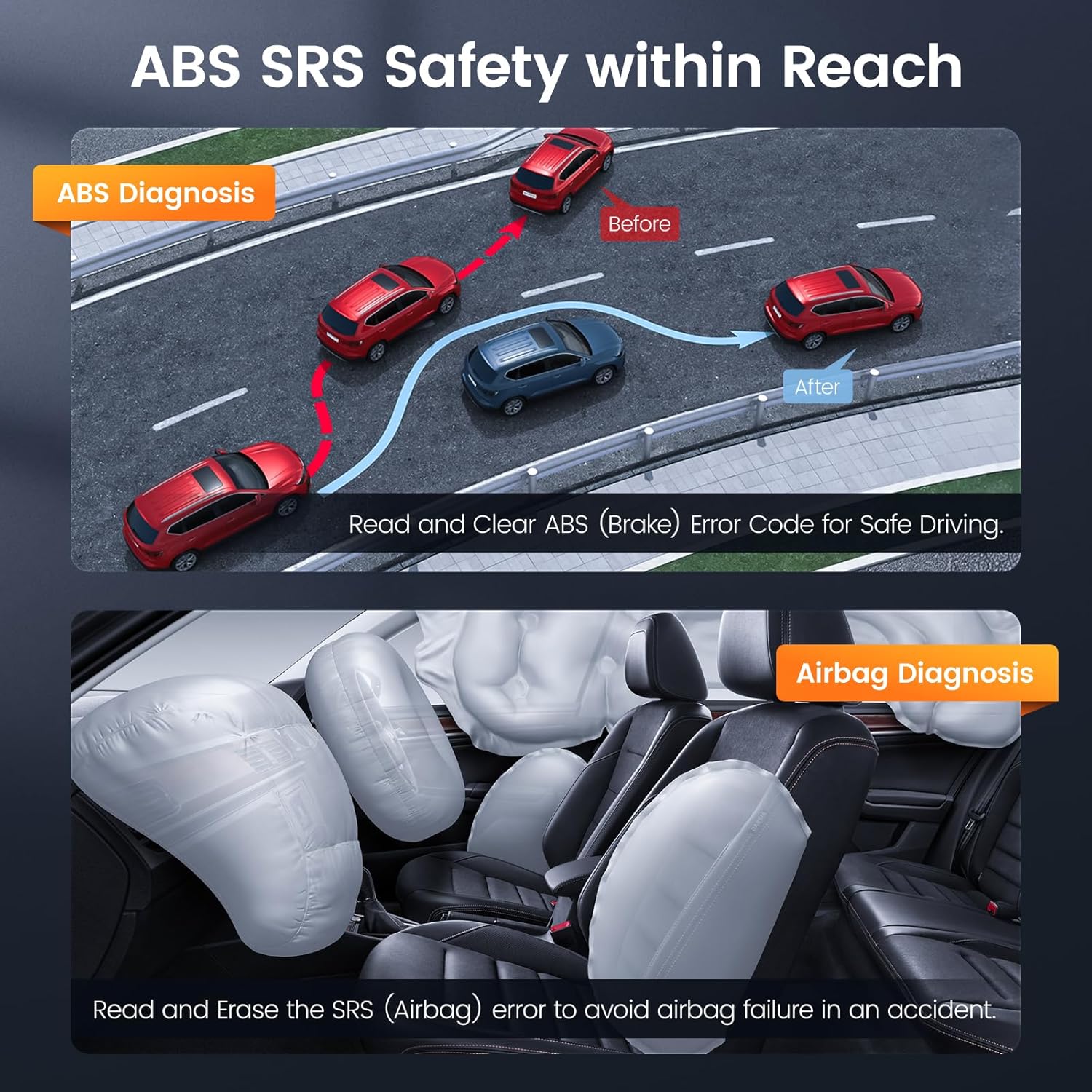
This image illustrates the ANCEL AD610 Pro's ability to diagnose both ABS and SRS systems. The top panel shows how ABS diagnosis helps identify issues affecting vehicle stability, while the bottom panel depicts the airbag system, emphasizing the tool's role in resolving SRS-related error codes.
This short video clip shows the ANCEL AD610 Pro scanner being used to perform an ABS diagnosis. It illustrates the navigation through the device's menu to access the ABS diagnostic functions, helping users identify and clear ABS-related trouble codes for improved vehicle safety.
SRS Diagnosis
Read and clear SRS-related error codes after repairs. This resolves issues like crash data recorded on the driver side (airbag replacement required), occupant classification system defects, or seat track position sensor malfunctions. Helps avoid airbag failure in an accident.
Sagnat de l’ABS
When there's air in the ABS, it affects braking performance. The ANCEL AD610 Pro helps auto bleed the brake system by purging the air, ensuring no air bubbles in the brake lines, for proper operation and optimal performance. This maintenance task is typically done when replacing brake fluid or servicing brake components, to ensure braking system stability and reliability. Nota: This feature is not compatible with vehicles that only support manual bleeding.

This graphic details the process of ABS bleeding: 1. Inspecting or replacing ABS parts. 2. Adding or replacing brake fluid. 3. Addressing soft brake pedal or poor braking performance by expelling air from the system.
Calibració SAS
Enjoy precision steering and enhanced safety through the SAS calibration feature. By ensuring accurate alignment of your vehicle's steering angle sensor (SAS), SAS calibration delivers precise control, eliminates steering drift, and prevents uneven tire wear. Improve handling and maneuverability on the road, even in challenging conditions, while driving with confidence knowing that your steering system is finely tuned for maximum performance and safety.

An illustration demonstrating the importance of SAS Calibration. It shows how the ANCEL AD610 Pro helps re-align the steering angle sensor, correcting issues like steering drift and ensuring precise control and improved handling.
EPB and Oil Reset
The AD610 Pro includes features for Electronic Parking Brake (EPB) reset and Oil Light reset. These functions are crucial for proper vehicle maintenance after servicing brake components or performing an oil change, helping to clear warning lights and ensure systems operate correctly.
Funcions OBD2 completes
The device includes comprehensive OBD2 functions such as reading and clearing codes, live data display, Freeze Frame, onboard monitoring, DTC lookup, vehicle information, and more. The I/M readiness feature allows quick smog checks for annual inspection, saving time and reducing maintenance costs.

This image highlights the extensive OBD2 functions available on the ANCEL AD610 Pro, including reading and clearing diagnostic trouble codes, viewing live data, freeze frame data, I/M readiness status for emissions checks, and accessing vehicle information.
Fast AutoVIN
Automatically retrieves vehicle information for various brands and models, eliminating manual entry and saving time. It improves accuracy, reduces human errors, and enhances user experience, making diagnostics faster and more reliable.
Manteniment
To ensure the longevity and optimal performance of your ANCEL AD610 Pro, keep the device clean and store it in a dry environment. Regularly check for and install software updates via WiFi to benefit from the latest features and expanded vehicle coverage. Avoid exposing the device to extreme temperatures or direct sunlight for prolonged periods.
Resolució de problemes
If you encounter issues with your ANCEL AD610 Pro, consider the following common troubleshooting steps:
- El dispositiu no s'encén: Ensure the OBD2 cable is securely connected to the vehicle's DLC port and the vehicle's ignition is on. Check the vehicle's battery voltage.
- Errors de comunicació: Verify the vehicle's ignition is on and the cable connection is secure. Ensure the vehicle is OBDII compliant (1996 US-based, 2000 EU-based, and Asian cars). OBD1 vehicles are not supported.
- Errors d'actualització: Ensure a strong and stable WiFi connection. Poor network conditions can interrupt updates. Retry the update process.
- Special Functions Unavailable: If certain special functions are not available for your vehicle, please ensure the device software is updated to the latest version. Vehicle compatibility for special functions can vary by year and model.
- Congelació de la pantalla: Restart the device. If the issue persists after updates, contact customer support.
For more detailed troubleshooting or specific vehicle compatibility checks, please refer to the official ANCEL support resources or contact their customer service.
Especificacions
| Característica | Detall |
|---|---|
| Marca | ANCEL |
| Número de model | AD610 PRO |
| Pes de l'article | 1.56 lliures |
| Dimensions del producte | 6.69 x 3.35 x 8.66 polzades |
| Mida de la pantalla | 2.8 polzades |
| Protocols compatibles | KWP2000, J1850 VPW, ISO9141, J1850 PWM, CAN |
| Actualitzacions | Lifetime Free WiFi Updates |
| Primera data disponible | 2 d'agost de 2024 |
Garantia i Suport
The ANCEL AD610 Pro comes with free lifetime WiFi updates, ensuring your device remains current with the latest vehicle data and diagnostic capabilities without additional fees. For detailed warranty information, technical support, or to download the complete user manual, please visit the official ANCEL weblloc web o consulteu el document PDF proporcionat:


